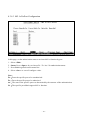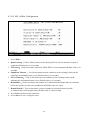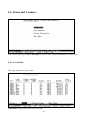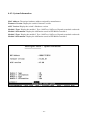
1
USER MANUAL FSW3226 24 + 2G Single IP SNMP Management Switch CTC Union Technologies Co., Ltd. Version 1.01 2006/01 24 + 2G Single IP Management Switch User Menu 1. INTRODUCTION ............................................................................................................................................................ 5 1.2 INSTALLATION ............................................................................................................................................................. 6 1.3 INITIAL SET UP FOR MANAGEMENT ............................................................................................................................. 8 1.3.1 out-of-band Terminal-mode Management ............................................................................................................ 8 1.3.2 In-band management through Ethernet................................................................................................................ 9 1.3.3 Telnet management............................................................................................................................................. 12 1.4 LED INDICATORS INFORMATION .............................................................................................................................. 13 2. WEB MANAGEMENT FUNCTION............................................................................................................................ 14 2.1. WEB MANAGEMENT HOME OVERVIEW .................................................................................................................. 14 2.2. PORT STATUS ............................................................................................................................................................. 15 2.2.1 single port counter and status....................................................................................................................... 16 2.3. PORT STATISTICS ...................................................................................................................................................... 17 2.4. SHOW MAC TABLE .................................................................................................................................................. 19 2.5. ADMINISTRATOR ....................................................................................................................................................... 20 2.5.1. IP Address/Subnet Mask/Gateway..................................................................................................................... 20 2.5.2 Switch Setting ..................................................................................................................................................... 21 2.5.2.1 Advanced .......................................................................................................................................................................21 2.5.2.2 Misc Config ...................................................................................................................................................................23 2.5.3 Console Port Information................................................................................................................................... 24 2.5.4 Port Controls...................................................................................................................................................... 24 2.5.5 Trunking ............................................................................................................................................................. 27 2.5.5.1 Aggregator setting..........................................................................................................................................................27 2.5.5.2 Aggregator Information..................................................................................................................................................28 2.5.5.3 State Activity..................................................................................................................................................................29 2.5.6 IGMP and MAC Filter ....................................................................................................................................... 30 2.5.6.1. IGMP Snooping ............................................................................................................................................................30 2.5.6.2. Static MAC Address......................................................................................................................................................31 2.5.6.3 MAC filtering.................................................................................................................................................................32 2.5.7. VLAN configuration .......................................................................................................................................... 33 2.5.7.1. Port Based VLAN .........................................................................................................................................................35 2.5.7.2. 802.1Q VLAN...............................................................................................................................................................36 2.5.8. Spanning Tree.................................................................................................................................................... 40 2.5.9. Port Mirror........................................................................................................................................................ 42 2.5.10. SNMP/Trap Manager ...................................................................................................................................... 43 2.5.11 Security Manager ............................................................................................................................................. 45 -2- 2.5.12 802.1x Configuration..................................................................................................................................... 46 2.5.13 Ping .................................................................................................................................................................. 48 2.5.14 Agent Management........................................................................................................................................... 49 2.6. TFTP UPDATE FIRMWARE ....................................................................................................................................... 52 2.7. CONFIGURATION BACKUP ........................................................................................................................................ 53 2.7.1. TFTP Restore Configuration ............................................................................................................................. 53 2.7.2. TFTP Backup Configuration ............................................................................................................................. 53 2.8. RESET SYSTEM ......................................................................................................................................................... 54 2.9. REBOOT .................................................................................................................................................................... 54 3. CONSOLE -- 1K XMODEM UPDATE FIRMWARE................................................................................................. 55 4. OUT-OF-BAND TERMINAL MODE MANAGEMENT............................................................................................ 58 4.1 MAIN MENU ............................................................................................................................................................... 59 4.2 SWITCH STATIC CONFIGURATION ............................................................................................................................. 60 4.2.1. Port Configuration ............................................................................................................................................ 61 4.2.2. Trunk Configuration .......................................................................................................................................... 63 4.2.3. VLAN Configuration.......................................................................................................................................... 64 4.2.3.1. VLAN Configure ..........................................................................................................................................................64 4.2.3.2. Create a VLAN Group ..................................................................................................................................................66 4.2.3.3. Edit / Delete a VLAN Group.........................................................................................................................................68 4.2.3.4. Groups Sorted Mode .....................................................................................................................................................69 4.2.4. Misc Configuration ........................................................................................................................................... 70 4.2.4.1. Ping ...............................................................................................................................................................................71 4.2.4.2. MAC Age Interval.........................................................................................................................................................71 4.2.4.3. Broadcast Storm Filtering .............................................................................................................................................72 4.2.4.4. Max bridge transmit delay bound..................................................................................................................................73 4.2.4.5. Port Security .................................................................................................................................................................73 4.2.4.5. Collisions Retry Forever ...............................................................................................................................................74 4.2.4.6. Hash Algorithm.............................................................................................................................................................75 4.2.4.7. IFG Compensation ........................................................................................................................................................75 4.2.5. Administration Configuration ........................................................................................................................... 77 4.2.5.1. Change Username .........................................................................................................................................................77 4.2.5.2. Change Password ..........................................................................................................................................................78 4.2.5.3. Device Information .......................................................................................................................................................78 4.2.5.4. IP Configuration............................................................................................................................................................79 4.2.6. Port Mirror Configuration ................................................................................................................................ 80 4.2.7. Priority Configuration....................................................................................................................................... 81 4.2.7.1. Port Static Priority.........................................................................................................................................................81 4.2.7.2. 802.1p Priority Configuration .......................................................................................................................................82 -3- 4.2.8. MAC Address Configuration ............................................................................................................................. 83 4.2.8.1. Static MAC Address......................................................................................................................................................83 4.2.8.2. Filtering MAC Address .................................................................................................................................................87 4.3. PROTOCOL RELATED CONFIGURATION ................................................................................................................... 91 4.3.1. STP .................................................................................................................................................................... 91 4.3.1.1. Enable/Disable STP ......................................................................................................................................................92 4.3.1.2. STP System Configuration............................................................................................................................................92 4.3.1.3. Perport Configuration ...................................................................................................................................................94 4.3.2. SNMP ................................................................................................................................................................ 95 4.3.2.1. System Options .............................................................................................................................................................95 4.3.2.2. Community Strings .......................................................................................................................................................97 4.3.2.3. Trap Managers ............................................................................................................................................................100 4.3.3. GVRP............................................................................................................................................................... 102 4.3.4. IGMP............................................................................................................................................................ 103 4.3.5. LACP (Link Aggregation Control Protocol)................................................................................................. 104 4.3.5.1. Working Port Setting................................................................................................................................................104 4.3.5.2. State Activity............................................................................................................................................................105 4.3.5.3. LACP Status.............................................................................................................................................................106 4.3.6. 802.1x Protocol ............................................................................................................................................ 108 4.3.6.1. Enable/Disable 802.1x .............................................................................................................................................108 4.3.6.2. 802.1x System Configuration................................................................................................................................... 110 4.3.6.3. 802.1x PerPort Configuration .................................................................................................................................. 111 4.3.6.4. 802.1x Misc Configuration ...................................................................................................................................... 112 4.4. STATUS AND COUNTERS .......................................................................................................................................... 113 4.4.1. Port Status .................................................................................................................................................... 113 4.4.2. Port Counters ............................................................................................................................................... 114 4.4.3. System Information....................................................................................................................................... 115 4.5. REBOOT SWITCH .................................................................................................................................................. 116 4.5.1. Default............................................................................................................................................................. 116 4.5.2. Restart ............................................................................................................................................................. 116 4.6. TFTP UPDATE FIRMWARE ..................................................................................................................................... 117 4.6.1. TFTP Update Firmware .................................................................................................................................. 117 4.6.2. Restore Configure File .................................................................................................................................... 118 4.6.3. Backup Configure File .................................................................................................................................... 119 5. APPLICATION EXAMPLES ................................................................................................................................ 120 5.1. LAN APPLICATION USED WITH SWITCH ......................................................................................................... 120 5.2. TRUNKING APPLICATION USED WITH SWITCH ............................................................................................... 122 5.3. SINGLE IP APPLICATION ................................................................................................................................. 122 -4- 1. Introduction 24+2G switch is a high performance web-managed SNMP Layer 2 switch that provides users with 24 10/100Mbps Ethernet and 2 1000Mbps Gigabit ports. This Switch has SNMP management and remote control capabilities such as “Web Cluster”. The Gigabit module, which can be copper or fiber media, supports 1000BASE-SX, 1000BASE-LX or 1000BASE-T, allowing users to increase their network response time at gigabit speeds and with great flexibility. A RS-232 serial port provides an easy way for installation and initial set-up. Non-blocking and maximum wire speed performances are designed on all ports. The Switch not only supports Auto-Negotiation, but also Auto-MDIX function on all switched 24 10/100M RJ-45 ports and two Gigabit Copper ports in both half or full duplex mode. The Auto-MDIX function makes it convenient for the user, because it eliminates cabling on straight-line or cross-line issues. 24+2G switch provides a convenient way to operate layer 2 management through the browser. The User-friendly drop-down menu allows the user to easily learn, control and monitor. It supports not only traditional SNMP function, but also RMON 1,2,3,9 groups for advanced network analysis. A new management tool called “Single IP” is implemented here to provide the administrator an access right to enter private IP domain through a single real IP. By this management tool, network manager can remotely control his far-side servers in private IP domain without being there. The Switch also supports both port-based VLAN and Tag-based. To increase bandwidth application, it supports 7 groups with up to 4 ports Trunk, and moreover, these trunk ports provide fair-over function to provide back up when one or more ports malfunction. Totally front access design and full LED status display ease user’s installation and inspection and maintenance efforts at rack mount environments. The extra LED display reflecting the fan status allows for quick diagnosis of over-heat issues. -5- 1.1 Unpacking Open the shipping carton of the Switch and carefully unpack its contents, the carton should contain the following items: z z z z z z One 24+2G, 24 port Fast Ethernet Layer 2 Switch. Mounting Kit: 2 mounting brackets and screws Four rubber feet with adhesive backing. One AC power cord. One RS-232 cable This User’s Guide (Disk or CD). 1.2 Installation You can use the following guidelines when choosing a place to install the Switch. z z z The surface must support at 3 kg. Do not place heavy object on the Switch. Visually inspect the power cord and AC power connector. Make sure that there is proper heat dissipation form and adequate ventilation around the Switch. Desktop or Shelf Installation: When installing the Switch on the desktop of shelf, the rubber feet included with the device should first be attached. Attach these cushioning feet on the bottom at each corner of the device. Allow adequate space for ventilation between the device and the objects around it. Rack Installation: The 24+2G switch can be mounted in an ELA standard-sized, 19-inch rack, which can be placed in a wiring closet with other equipment. To install, attach the mounting brackets on the switch side panels (one on each side) and secure them with the screws provided. Then, use the screws provided with the equipment rack to mount the switch on the rack. -6- Power on: The 24+2G switch can be used with an AC power supply 90-260V AC, 50-60Hz. The AC power connector is located at the rear of the unit. The switch’s power supply will adjust to the local power source automatically and may be turned on without having any or all LAN segment cables connected. After the power switch is turned on, the LED indicators should respond as fallows: z All LED indicators will momentarily blink. This blinking of the LED indicators represents a reset of the system. z The power LED indicator will blink while the Switch loads onboard software and performs a self-test. After approximately 20 seconds, the LED will light again to indicate the switch is in a ready state. z The Speed, Link/Activity LED indicator may remain ON or OFF depending on every port’s situation. z The fan LED will be vanished if fan works normally, or LED goes RED if fan stop or failed. -7- 1.3 Initial set up for management There are two management ways can be chosen, one is out-of-band management, you work this way with a PC and connect your PC and switch through RS232 cable. The other way is in-band-management, you also work with a PC but connect your PC and switch through Ethernet network no matter local or remotely, or simply directly connect your PC and switch through an Ethernet cable. Before you activate the management function with the Switch, you have to read the instructions below carefully and do some proper setting to insure you can access the switch through your PC, then the switch devices will be replied or responded correctly as you wish. 1.3.1 out-of-band Terminal-mode Management First, turn on your PC and execute with terminal mode program, such as, if you are in Microsoft Window environment, you may choose “super terminal “from programs that are listed for communication. Then follow the steps below: Step 1: Set Hyper Terminal parameters on your PC Bits Rate per second = 9600 Parity = None Data Bits = 8 Stop Bit = 1 Flow Control = None Step 2: After setting the above on the PC, then connect your switch device with RS 232 cable, then type the “enter” key, then, the device will response the Main Menu to you and ask you to input the username and password. The default username is” admin” and the password is “123” for default. To know more about operation in this mode, please refer the instructions in chapter 4 of this manual to perform all function you want. -8- 1.3.2 In-band management through Ethernet In addition to terminal mode operation, 24+2G switch also supports in-band management through browser, this function is much more user-friendly than terminal mode, because it can be operated through mouse on the PC screen and moreover it can be performed either locally or remotely through Ethernet. Before you can access the switch, you have to know following things. First you have to know the IP Address and Subnet Mask of both your switch and your PC. The default value of the IP Address and Subnet Mask within the switch can be got through terminal mode operation described in chapter 4, while the IP Address and Subnet Mask of PC can be found in your PC system. Second, in general, within a network, the members in the same network domain must have the same Subnet IP unless there are routers between them, or, members in the same network domain can’t talk to each others, so make sure the communication members in the same domain must have different IP Addresses and same Subnet Mask. Third, If there is a DHCP server in the network domain, be sure to enable the DHCP function both -9- on your PC and the switch, then save the setting and reboot the switch again (power-off-and–on once), DHCP server and its protocol will automatically assign IP address and related IP Subnet Mask and Default gateway, under this condition, you can execute your browser program in your PC and simply type http:// IP-Address-of-switch to access the switch through Ethernet or over internet. there is no DHCP in the network, then you must follow the steps instructed below: But if When there is no DHCP server in your network domain, according to the concept described above, you must modify either the PC side or switch side to match the rule “the communication members in the same domain must have different IP Addresses and same Subnet Mask. “, below, we try to state the steps if we modify the content of IP configuration within the switch to match the domain requirement of the PC: Step 1: Get the IP configuration information in your PC Step 2: Get IP configuration value used for switch from your network manager. Get an IP Address for your switch, get IP Subnet Mask, and get default gateway IP address (if needed) from your network manager. Step 3: Modify the IP configuration value within the switch to match the rule In the step 3, you must use the data that get from step 2 to modify the default value within the switch, to achieve this, use terminal mode operation mentioned in 1.3.1. After modifying the IP address, Subnet Mask, Default Gateway in the switch, then save the setting and execute the browser program with http:// IP_Address_ of_ switch, then you may access the switch with following dialogue below. Then type user name and password to get further service. To find out more operation in this mode, please refer the instructions in chapter 3 of this manual to perform all function you want. - 10 - - 11 - 1.3.3 Telnet management In addition to local terminal mode operation, 24+2G switch supports remote management through Telnet over network or even over internet for that environment without browser. In this mode, user also has to do the same setting as required in in-band management to the IP Configuration before executing the Telnet program. Again, after proper setting to the switch, save the setting and connect your Ethernet cable from your PC to any port of the Ethernet Switch, then you can simply typing as following at the command line to access the switch: Telnet IP_Address_of_Switch The following dialogue below appears. Type user name and password to get further service. To find out more operation in this mode, please refer the instructions in chapter 3 of this manual to perform all function you want. - 12 - 1.4 LED indicators information There are many LEDs on the front panel of switch, after the power on, these LEDs will reflect the current status truly within the switch, we explain below: There is one power LED on the left side of front panel, whenever power is applied, it lights with green, below it, there is Diagnostic LED, it will go blinking during the power-on diagnostics. There are two more FAN status LEDs aside the power LEDs, the upper one indicate the left fan status inside the switch, it vanishes when fan works normally, and will goes RED while fan is stop or with malfunction, the lower one indicates the same for the fan at right side within the switch. Each RJ-45 of 10/100M is with two LEDs built-in on its upper corner, left one indicates link status and activity, while the right one indicates the speed information. Each RJ-45 of 10/100/1000M for gigabit module (optional) is somewhat different. Upper yellow LED indicates for 10M LINK, middle green LED indicates for 100M LINK, but for 1000M, or Gigabit, both upper and middle LEDs are lit when gigabit port is link with other Gigabit port. LED Power Color Status Green Green DIAG Red FAN LINK/ACT Green 10/100M Green Vanish Solid Turn solid green when power is applied to this device. Successful diagnostic. Left side fan fail. Successful connection with Fast Ethernet. Successful connection with 100Mbps Fast Ethernet. Successful connection with 10Mbps Fast Ethernet. - 13 - Blinking N/A during power on diagnostics N/A Sending , Receiving or collision packets N/A N/A 2. Web Management Function 2.1. Web Management Home Overview This is a Home Page. At this page, you may see the basic switch information and module information. All information in these fields is read-only. That is, user can’t modify its contents. Description: Display the name of device type. MAC Address: The unique hardware address assigned by manufacturer (default) Firmware Version: Display the switch’s firmware version. ASIC Version: Display the switch’s ASIC version. On the top of web page, there is a link status from image of front panel; every port will be with a connector icon if this port is really linked with others, you also may click the function that listed at left. Below is the explanation of each function: - 14 - 2-2. Port status 2-3. Port Statistics 2-4. Show MAC Table 2-5. Administrator 2-6. TFTP Update Firmware 2-7. Configuration Backup 2-8. Reset System 2-9. Reboot 2.2. Port status This page provides current status of every port that depends on user’s setting and the negotiation result. 1. 2. 3. 4. State: Display port statuses: disable or enable. “Unlink” will be treated as “off”. Link Status: Down means “No Link”, UP means “Link”. Auto Negotiation: Display the auto negotiation mode: auto/force/Nway-force. Speed status: Display 1000Mbps or 100Mbps or 10Mbps speed, port 1- 24 are 10/100Mbps, Port 25-26 are 10/100/1000Mbps. 5. Duplex status: Display full-duplex or half-duplex mode. 6. Flow Control: Full: Display the flow control is enabled or disabled in full mode. Half: Display the backpressure is enabled or disabled in half mode. 7. Rate Control: Display the rate control setting. - 15 - Ingr: Display the port effective ingress rate of user setting. Egr: Display the port effective egress rate of user setting. 8. Port Security: Display the port security is enabled or disabled. 9. Config: Display the state of user setting. 10. Actual: Display the negotiation result. 2.2.1 Single port counter and status User can also click the any port directly on the front panel of Home Page to get single port Status which is shown below. - 16 - 2.3. Port Statistics There are three pages the switch provides for user to monitor the statistics of network traffic: Port Summary, RMON Statistics (1), RMON Statistics (2). The Above information provides a summary of the current switch’s status, including on/off state, link status, good or bad packets of transmitting and receiving, packets of transmitting abort, packets of collision and drop packets. The following two pages provide the statistics of RMON 1,2,3,9 groups. The first part collects the information about packets of frame size within ranges of 64, 65-127, 128-255, 256-511, 512-1023, and 1024-1518 bytes, the total received packets and the total receives bytes. The second part collects the information about drop events, broadcast packets, multicast packets, alignment errors, undersize packets, oversize packets, fragments, jabbers and collisions. Press “Reset” button to clear all the counter. - 17 - - 18 - 2.4. Show MAC Table The following information provides a table of the current MAC address that the switch has learned. Press “Prev” or “Next” button will browse previous 50 or next 50 items. The “Top” button will re-list the table from the first MAC. A sorting function is implemented here. Clicking header on the top of table will bring a new sorted list of current content in the order of its title. For instance, clicking the “MAC” on the top of table will refresh the table by the index of “MAC”. - 19 - 2.5. Administrator There are many management functions can be set or performed if you click the Administrator on Home Page, including: IP address/Subnet Mask/Gateway Switch settings Console port information Port Configuration Trunking IGMP and MAC Filter VLAN Configuration Spanning Tree Port Mirror SNMP/Trap Manager Security Manager 802.1x Configuration Ping Agent Management 2.5.1. IP Address/Subnet Mask/Gateway User can modify the switch IP Settings by filling with the new value, then clicks “apply” button to confirm (save) his setting, then he must reboot switch, then new IP configuration value will be activated. The Agent mode indicates which role this switch is currently playing. Slave means it is treated as a normal switch. Master means the "Single IP" is activated and the switch is treated as agent manager. The default is "Slave". The extra “Agent IP” setting is necessary for the “Single IP” management. It defines the IP and the subnet mask the master switch will be assigned, which are in the same IP domain as the managed hosts’ one. User can confine the “Single IP” function to local management by assigning the agent IP to the same one as switch IP. Different from original IP forwarding method, it uses a method like webpage link and won’t increase the loading of switch. - 20 - ”Agent IP “setting and “Agent management” in the main menu will not show up if the agent mode is set as “Slave”. [Note] If any of the value is changed in this field, reboot is necessary. 2.5.2 Switch Setting 2.5.2.1 Advanced Miscellaneous Setting: MAC Address Age-out Time: Type the number of seconds that an inactive MAC address remains in the switch's address table. The valid range is 300~765 seconds. Default is 300 seconds. Max bridge transit delay bound control: Limit the packets queuing time in switch. If enable, the packets queued exceed will be drop. These valid values are 1sec, 2 sec, and 4 sec and off. Default is 1 seconds. - 21 - NOTE: Make sure of “Max bridge transit delay bound control” is enabled before enable Delay Bound, because Enable Delay Bound must be work under “Max bridge transit delay bound control is enabled” situation. Broadcast Storm Filter: To configure broadcast storm control, enable it and set the upper threshold for individual ports. The threshold is the percentage of the port's total bandwidth used by broadcast traffic. When broadcast traffic for a port rises above the threshold you set, broadcast storm control becomes active. The valid threshold value is 5%, 10%, 15%, 20%, 25% and off. Priority Queue Service settings: First Come, First Serve: The sequence of packets sent is depending on arrive orders. All High before Low: The high priority packets sent before low priority packets. WRR: Weighted Round Robin. Select the preference given to packets in the switch's high-priority queue. These options represent the number of high priority packets sent before one low priority packet is sent. For example, 5 High:2 Low means that the switch sends 5 high-priority packets before sending 2 low- priority packets. Enable Delay Bound: Limit the low priority packets queuing time in switch. Default Max Delay Time is 255ms. If the low priority packet stays in switch exceed Max Delay Time, it will be sent. The valid range is 1-255ms. Qos Policy: High Priority Levels: 0~7 priority level can map to high or low queue. - 22 - 2.5.2.2 Misc Config Collisions Retry Forever: Disable – In half duplex, collision-retry maximum is 48 times and packet will be dropped if collision still happen. Enable – In half duplex, if happen collision will retry forever. Hash Algorithm: Choose algorithms, CRC-Hash or DirectMap, to maintain MAC address table. IFG Compensation: Enable or disable inter-frame gap (IFG) compensation. 802.1x Protocol: Enable or disable 802.1x protocol. - 23 - 2.5.3 Console Port Information Console is a standard UART interface to communicate with Serial Port. User can use windows HyperTerminal program to link the switch. Connect To -> Configure: Bits per seconds: 9600 Data bits: 8 Parity: none Stop Bits: 1 Flow control: none 2.5.4 Port Controls User may modify or change mode operation in this page. - 24 - 1. State: User can disable or enable this port control. 2. Auto Negotiation: User can set auto negotiation mode is Auto, Nway (specify the speed/duplex on this port and enable auto-negotiation), Force of per port. 3. Speed: User can set 100Mbps or 10Mbps speed on Port1~Port24. User can set 1000Mbps, 100Mbps or 10Mbps speed on Port25~Port26 (depend on module card mode). 4. Duplex: User can set full-duplex or half-duplex mode of per port. 5. Flows control: Full: User can set flow control function is enable or disable in full mode. Half: User can set backpressure is enable or disable in half mode. 6. Rate Control: port1 ~ port 24, supports by-port ingress and egress rate control. For example, assume port 1 is 10Mbps, users can set its effective egress rate at 1Mbps and ingress rate at 500Kbps. Device will perform flow control or backpressure to confine the ingress rate to meet the specified rate. Ingress: Type the port effective ingress rate. The valid range is 0 ~ 1000. The unit is 100K. 0: disable rate control. 1 ~ 1000: valid rate value Egress: Type the port effective egress rate. The valid range is 0~1000. The unit is 100K. 0: disable rate control. 1 ~ 1000: valid rate value. 7. Port Priority: Enable or disable the port priority function. There are two priorities (high or low) provided if port priority is enabled. - 25 - 8. Port Security: A port in security mode will be “locked” without permission of address learning. Only the incoming packets with SMAC already existing in the address table can be forwarded normally. User can disable the port from learning any new MAC addresses, then use the static MAC addresses screen to define a list of MAC addresses that can use the secure port. Enter the settings, then click Apply button to change on this page. - 26 - 2.5.5 Trunking The Link Aggregation Control Protocol (LACP) provides a standardized means for exchanging information between Partner Systems on a link to allow their Link Aggregation Control instances to reach agreement on the identity of the Link Aggregation Group to which the link belongs, move the link to that Link Aggregation Group, and enable its transmission and reception functions in an orderly manner. In conclusion, Link aggregation lets you group up to eight consecutive ports into a single dedicated connection. This feature can expand bandwidth to a device on the network. LACP operation requires full-duplex mode, more detail information refers to IEEE 802.3ad 2.5.5.1 Aggregator setting 1. System Priority: A value used to identify the active LACP. The switch with the lowest value has the highest priority and is selected as the active LACP. Valid value is 1~65535. 2. Group ID: There are seven trunk groups to provide configure. Choose the "group id" and click "Get". 3. LACP: If enable, the group is LACP static trunking group. If disable, the group is local static trunking group. All ports support LACP dynamic trunking group. If connecting to the device that also - 27 - supports LACP, the LACP dynamic trunking group will be created automatically. 4. Work ports: Allow max four ports can be aggregated at the same time. If LACP static trunking group, the exceed ports is standby and able to aggregate if work ports fail. If local static trunking group, the number must be as same as the group member ports. 5. Select the ports to join the trunking group. Allow max four ports can be aggregated at the same time. 6. If LACP enable, you can configure LACP Active/Passive status in each port on State Activity page. 7. Click Apply. 2.5.5.2 Aggregator Information When you are setting LACP aggregator, you can see relation information in here. 1. This page is no group active. LACP don’t working. 2. This page is Static Trunking groups. 3. This page is Actor and Partner trunking one group. - 28 - 2.5.5.3 State Activity Active (select): The port automatically sends LACP protocol packets. N/A (no select): The port does not automatically sends LACP protocol packets, and responds only if it receives LACP protocol packets from the opposite device. 1. A link that has either two active LACP ports or one active port can perform dynamic LACP trunking. A link has two N/A LACP ports will not perform dynamic LACP trunking because both ports are waiting for and LACP protocol packet from the opposite device. 2. If you are active LACP’s actor, when you are select trunking port, the active status will be created automatically. - 29 - 2.5.6 IGMP and MAC Filter 2.5.6.1. IGMP Snooping The 24+2G switch supports multicast IP. One can enable IGMP protocol on this web page, and then display the IGMP snooping information on this page. There are all multicast groups, VIDs and member ports in the list. IP multicast addresses range from 224.0.0.0 through 239.255.255.255. The Internet Group Management Protocol (IGMP) is an internal protocol of the Internet Protocol (IP) suite. IGMP can manage the multicast traffic if the members (switches, router or other network devices) of group support IGMP. With IGMP enable, the member ports will detect IGMP queries, report packets and manage the IP multicast traffic through the switch. IGMP have three fundamental types of message as follows: Message Description A message sent from the queries (IGMP router or switch) asking for a Query response from each host belonging multicast group. A message sent by a host to the queries to indicate that the host wants to be or Report is a member of a given group indicated in the report message. Leave Group A message sent by a host to the queries to indicate that the host has quit being a member of a specific multicast group. - 30 - 2.5.6.2. Static MAC Address When you add a static MAC address, it remains in the switch's address table, regardless of whether the device is physically connected to the switch. This saves the switch from having to re-learn a device's MAC address when the disconnected or powered-off device is active on the network again. 1. 2. 3. 4. 5. 6. 7. 8. At the main menu, click administrator ÆFilter Database ÆStatic MAC Address. In the MAC address box, enter the MAC address to and from which the port should permanently forward traffic, regardless of the device’s network activity. In the Port Number box, enter a port number. If tag-based (IEEE 802.1Q) VLANs are set up on the switch, static addresses are associated with individual VLANs. Type the VID (tag-based VLANs) to associate with the MAC address. Click the Add. Click the “Prev 50” will list the previous 50 MAC addresses. Click the “Top” will refresh the list from the first entry. Click the “Next 50” will list the next 50 MAC addresses. - 31 - 2.5.6.3 MAC filtering MAC address filtering allows the switch to drop unwanted traffic. Traffic is filtered based on the destination addresses. 1. In the MAC Address box, enter the MAC address that wants to filter. 2. If tag-based (802.1Q) VLAN are set up on the switch, in the VLAN ID box, type the VID to associate with the MAC address. 3. Click the Add. 4. Choose the MAC address that you want to delete and then click the Delete. 5. Click the “Prev 50” will list the previous 50 MAC addresses. 6. Click the “Top” will refresh the list from the first entry. 7. Click the “Next 50” will list the next 50 MAC addresses. - 32 - 2.5.7. VLAN configuration A Virtual LAN (VLAN) is a logical network grouping that limits the broadcast domain. It allows you to isolate network traffic so only members of the VLAN receive traffic from the same VLAN members. Basically, creating a VLAN from a switch is logically equivalent of reconnecting a group of network devices to another Layer 2 switch. However, all the network devices are still plug into the same switch physically. The 24+2G switch supports port-based, 802.1Q (tagged-based) and protocol-base VLAN in web management page. In the default configuration, VLAN support is disabling. Support Port-based VLAN Packets can only be broadcast among members of the same VLAN group. Note all unselected ports are treated as belonging to another single VLAN. If the port-based VLAN enabled, the VLAN-tagging is ignored. - 33 - Support Tag-based VLAN (IEEE 802.1Q VLAN) Tagged-based VLAN is an IEEE 802.1Q specification standard. Therefore, it is possible to create a VLAN across devices from different switch venders. IEEE 802.1Q VLAN uses a technique to insert a “tag” into the Ethernet frames. Tag contains a VLAN Identifier (VID) that indicates the VLAN numbers. Support Protocol-based VLAN In order for an end station to send packets to different VLANs, it itself has to be either capable of tagging packets it sends with VLAN tags or attached to a VLAN-aware bridge that is capable of classifying and tagging the packet with different VLAN ID based on not only default PVID but also other information about the packet, such as the protocol. 24+2G switch will support protocol-based VLAN classification by means of both built-in knowledge of layer 2 packet formats used by selected popular protocols, such as Novell IPX and AppleTalk’s Ether Talk, and some degree of programmable protocol matching capability. - 34 - 2.5.7.1. Port Based VLAN 1. 2. 3. 4. Click Add to create a new VLAN group. Enter the VLAN name, group ID and select the members for the new VLAN. Click Apply. If there are many groups that over the limit of one page, you can click the “Next Page” to view other VLAN groups. NOTE: If the trunk groups exist, you can see it (ex: TRK1, TRK2…) in select menu of ports, and you can configure it is the member of the VLAN or not. - 35 - 2.5.7.2. 802.1Q VLAN This page, user can create Tag-based VLAN, and enable or disable GVRP protocol. There are 256 VLAN groups to provide configure. Enable 802.1Q VLAN, the all ports on the switch belong to default VLAN, VID is 1. The default VLAN can’t be deleted. GVRP (GARP [Generic Attribute Registration Protocol] VLAN Registration Protocol) GVRP allows automatic VLAN configuration between the switch and nodes. If the switch is connected to a device with GVRP enabled, you can send a GVRP request using the VID of a VLAN defined on the switch, the switch will automatically add that device to the existing VLAN. - 36 - ◆Basic Create a VLAN and add tagged member ports to it. 1. From the main menu, click Administrator ÆVLAN configuration, click Add then you will see the page as follow. 2. Type a name for the new VLAN. 3. Type a VID (between 2-4094). The default is 1. 4. Choose the protocol type. We support 802.1v with the implementation of Port-and-Protocol-based VLAN classification. User can combine the field “Protocol Vlan” and the field of the port number to form a new VLAN group. NOTE: IEEE 802.1v provides user to classify the packet through untagged port. There are two possible strategies of the 802.1v supporting: Port-based VLAN and Port-and-Protocol-based VLAN. We can support both Port-based VLAN and Port-and-Protocol-based VLAN with our product. User set the VID to mark the packet from untagged port. Then, the packet can be scheduled by the way of the IEEE 802.1q. - 37 - 5. From the Available ports box, select ports to add to the switch and click “Add >>”. If the trunk groups exist, you can see it in here (ex: TRK1, TRK2…), and you can configure it is the member of the VLAN or not. 6. Click Next. Then you can view the page as follow: 7. Uses this page to set the outgoing frames are VLAN-Tagged frames or no. Then click Apply. Tag: outgoing frames with VLAN-Tagged. Untag: outgoing frames without VLAN-Tagged. - 38 - ◆Port VID Configure port VID settings From the main Tag-based (IEEE 802.1Q) VLAN page, click Port VID Settings. Port VID (PVID) Set the port VLAN ID that will be assigned to untagged traffic on a given port. This feature is useful for accommodating devices that you want to participate in the VLAN but that don’t support tagging. 24+2G switch each port allows user to set one PVID, the range is 1~255, default PVID is 1. The PVID must as same as the VLAN ID that the port belong to VLAN group, or the untagged traffic will be dropped. Ingress Filtering Ingress filtering lets frames belonging to a specific VLAN to be forwarded if the port belongs to that VLAN. 24+2G switch has two ingress filtering rule as follows: Ingress Filtering Rule 1: A forward only packet with VID matching this port’s configured VID. Ingress Filtering Rule 2: Drop Untagged Frame. - 39 - 2.5.8. Spanning Tree The Spanning-Tree Protocol (STP) is a standardized method (IEEE 802.1D) for avoiding loops in switched networks. Enable STP to ensure that only one path at a time is active between any two nodes on the network. You can enable Spanning-Tree Protocol on web management’s switch setting advanced item, select enable Spanning-Tree protocol. We are recommended that you enable STP on all switches ensures a single active path on the network. 1. You can view spanning tree information about the Root Bridge. Such as follow screen. 2. You can view spanning tree status about the switch. Such as follow screen. - 40 - 3. You can setting new value for STP parameter, then click set Apply button to modify Parameter Priority Max Age Hello Time Forward Delay time Description You can change priority value, A value used to identify the root bridge. The bridge with lowest value has the highest priority and is selected as the root. Enter a number 1 through 65535. You can change Max Age value, The number of second bridge waits without receiving Spanning-Tree Protocol configuration messages before attempting a reconfiguration. Enter a number 6 through 40. You can change Hello time value, the number of seconds among the transmission of Spanning-Tree Protocol configuration messages. Enter a number 1 through 10. You can change forward delay time, The number of seconds a port waits before changing from its Spanning-Tree Protocol learning and listening states to the forwarding state. Enter a number 4 through 30. 4. The following parameter can be configured on each port , click set Apply button to modify Parameter Description You can make it more or less likely to become the root port, the rage is Port Priority 0-255,default setting is 128 The lowest number has the highest priority. Specifies the path cost of the port that switch uses to determine which port Path Cost are the forwarding ports the lowest number is forwarding ports, the rage is 1-65535 and default value base on IEEE802.1D 10Mb/s = 50-600 100Mb/s = 10-60 1000Mb/s = 3-10 - 41 - 2.5.9. Port Mirror The Port Mirror is a method for monitor traffic in switched networks. Traffic through ports can be monitored by one specific port. That is, traffic goes in or out monitored ports will be duplicated into mirror port. 1. Mirror Mode: Press Space key to set mirror mode: Disable \Rx \Tx \Both. 2. Monitoring Port: It’ means mirror port can be used to see all monitors port traffic. You can connect mirror port to LAN analyzer or netxray. 3. Monitored Port: The ports you want to monitor. All monitor port traffic will be copied to mirror port. You can select max 25 monitor ports in the switch. User can choose which port that they want to monitor in only one mirror mode. If you want to disable the function, you must select monitor port to none. - 42 - 2.5.10. SNMP/Trap Manager Any Network Management platform running the simple Network Management Protocol (SNMP) can manage the switch, provided the Management Information Base (MIB) is installed correctly on the management station. The SNMP is a Protocol that governs the transfer of information between management station and agent. 1. System Options: Use this page to define management stations as trap managers and to enter SNMP community strings. User can also define a name, location, and contact person for the switch. Fill in the system options data, and then click Apply to update the changes on this page. Name: Enter a name to be used for the switch. Location: Enter the location of the switch. Contact: Enter the name of a person or organization. 2. Community strings serve as passwords and can be entered as one of the following: RO: Read only. Enables requests accompanied by this string to display MIB-object information. RW: Read write. Enables requests accompanied by this string to display MIB-object information and to set MIB objects. 3. Trap Manager :A trap manager is a management station that receives traps, the system alerts generated by the switch. If no trap manager is defined, no traps are issued. Create a trap manager by entering the IP address of the station and a community string. - 43 - - 44 - 2.5.11 Security Manager On this page, user can change user name and password with following steps. 1. User name: Type the new user name. 2. Password: Type the new password. 3. Reconfirm password: Retype the new password. 4. Click Apply. - 45 - 2.5.12 802.1x Configuration System Configuration 802.1x makes use of the physical access characteristics of IEEE802 LAN infrastructures in order to provide a means of authenticating and authorizing devices attached to a LAN port that has point-to-point connection characteristics, and of preventing access to that port in cases in which the authentication and authorization process fails. To enable 802.1x, from Administrator \Switch setting \Advanced then you still to fill in the authentication server information: Radius Server IP Address: the IP address of the authentication server. Server Port: The UDP port number used by the authentication server to authenticate. Accounting Port: The UDP port number used by the authentication server to retrieve accounting information. Shared Key: A key shared between this switch and authentication server. NAS, Identifier: A string used to identify this switch. Perport Configuration In this page, you can select the specific port and configure the Authorization State. Each port can select four kinds of Authorization State: - 46 - Fu:Force the specific port to be unauthorized. Fa:Force the specific port to be authorized. Au:The state of the specific port was determined by the outcome of the authentication. No:The specific port didn't support 802.1x function. Misc Configuration In this page, you can change the default configuration for the 802.1x standard: Quiet Period: Used to define periods of time during which it will not attempt to acquire a supplicant (Default time is 60 seconds). Tx Period: Used to determine when an EAPOL PDU is to be transmitted (Default value is 30 seconds). Supplicant Timeout: Used to determine timeout conditions in the exchanges between the supplicant and authentication server (Default value is 30 seconds). Server Timeout: Used to determine timeout conditions in the exchanges between the authenticator and authentication server (Default value is 30 seconds). Max requests:Used to determine the number of re-authentication attempts that are permitted before the specific port becomes unauthorized (Default value is 2 times). Reauth Period: Used to determine a nonzero number of seconds between periodic re-authentication off the supplications (Default value is 3600 seconds). - 47 - 2.5.13 Ping This switch provides a simple ping function for user to check the access of specific host. Input the host IP and the counts of ping, then press “Apply” and the result comes as following: User can stop pinging anytime by just press “Stop” button, and it will return to Ping IP Address page. - 48 - 2.5.14 Agent Management This switch provides a new management tool for user to manage a group of LAN switches by an IP agent method. “Single IP” is the name, meaning that the administrator can access other network devices through one single IP device. Different from the method of router's NAT (from virtual IP domain to real IP domain), single IP provides a reverse access (from real IP domain to virtual IP domain) by an IP-forwarding technology. With this IP-agent method, network administrator can remotely control his far-side hosts without being there, for he can access the private domain hosts through the agency of one real IP switch with “Single IP". There are maximum 32 sets of information of network devices stored in the single IP switch. Basically these network devices should provide http or telnet service for the single IP switch to forward those protocol packets; meanwhile SNMP protocol can be also passed through if they support SNMP service. More over, this single IP switch has no exclusiveness, meaning that administrator can group up network devices of any type (router, switch, gateway...) or brand without worrying their incompatibility. - 49 - Agent Management In this page, user can add or delete managed network devices here. If user disables the IP agent function, that is, he sets the agent mode to “slave” in the IP setting section; this item will not show up in the main menu. There is a list here to display the information of managed hosts, including the IPs and the host names. There are up to 32 sets of network devices to be clients of the IP agent switch. Agent Control Port: The control port defines the specific TCP/UDP port the single IP switch is listening, which the agent manager sends its command to. Agent manager use this specific port to tell single IP switch to change the current forwarding target host. The range of available port number is 28000 ~ 30000. The default port number is 28019. Add: Input the host IP in the "IP Address" field, and, the host name you like to call it (maximum 10 letters) in the "Host Name" field. Then press the “Add" button, the host information will be submitted and display in the Hosts List. Please do not input the "Switch IP" or "Agent IP" in the host list. It does not work! Delete: To remove hosts, select the hosts to be deleted from the list and press delete to remove them. Launch Agent Manager: This button launches the agent manager. Note: For the cause of http authentication mechanism, it happens that web browser keeps asking administrator to input login name and password when agent manager changes a new host. Typically web browser will keep the authentication key of the successful login host and passes it to next other WebPages. Since single IP switch remains its URL of the master switch IP no matter what the agent manager has change the forwarding host, new host will still receive the same authentication key as the master switch when it requests the login authentication. If the new host has the different username and password from the master switch, authentication failure and reentry thus happens. It is strongly recommended that the administrator change the usernames and passwords of the managed hosts to the same ones as master switch. - 50 - Agent Manager A floating menu will show up after clicking “Launch Agent Manager” in the agent management. The agent manager holds 32+1 slots in the floating menu. The most top slot (zero slot) displays the master switch IP and its relative location. “Remote Agent” means that the user comes from the other IP domain than the managed ones, while “Local Agent”, that user comes form the same IP domain as the managed ones. There are differences between “Remote Agent” and “Local Agent”. The “Local Agent”, we refer to it as “Local Single IP”, uses a method like URL link and the main browser window will directly jump to the target host. Since the URL of web browser has change, authentication will request once again when new host is selected. Due to consideration of switch loading, a restriction confines here that only one remote user can access the agent manager in the same time. Other user will be rejected if someone has launched the agent manger first. The switch will release the control of single IP access in 25 seconds after the previous user closes his agent manager. For “Local Single IP”, there is no restriction, but if a remote user has launched the agent manager in the same time, the local user is also denied. Note: Commands from agent manager can not pass over current management level, meaning that, in case that a slave host is a single IP switch with its agent function enable, user launch the slave host’s agent manager and he will find the agent manager is replaced by the slave’s one. More badly, commands to pick the slave hosts will case unexpected forwarding error here. We strongly recommend that a single IP switch should not activate the IP agent manager when it is a slave host of active master switch. - 51 - 2.6. TFTP Update Firmware 1. The following menu options provide some system control functions to allow a user to update firmware and remote boot switch system: * Install TFTP program (such as Turbo98, or Cisco TFTP) and then execute. * Copy updated firmware image.bin into TFTP server’s directory. * In web management select administrator—TFTP update firmware. * Download new image.bin file by pressing <update firmware>. * After update finished, press <reboot> to restart switch. - 52 - 2.7. Configuration Backup 2.7.1. TFTP Restore Configuration Use this page to set ftp server address. You can restore EEPROM value from here, but you must put back image in ftp server, switch will download back flash image. 2.7.2. TFTP Backup Configuration Use this page to set tftp server ip address. You can save current EEPROM value from here, then go to the TFTP restore configuration page to restore the EEPROM value. - 53 - 2.8. Reset System Reset Switch to default configuration, default value as below 2.9. Reboot Reboot the Switch in software reset. - 54 - 3. Console -- 1K Xmodem update firmware We provide the 1k X modem to update firmware on console. 1K X modem only works in 57600bps mode. So you must change Baudrate to 57600bps to download firmware. There are 2 cases to use 1k X modem to update firmware: a. User enters "1K X modem receiver mode" through pressing any key within 5 seconds after system power on. b. System automatically enters "1K X modem receiver mode" if it detects the firmware checksum fail while booting. 1. Press disconnect button when you start 1K X modem modes. Press File -> Properties, change Baudrate to 57600bps, then press OK. - 55 - 2. Press connected, you will see “CCCC…”displayed on console. Then select Transfer Send File. 3. Select 1K Xmodem in the Protocol item, and give the place that image file folder. Press Send button. - 56 - 4. Start download image file. 5. Finish download image, the switch system will update firmware automatic. Update firmware ok, the switch will reboot. Please change the Baudrate to 9600bps. - 57 - 4. Out-of-band Terminal mode management 1. 24+2G switch also provide a serial interface to manage and monitor the switch, user can follow the Console Port Information provide by web to use windows HyperTerminal program to link the switch. 2. You can type user name and password to login. The default user name is “admin”; the default password is “123 ”. - 58 - 4.1 Main Menu There are six items for selected as follows: Switch Static Configuration: Configure the switch. Protocol Related Configuration: Configure the protocol function. Status and Counters: Show the status of the switch. Reboot Switch: Restart the system or reset switch to default configuration. TFTP Update Firmware: Use TFTP to download image. Logout: Exit the menu line program. <Control Key> The control key as follow is provided for this mode operation: Tab: Move the vernier to next item. Backspace: Move the vernier to previous item. Enter: Select item. Space: Toggle selected item to next configure. - 59 - 4.2 Switch Static Configuration <Control Key> You can press the key of Tab or Backspace to choose item, and press Enter key to select item The action menu line as follow provided in later configure page. Actions-> <Quit>: Exit the page of port configuration and return to previous menu. <Edit>: Configure all items. Finished configure press Ctrl+A: Back to action menu line. <Save>: Save all configure value. <Previous Page>: Return to previous page to configure. <Next page>: Go to the next page to configure it. - 60 - 4.2.1. Port Configuration This page can change every port status. Press Space key to change configures of per item. 1. InRate (100K/unit): User can set input rate control, per unit is 100K. The valid range is 0~1000. 0: disable rate control. 1~1000: valid rate value. 2. OutRate (100K/unit): User can set output rate control, per unit is 100K. The valid range is 0~1000. 0: disable rate control. 1~1000: valid rate value. 3. Enabled: User can disable or enable this port control. “Yes” that mean the port is enable. “No” that mean the port is disable. 4. Auto: User can set auto negotiation mode is “Auto”, “Nway_Force”, “Force” of per port. 5. Spd/Dpx: User can set “100Mbps” or “10Mbps” speed on port 1~port 24, Set “1000Mbps”, “100Mbps” or “10Mbps” speed on port25~port26 (depend on module card mode), and set “full-duplex” or “half-duplex” mode. - 61 - 6. Flow Control: Full: User can set full flow control function (pause) as enable or disable. Half: User can set half flow control function (backpressure) as enable or disable. NOTE: 1. Pressing <Save> only can save one page configuration. 2. If the static trunk groups exist, you can see it (ex: TRK1, TRK2…) after port 26, and you can configure all of the items as above. - 62 - 4.2.2. Trunk Configuration This page can create max seven trunk groups. User can arbitrarily select up to four ports from port 1~port 26 to build a trunk group. Actions-> 1. Select <Edit> on actions menu 2. Press space key to configure the member port of trunk group. Besides, you have to set “Static” or “LACP” for the corresponding trunk group of TRK1~TRK7 item. “Static” – the normal trunk. “LACP” – this trunk group have link aggregation control protocol. 3. 4. 5. 6. Press Ctrl+A to go back action menu line Select <Save> to save all configure value. If the item of TRK1~TRK7 is set “Disable”, it’s mean the trunk group is deleted. All ports in the same static trunk group will be treated as single port. So when you setting VLAN members and Port configuration they will be toggled on or off simultaneously. NOTE: If VLAN group exist, all of the members of static trunk group must be in same VLAN group. - 63 - 4.2.3. VLAN Configuration 4.2.3.1. VLAN Configure This page can set VLAN mode to port-based VLAN or 802.1Q VLAN or disable VLAN function. - 64 - NOTE: Change the VLAN mode for every time, user have to restart the switch for valid value. If set 802.1Q VLAN, you can set PVID, ingress filtering 1 and ingress filtering 2 in this page too. Actions-> 1. PVID (Port VID: 1~255): Type the PVID. 2. NonMember Drop: It matches that Ingress Filtering Rule 1 on web. Forwarding only packets with VID matching this port’s configured VID. Press Space key to choose “forward” or “drop” the frame that VID not matching this port’s configured VID. 3. UnTagged Drop: It matches that Ingress Filtering Rule 2 on web. Drop untagged frame. Press Space key to choose “drop” or “forward” the untagged frame. - 65 - 4.2.3.2. Create a VLAN Group ◆ Create Port-Based VLAN Create a port-based VLAN and add member/nonmember ports to it. 1. 2. 3. 4. Select <Edit>. VLAN Name: Type a name for the new VLAN. Grp ID: Type the VLAN group ID. The group ID rang is 1~4094. Member: Press <Space> key to choose VLAN member. There are two types to selected: a. Member: the port is member port. b. No: the port is NOT member port. 5. Press Ctrl+A go back action menu line. 6. Select <Save> to save all configure value. NOTE: If the trunk groups exist, you can see it (ex: TRK1, TRK2…) after port26, and you can configure it is the member of the VLAN or not. - 66 - Create 802.1Q VLAN Create an 802.1Q VLAN and add tagged /untagged member ports to it. 1. Select <Edit>. 2. VLAN Name: Type a name for the new VLAN. 3. VLAN ID: Type a VID (between 1~4094). The default is 1. There are 256 VLAN groups to provided configure. 4. Protocol VLAN: Press Space key to choose protocols type. 5. Member: Press Space key to choose VLAN member. There are three types to selected: a. UnTagged:This port is the member port of this VLAN group and outgoing frames are NO VLAN-Tagged frames. b. Tagged:This port is the member port of this VLAN group and outgoing frames are VLAN-Tagged frames. c. NO:The port is NOT member of this VLAN group. 6. Press Ctrl+A go back action menu line. 7. Select <Save> to save all configure value. NOTE: If the trunk groups exist, you can see it (ex: TRK1, TRK2…) after port 26, and you can configure it is the member of the VLAN or not. - 67 - 4.2.3.3. Edit / Delete a VLAN Group In this page, user can edit or delete a VLAN group. 1. Press <Edit> or <Delete> item. 2. Choose the VLAN group that you want to edit or delete and then press enter. 3. User can modify the protocol VLAN item and the member ports are tagged or un-tagged and remove some member ports from this VLAN group. 4. After edit VLAN, press <Save> key to save all configures value. NOTE: 1. When pressing <Enter> once will complete deletion on delete mode. 2. The VLAN Name and VLAN ID cannot modify. 3. The default VLAN can’t be deleting. - 68 - 4.2.3.4. Groups Sorted Mode In this page, user can select VLAN groups sorted mode: (1) sorted by name (2) Sorted by VID. The Edit/Delete a VLAN group page will display the result. In the Edit/Delete a VLAN Group page, the result of sorted by name. In the Edit/Delete a VLAN Group page, the result of sorted by VID. - 69 - 4.2.4. Misc Configuration - 70 - 4.2.4.1. Ping Type the Host IP and the counts for pinging, then back to action menu and press “Save”. “Reply Counts” will display the result of pinging. 4.2.4.2. MAC Age Interval Type the number of seconds that an inactive MAC address remains in the switch’s address table. The valid range is 300~765 seconds. Default is 300 seconds. - 71 - 4.2.4.3. Broadcast Storm Filtering This page is configuring broadcast storm control. 1. Press <Edit> to configure the broadcast storm filter mode. 2. Press Space key to choose the threshold value. The valid threshold value is 5%, 10%, 15%, 20%, 25% and NO. Default is 5%. - 72 - 4.2.4.4. Max bridge transmit delay bound 1. Max bridge transmit delay bound: Limit the packets queuing time in switch. If enabled, the packets queued exceed will be drop. Press Space key to set the time. Those valid values are 1sec, 2sec, and 4sec and off. Default is off. 2. Low Queue Delay Bound: Limit the low priority packets queuing time in switch. If enabled, the low priority packet stays in switch exceed Low Queue Max Delay Time, it will be sent. Press Space key to enable or disable this function. Default is disable. 3. Low Queue Max Delay Time: To set the time that low priority packets queuing in switch. The valid range is 1~255ms. Default Max Delay Time is 255ms. NOTE: Make sure “Max bridge transit delay bound control” is enabled before enabling Low Queue Delay Bound, because Low Queue Delay Bound must be work under “Max bridge transit delay bound control” is enabled situation. 4.2.4.5. Port Security A port in security mode will be “locked” without permission of address learning. Only the incoming packets with SMAC already existing in the address table can be forwarded normally. User can disable the port from learning any new MAC addresses, then use the static MAC addresses screen to define a list of MAC addresses that can use the secure port. - 73 - Actions-> 1. Select <Edit>. 2. Press Space key to choose enable / disable item. 3. Press Ctrl+A to go back action menu line. 4. Select <Save> to save all configure value. 5. You can press <Next Page> to configure port9 ~ port26, press <Previous Page> return to last page. 4.2.4.5. Collisions Retry Forever Collisions Retry Forever: Disable – In half duplex, if happen collision will retry 48 times and then drop frame. Enable – In half duplex, if happen collision will retry forever (Default). - 74 - 4.2.4.6. Hash Algorithm Select CRC-Hash (default) or DirectMap for Hash algorithm. 4.2.4.7. IFG Compensation Enable or disable the inter-frame gap (IFG) compensation function. - 75 - - 76 - 4.2.5. Administration Configuration 4.2.5.1. Change Username Use this page; user can change web management user name. Type the new user name, and then press <Save> item. - 77 - 4.2.5.2. Change Password Use this page; user can change web management login password. 4.2.5.3. Device Information This page is provided to the user to configure the device information. - 78 - 4.2.5.4. IP Configuration User can configure the IP setting and fill in the new value. - 79 - 4.2.6. Port Mirror Configuration The port mirroring is a method for monitor traffic in switched networks. Traffic through ports can be monitored by one specific port. That is traffic goes in or out monitored ports will be duplicated into monitoring port. Actions-> Press Space key to change configure of per item. 1. Select <Edit>. 2. Sniffer Mode: Press Space key to set sniffer mode Disable、Rx、Tx or Both. 3. Monitoring Port: It means sniffer port can be used to see all monitors port traffic. Press Space key to choose it. 4. Monitored Port: The ports you want to monitor. All monitor port traffic will be copied to sniffer port. You can select max 25 monitor ports in the switch. User can choose which port to monitor in only one sniffer mode. Press Space key to choose member port, “V” – is the member, “—“ – not the member. 5. Press Ctrl+A go back action menu line 6. Select <Save> to save all configure value. 7. On the action menu line you can press <Next Page> to configure port9 ~ port26, press <Previous Page> return to last page. NOTE: Only has one sniffer mode in switch at the same time. - 80 - 4.2.7. Priority Configuration 4.2.7.1. Port Static Priority This static priority based on port, if you set the port is high priority, income frame from this port always high priority frame. - 81 - 4.2.7.2. 802.1p Priority Configuration There are 0~7-priority level can map to high or low queue. Actions-> 1. Select <Edit>. 2. Press Space key to select the priority level mapping to high or low queue. 3. High/Low Queue Service Ration H:L: User can select the ratio of high priority packets and low priority packets. 4. Press Ctrl+A go back action menu line. 5. Select <Save> to save all configure value. - 82 - 4.2.8. MAC Address Configuration 4.2.8.1. Static MAC Address When you add a static MAC address, it remains in the switch's address table, regardless of whether the device is physically connected to the switch. This saves the switch from having to re-learn a device's MAC address when the disconnected or powered-off device is active on the network again. In this page user can add / modify / delete a static MAC address. - 83 - ●Add static MAC address Actions-> 1. Press <Add> --> <Edit> key to add static MAC address. 2. MAC Address: Enter the MAC address to and from which the port should permanently forward traffic, regardless of the device’s network activity. 3. Port num: press <Space> key to select the port number. 4. Vlan ID: If tag-based (802.1Q) VLAN are set up on the switch, static addresses are associated with individual VLANs. Type the VID to associate with the MAC address. 5. Press Ctrl+A to go back action menu line. 6. Then select <Save> to save all configure value. ●Edit static MAC address Actions-> 1. Press <Edit> key. 2. Choose the MAC address that you want to modify and then press enter. - 84 - 3. Press <Edit> key to modify all the items. 4. Press Ctrl +A to go back action menu line, and then select <Save> to save all configure value. ●Delete static MAC address Actions-> 1. Press <Delete> key. 2. Choose the MAC address that you want to delete and then press enter. 3. Pressing <Enter> once will complete deletion on delete mode. - 85 - - 86 - 4.2.8.2. Filtering MAC Address MAC address filtering allows the switch to drop unwanted traffic. Traffic is filtered based on the destination addresses. In this page user can add /modify /delete filter MAC address. ● Add filter MAC address Actions-> 1. Press <Add> --> <Edit> key to add a filter MAC address. 2. MAC Address: Type the MAC address to filter. 3. Vlan ID: If tag-based (802.1Q) VLAN are set up on the switch, type the VID to associate with the MAC address. 4. Press Ctrl+A to go back action menu line, and then select <Save> to save all configure value. - 87 - ●Edit filter MAC address Actions-> 1. Press <Edit> key. 2. Choose the MAC address that you want to modify and then press enter. 3. Press <Edit> key to modify all the items. 4. Press Ctrl+A to go back action menu line, and then select <Save> to save all configure value. - 88 - - 89 - ●Delete filter MAC address Actions-> 1. Press <Delete> key to delete a filter MAC address. 2. Choose the MAC address that you want to delete and then press enter. 3. When pressing <Enter> once will complete deletion on delete mode. - 90 - 4.3. Protocol Related Configuration 4.3.1. STP The Spanning-Tree Protocol (STP) is a standardized method (IEEE 802.1D) for avoiding loops in switched networks. When STP enabled, to ensure that only one path at a time is active between any two nodes on the network. - 91 - 4.3.1.1. Enable/Disable STP This page is showing the users how to enable or disable Spanning Tree function. Press Space key to select enable or disable. 4.3.1.2. STP System Configuration - 92 - Actions-> 1. You can view spanning tree information about the Root Bridge on the left. 2. On the right, user can set new value for STP parameter. NOTE: All about the parameter description please see the sections 2-4-8. - 93 - 4.3.1.3. Perport Configuration Actions-> 1. PortState: Display spanning tree status about the switch for per port is forwarding or blocking. 2. Select <Edit>. 3. PathCost: Specifies the path cost of the port that switch uses to determine which port are the forwarding ports. 4. 5. 6. 7. Priority: This means priority port, you can make it more or less likely to become the root port. Press Ctrl +A back to action menu line. Select <Save> to save all configure value. On the action menu line you can press <Next Page> to configure port9 ~ port26, press <Previous Page> return to last page. NOTE: All about the parameter description please see the sections 2-4-8. - 94 - 4.3.2. SNMP Any Network Management running the simple Network Management Protocol (SNMP) can be management the switch. Use this page to define management stations as trap managers and to enter SNMP community strings. User can also define a name, location, and contact person for the switch. 4.3.2.1. System Options Actions-> - 95 - 1. 2. 3. 4. 5. Press <Edit>. System Name: Type a name to be used for the switch. System Contact: Type the name of contact person or organization. System Location: Type the location of the switch. Press Ctrl+A go back action menu line. 6. Press <Save> to save the configure value. - 96 - 4.3.2.2. Community Strings Use this page to Add/ Edit/ Delete SNMP community strings. 1. Community Name: The name of current strings. 2. Write Access: Enable the rights is read only or read-write. Restricted: Read only, enables requests accompanied by this string to display MIB-object information. Unrestricted: Read write, enables requests accompanied by this string to display MIB-object information and to set MIB objects. - 97 - z Add Community Name 1. Press <Add> --> <Edit> key. 2. Community Name: Type the community name. 3. Write Access: Press Space key to select the right is restricted or unrestricted. z Edit Community Name 1. Press <Edit> key, choose the item that you want to modify and then press Enter. 2. Community Name: Type the new name. 3. Write Access: Press <Space> key to change the right is restricted or unrestricted. - 98 - z Delete Community Name 1. Press <Delete> key. 2. Choose the community name that you want to delete and then press enter. 3. When pressing <Enter> once will complete deletion on delete mode. - 99 - 4.3.2.3. Trap Managers A trap manager is a management station that receives traps, the system alerts generated by the switch. If no trap manager is defined, no traps are issued. Create a trap manager by entering the IP address of the station and a community string. z 1. 2. 3. 4. Add SNMP trap manager Press <Add> --> <Edit> to add the trap manager. IP: Type the IP address. Community Name: Type the community name. Press Ctrl +A go to actions line, press <Save> key to save all configure. - 100 - z 1. 2. 3. 4. Edit trap managers Press <Edit> key, and then choose the item that you want to modify. IP: Type the new IP address Community Name: Type the community name. Press Ctrl +A go to actions line, press <Save> key to save all configure. z Delete trap manager 1. Press <Delete> key. 2. Choose the trap manager that you want to delete and then press enter. 3. When pressing <Enter> once will complete deletion on delete mode. - 101 - 4.3.3. GVRP GVRP (GARP [Generic Attribute Registration Protocol] VLAN Registration Protocol) GVRP allows automatic VLAN configuration between the switch and nodes. For example, if the switch is connected to a device with GVRP enabled, you can enable this setting to allow dynamic VLAN configuration information to be processed by the switch. If a device sends a GVRP request using the VID of a VLAN defined on the switch, the switch will automatically add that device to the existing VLAN. This page you can enable / disable the GVRP (GARP VLAN Registration Protocol) support. Actions-> 1. Select <Edit>. 2. Press Space key to choose Enabled / Disabled. 3. Press Ctrl+A back to action menu line. 4. Select <Save> to save configure value. Note: GVRP must also be enabled on participating network nodes. - 102 - 4.3.4. IGMP The Internet Group Management Protocol (IGMP) is an internal protocol of the Internet Protocol (IP) suite. This page you can enable / disable the IGMP support. Actions-> 1. Select <Edit>. 2. IGMP Protocol: Press Space key to choose Enable / Disable. 3. IGMP Query Mode: Press Space key to choose Auto / Enable /Disable. 4. Press Ctrl+A go back action menu line. 5. Select <Save> to save configure value. - 103 - 4.3.5. LACP (Link Aggregation Control Protocol) This page can configure and view all the LACP status. Note: All ports support LACP dynamic trunk group. If connecting to the device that also supports LACP, the LACP dynamic trunk group will be created automatically. 4.3.5.1. Working Port Setting This page can set the actually work ports in trunk group. - 104 - Actions-> 1. Select <Edit>. 2. Group: Display the trunk group ID. 3. LACP: Display the trunk group’s LACP status. 4. LACP Work Port Num: The max number of ports can be aggregated at the same time. If LACP static trunk group, the exceed ports is standby and able to aggregate if work ports fail. If local static trunk group, the number must be the same as group ports. NOTE: Before set this page, you have to set trunk group on the page of Trunk Configuration first. 4.3.5.2. State Activity Actions-> 1. Select <Edit>. 2. Press Space key to choose the item. Active: The port automatically sends LACP protocol packets. Passive: The port does not automatically send LACP protocol packets, and responds only if it receives LACP protocol packets from the opposite device. 3. Press Ctrl+A go back action menu line. 4. Select <Save> to save configure value. NOTE: If user set LACP mode in the trunk group, all of the member ports of this trunk group will set "Active" automatic. - 105 - 4.3.5.3. LACP Status When you’re setting trunk group, you can see the relational information here. Static trunk group LACP trunk group - 106 - Actions-> <Quit>: Exit this page and return to previous menu. <Previous Page>: Return to previous page to view. <Next page>: Go to the next page to view. - 107 - 4.3.6. 802.1x Protocol This page can configure and view all the 802.1x status. 4.3.6.1. Enable/Disable 802.1x - 108 - 1.Select <Edit>. 2.Press Space key to choose Enabled / Disabled. 3.Press Ctrl+A go back action menu line. 4.Select <Save> to save configure value. - 109 - 4.3.6.2. 802.1x System Configuration 1. Press <Edit>. 2.Radius Server IP Address: the IP address of the authentication server. 3.Shared Key: A key shared between this switch and authentication server. 4.NAS, Identifier: A string used to identify this switch. 5.Server Port: The UDP port number used by the authentication server to authenticate. 6.Accounting Port: The UDP port number used by the authentication server to retrieve accounting information. 7.Press Ctrl+A go back action menu line. 8.Press <Save> to save configure value. - 110 - 4.3.6.3. 802.1x PerPort Configuration In this page, set the authorization status to activate 802.1x function by port 1. 2. 3. 4. Select <Edit>. Status: Press <Space> key to choose Fu / Fa / Au / No authorization status. Press Ctrl+A go back action menu line. Select <Save> to save all configure value. Note: Fu:Force the specific port to be unauthorized. Fa:Force the specific port to be authorized. Au:The state of the specific port was determined by the outcome of the authentication. No:The specific port didn't support 802.1x function. - 111 - 4.3.6.4. 802.1x Misc Configuration 1. Press <Edit>. 2. Quiet Period: Used to define periods of time during which it will not attempt to acquire a supplicant (Default time is 60 seconds). 3. Tx Period: Used to determine when an EAPOL PDU is to be transmitted (Default value is 30 seconds). 4. Supplicant Timeout: Used to determine timeout conditions in the exchanges between the supplicant and authentication server (Default value is 30 seconds). 5. Server Timeout: Used to determine timeout conditions in the exchanges between the authenticator and authentication server (Default value is 30 seconds). 6. ReAuthMax:Used to determine the number of re-authentication attempts that are permitted before the specific port becomes unauthorized (Default value is 2 times). 7. Reauth Period: Used to determine a nonzero number of seconds between periodic re-authentication of the supplications (Default value is 3600 seconds). 8. Press Ctrl+A go back action menu line. 9. Press <Save> to save configures value. - 112 - 4.4. Status and Counters You can press the key of Tab or Backspace to choose item, and press Enter key to select item. 4.4.1. Port Status This page display every port status Link Status: Display the port is link or no link. - 113 - InRate: Display the input rate control (100K/unit) setting value. OutRate: Display the output rate control (100K/unit) setting value. Enabled: Display the port is enabled or disable depended on user setting. Enable will be display “Yes”, disable will be display “No”. If the port is unlink will be treated as “No”. Auto: Display the port is link on which Nway mode: Auto, Nway_Force, and Force. Spd/Dpx: Display the port speed and duplex. FlowCtrl: In auto / Nway force mode, display the flow control status is enable or not after negotiation. In force mode, display the flow control status is enabling or disable depending on user setting. Actions-> <Quit>: Exit the page of port status, and return to previous menu. <Previous Page>: Display previous page. <Next page>: Display next page. 4.4.2. Port Counters The following information provides a view of the current status of the unit. Actions-> <Quit>: Exit the page of port status, and return to previous menu. <Reset All>: Set all count to 0. <Previous Page>: Display previous page. <Next page>: Display next page. - 114 - 4.4.3. System Information MAC Address: The unique hardware address assigned by manufacturer. Firmware Version: Display the switch’s firmware version. ASIC Version: Display the switch’s Hardware version. Module 1 Type: Display the module 1 Type: 1000Tx or 100Fx ext. Depend on module card mode. Module 1 information: Display the information saved in EEPROM of module1. Module 2 Type: Display the module 2 Type: 1000Tx or 100Fx ext. Depend on module card mode. Module 2 information: Display the information saved in EEPROM of module2. - 115 - 4.5. Reboot Switch 4.5.1. Default Reset switch to default configuration, default value please section 2-4-14. 4.5.2. Restart Reboot the switch in software reset. - 116 - 4.6. TFTP Update Firmware This page provide user to update firmware or restore EEPROM value or upload current EEPROM value. 4.6.1. TFTP Update Firmware This page provides user use TFTP to update firmware. - 117 - Actions-> 1. Start the TFTP server, and copy firmware update version image file to TFTP server. 2. 3. 4. 5. Press <Edit> on this page. TFTP Server: Type the IP of TFTP server. Remote File Name: Type the image file name. Press Ctrl+A go to action line. 6. Press <Save> key, it will start to download the image file. 7. When save successfully, the image file download finished too. 8. Restart switch. 4.6.2. Restore Configure File This page user can restore EEPROM value, save image file before, form TFTP server. Actions-> 1. Start the TFTP server. 2. 3. 4. 5. 6. 7. 8. Press <Edit> on this page. TFTP Server: Type the IP of TFTP server. Remote File Name: Type the image file name. Press Ctrl+A go to action line. Press <Save> key, it will start to download the image file. When save successfully, the image file download finished too. Restart switch. - 118 - 4.6.3. Backup Configure File This page user can save current EEPROM value to image file. Then go to the update configure page to restore the EEPROM value. Actions-> 1. Start the TFTP server. 2. 3. 4. 5. 6. 7. 8. Press <Edit> on this page. TFTP Server: Type the IP of TFTP server. Remote File Name: Type the image file name. Press Ctrl+A go to action line. Press <Save> key, it will start to upload the image file. When save successfully, the image file upload finished too. Restart switch. - 119 - 5. Application Examples 5.1. LAN application used with switch VLAN is a simple solution to protect your network against broadcast storming by creating segments based on Layer2 Ethernet information and avoiding the complexity and the heavy processing requirements of Layer3 IP based routers. As a result, each group of stations connected to separate Segmented Ports forms different isolated Broadcast Domain. The Broadcast Sharing Ports should be used to connect servers and other common services, such as Internet access, that are used by all the stations connected to the different Segmented Ports. Virtual LAN, or VLAN, is generally defined as broadcast domain. It can be viewed as a group of end nodes, possibly on different physical network segments, which can communicate with each other. - 120 - Benefits of VLANs z z z z z z z z Grouping users into logical networks for performance enhancement. Provides effective broadcasts containment between Segmented Ports, which prevents flooding of a network. Offers security by completely isolating from each other the different Broadcast Domains connected on separate Segmented Ports. Preserving current investment in equipment and cabling. Providing an easy, flexible, economic way to modify logical groups when needed. Network administrators can easily "fine tune" the network. Keeping network structure from the physical topology of the cabling. Making large networks more manageable. You can group users according to some shared characteristic, such as a common business function or a common protocol. A single switch may have several independent VLANs within it. Below is a example that R&D, Manufacturing and Administration group can be partitioned into two different VLAN group, even members in different group can’t talk directly, but they still share the same server, such as MRP server, printer server in Adminstration group…etc. - 121 - 5.2. Trunking Application used with switch Trunking allows you to increase the available bandwidth between switches by grouping ports into a trunk. Trunk can also be used to connect server to switches for higher bandwidth service required. You can use trunking to improve the throughput between segments. Moreover, this switch furtherly provides trunk with fail-over function, that is, when one of the links of trunk is fail or broken, the traffic originally go through that link will be automatically re-direct to other links of trunk, this give the trunk with redundancy and greatly increase the value of trunking. 5.3. Single IP application Single IP is a management utility of network devices for administrator to access private IP devices through a single IP (real IP or private IP). By this utility, administrator can manage much more network devices than ever and reduce the demand of real IPs, because every real IP switch can be an agent host for any network devices in their private IP domain. There are some defects in the former solutions of network management. For example, switches with “stack” capability have to stack together due to their special limited-length cables, and have the limitation of stacking quantities and brand compatibility due to hardware specification. Moreover, administrator always has troubles in finding out the target window among those multi-display interfaces. Though there are expert network management utilities available in the - 122 - current market, like HP’s OpenView, expensive cost and difficult task of implementation into embedded system are main drawbacks for their practical application. Because of the rapid development of Ethernet, the scare of real IP shortage becomes a serious issue when an enterprise continues its IA growth. It is a resource waste and cost a large expense that every individual host has its own real IP inside the enterprise’s network. Privates IPs and NAT function (provided by router, gateway or IP sharing) provide a solution to the shortage of real IP, but new issue gives rise to that remote user from internet has no access permission into the private IP domain, thus an administrator has no choose but accesses the private IP devices from the very location of the local area network to trouble shoot any problems that network clients report. “Single IP” provides a new solution to all issues above. There are benefits of Single IP: 1. Reduce the demand of real IPs . Since there are up to 32 devices which have a IP agent as “Single IP” switch, meaning that the switch becomes a network agent and handles all functions of these devices , MIS can reduce the number of hosts that are directly connected to internet, and make use the saved real IPs more efficiency. 2. Integrate network devices without modifying hardware or software. “Single IP” is a technique mainly based on application layer in OSI standard. The connection between master and slave hosts is linked by Ethernet protocol. It is little concern of hardware and packet transmits. Modifications of hardware or software of the slave hosts are not necessary. Thanks to the characteristics, single IP switch gives the best compatibility with other network devices, router, gateway, web server and even another brand switch. 3. Handy User interface without learning complex setting or changing user’s habit of operation. A floating menu gives a comprehensive user interface for administrator to pick the managed devices. It provides host IP and host name in the same time, saving the trouble that the administrator tries to remember which IPs those slave hosts are assigned to. Since there is only one browse windows displaying on the screen in the same time, agent manager play a role like as TV channel controller. Administrator can easily switch to the device he wants and enter the setting webpage as he did before. 4. Totally remote control of network devices in private IP domain. It is not necessary for MIS to put all devices together in one place. Single IP function will operate normally no matter how far the distance is between the master and the slave hosts if their packets can reach each other in local area network. Moreover, a remote administrator can access the far-side servers in the private domain through the intermediary of single IP switch which is directly connected to internet. - 123 - Typical setup of Single IP network: There is a typical LAN topology shown above. Any devices in the LAN should keep their gateway to router IP if they wish to go out of the local IP domain. A single IP switch is added here for its agent function. Then its switch IP and gateway should be set to a real one that ISP provides while its agent IP is set to a private IP in the LAN. For example, ISP provides two real IPs for this network, 61.222.223.100 and 61.222.223.101. Administrator assigns the router as LAN gateway and set 61.222.223.100 as its WAN IP and 192.168.1.254 as LAN IP. According this setting, the switches and web server should set their gate to 192.168.1.254 and their IP in 192.168.1.xxx (xxx: 1~253). For Master switch, its switch IP is set to 61.222.223.101, and gateway, 61.222.223.100. Its agent IP is set to 192.168.1.100 as administrator’s favor. Thus administrator can add all local hosts into his agent list, and remotely manage these devices from Internet. - 124 -