1
Working with Chemical Records
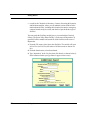
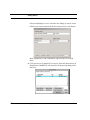
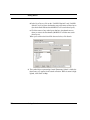
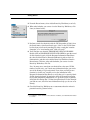
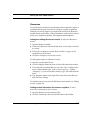
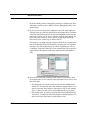
2. Follow steps 3 through 7 in “Making an advanced search for a chemical
record” on page 80 to set up the search for that criterion.
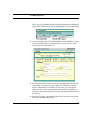
3. Indicate whether to search either for (a) records that meet both your criteria (click “Search for all of the following”) or (b) records that meet
either criterion (click “Search for any of the following”).
Here’s an example of the difference between these two kinds of searches:
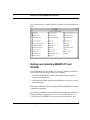
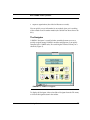
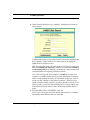
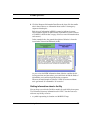
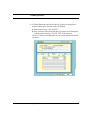
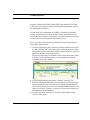
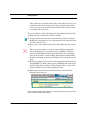
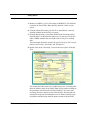
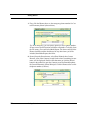
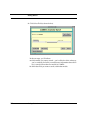
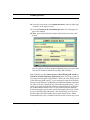
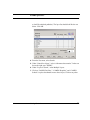
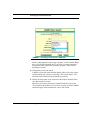
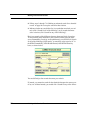
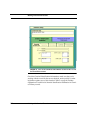
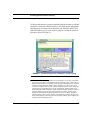
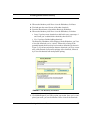
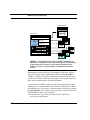
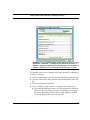
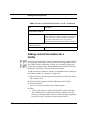
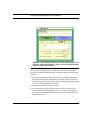
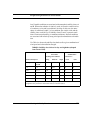
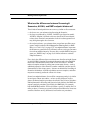
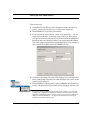
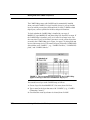
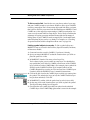
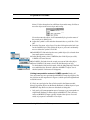
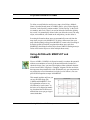
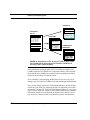
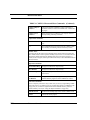
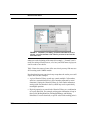
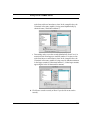
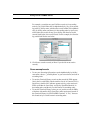
To find out how many chemicals in the Chemical Library pose the most
severe flammability, reactivity, and health hazard, you would click “Search
for all of the following (AND search)” to search for values equal to “4” in
the NFPA Flammability, NFPA Health Hazard, AND NFPA Reactivity
boxes, as shown below.
You would find just four records that meet your criteria.
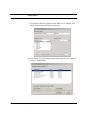
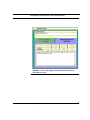
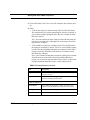
If, instead, you wanted to search for the chemicals that pose the most severe
of any one of those hazards, you would click “Search for any of the follow-
82
Working with Chemical Records