1
ULTRA DIGITAL WIRELESS, QUAD
SURVEILLANCE SYSTEM
LW2201 Series - quick start guide
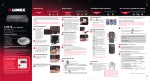
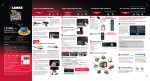
D. Receiver Function Buttons
1. Wireless Antenna: Connects to the back of
the receiver.
2. Channel LEDs: When lit in green, indicates
the active viewing mode.
3. VGA/QVGA* button: Press to switch
between VGA and QVGA video resolutions;
press and hold for several seconds to
enable/disable Auto Scan.
4. Front LED: Lit in green to indicate power to
the receiver.
5. Pair: Press to switch between CH1~4, Quad
split-screen mode, and Auto-Scan; press
3
and hold to pair a camera to the receiver.
6. USB Port: Not used.
7. Antenna Jack: Connection for the wireless antenna.
1
4 Camera Digital Wireless Monitoring System
Receiver
Camera 1
2
4
5
Family Room
*VGA (Video Graphics Array) has a resolution of 640 x 480;
QVGA (Quarter Video Graphics Array) has a resolution of
320 x 240.
Camera 2
6
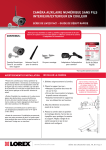
The LW2201 series product is
expandable up to 4 cameras*
To order additional cameras, please visit
our website at www.lorexcctv.com
*Note: You can install additional cameras (maximum of 4 cameras).
When adding cameras that were not included in the original box, you
will need to pair up the cameras with the receiver. Refer to the camera
pairing section of the included user manual for more details.
Front Door
Office
Camera 4
Camera 3
7
Day Care
Warehouse
R egister N ow !
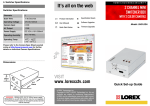
It’s all on the Web
to receive 3 monthS
warranty extension
For detailed setup information, please
refer to your User’s Manual. For
additional information and accessory
purchases, please visit our website
www.lorexcctv.com/support
Visit: www.lorexcctv.com and click
on “warranTy registration”
Backyard
*Images simulated.
www.lorexcctv.com
©2008 Lorex Technology Inc.
As our product is subject to continuous improvement, Lorex Technology &
subsidiaries reserve the right to modify product design, specifications, prices &
warranty without notice and without incurring any obligation. E&OE
LW2201 Series Quick Start Guide_R1 Page