1
50
Settings
Handset settings
Choose from 5 handset
ringtones. The default external
ringtone is Melody 1 and the
internal ringtone is Melody 2.
There are 5 handset ringer
volume levels plus Ringer Off.
The default setting is Level 3.
If you turn the ringer off, the
icon will be displayed on
the home screen.
Set the handset ringtone for external or
internal calls
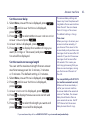
1. Select Menu, scroll to Settings and press
.
2. Sounds is displayed, press
. Ringing is
.
displayed, press
3. External Ringtone is displayed, press
.
Or, press to display Internal Ringtone and then
. The current ringtone will be played.
press
4. Press or to hear the different ringtones and
press
to save your choice. Saved will be
displayed and you will hear a confirmation tone.
Set the handset ringer volume
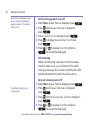
1. Select Menu, scroll to Settings and press
2. Sounds is displayed, press
. Ringing is
.
displayed, press
3. Press until Ringing Volume is displayed and
.
press
As a quick way to turn the
handset ringer off, press and
.
hold
If you need some help, call us on 0800 145 6789* or go to www.bt.com/producthelp
.