1
Exercise 8 Add references using DIRECT EXPORT
•
•
•
On Macs, we recommend using Mozilla Firefox as your browser with direct export from
databases
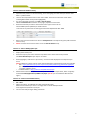
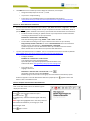
Having exported the references from the database, select the default Open with option, and click
OK.
EndNote will open and prompt you to select the EndNote library you wish to import the results
into.
Some examples
Database
Cochrane Library
Procedure
Click on Export Selected at the bottom of the page
Change the Export type to Mac
Change the file type to Citation & abstract
Click on Export Citation
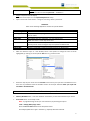
Firefox: …[Opening citation-export.txt box] appears
Open with EndNote X7 … Click OK
Safari: Open Downloads folder
Right click on citation-export.txt. Right click and choose Open with …. Select
EndNote X7
… [Choose an Import Filter box] Select Cochrane Library (Wiley)
Select Choose
EBSCOhost
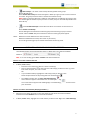
Go to Folder View of saved records. Select records.
Click on the Export icon
Select Direct Export in RIS format (e.g. …EndNote…) (default)
Click on Save
Firefox: EndNote automatically opens and imports records
Safari: Open Downloads folder.
Right-click on .ris file. Choose Open with …
Select EndNote X7
Factiva
It is not currently possible to Direct Export from Factiva to EndNote X7 on Mac.
Please follow the instructions for manually adding references.
Google Scholar
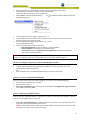
Configure to send reference to EndNote
o Select Settings (top right hand corner)
o Under Bibliography Manager select Show links to import citations into
choose EndNote
o Click on Save
Import search results into EndNote
o Search Google Scholar
o Click on Import into EndNote for the reference you want
Firefox & Safari: Open Downloads folder. Open .ews file (will open directly into
EndNote)
Informit
A+ Education
APA-FT
Health Collection
Click on Save
Change the Output Format to EndNote Direct
Click on Save Records
Note: Not all Informit databases work well with Direct Export
Firefox: [Opening Informit_Results.txt box] appears.
Open with EndNote X7 … Click OK
4