1
Power Hawk Series 600 Console Reference Manual
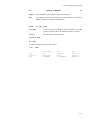
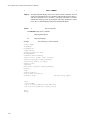
At this time the following command should be used to boot the console and operating system off of the appropriate boot media.
PPC1-Bug>pboot CLUN, DLUN
Where CLUN is the logical unit number of the controller supporting the boot device and
DLUN is the logical unit number of the boot device.
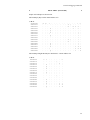
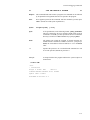
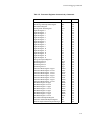
The operator can acquire the values of CLUN and DLUN by using the ioi command as
follows:
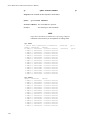
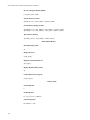
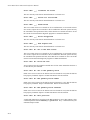
PPC1-Bug>ioi
I/O Inquiry Status:
CLUN
DLUN
CNTRL-TYPE
DADDR
DTYPE
RM
Inquiry-Data
0
0
NCR53C825
0
$00
N
SEAGATE
ST32550N
0019
0
10
NCR53C825
1
$00
N
SEAGATE
ST32550N
0019
0
20
NCR53C825
2
$00
N
SEAGATE
ST34572N
0784
0
50
NCR53C825
5
$01
Y
ARCHIVE
Python 28388-XXX 5.72
0
60
NCR53C825
6
$05
Y
PLEXTOR
1
0
PC8477
0
$00
Y
<None>
CD-ROM
PX-40TW1.00
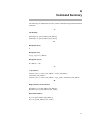
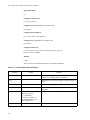
Example - Boot from tape device:
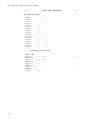
Based upon the above inquiry status results, to boot from the ARCHIVE Python 28388 tape
device on the NCR53C825 controller, the operator enters the following command:
PPC1-Bug>pboot 0,50
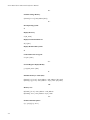
Example - Boot from CD-ROM device:
Based upon the above inquiry status results, to boot from the Plextor CD-ROM device on
the NCR53C825 controller, the operator enters the following command:
PPC1-Bug>pboot 0,60
Console Initialization
2
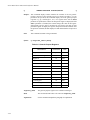
When PPCBug loads the OS off of the boot media, it is actually loading the PowerMAX
OS Console software package described in this document. Console initialization consists
of determining the console device and selection of debug or system boot modes. PPCBug
normally operates on an ASCII terminal connected to the COM1 port.
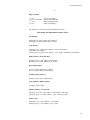
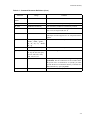
The PowerMAX OS Console startup sequence appears as follows:
PowerMAX OS Console (yymmdd-5.1)
Type '#' to cancel boot
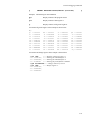
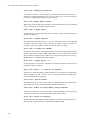
At this time the console waits ten seconds in case the pound sign (#) is entered. An exclamation point (!) entered automatically starts the boot sequence without waiting the full
ten seconds. If, however, the operator enters the pound sign (#) during those ten seconds,
the system boot procedure is cancelled and the #> prompt is displayed. When the #>
2-2