1
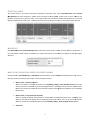
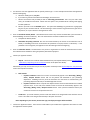
sselect the Orde
er Status you w
want to use as a filter (e.g., U
Use the Order Status “Issue Completed” to
o view all completed and isssued orders. C
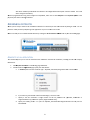
CANCELLING
G AN ORDEER Iff you wish to ccancel a comp
pleted order yo
ou may do so automatically within the 7 d
day refund perriod. Depending on how yyou paid for th
he certificate, cancelled orde
ers automaticaally refund thee appropriate amount of creedit to depositt accounts, d
directly refund credit cards or cancel outstaanding invoicess. To cancel ann order: nalSign, PDF Siigning for Ado
obe CDS tab in your GCC acco
ount, click Ord
der History 1. While on the Code SSigning, Person
under Reporting. h for the appro
opriate order and click the Ed
dit button. 2. Search
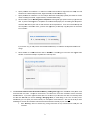
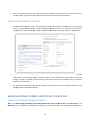
3. Click the Cancellatio
on Request buttton located att both the veryy top and very bottom of the Certificate Edit screen. he correct application to canccel, scroll to thhe bottom of th
he page and click the Confirm
m button. 4. Check the order is th
R
RESENDING
G AN APPRO
OVER EMAILL FOR APPR
ROPRIATE C LIENT CERTTIFICATES Iff your custom
mer has not re
eceived the Approver Emaill or has deletted / spam filltered the em
mail by mistakee, you can aautomatically rresend the App
prover Email. 1. While on the Code SSigning, Person
nalSign, PDF Siigning for Ado
obe CDS tab in your GCC acco
ount, click Ord
der History under Reporting. h for the appro
opriate order and click the Ed
dit button. 2. Search
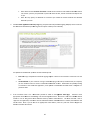
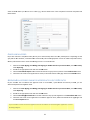
3. Click the Resend App
proval Mail bu
utton located aat both the verry top and veryy bottom of thee Certificate Ed
dit screen. he correct application to rese
end the Appro ver email, scro
oll to the botto
om of the pagee again and 4. Check the order is th
click th
he Complete b
button. If your custom
mer cannot recceive the appro
over email at the address sel ected during tthe application
n, contact GlobalSign Su
upport. 23