1
SO-01D_English
SO-01D_(E).book
179 ページ
2011年10月20日 木曜日 午後1時6分
Confirming your friend's
current location with Google
Latitude
Google Latitude enables you to check where
a friend is on the map, and to share status
messages. Latitude also enables you to send
messages (SMS) and emails, to make phone
calls, and to find the route to where a friend
is.
Location information cannot be automatically
shared. You need to join Latitude and invite a
friend who gives his or her location
information, or to receive an invitation from
him or her.
Joining Latitude
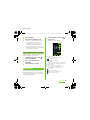
1
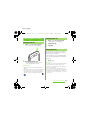
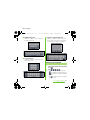
While a map is displayed, press
t, and tap [Join Latitude].
・ For the first time to join Latitude, a
message confirming whether to allow
friends and Google to share location
information may appear.
・ Once you join Latitude, your menu
item changes into [Latitude].
Opening Latitude
If you join Latitude, you can confirm where a
friend is, and check update with opening the
screen.
1
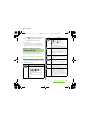
When a map is displayed, press
t, and tap [Latitude].
❖ Information
・ For details of Latitude, press t on the map
screen, then tap [More] [Help] [Latitude] to
view the mobile help.
Calendar
The terminal has a built-in calendar for the
schedule. If you have a Google account, you
can synchronize the terminal's calendar and
web calendar. See "Accounts & sync" (P.114).
・ You need to create a Google account
(P.114) before activating the calendar.
After Google account registration, tap the
Google account displayed in "Accounts &
sync" and a sync item "Sync Calendar". You
can create schedule etc.
❖ Information
・ To set Latitude or log out, press t on the map
screen, then tap [Latitude], press t and tap
[Settings] to display the screen to operate.
Applications
179





















































































![取扱説明書 [SC-01D]](http://vs1.manualzilla.com/store/data/005959699_1-0f2252ea3ae3eaa3bd318f5696531d67-150x150.png)