1
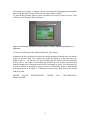
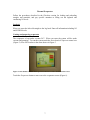
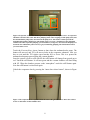
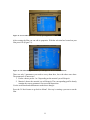
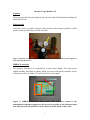
The orange box in Figure 3 contains 3 green icons related to the pumping and circulation
status of the glovebox. If any of these are red contact Andre or Daeri.
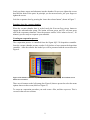
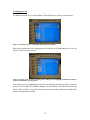
To turn on the glovebox light or restart circulation (see below!) touch Functions. This
will take you to the panel shown in Figure 3.
Figure 3: In the functions menu the Circulation Purifier 1, Analyzer, and Box Light buttons are of
importance.
To turn on or off the glovebox light touch the Box Light button.
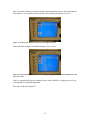
Sometimes the box circulation can shut down during operation when the user exceeds the
upper box pressure limit (for example two people put hands in at the same time, put
hands to fast etc…) In that case you will no longer hear the blower noise, the analyzers
will be off (i.e. the system is not reading O2 and H2O levels), and the circulation and
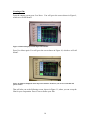
analyzer buttons in the Functions menu will be red instead of green. You can restore the
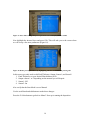
system circulation by pressing Circulation Purifier 1 followed by Analyzer. Both should
now appear green as in Figure 3. If that doesn’t work ask for help, don’t mess around
with the system.
NEVER
TOUCH
WHATSOEVER.
UNDER
REGENERATION
2
ANY
CIRCUMSTANCE