1
GMC1000 User Manual
User Manual
GMC1000
10/100/1000 Base-T/SFP to
SFP Gigabit Media Converter
Version 1.0
October 2008
Alloy Computer Products Pty Ltd Copyright ©2008
GMC1000 User Manual
Caution Electronic Circuit devices are sensitive to static electricity. Dry weather conditions or walking across a carpeted floor may cause you to acquire a static electric charge. To protect your switch, always: •
Touch the metal chassis of your computer to ground the static electrical charge before you handle the switch. • Pick up the switch by holding it on the left and right edges only. Electronic Emission Notices Federal Communications Commission (FCC) Statement This equipment has been tested and found to comply with the limits for a Class A computing device pursuant to Subpart J of Part 15 of FCC Rules, which are designed to provide reasonable protection against such interference when operated in a commercial environment. European Community (CE) Electromagnetic Compatibility Directive This equipment has been tested and found to comply with the protection requirements of European Emission Standard EN55022/EN60555‐2 and the Generic European Immunity Standard EN50082‐1. EMC: EN55022(1988)/CISPR‐22(1985) class A EN60555‐2(1995) class A EN60555‐3 IEC1000‐4‐2(1995) 4K V CD, 8KV, AD IEC1000‐4‐3(1995) 3V/m IEC1000‐4‐4(1995) 1KV – (power line), 0.5KV – (signal line) Australian C‐Tick Compliance. This equipment is compliant with the required Australian C‐Tick standards Alloy Computer Products Pty Ltd Copyright ©2008
GMC1000 User Manual
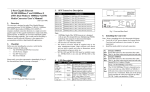
1. Introduction The GMC1000 provides modular Gigabit Ethernet Media Conversion. With a 10/100/1000 Copper Interface, Paired with a Modular SFP interface, Converting to a second SFP Interface. This Flexible design provides for Media Conversion from Copper 10Mbps, 100Mbps and 1000Mbps to SFP in Multimode or Singlemode ‐ or ‐ Fibre to Fibre in Multimode or Singlemode. Fig 1. View of the GMC1000 2. Checklist
Before you start installing your media converter, verify that the package contains the following: • The GMC1000 Media Converter • AC – DC Power Adapter • This Users Manual CD‐ROM Please notify your supplier immediately if any of the aforementioned items are missing or damaged. Alloy Computer Products Pty Ltd Copyright ©2008
GMC1000 User Manual
3. SFP’s (Optional Items)
Model
Description
MGBIC‐T MGBIC‐MLC MGBIC‐SLC10 MGBIC‐SLC4013 MGBIC‐SLC4015 MGBIC‐SLC70 MGBIC‐SLC120 MGBIC‐WDMS3.20 MGBIC‐WDMS5.20 MGBIC‐WDMS3.40 MGBIC‐WDMS5.40 MGBIC‐CWDM‐70 Mini‐GBIC, Copper, 100metres
Mini‐GBIC, Multimode Fibre (LC), 850nm. 500metres (SX) Mini‐GBIC, Single Mode Fibre (LC), 1310nm. 10Km (LX) Mini‐GBIC, Single Mode Fibre (LC), 1310nm. 40Km (LHX) Mini‐GBIC, Single Mode Fibre (LC), 1550nm. 40Km (LHX) Mini‐GBIC, Single Mode Fibre (LC), 1550nm. 70Km (ZX) Mini‐GBIC, Single Mode Fibre (LC), 1550nm. 120Km (EZX) Mini‐GBIC, Single Mode Fibre WDM, 1310nm. 20Km Mini‐GBIC, Single Mode Fibre WDM, 1550nm. 20Km Mini‐GBIC, Single Mode Fibre WDM, 1310nm. 40Km Mini‐GBIC, Single Mode Fibre WDM, 1550nm. 40Km Mini‐GBIC, CWDM Single Mode Fibre (LC), 1470nm ‐ 1610nm. 70Km Note: ⎯ 1000Mbps Single Fibre WDM transceiver is designed with Wavelength Division Multiplexing (WDM) technology that transports bi‐directional full duplex signals over a single fibre simultaneously. ⎯ MGBIC‐WDMS3.20 and MGBIC‐WDMS5.20 must be installed in pairs, i.e., MGBIC‐
WDMS3.20 at one end and MGBIC‐WDMS5.20 at the other. Alloy Computer Products Pty Ltd Copyright ©2008
GMC1000 User Manual
4. LED Desciption
LED Color PWR Green P2 SFP LNK/ACT Green P1 SFP LNK/ACT Green P1 TP SPD Green/ Amber P1 TP LNK/ACT Green Function Lit when +5V power is present Lit when fibre connection is good Blinks when any traffic is present Lit when fibre connection is good Blinks when any traffic is present Green: Lit when 1000Base‐T is active Amber: Lit when 100Base‐TX is active OFF: when 10Base‐T is active Lit when TP connection is good Blinks when any traffic is present Fig 2. Front and Rear Panel of the GMC1000 Alloy Computer Products Pty Ltd Copyright ©2008
GMC1000 User Manual
5. Installing the Converter Note: Wear a grounding device for electrostatic discharge. Default: 1000FDX P2 Insert the required SFP transceiver and attach the fibre cable. The Tx, Rx fibre SFP Port cable must be paired at both ends Default: 1000FDX P1 Optionally Insert the required SFP transceiver and attach the fibre cable. The SFP Port Tx, Rx fibre cable must be paired at both ends Attach TP Cat. 5 or higher cable to TP port P1 TP Port Mode: 10/100/1000Mbps with NWay 6. DIP Switch Settings AUTO, FORCE selectable: Bit 2 of SW1 a. AUTO: 10/100/1000 Nway (default) b. FORCE: 1000 FDX LFP function selectable: Bit 1 of SW1 a. LFP function: ON (default) b. LFP function: OFF Converter TP Port 1000TP Converter LFP Function LFP
ON
SW
1
LFP
OFF
TP
AUTO
2
TP FORCE
Fig. 3 SW1—Bit 1, 2 Configuration and Setting SW1‐1 LFP function: LFP ON (default) or OFF SW1‐2 TP port mode: AUTO (default) or FORCE 1000SX/LX TX
Fibre
1000Base-TRX
Network
Network
RX
TX
(P2 SFP)
RX (P1 SFP)
TX
(P1 TP)
TP/SFPt SFP
Fig. 4 Basic Network Configuration Alloy Computer Products Pty Ltd Copyright ©2008
GMC1000 User Manual
• LFP : (Link Fault Pass‐through) If the Copper port is unplugged, the converter stops transmission on the fibre port. This causes the remote fibre node link to fail as well. The LED’s on the converter will now show link failure on both the copper and fibre ports. If the fibre link fails, the converter restarts auto‐negotiation on the copper port but always stays in the link failure state. This causes the remote copper node link to fail as well. The LED’s on the converter will now show link failure on both the copper and fibre ports. 1000SX/LX TX
Fiber
RX
Network
RX
TX
(P2 SFP)
RX (P1 SFP-Bidi)
TX
(P1 TP)
RX
TX
1000SX/LX TX
Fiber
RX
Network
TP/SFPt SFP
(P2 SFP-Bidi)
RX (P1 SFP)
TX
(P1 TP)
TP/SFPt SFP
Fig. 4 LFP Diagram Alloy Computer Products Pty Ltd Copyright ©2008
GMC1000 User Manual
7. Technical Specifications •
Standards: IEEE802.3 10Base‐T, IEEE802.3u 100Base‐TX, IEEE802.3z/ab 1000Base‐T IEEE802.3x full‐duplex flow control, 1000Base‐SX/LX • UTP Cable: Cat. 5 cable or above up to 100m • Fibre Cable: 9/125μm single‐mode 62.5/125μm, 50/125μm multi‐mode • LED Indicators : PWR (Power), P2 SFP LNK/ACT (LINK/ACT), P1 SFP LNK/ACT (LINK/ACT), P1 TP LNK/ACT (LINK/ACT), P1 TP SPD (10/100/1000Mbps) • Data Transfer Rate: Speed Forwarding Rate 1000Mbps 1,488,000 PPS 100Mbps 148,800 PPS 10Mbps 14,880 PPS • TP: 10/100/1000FDX/HDX with NWay auto‐negotiation Fibre: 1000FDX • Power Requirement: 0.9A up @+5VDC • Power Consumption: 3.6W • Ambient Temperature: 0° to 40°C • Humidity: 5% to 90% • Dimensions : 140.7(W) x 87.7(D) x 29.4(H) mm Alloy Computer Products Pty Ltd Copyright ©2008