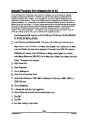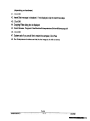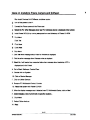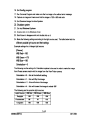
1
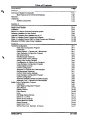
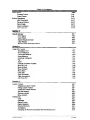
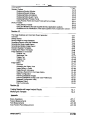
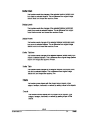
Table of Contents
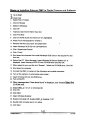
Description
Page
Section 1
~
Overviewof System Functionality
Main Features of the Omnirnet Enterprise
Warranty
Unpacking
System Components
1-1
1:"2
1-3
1-3
1-3
Section 2
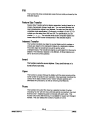
Computer Assembly
Stage Control System
Installation
Before You Use the Omnimet Enterprise system
Software Installation for New System
Upgrade Procedure from releases prior to 4.0
Steps on Installing Pixera Camera and Software
Steps on Installing Polaroid DMC Ie Digital Camera and Software
Mitsubishi CP700DU Video Printer Installation
2-1
2-3
2-4
2-5
2-6
2-9
2-12
2-16
2-18
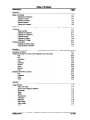
Section 3
,
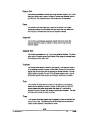
Hardware Configuration
Video Input Configuration Program
Introduction
Getting Started: 1 Camera and 1 Microscope
Open Hardware Configuration Program
Set Camera Name
Set Microscope Objectives
Confirm Other Factory Settings
Adding Color Analog Cameras
Condfiguration for Adding Color Camera's
Close Hardware Configuration Program
Adding Digital Cameras
Confirm Configuration
Advanced: 2 Cameras and 2 Microscopes
Set Microscope Objectives
Confirm Other Factory Settings
Close Hardware Configuration Program
Confirm Configuration
Advanced: Multiple Cameras and Microscopes
..
Advanced:Only 1 Camerabut 2 Microscopes
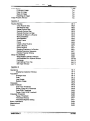
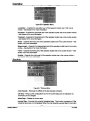
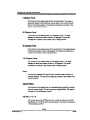
Stage Control Configuration Program
Introduction
Open Stage Configuration Program
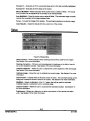
Add a Record
Delete a Record
Edit a Record
Undo
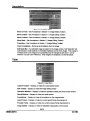
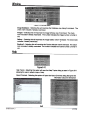
Edit Stage Setting Window
Set the X, Y, Z Pitch
Set the Inverse Settings
Set the Maximum Speed
Select Cameras
Select Comm Ports
Set the Focus Axis, Backlash, & Interval
MA861000-4.0
3-1
~1
3;';1
3-1
~1
3-2
3-4
3-4
3-4
3-5
3-5
3-6
3-6
3-7
3-7
3-7
3-8
3-8
3-8
3-8
3-9
3-9
3-9
3-10
3-10
3-10
3-11
3-11
3-12
3-13
3-14
3-15
3-16
3-17
8/17/99