1
r
us
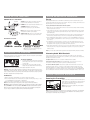
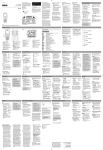
Tour of the Speaker
Pairing
900MHz Wireless Transmitter
Top panel
SIGNAL indicator lights green when the audio is
present and the transmitter is broadcasting
POWER indicator lights when the transmitter is on
CHANNEL 1 2 3 lets you find the best
transmission frequency for your environment
DC IN jack receives the small round end of the
CHANNEL
123
included 12V 200mA AC power adapter
DC IN
R AUDIO L
IN
AUDIO IN (R / L) connects to your sound source
using one of the connection options shown here
Back panel
me
s
r,
ng
To pair your Bluetooth-enabled device with the speaker:
1. Make sure your device’s Bluetooth is turned on. See the wireless and/or network settings
menu on your device to check.
2. If the speaker isn’t already on, press and hold the On-Off / RF-BT button for four seconds
to turn it on. You will hear a beep and the indicator light on the front of the speaker will
start flashing blue.
3. Press and hold the Scan-RF / Pair-BT button for four seconds to enter pairing mode. You
will hear a beep and the indicator on the front of the speaker will start blinking faster.
5. A confirmation screen will appear on your device once the speaker and the device are
successfully paired. The blue indicator turns solid blue to indicate successful connection.
The speaker is now ready for you to stream audio from your device.
3.5mm audio in cable
Note: These power units should be plugged in so
that they stay vertical or lie flat.
Powering the Speaker
There are two options to power your wireless speaker: using the included AC power adapter
or using 6 AA batteries (not included).
AC Power Adapters
1.
ay
s
ss
Any Bluetooth-enabled device with A2DP SOURCE that you wish to stream audio to your
speaker system must first be paired to the speaker. The process is simple, and in most cases
the pairing process needs to be done only once.
4. Open the Bluetooth settings menu on your device. Select “AR SPEAKER” from the list of
devices available (you might have to scan for devices). If your device asks for a password,
enter “0000”.
Included Accessories
t
n
ss
using Bluetooth Wireless
Insert the small, round plug from the speaker AC
power adapter into the DC IN jack on the bottom
of the speaker.
2. Plug the other end of the speaker AC power
adapter into any standard 120V AC wall outlet.
Note: Be sure to use the speaker AC power adapter rated 9V DC 1200 mA.
Warning: This product is water-resistant, not waterproof. Avoid prolonged exposure to wet
environments, such as rain, mist, dew, etc. In other words, you can take it out, just don’t leave
it out. To avoid electrical shock, use this product with caution near water sources if powered
with the AC adapter. Never submerge in water.
AA Batteries
1. Remove the battery compartment cover on the bottom of the speaker.
2. Insert six (6) AA batteries (not included) into the speaker following the polarity (”+” and
“-”) as diagrammed inside the battery compartment.
3. Replace the battery compartment cover on the bottom of the speaker.
Note: Place the rubber cap in the speaker power input jack when using batteries.
DO NOT mix batteries with different chemistry types (for example, a zinc battery with an alkaline
battery). DO NOT mix new and used batteries. DO NOT leave batteries installed in the product
when not in use for long periods. Always remove old, weak or worn-out batteries promptly and
recycle or dispose of them in accordance with local and national regulations.
6. Start playing something on the device. You can control the speaker volume on the speaker
itself, using the Vol +/– buttons on the back of the speaker, or on your device, using its
volume controls.
Note: If you notice the sound from the speaker is distorted, turn down your device’s volume.
Streaming Audio With Bluetooth
Once you’ve paired and connected your device with the speaker, you can control music
playback from the palm of your hand. Select your music, stop it, change songs and playlists,
all right from your device’s screen.
To adjust volume: Press the Vol +/– buttons on the back of the speaker.
To disconnect from the speaker: Either turn Bluetooth off on your device or choose
“Disconnect” from the list of options in your device’s Bluetooth settings.
To reconnect with the speaker: Just turn the speaker on and wait a few seconds for the
speaker to find and connect to your device. If the speaker still hasn’t found your device
(which may happen if, for instance, another device has been connected after yours) make
sure the speaker isn’t connected to another device currently. Then select the AWS5B3 from
the list of Bluetooth connections available in your device’s Bluetooth menu to connect to it.
Using 900MHz Wireless
Powering the Transmitter
Connect the small, round plug from the transmitter AC
power adapter to the transmitter’s DC IN jack. Plug the
other end of the transmitter AC power adapter into
any standard 120V AC wall outlet.
Note: Be sure to use the speaker AC power adapter
rated 12V DC 200 mA.
Note: There is no transmitter ON/OFF switch. The transmitter is designed to be left plugged
in and powered at all times. If you will not be using the AWS5B3 for an extended period of
time, unplug the transmitter AC power adapter.