1
Part II. Handle Usage & Operation
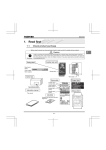
< 2.3 > Handle Operation
without Door Sensor
How to unlock the handle & open the door properly
Locked status in
blue or green
Unlocked status in
silver white
>>>
Flashing
Stop
Flashing
OR
+
Locked status in
blue or green
To open the door
( within 10 seconds )
Within 10 seconds after
smartcard detection, users
should :
- lift up the handle
- open the door
- return the handle to park
position properly in case
reckless collision causes
handle damage.
Over 10 seconds, the
handle will auto-lock.
Unlock the handle but NOT open the door
Locked status in
blue or green
Unlocked status in
silver white
Locked status in
blue or green
Flashing
OR
If DO NOT lift up the handle
and open the door within 10
seconds, the LED will change
to BLUE or GREEN and the
handle returns locked.
>>>
+
( over 10 seconds )
Unauthorized door-open
Locked status in
blue or green
NO Authenticated
Smartcard Detection
Unlocked status
in blue or green
Door Opening
improperly or by force
Page 17
If the door is opened
improperly or by force,
handle LED remains in
BLUE or GREEN but no
any audio alarm “ beep ”
sounds for warning.
www.RackmountMart.com