1
SOUNDIRON AMBIUS 2: SYSTEMATIK
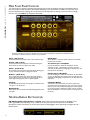
We've also smoothed parameter changes to prevent ugly zippering, but with the ability to dial in ultra-tiny timesignature divisions and extreme filter settings, you can get as gnarly and screeching or warm and mellow as your heart
desires.You can also assign just about any parameter to each step sequencer table with the simple right-click/cmd-click
learn function whenever that table is running.You can even skip the filter stage and simply use it for tempo-synced CC
parameter control by choosing the “Thru” filter type or bypass the whole system instantly with the LFO Pause and do
your filter tweaking and sweeping by hand.
There's also a free/syncable amplitude oscillator, full EQ tone controls, our custom convolution reverb loaded with
dozens of spaces and special FX and of course, our ever advancing Uberpeggiator meta-arpegiation system. The duallayer sustaining ambient presets also feature simulated polyphonic legato with polyphony, bend, speed and range
control. You'll find cutting edge Kontakt 5 presets that allow step sequencer and uberpeggiator table graph preset
saving/loading and the latest filter options, classic Kontakt 4-friendly presets with classic filter types and resource
efficient lite presets that save ram and CPU resources without the filter LFOs or a deep offset range. They're perfect
for on-the-go laptop composing or when you just need the basics, without sacrificing sonic quality or control options.
More about the presets and features...
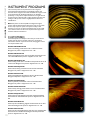
The primary "Instrument Designer" .nki presets feature a proprietary system that allows the user to select from a
wide range of specially modified tuned acoustic transients and combine them with hand-designed sustaining tonal
elements. The Transient and Sustain phases can each be independently replaced, reshaped and re-tuned in real-time and
feature their own separate parameter controls. They can be layered together as a single unified sound, or the user can
smoothly cross-fade between them with the Blend slider. Nearly every parameter in these instrument, including
transient and sustain layer sound selection, can be fully automated using your host’s automation routing, standard CC
assignments or routed directly through the integrated LFO step sequencer tables.
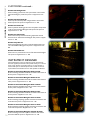
The Transients .nki presets allow combinations of 2 separate selectable tuned percussive elements and the
Sustains .nki presets allow custom dual-layer ambience design. These presets are essentially auxiliary to the
Instrument designer presets, but they allow you direct access to just the specific elements in the library they need and
focus in on them to create different sonic combinations. The Transients have a sharper, more aggressive attack and
normal decay, while the Sustains are more atmospheric and infinitely looping.
The special "Layer Builder" presets combine 4 different transient elements and 2 sustaining elements, each with
individual controls to allow the creation of unique complex and evolving acoustic-synthetic hybrids. These are more
resource intensive, but can create unique and complex musical sounds that the user can easily sculpt to create their
own original sound concepts in any number of ways. In all of these presets, you can choose from a wide array of
different sounds and then completely reshape them with the interface to create a limitless musical variety.
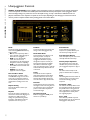
Every instrument preset also features a range of powerful integrated tools. First, we have the heavily upgraded LFO
panel. This section includes the Filter and Tremolo controls. The Tremolo section of the LFO panel contains a standard
volume LFO, for tempo-synching or Hz-based tremolo effects. You can select waveform type, time signature/rate and
intensity. However, this is where things really go way beyond anything we've done before. In the filter section of the LFO
panel, you can select from 4 different filter types and manually control/automate cut-off and resonance.You can also
assign cuttoff and resonance to our unique step-filter system, the Kronostepper. This step-sequenced tempo-synching
LFO engine allows complex tempo-based midi parameter oscillation with two fully independent sequencer tables. The
tables default to cutoff and resonance for the filters. However, they can also be used to drive tempo-locked step
sequenced automation for any other knob or slider in the instrument preset. If you want to use the Kronostepper to
control instrument parameters without the filters enabled, you can select the "-Thru-" filter mode to pass through the
automation to drive any Kontakt parameter at all. If you want to kill the automation or assign a control to a midi CC
without locking it to the table table LFO system, simply press the LFO Pause button in the top right corner to bypass
the sequencer loop.
We've also integrated our Uberpeggiator system for adaptive step-sequenced arpeggiation, with full control over
scale, key, rhythm, velocity and a variety of custom parameters, as well as a time-scalable velocity table. In the Kontakt 5
(“K5”) presets, you can also import and export your own custom table sequences for both the Uberpeggiator and the
LFO filter step sequencer table system as .nka files and these custom presets can even be shared between the two
systems. The .nka table preset files are stored in this library’s Data folder.
See Pages 6 - 12 for more detailed information and tips on using these powerful tools.
2