1
Federal Commander Digital System
The Federal Commander™ DIGITAL
TELEMETRY SYSTEM
SFCDWARE© Software
Reference Manual
Part No. 255327G Rev G2 (V11.x)
Revision May 25, 2010
i
Federal Commander Digital System
Table of Contents
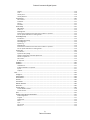
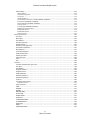
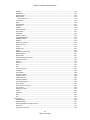
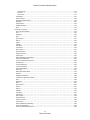
TABLE OF CONTENTS ................................................................................................................................ 2
LICENSE AGREEMENT ............................................................................................................................. 13
INTRODUCTION...................................................................................................................................... 17
MAIN FEATURES............................................................................................................................................ 17
CCU DESCRIPTION......................................................................................................................................... 19
SS2000D DESCRIPTION ................................................................................................................................. 20
MODEM-MSK DESCRIPTION ......................................................................................................................... 21
RTU DESCRIPTION ......................................................................................................................................... 22
DEFINITION OF WINDOWS TERMINOLOGY ............................................................................................ 23
THEORY OF OPERATION ......................................................................................................................... 26
COMMUNICATION ......................................................................................................................................... 26
CODESPEAR .................................................................................................................................................. 27
NETWORKING INFORMATION ........................................................................................................................... 27
EAVESDROPPING FEATURE............................................................................................................................... 27
SIZE ............................................................................................................................................................ 27
SYSTEM OPERATIONAL OVERVIEW .................................................................................................................... 27
DATA FILES................................................................................................................................................... 28
INSTALLATION........................................................................................................................................ 30
PREPARE THE ENVIRONMENT ........................................................................................................................... 30
VOICE MODEM CONNECTIONS ......................................................................................................................... 30
R
MICROSOFT WINDOWS GRAPHICAL USER INTERFACE ......................................................................................... 31
THE FEDERAL COMMANDER SFCDWARE SYSTEM SOFTWARE ............................................................................... 32
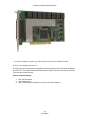
IO BOARD .................................................................................................................................................... 34
Installing the hardware ........................................................................................................................ 34
Run the InstaCal Program ..................................................................................................................... 35
AT&T NATURAL VOICES SPEECH FONT (OPTIONAL)............................................................................................. 37
INTRODUCTION: ................................................................................................................................... 37
INSTALLATION: ..................................................................................................................................... 37
OPERATOR REFERENCE .......................................................................................................................... 40
STARTING THE SFCDWARE SOFTWARE ............................................................................................................ 40
License Key............................................................................................................................................ 40
Module Keys ......................................................................................................................................... 41
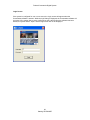
Login Screen.......................................................................................................................................... 42
SFCDWARE MAIN SCREEN ............................................................................................................................ 43
Tools ..................................................................................................................................................... 43
Log ........................................................................................................................................................ 43
Reports ................................................................................................................................................. 44
Map ...................................................................................................................................................... 44
Activate ................................................................................................................................................. 44
System Setup ........................................................................................................................................ 44
RTU ....................................................................................................................................................... 44
Sinad ..................................................................................................................................................... 44
Note Pad ............................................................................................................................................... 44
2
Table of Contents
Federal Commander Digital System
Logout/Login ........................................................................................................................................ 44
Help....................................................................................................................................................... 45
Toolbar ................................................................................................................................................. 45
Configuration ........................................................................................................................................ 45
TOOLS MENU .............................................................................................................................................. 47
File Menu Item Selections: .................................................................................................................... 47
Backup Data Files ................................................................................................................................. 47
Restore Data Files ................................................................................................................................. 48
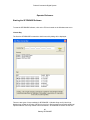
Remote SFCDWARE Synchronization .................................................................................................... 48
System Configuration ........................................................................................................................................ 49
Siren Configuration ............................................................................................................................................ 49
Map.................................................................................................................................................................... 49
User Setup............................................................................................................................................. 50
Add User ............................................................................................................................................................ 50
Auto Logout ....................................................................................................................................................... 50
Privileges ............................................................................................................................................................ 50
Update User ....................................................................................................................................................... 51
Delete Selected User ......................................................................................................................................... 51
Delete All Users.................................................................................................................................................. 51
Site Number Mapping ........................................................................................................................... 52
Save ................................................................................................................................................................... 52
Default Map ....................................................................................................................................................... 52
Quit .................................................................................................................................................................... 53
Universal Programmer.......................................................................................................................... 53
SS2000D Loader .................................................................................................................................... 53
SmartMsg ............................................................................................................................................. 53
TO ...................................................................................................................................................................... 54
Subject ............................................................................................................................................................... 54
Priority ............................................................................................................................................................... 54
Custom Response .............................................................................................................................................. 54
Message Templates ........................................................................................................................................... 55
Message Expiration............................................................................................................................................ 55
Snooze Option ................................................................................................................................................... 55
Body ................................................................................................................................................................... 55
SINAD .................................................................................................................................................... 55
Source RTU ........................................................................................................................................................ 56
Destination RTU ................................................................................................................................................. 56
Start Test............................................................................................................................................................ 56
SINAD ................................................................................................................................................................. 56
Quit ....................................................................................................................................................... 57
SYSTEM LOG ................................................................................................................................................. 58
Acknowledge Single Alarm (Acknowledge Single) ................................................................................ 58
Acknowledge ALL Alarms (Acknowledge All) ........................................................................................ 58
Quit ....................................................................................................................................................... 59
Message Line Description ..................................................................................................................... 59
Entry Number ....................................................................................................................................... 59
Date ...................................................................................................................................................... 59
Time ...................................................................................................................................................... 59
RTU Number ......................................................................................................................................... 59
Description ............................................................................................................................................ 59
Status .................................................................................................................................................... 59
Scrolling Through Alarm Messages ...................................................................................................... 60
Audible Alarm (ENABLED / DISABLED) .................................................................................................. 60
Color Status .......................................................................................................................................... 60
Interpreting the System Log Data ......................................................................................................... 60
3
Table of Contents
Federal Commander Digital System
REPORTS...................................................................................................................................................... 61
System Log ............................................................................................................................................ 61
Display Report.................................................................................................................................................... 62
Print Report ....................................................................................................................................................... 62
Export ................................................................................................................................................................ 63
Quit .................................................................................................................................................................... 63
Report Format ................................................................................................................................................... 63
From Entry ......................................................................................................................................................... 63
To Entry.............................................................................................................................................................. 63
From Date .......................................................................................................................................................... 63
To Date .............................................................................................................................................................. 63
From RTU ........................................................................................................................................................... 63
To RTU ............................................................................................................................................................... 64
Each RTU Separate (Yes / No) ........................................................................................................................... 64
Message Filter.................................................................................................................................................... 64
Color Status ....................................................................................................................................................... 64
RTU Status ............................................................................................................................................ 64
Display Report.................................................................................................................................................... 65
Print Report ....................................................................................................................................................... 65
Export ................................................................................................................................................................ 65
Quit .................................................................................................................................................................... 66
RTU Parameters .................................................................................................................................... 66
Display Report.................................................................................................................................................... 66
Print Report ....................................................................................................................................................... 67
Export ................................................................................................................................................................ 67
Quit .................................................................................................................................................................... 67
MAP ........................................................................................................................................................... 68
Map Description ................................................................................................................................... 68
IMPORTANT INFORMATION ABOUT SITE STATUS ................................................................................ 69
Select Map ............................................................................................................................................ 69
Place Site .............................................................................................................................................. 69
Delete Site ............................................................................................................................................. 70
Reset Status .......................................................................................................................................... 70
Poll All ................................................................................................................................................... 70
Activate ................................................................................................................................................. 70
Legend .................................................................................................................................................. 71
Set Dot Size ........................................................................................................................................... 71
Drag ...................................................................................................................................................... 72
Quit ....................................................................................................................................................... 73
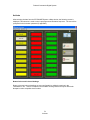
ACTIVATE ..................................................................................................................................................... 74
Button Colors and Column Headings .................................................................................................... 74
Manual Activation: ............................................................................................................................... 76
Cancel Poll ............................................................................................................................................ 76
Quit ....................................................................................................................................................... 76
Activation Hotkeys: ............................................................................................................................... 76
Send Status ........................................................................................................................................... 76
Siren Graphic ........................................................................................................................................ 76
Cancel All .............................................................................................................................................. 76
PA (VOIP) .............................................................................................................................................. 77
Text To Speech ................................................................................................................................................... 77
Audition TTS....................................................................................................................................................... 77
Activate TTS ....................................................................................................................................................... 78
Live PA ............................................................................................................................................................... 78
Cancel Live PA .................................................................................................................................................... 78
PA from Wave .................................................................................................................................................... 78
4
Table of Contents
Federal Commander Digital System
Select Sites to Activate ...................................................................................................................................... 78
Timeout (seconds) ............................................................................................................................................. 79
Recording Control .............................................................................................................................................. 80
VU Peek Meter................................................................................................................................................... 80
Program Mode...................................................................................................................................... 80
Button Number .................................................................................................................................................. 83
Button Name ..................................................................................................................................................... 83
Save ................................................................................................................................................................... 83
Quit .................................................................................................................................................................... 83
Function Tab ...................................................................................................................................................... 83
Individual ........................................................................................................................................................... 83
Zone Group A ..................................................................................................................................................... 84
Zone Group B ..................................................................................................................................................... 84
All Call ................................................................................................................................................................ 84
Destination ........................................................................................................................................................ 84
Function ............................................................................................................................................................. 84
PA Wave File ...................................................................................................................................................... 85
PA SmartMsg ..................................................................................................................................................... 85
Auto-Poll after Activation .................................................................................................................................. 85
Repeat All Call 3 times ....................................................................................................................................... 85
Dynamic Digital Voice ........................................................................................................................................ 86
SmartMsg Tab ...................................................................................................................................... 86
Templates .......................................................................................................................................................... 87
Custom Response .............................................................................................................................................. 87
TO ...................................................................................................................................................................... 87
Delete All ........................................................................................................................................................... 87
Priority ............................................................................................................................................................... 87
Message Expiration............................................................................................................................................ 87
Snooze Option ................................................................................................................................................... 87
Message ............................................................................................................................................................. 87
Encode Tab ........................................................................................................................................... 88
DTMF ................................................................................................................................................................. 88
Duotone ............................................................................................................................................................. 88
Display Tab ........................................................................................................................................... 89
Mode ................................................................................................................................................................. 89
Color .................................................................................................................................................................. 89
Duration ............................................................................................................................................................. 89
Display time & date when expired ..................................................................................................................... 90
Font Selection .................................................................................................................................................... 90
Message ............................................................................................................................................................. 90
Manual Activation ................................................................................................................................ 90
Send Status ........................................................................................................................................... 90
Send ...................................................................................................................................................... 91
Cancel All .............................................................................................................................................. 91
Quit ....................................................................................................................................................... 91
Siren Graphic ........................................................................................................................................ 91
Function Tab ...................................................................................................................................................... 91
Individual ........................................................................................................................................................... 91
Zone Group A ..................................................................................................................................................... 91
Zone Group B ..................................................................................................................................................... 91
All Call ................................................................................................................................................................ 91
Destination ........................................................................................................................................................ 92
Function ............................................................................................................................................................. 92
PA Wave File ...................................................................................................................................................... 92
PA SmartMsg ..................................................................................................................................................... 92
Auto-Poll after Activation .................................................................................................................................. 93
Repeat All Call 3 times ....................................................................................................................................... 93
5
Table of Contents
Federal Commander Digital System
Dynamic Digital Voice ........................................................................................................................................ 93
SmartMsg Tab ...................................................................................................................................... 94
Templates .......................................................................................................................................................... 94
Custom Response .............................................................................................................................................. 94
TO ...................................................................................................................................................................... 94
Delete All ........................................................................................................................................................... 94
Priority ............................................................................................................................................................... 94
Message Expiration............................................................................................................................................ 95
Snooze Option ................................................................................................................................................... 95
Message ............................................................................................................................................................. 95
Encode Tab ........................................................................................................................................... 95
DTMF ................................................................................................................................................................. 96
Duotone ............................................................................................................................................................. 96
Display Tab ........................................................................................................................................... 96
Mode ................................................................................................................................................................. 97
Color .................................................................................................................................................................. 97
Duration ............................................................................................................................................................. 97
Display time & date when expired ..................................................................................................................... 97
Font Selection .................................................................................................................................................... 97
Message ............................................................................................................................................................. 98
SYSTEM SETUP .............................................................................................................................................. 99
Call List.................................................................................................................................................. 99
Zones .................................................................................................................................................... 99
Map Setup ............................................................................................................................................ 99
Voice Setup ........................................................................................................................................... 99
Alarm Setup ........................................................................................................................................ 100
Sound Setup ........................................................................................................................................ 100
Email Setup ......................................................................................................................................... 100
SmartMsg Setup ................................................................................................................................. 100
System Fail .......................................................................................................................................... 100
Save .................................................................................................................................................... 100
Quit ..................................................................................................................................................... 100
Communication: ................................................................................................................................. 100
Channel ............................................................................................................................................................ 100
Mode ............................................................................................................................................................... 100
Communication Port ........................................................................................................................................ 101
Front Porch Time ............................................................................................................................................. 101
Number of Communication Retries ................................................................................................................. 101
Retry Delay ...................................................................................................................................................... 101
CCU Address........................................................................................................................................ 101
Repeat All Call 3 Times ....................................................................................................................... 102
Demo Mode ........................................................................................................................................ 102
Real Time Printing of Status Log ......................................................................................................... 102
DTMF 2-Way System .......................................................................................................................... 102
Security Key ........................................................................................................................................ 102
System Configuration ......................................................................................................................... 103
Name ............................................................................................................................................................... 103
Number of RTUs .............................................................................................................................................. 104
Dynamic Zoning ............................................................................................................................................... 104
Auto Poll Times ................................................................................................................................... 104
Interval and Interval Base polling .................................................................................................................... 105
TCP/IP ................................................................................................................................................. 105
Enable TCP/IP................................................................................................................................................... 105
Client Password Setup ..................................................................................................................................... 105
IP Address ........................................................................................................................................................ 106
Codespear Server ................................................................................................................................ 106
6
Table of Contents
Federal Commander Digital System
IP ...................................................................................................................................................................... 106
TOS (Type Of Service) ...................................................................................................................................... 106
Code Names ........................................................................................................................................ 106
Pocsag Server...................................................................................................................................... 107
Federal Signal POCSAG format: ....................................................................................................................... 107
Example SNPP activation: ................................................................................................................................ 107
Server URL ....................................................................................................................................................... 108
Password.......................................................................................................................................................... 108
Port Number .................................................................................................................................................... 108
SDS-Gateway ...................................................................................................................................... 108
Call List................................................................................................................................................ 108
Save ................................................................................................................................................................. 109
Quit .................................................................................................................................................................. 109
Person to Call ................................................................................................................................................... 109
Phone # ............................................................................................................................................................ 109
Priority ............................................................................................................................................................. 109
Password.......................................................................................................................................................... 109
Resend alarm notifications each time alarm condition is reported ................................................................. 110
Do not repeat notification for existing alarms ................................................................................................. 110
Map Setup .......................................................................................................................................... 110
RTU dot locations linked to host (SfcdwareClient Only) .................................................................................. 110
RTU dot locations independent of host (SfcdwareClient Only) ....................................................................... 111
Preserve Aspect Ratio ...................................................................................................................................... 111
Fill Screen ......................................................................................................................................................... 111
Native .............................................................................................................................................................. 111
Image Quality................................................................................................................................................... 111
Add Bitmap ...................................................................................................................................................... 111
Delete Bitmap .................................................................................................................................................. 112
Delete All ......................................................................................................................................................... 112
Add Sirens ........................................................................................................................................................ 112
Zones .................................................................................................................................................. 112
Dynamic Zoning .................................................................................................................................. 113
Select Zone ...................................................................................................................................................... 113
Adding and removing sites .............................................................................................................................. 114
Voice Setup (Call-in and Call-out) ....................................................................................................... 114
Call-in ............................................................................................................................................................... 114
Call-out ............................................................................................................................................................ 114
Voice Modem Comm Port ............................................................................................................................... 115
Alarm Call-out ENABLED / DISABLED (Call-out) .............................................................................................. 115
Alarm Call-out Start Time (Start Time) ............................................................................................................ 115
Alarm Call-out End Time (End Time) ............................................................................................................... 116
Alarm Call-out Time Delay (Time Delay Before Callout) ................................................................................. 116
Alarm Setup ........................................................................................................................................ 116
Save ................................................................................................................................................................. 117
Quit .................................................................................................................................................................. 117
Select Alarm ..................................................................................................................................................... 117
Enabled Alarms ................................................................................................................................................ 117
Function ........................................................................................................................................................... 117
PA Wave File .................................................................................................................................................... 118
Holiday Function .............................................................................................................................................. 119
RTU or Zone Number ....................................................................................................................................... 119
Individual ......................................................................................................................................................... 119
Zone ................................................................................................................................................................. 119
All Call .............................................................................................................................................................. 119
Mode ............................................................................................................................................................... 119
Disabled ........................................................................................................................................................... 119
Daily ................................................................................................................................................................. 120
7
Table of Contents
Federal Commander Digital System
Weekly ............................................................................................................................................................. 120
Time ................................................................................................................................................................. 120
Holiday Time .................................................................................................................................................... 120
Holiday Selection ............................................................................................................................................. 120
Sound Setup ........................................................................................................................................ 120
Alarm Sound .................................................................................................................................................... 121
CommFail ......................................................................................................................................................... 121
Startup ............................................................................................................................................................. 121
Shutdown......................................................................................................................................................... 121
Email Setup ......................................................................................................................................... 121
SMTP Server..................................................................................................................................................... 122
Email List .......................................................................................................................................................... 122
Message Filter.................................................................................................................................................. 122
Resend alarm notifications each time alarm condition is reported ................................................................. 122
Do not repeat notification for existing alarms ................................................................................................. 122
SmartMsg Setup ................................................................................................................................. 122
Introduction ..................................................................................................................................................... 123
SmartMsg Setup Dialog ................................................................................................................................... 123
SmartMsg Login ............................................................................................................................................... 123
System Log ....................................................................................................................................................... 123
Message Filter.................................................................................................................................................. 124
Resend alarm notifications each time alarm condition is reported ................................................................. 124
Do not repeat notification for existing alarms ................................................................................................. 124
System Fail .......................................................................................................................................... 124
Introduction ..................................................................................................................................................... 124
System fail setup dialog ................................................................................................................................... 124
Number of failed sites constitutes System Fail ................................................................................................ 125
Callout on System Fail ...................................................................................................................................... 125
Alarm Filter ...................................................................................................................................................... 125
% Amps Fail ...................................................................................................................................................... 125
SkyWave ............................................................................................................................................. 126
IO Board .............................................................................................................................................. 127
Use IO Board .................................................................................................................................................... 127
IO Board disabled or not present ..................................................................................................................... 127
Inputs ............................................................................................................................................................... 127
Outputs ............................................................................................................................................................ 127
RTU ......................................................................................................................................................... 129
Configure ............................................................................................................................................ 129
Status Detail ....................................................................................................................................... 129
Poll Selected........................................................................................................................................ 129
Poll ALL ............................................................................................................................................... 130
Cancel Poll .......................................................................................................................................... 130
Master Reset All.................................................................................................................................. 130
QTest All.............................................................................................................................................. 130
Column Setup...................................................................................................................................... 130
Column Widths in Pixels .................................................................................................................................. 130
Column Format ................................................................................................................................................ 130
Quit ..................................................................................................................................................... 131
Configure RTU General Parameters .................................................................................................... 131
Siren Configuration .......................................................................................................................................... 131
Program ........................................................................................................................................................... 131
Digital Voice ..................................................................................................................................................... 132
Send ................................................................................................................................................................. 132
Quit .................................................................................................................................................................. 132
Spin Control ..................................................................................................................................................... 132
Station # ........................................................................................................................................................... 132
8
Table of Contents
Federal Commander Digital System
Station Name ...................................................................................................................................... 132
Station Address ................................................................................................................................................ 132
Latitude and Longitude .................................................................................................................................... 132
Front Porch ...................................................................................................................................................... 133
All Call Repeater # ............................................................................................................................................ 133
Local Activation of Duotone or DTMF (ENABLED / DISABLED) ........................................................................ 133
Auto Reporting (ENABLED / DISABLED) ........................................................................................................... 133
AC Auto Reporting (ENABLED / DISABLED) ...................................................................................................... 133
Time Encryption ............................................................................................................................................... 134
Trunking Mode (ENABLED/ DISABLED) ............................................................................................................ 134
Repeater General Information ......................................................................................................................... 134
RTU Repeater Set #1 ........................................................................................................................................ 135
RTU Repeater Set #2 ........................................................................................................................................ 135
Voice Call-out On ............................................................................................................................................. 135
SIREN CONFIGURATION................................................................................................................................. 135
Unit Type ............................................................................................................................................ 136
Base Types: ......................................................................................................................................... 136
Unit Address ....................................................................................................................................... 136
Receiver (optional) .............................................................................................................................. 136
Decode Format ................................................................................................................................... 136
Duotone Timing (optional).................................................................................................................. 137
EAS Location (optional)....................................................................................................................... 137
RIC (optional) ...................................................................................................................................... 137
Tone Table Filename ........................................................................................................................... 137
DTMF 2-Way Codes ............................................................................................................................ 138
Upload from RTU ................................................................................................................................ 138
Copy from RTU .................................................................................................................................... 138
Save .................................................................................................................................................... 138
Exit ...................................................................................................................................................... 139
PROGRAM .................................................................................................................................................. 139
For MCP and UltraVoice type sirens ................................................................................................... 139
Unit Type ............................................................................................................................................ 139
Unit Address ....................................................................................................................................... 139
Program Number ................................................................................................................................ 139
Program Entries .................................................................................................................................. 139
DTMF (optional) .................................................................................................................................. 140
Duotone (optional) ............................................................................................................................. 140
EAS Event (optional) ........................................................................................................................... 140
Function .............................................................................................................................................. 140
Arm and Function timers .................................................................................................................... 140
Available Functions .......................................................................................................................................... 141
Utility Functions: ................................................................................................................................. 141
ARM .................................................................................................................................................... 141
DISARM ............................................................................................................................................... 141
REPORT ............................................................................................................................................... 141
MASTER RESET .................................................................................................................................... 141
PLUS PHASE ........................................................................................................................................ 141
MINUS PHASE ..................................................................................................................................... 141
PHASE OFF .......................................................................................................................................... 141
LOW POWER MODE ............................................................................................................................ 141
HI POWER MODE ................................................................................................................................ 142
QUIET TEST ......................................................................................................................................... 142
DELAY.................................................................................................................................................. 142
AMP/AUDIO ZONE .............................................................................................................................. 142
9
Table of Contents
Federal Commander Digital System
POWER................................................................................................................................................ 142
RECORD PA ......................................................................................................................................... 142
REPEAT START..................................................................................................................................... 142
REPEAT END ........................................................................................................................................ 142
Activation Functions: ....................................................................................................................................... 143
PA OUTPUT ......................................................................................................................................... 143
WAIL ................................................................................................................................................... 143
PULSED WAIL ...................................................................................................................................... 143
ALT WAIL............................................................................................................................................. 143
STEADY................................................................................................................................................ 143
PULSED STEADY .................................................................................................................................. 143
ALT STEADY ......................................................................................................................................... 143
AUXILIARY ........................................................................................................................................... 143
DIGITAL VOICE -n ................................................................................................................................ 143
PLAY RECORDED PA ............................................................................................................................ 143
DYNAMIC VOICE ................................................................................................................................. 143
CANCEL ............................................................................................................................................... 144
Rotation Functions:............................................................................................................................. 144
Relay Functions: .................................................................................................................................. 144
Delay: .................................................................................................................................................. 145
Digital Voice:....................................................................................................................................... 145
Power: ................................................................................................................................................. 145
AMP Zone Control (AZ): ...................................................................................................................... 146
REPEAT START –n ................................................................................................................................ 146
REPEAT END ........................................................................................................................................ 146
Add button and spin control ............................................................................................................... 147
Upload from RTU ................................................................................................................................ 147
Delete ................................................................................................................................................. 147
Delete All ............................................................................................................................................ 147
Save .................................................................................................................................................... 147
Exit ...................................................................................................................................................... 147
For FC type RTUs: ................................................................................................................................ 147
Unit Type ............................................................................................................................................ 148
Unit Address ....................................................................................................................................... 148
Program Number ................................................................................................................................ 148
Program Entries .................................................................................................................................. 148
DTMF (optional) .................................................................................................................................. 148
Duotone (optional) ............................................................................................................................. 148
EAS Event (optional) ........................................................................................................................... 148
Relay Timing ....................................................................................................................................... 149
Electronic Siren Function .................................................................................................................... 149
Spin Control ........................................................................................................................................ 149
Upload from RTU ................................................................................................................................ 149
Delete ................................................................................................................................................. 149
Delete All ............................................................................................................................................ 150
Save .................................................................................................................................................... 150
Exit ...................................................................................................................................................... 150
DIGITAL VOICE ............................................................................................................................................ 150
Add Messages: .................................................................................................................................... 150
Delete Message: ................................................................................................................................. 151
Delete highlighted message from list ................................................................................................. 151
Delete All ............................................................................................................................................ 151
RTU button selections ......................................................................................................................... 151
10
Table of Contents
Federal Commander Digital System
Send Message .................................................................................................................................................. 151
Delete All ......................................................................................................................................................... 151
Mute Audio ...................................................................................................................................................... 151
Send Menu .......................................................................................................................................... 151
Clear Counters .................................................................................................................................... 152
RTU General Parameters .................................................................................................................... 152
Program .............................................................................................................................................. 152
Poll This RTU ....................................................................................................................................... 153
Update EMTools ................................................................................................................................. 153
Quit ..................................................................................................................................................... 153
STATUS DETAIL FOR RTU .............................................................................................................................. 153
FCT Type Status Detail ........................................................................................................................ 153
Poll ...................................................................................................................................................... 154
Notepad .............................................................................................................................................. 154
Quit ..................................................................................................................................................... 155
Spin Control ........................................................................................................................................ 155
RTU # .................................................................................................................................................. 155
Status .................................................................................................................................................. 155
Address ............................................................................................................................................... 155
Unit Type ............................................................................................................................................ 155
Last Comm .......................................................................................................................................... 155
RTU Version ........................................................................................................................................ 155
Site Conditions .................................................................................................................................... 155
Failed To Sound................................................................................................................................... 156
System Fail .......................................................................................................................................... 156
Alarm (Automatic) Reporting ............................................................................................................. 156
Power Fail Reporting .......................................................................................................................... 156
Function And Cancel Counters ............................................................................................................ 156
Activate Site ........................................................................................................................................ 156
Function Running ................................................................................................................................ 156
Last Function RTU ............................................................................................................................... 157
Last Function Base .............................................................................................................................. 157
RTU Time ............................................................................................................................................ 157
MCP Type Status Detail ...................................................................................................................... 157
UV-RIU ................................................................................................................................................ 158
Amplifier Conditions: .......................................................................................................................... 158
Informer-IP Type Status Detail ............................................................................................................ 159
Poll ...................................................................................................................................................... 160
Notepad .............................................................................................................................................. 161
Quit ..................................................................................................................................................... 161
Spin Control ........................................................................................................................................ 161
RTU # .................................................................................................................................................. 161
Status .................................................................................................................................................. 161
Address ............................................................................................................................................... 161
Unit Type ............................................................................................................................................ 161
Last Comm .......................................................................................................................................... 161
RTU Version ........................................................................................................................................ 161
Site Conditions .................................................................................................................................... 161
Failed To Sound................................................................................................................................... 162
System Fail .......................................................................................................................................... 162
Alarm (Automatic) Reporting ............................................................................................................. 162
Power Fail Reporting .......................................................................................................................... 162
Function And Cancel Counters ............................................................................................................ 162
11
Table of Contents
Federal Commander Digital System
Activate Site ........................................................................................................................................ 162
Function Running ................................................................................................................................ 162
Last Function RTU ............................................................................................................................... 163
Last Function Base .............................................................................................................................. 163
RTU Time ............................................................................................................................................ 163
INTERCOM ................................................................................................................................................. 164
Configuration – Input Options ............................................................................................................ 164
Name Column .................................................................................................................................................. 165
Call Request ..................................................................................................................................................... 165
Configuration – Listen Record options ................................................................................................ 165
Poll ...................................................................................................................................................... 166
All Devices tab .................................................................................................................................... 166
Call Request tab .................................................................................................................................. 166
USING THE INTERCOM .................................................................................................................................. 166
Record Checkbox................................................................................................................................. 167
Selecting an Informer Device .............................................................................................................. 167
Talk Button ......................................................................................................................................... 167
Listen Button ....................................................................................................................................... 168
End Call Button ................................................................................................................................... 168
Intercom Status Window .................................................................................................................... 168
Intercom Log Window ........................................................................................................................ 168
Select All Button.................................................................................................................................. 168
Clear All Button ................................................................................................................................... 168
Reset Requests Button ........................................................................................................................ 168
Playback Audio Button ....................................................................................................................... 168
CONNECTIONS TO THE I/O CARD ......................................................................................................... 169
I/O CARD SPECIFICATIONS ............................................................................................................................ 172
LANGUAGE TRANSLATION ................................................................................................................... 174
SERVICE AND CUSTOMER SUPPORT ..................................................................................................... 176
REMOTE DESKTOP ....................................................................................................................................... 176
REMOTE ASSISTANCE ................................................................................................................................... 177
12
Table of Contents
Federal Commander Digital System
License Agreement
IMPORTANT-READ CAREFULLY. This End User License Agreement ("Agreement") is a
legal agreement between you (either an individual or a single entity) and Federal Signal
Corporation ("Federal") for the SFCDWARE Telemetry System Central Computer Unit software
and all associated media, printed materials, and "online" or electronic documentation (collectively
"Software Product").
SOFTWARE PRODUCT LICENSE
The Software Product is protected by copyright laws and international copyright treaties, as well
as other intellectual property laws and treaties. The Software Product is licensed, not sold, to you
pursuant to the terms of this Agreement.
1.
GRANT OF LICENSE. This Agreement grants you the following rights:
Use of Software. You may install and use the Software Product in conjunction with a single
Supervisory Control and Data Acquisition System, which contains a maximum of two hundred
fifty (250) Remote Terminal Units. The Software Product may be installed and used on an
unlimited number of computers connected to the single Supervisory Control and Data Acquisition
System to which the Software Product is licensed. Client versions of the Software Product may
only be installed and used on a maximum of five computers connected to a single host.
Backup Copy. You may also store or install a copy of the Software Product on a storage device,
such as a network server, for backup purposes.
2.
DESCRIPTION OF OTHER RIGHTS AND LIMITATIONS.
Not for Resale Software. Notwithstanding other sections of this Agreement, you may not resell,
or otherwise transfer for value, any portion of the Software Product.
Limitations on Reverse Engineering, Decompilation, and Disassembly. You may not reverse
engineer, decompile, or disassemble any portion of the Software Product.
Separation of Components. The Software Product is licensed as a single product. Its component
parts may not be separated for use on more than one computer.
Rental. You may not rent, lease, or lend any portion of the Software Product.
Support Services. Federal may provide you with support services related to the Software Product
("Support Services"). Use of Support Services is governed by the Federal policies and programs
described in the user manual, in "online" documentation, and/or in other Federal-provided
materials. Any supplemental software code and all associated media, printed materials, and
"online" or electronic documentation provided to you as part of the Support Services shall be
considered part of the Software Product and subject to the terms and conditions of this
Agreement. With respect to technical information you provide to Federal as part of the Support
Services, Federal may use such information for its business purposes, including for product
support and development. Federal will not utilize such technical information in a form that
personally identifies you.
13
License Agreement
Federal Commander Digital System
Transfer of Rights. You may not transfer any right under this Agreement without the written
consent of Federal.
Termination. Without prejudice to any other rights, Federal may immediately terminate this
Agreement if you fail to fully comply with all of the terms and conditions herein. In such event
and in addition to any other obligations arising from the termination of this Agreement, you must
destroy all copies of the Software Product and all of its component parts.
3.
UPGRADES. If the Software Product is labeled as an upgrade, you must be properly
licensed to use a product identified by Federal as being eligible for the upgrade in order to use the
Software Product. A Software Product labeled as an upgrade replaces and/or supplements the
product that formed the basis for your eligibility for the upgrade. You may use the resulting
upgraded product only in accordance with the terms of this Agreement.
4.
COPYRIGHT. All right, title, interest and copyrights in and to the Software Product
(including but not limited to any images, photographs, animations, video, audio, music, text, and
"applets" incorporated into the Software Product), the accompanying printed materials, and any
copies of the Software Product are owned by Federal. The Software Product is protected by
copyright laws and international treaty provisions. You may copy the printed materials of the
Software Product; provided, however, that any such copies are used for the sole purpose of inhouse training on the use and operation of the Software Product.
5.
U.S. GOVERNMENT RESTRICTED RIGHTS. The Software Product and
documentation are provided with Restricted Rights. Use, duplication, or disclosure by the
Government is subject to restrictions as set forth in subparagraph (c)(1)(ii) of the Rights in
Technical Data and Computer Software clause at DFARS 252.227-7013 or subparagraphs (c)(1)
and (2) of the Commercial Computer Software-Restricted Rights at 48 CFR 52.227-19, as
applicable.
LIMITED WARRANTY
LIMITED WARRANTY. Federal warrants that (a) the Software Product will perform
substantially in accordance with the accompanying written materials for a period of one (1) year
from the date of shipment of the Software Product by Federal, and (b) any Support Services
provided by Federal shall be substantially as described in applicable written materials provided to
you by Federal. Some states and jurisdictions do not allow limitations on duration of an implied
warranty, so the above limitation may not apply to you. To the extent allowed by applicable law,
implied warranties on the Software Product, if any, are limited to the period of one (1) year from
the date of shipment of the Software Product by Federal.
CUSTOMER REMEDIES. Federal's entire liability and your exclusive remedy shall be, at
Federal's option, either (a) return of the price paid, if any, or (b) repair or replacement of the
Software Product that does not meet Federal's Limited Warranty and which is returned to Federal
with a copy of your receipt. This Limited Warranty is void if failure of the Software Product has
resulted from accident, abuse, or misapplication. Any replacement Software Product will be
warranted for the remainder of the original warranty period or thirty (30) days, whichever is
longer. Outside the United States, neither these remedies nor any product support services
offered by Federal are available without proof of purchase from an authorized international
source.
14
License Agreement
Federal Commander Digital System
NO OTHER WARRANTIES. TO THE MAXIMUM EXTENT PERMITTED BY
APPLICABLE LAW, FEDERAL DISCLAIMS ALL OTHER WARRANTIES AND
CONDITIONS, EITHER EXPRESS OR IMPLIED, INCLUDING, BUT NOT LIMITED TO,
IMPLIED WARRANTIES OF MERCHANTABILITY, FITNESS FOR A PARTICULAR
PURPOSE, TITLE, AND NON-INFRINGEMENT, WITH REGARD TO THE SOFTWARE
PRODUCT, AND THE PROVISION OF OR FAILURE TO PROVIDE SUPPORT SERVICES.
THIS LIMITED WARRANTY GIVES YOU SPECIFIC LEGAL RIGHTS. YOU MAY HAVE
OTHERS, WHICH VARY FROM STATE/JURISDICTION TO STATE/JURISDICTION.
LIMITATION OF LIABILITY. TO THE MAXIMUM EXTENT PERMITTED BY
APPLICABLE LAW, IN NO EVENT SHALL FEDERAL BE LIABLE FOR ANY SPECIAL,
INCIDENTAL, INDIRECT, OR CONSEQUENTIAL DAMAGES WHATSOEVER
(INCLUDING, WITHOUT LIMITATION, DAMAGES FOR LOSS OF BUSINESS PROFITS,
BUSINESS INTERRUPTION, LOSS OF BUSINESS INFORMATION, OR ANY OTHER
PECUNIARY LOSS) ARISING OUT OF THE USE OF OR INABILITY TO USE THE
SOFTWARE PRODUCT OR THE PROVISION OF OR FAILURE TO PROVIDE SUPPORT
SERVICES, EVEN IF FEDERAL HAS BEEN ADVISED OF THE POSSIBILITY OF SUCH
DAMAGES. IN ANY CASE, FEDERAL'S ENTIRE LIABILITY UNDER ANY PROVISION
OF THIS AGREEMENT SHALL BE LIMITED TO THE AMOUNT ACTUALLY PAID BY
YOU FOR THE SOFTWARE PRODUCT; PROVIDED, HOWEVER, IF YOU HAVE
ENTERED INTO A FEDERAL SUPPORT SERVICES AGREEMENT, FEDERAL'S ENTIRE
LIABILITY REGARDING SUPPORT SERVICES SHALL BE GOVERNED BY THE TERMS
OF THAT AGREEMENT. BECAUSE SOME STATES AND JURISDICTIONS DO NOT
ALLOW THE EXCLUSION OR LIMITATION OF LIABILITY, THE ABOVE LIMITATION
MAY NOT APPLY TO YOU.
EXPORT LAW ASSURANCES
You acknowledge that the Software Product is subject to restrictions and controls imposed under
the export control laws and regulations of the U.S.A. and any amendments thereof. You certify
that neither the Software Product nor any direct product thereof is being or will be exported,
acquired, shipped, transferred or re-exported, directly or indirectly, to: (i) any country or region
prohibited under such laws and regulations; (ii) any end user who you know or have reason to
believe will utilize them in the design, development or production of nuclear, chemical or
biological weapons; or (iii) any end user who has been prohibited from participating in the U.S.A.
export transactions by any federal agency of the U.S.A. government. You also acknowledge that
the Software Product may include technical data subject to export and re-export restrictions
imposed by U.S.A. law.
MISCELLANEOUS
If you acquired this product in the United States, this Agreement is governed by the laws of the
State of Illinois.
You shall institute reasonable measures to ensure compliance with this Agreement. Upon the
request of Federal, you shall provide reports as to usage as may be necessary to verify compliance
with this Agreement. Federal shall have the right, upon reasonable notice, to inspect your
facilities to verify compliance with this Agreement.
15
License Agreement
Federal Commander Digital System
You expressly save and hold Federal, its subsidiaries, agents and affiliates harmless from any and
all liability of any kind or nature whatsoever to your customers, distributors and third parties
which may arise from your acts under this Agreement.
This Agreement constitutes the entire agreement with respect to the software product and
supersedes any other agreement or discussions, oral or written. This Agreement may not be
changed or waived except by a written amendment signed by you and an officer of Federal. No
other person has the authority on our behalf to change or waive this agreement.
A waiver by either party of any term or condition of this Agreement will not be deemed a waiver
of the term for the future, or of any subsequent breach of it.
The invalidity or unenforceability of any provision of this Agreement will not affect the validity
or enforceability of any other provision. Such invalid or unenforceable provision shall be deemed
to be severed from this Agreement and the Agreement shall be construed as if such provision was
never inserted into it.
No action, regardless of form, arising out of this Agreement, may be brought by you more than
two years after the facts giving rise to the cause of action have occurred, whether those facts by
that time are known to or reasonably ought to have been discovered by you.
In this Agreement, words importing the singular include the plural and vice versa. Words
importing gender include all genders and words importing persons include corporations and vice
versa. The division of this Agreement into sections and the insertion of headings is for
convenience of reference only and shall not affect the construction or interpretation of this
Agreement or any part of it.
16
License Agreement
Federal Commander Digital System
Introduction
Traditionally, siren systems have been controlled via Two-Tone Sequential (Duotone) or DTMF
radio encoding systems. These systems offer limited performance over a radio system in terms
of speed, reliability, security, and status monitoring capabilities. Advances in modem technology
allow a modern digital telemetry system to function under marginal radio conditions that would
render Tone and DTMF unusable. The Commander was developed by Federal Signal
Corporation to be the best system available for automating the management of indoor and
outdoor warning systems using a very reliable digital modem technology developed specifically
for wireless communications.
Main Features
Reliability -The digital modem technology used is designed specifically for wireless
communications providing reliable communications under harsh radio conditions.
Security -- The digital encoding scheme provides protection from malicious activation.
Messages cannot be taped and played back to activate the system. Multiple levels of
passwords are available to secure operation and configuration of the system.
Automation -- The Software can be setup to automatically test and poll the system for
reports at predefined intervals.
Ease of Use -- The graphical user interface is requires very little training to use. All user
specific information can be easily configured by the user.
Reporting -- Details status reports can be generated based on predefined sorting criteria.
Programming -- Siren sites can be programmed from the control center over the radio
link. Communications parameters, siren tone type and length, zoning, and reporting
options are a few of the remotely programmable features.
Digipeating: -- This feature provides the capability of using siren sites as radio repeaters
to reach sirens out of reach from the base station radio. Digipeating can eliminate the
need for complex and expensive radio repeater systems under many circumstances.
Digipeating cannot be used with live broadcast voice announcements.
Dynamic Grouping -- Sirens may be grouped in zones for activation. These zones are
easily configured by the user and can be changed without the need to go to the remote
site.
Alarm Reporting -- The Commander system can be set up to automatically call up to ten
phone numbers in case of an alarm at a remote site. Users can also call into the system
to retrieve alarm messages. All messages are real voice announcements and are
password protected.
On-Screen Mapping -- High resolution graphics depict siren locations on an actual map of
the siren system. Siren locations are easily set up by the user and are color coded to
indicate the status of the remote site.
Compatibility -- The Commander is downwardly compatible with existing control systems.
It can decode any combination of Single Tone, Two-Tone, and DTMF as well as FSK.
This makes system integration possible without completely changing all sirens at once.
17
Introduction
Federal Commander Digital System
Fault Tolerance -- The system is very tolerant of adverse radio conditions. It will
automatically retry to send messages that are not acknowledged. The system can be
completely controlled via the SS2000D in case of a primary computer malfunction.
Remote Access &Support -- Users may dial-in to the system to take control from a
remote location. This feature may also be used to enable remote factory support via
phone line.
Multiple Base Station Operation -- All system activity will be logged at all system bases.
This feature enables each base to record activation commands and RTU reports from
any source.
Y2K Compliant -- All software used is Y2K compliant.
Internet or Intranet Access – Special SFCDWARE Client software allows access to your
system over the Internet or Local Area Network.
Codespear Enabled – SFCDWARE10.x is Codespear Enabled, allowing SFCDWARE to
communicate with sirens and other Codespear enabled devices on the Codespear
platform (Ref SmartMsg Deployment Guide Version 5.2).
The Federal Commander Digital System is designed and manufactured with all these advantages
in mind. Furthermore, the Commander employs the same rigorous quality in design and
manufacturing standards that have become the trademark of Federal Signal Corporation
products.
The remainder of this section briefly describes the components of The Commander.
Figure 0-1 above, illustrates the basic configuration of The Commander System
The Commander is made up of three main components:
18
Introduction
Federal Commander Digital System
CCU (Central Computer Unit)
SS2000D (Siren Controller / Radio Modem Terminal Unit)
RTU (Remote Terminal Unit or Siren Controller at remote site)
CCU Description
The following is a list of specific hardware components that are required for successful operation
of the CCU.
An IBM Compatible Computer - Pentium or greater CPU running at 2.8 Ghz or faster.
Two Gigabytes or more of Random Access Memory (RAM).
Two spare PCI BUS ports
160GB Hard Disk Drive or larger.
SVGA Color Monitor and Controller. (800 x 600 resolution minimum, 24 bit color
recommended).
CD RD-W Drive.
101-key Enhanced Keyboard.
One Parallel Printer Port - LPT1
One RS-232 Serial Port.
One Creative Labs Modem Blaster Flash56 PCI DI5630 Voice Modem (Note: Two
modems and phone lines are required if the Remote Control feature and the Automatic
Alarm Call-out option are to be used simultaneously. The PCI DI5630 type modem is a
mandatory requirement for the Alarm Call-out feature).
Mouse pointing device.
Dot Matrix Printer 24-Pin with Parallel Interface and cable.
Phone Line (Required for voice call out and remote dial-in features).
AC surge suppression device
UPS (Optional equipment to provide CCU backup in case of primary AC failure).
Measurement Computing IO Board (Optional)
The following is a list of specific software packages that are also required for successful operation
of the CCU.
Microsoft Windows
XP SP2, Windows
or VISTA operating system.
Other versions of Windows are not recommended for use with the Digital Commander software.
Note: The model SFCDWARE includes the following items: SFCDWARE CD, Software, Creative
Labs modem, Serial cable (SS2000 to computer).
Microsoft Windows is the Graphical User Interface (GUI) and provides the primary interface
between the user and the computer. Windows is designed to be used with a pointing device,
usually a mouse, which is used to make screen selections.
Because the CCU uses the Microsoft Windows operating system, the CCU can also run many
other popular Windows compatible software packages.
The SFCDWARE Software provides the control programs that handle the CCU operator interface.
All of the software packages mentioned are loaded onto the computer hard disk drive before the
CCU is installed at its permanent location. The only time floppy disks or CD ROMS are used is to
perform a backup of the data files or to install a update of the SFCDWARE software.
19
Introduction
Federal Commander Digital System
The CCU provides the operator interface to the siren system and serves as its command center.
It is used to control sirens, command displays and printouts, and to store all incoming alarm
messages and status messages for later retrieval and analysis. Also the CCU can be used to
initiate communications with the RTU(s) to obtain status data and to program sirens remotely.
For permanent records, the CCU data can be printed out on any printer which can reproduce the
entire ASCII character set as well as dot addressable graphics.
The CCU is the control station workhorse of The Commander. It serves four major roles: (1) as a
control console to activate the RTUs; (2) as a data storage site to collect status and alarm data
from all RTUs in the field network; (3) as an action station to alert key support personnel that an
alarm has been triggered at some RTU, that an RTU has failed to respond to a command, or that
an RTU's main power has failed and (4) as a programming console to configure radio
communications parameters and remotely program RTUs.
The CCU can be configured to automatically poll all the RTUs under its command for status data,
on any schedule. Incoming messages to the CCU are stored on the CCU's hard disk, along with
complete identification of the originating RTU.
The CCU can be configured to automatically activate the RTUs under int‟s command on any
schedule.
An incoming message that is interpreted as an Alarm such as; Loss of primary power or Local
Activation, can be configured to initiate a unique automatic telephone Alarm Call-out system
contained in the CCU. This system can dial up to ten pre-assigned telephone numbers and report
the alarm conditions to a key support person in an electronically stored human voice. When the
call is acknowledged, the CCU discontinues further Call-outs until a new alarm condition occurs.
Users may also dial into the CCU to retrieve current Alarm messages over the phone.
The system also supports remote control and maintenance support over a standard phone line.
Users may dial into the CCU from a remote computer to control and monitor all portions of the
system. Maintenance personnel may dial into the system to provide remote service and support.
All dial in features may be password protected and encrypted.
SS2000D Description
The SS2000D serves as the interface between the CCU computer and the radio transceiver. It
also functions as a stand alone terminal unit with activation and status reporting capability in case
of a PC failure. The SS2000D communicates with the CCU computer over a standard RS232
serial port. Further details of the SS2000D are included in the SS2000D product manual.
A complete Commander system may contain multiple base stations (CCUs and/or SS2000Ds).
Each base station is addressed as a Primary or Secondary site. RTU initiated transmissions (e.g.
Intrusion, Power Fail) are sent to the last Primary base station to poll the RTU for status. RTU
initiated transmissions are never sent to a Secondary base station. A typical system consists of
one Primary base station for system management, and several SS2000D Secondary sites used
as remote activation points. All base stations in the system will receive alarm messages and poll
response data sent from RTUs by eavesdropping, even if set to secondary address.
IMPORTANT NOTICE: The encryption scheme used to secure data transmissions includes the
time of day in encryption calculation. All activation points must have their internal clocks set to
the same time (within +/- 90 minutes) in order to activate the system.
20
Introduction
Federal Commander Digital System
MODEM-MSK Description
The MODEM-MSK is a radio modem that connects the PC running The Commander software to
a radio transceiver. The MODEM-MSK does not have a keypad or display like the SS2000D
radio modem. The modem is 1.32” high, 4.18” wide, and 6.54" long.
Features
Universal transceiver interface connects to a wide range of transceiver types
Power, communications status, as well as receive level indicators
Integral speaker for monitoring of communications
Easy installation and alignment
1200 or 2400 baud communications
Integral 600-Ohm interface for transceiver interface or wire-line control
Integral RS232 and USB ports for local control, configuration and diagnostics
Capable of 2-tone, DTMF, EAS, MSK, and PL encoding
21
Introduction
Federal Commander Digital System
RTU Description
For purposes of this manual, an RTU (Remote Terminal Unit) consists of the siren control unit,
usually a Federal Signal model FCT, MCPT, Ultra Voice, or UVIC series controller.
The RTU is a completely self contained single board microprocessor based monitoring and
control unit. It has the capacity to store siren activation functions uploaded from the CCU or
SS2000D. It also collects siren status and diagnostic information for report back to the CCU. All
programmable parameters are stored in non-volatile memory and are not dependent on battery
backup.
Each RTU can communicate status and alarm data to one or more CCUs or other RTUs over a
radio link, or dedicated telephone lines, depending on the individual system ordered. All data are
transmitted in a digital format as a stream of characters, serially organized and transmitted at a
rate of 1200 bits per second.
In the system network, the RTU and the radio modem (SS2000D or MODEM-MSK) work as a
complex data communication pair. Data protection techniques and handshaking is included so
that messages do not get corrupted and are received correctly.
If an alarm condition is reported by the RTU, the CCU can be programmed to initiate an alarm
and place a series of telephone calls until it reaches and reports to key support personnel. Status
alarms from any RTU are handled the same way so that maintenance action can be taken at
once. This means that alarms can be set up to trigger as they happen enabling action to be taken
before extensive downtime occurs.
Any RTU in the system may act as a communication repeater, allowing wide area coverage
capabilities without the necessity of expensive high power transmitters or large antenna arrays.
The Commander System RTUs are designed with reliability as a number one priority. In the
unlikely event an RTU fails, the entire control board in the RTU assembly may be switched out by
non-technical personnel in less than 5 minutes with only a standard screwdriver.
Further details of the RTU are included in user manual for the type of RTUs included with your
system.
22
Introduction
Federal Commander Digital System
Definition of Windows Terminology
DATA ENTRY FIELDS - This term refers to any data field that requires keyboard input. To
replace the contents of a data entry field, position the mouse pointer at the first character or
number in the field, push and hold down the left mouse button, drag the mouse pointer across the
rest of the data in the field, and then release the left mouse button. The result will be that all of the
previous data in the data entry field will become highlighted. This will select the field for data
entry. Anything that is typed will then replace the current contents of the field. It is not necessary
to press the ENTER key, but it is necessary to select the SAVE radio button to save any changes
to a data entry field.
DOUBLE CLICK - This term refers to making a selection on a windows screen that requires two
quick clicks of the mouse button. When in doubt, POINT & CLICK first, and if that doesn't work try
a double click on the same item.
LIST BOXES - This term refers to a screen window that contains multiple lines of related data,
such as the Status Summary of Listed RTUs window. Sometimes the data in a list box is for
information purposes only. Other list boxes are used to present the user with a list of choices. To
select one of the items in the list box, point and click on it with the mouse pointer. The item
selected will become highlighted. If more lines are in the list box than can be displayed, a scroll
bar will be displayed to allow the user to scroll through the complete list of items.
MOUSE - This term refers to a pointing device attached to the computer. The mouse itself is
about 2 inches wide and 4 inches long, with a hard rubber ball on the bottom, 2 or 3 buttons on
the top, and with a cable coming out of the top end which connects the mouse to the computer.
The mouse is usually operated with the right hand, by placing the hand so that the index finger
rests comfortably on the left mouse button. As the mouse is moved across the desktop, an on
screen pointer moves in the same direction. The pointer is usually an arrow that points up and to
the left. When using the mouse pointer to point to a desired selection, position the point of the on
screen pointer to the desired selection.
MULTI-TASKING - This term refers to a computer system that is capable of running more than
one task or program at the same time. Microsoft Windows is a multitasking environment. This
means that the user can start a second program without stopping the first program. In fact, many
programs can be started and running at the same time. The only restriction is the amount of RAM
memory available to the computer. The advantage of having more than one program running at
the same time is that when a user wants to change from one program to another, it is a very fast
operation, because the user does not have to stop the first program before starting the second. In
reality, the computer can only run a single program at any point in time. Multitasking is a method
of causing the computer to work on task 1 for awhile, then internally switch to task 2 for awhile,
then to task 3 for awhile, and then back to task 1 for awhile, transparently to the user of the
computer.
ON SCREEN POINTER - This term refers to a shape on the screen that follows the movement of
the pointing device. This usually means that an arrow pointed up and to the left follows the
movement of the mouse.
23
Definition of Windows Terminology
Federal Commander Digital System
POINT & CLICK - This term refers to making a selection on a windows screen with the mouse
pointing device. To make a selection, position the on screen pointer to the desired selection, and
then quickly push and release the left mouse button once.
PUSH BUTTON - This term refers to a screen item that looks like a 3 dimensional button. This
style of button usually has a word or symbol inside the area of the button that describes the action
that will be taken when the button is pushed. To push a push button, point & click on it with the
mouse pointer.
RADIO BUTTON - This term refers to a screen item that looks like a circle about 1/8 of an inch
across. Sometimes radio buttons will have a word to the right of the button, that describes the
action that will be taken when the button is pushed. Sometimes radio buttons have no description,
but the button itself will appear just to the right of another small information window. In this case,
when the button is pushed, the contents of the small window to the left of the radio button will
change. To push a radio button, point & click on it with the mouse pointer.
SCROLL BAR - This term refers to a small rectangular window, inside another window, that is
used to move the list of screen choices. A scroll bar can be either vertical or horizontal. There are
several parts to the scroll bar: Up Arrow (Right Arrow), Down Arrow (Left Arrow), Thumb Wheel,
the space between the Up Arrow and Thumb Wheel, and the space between the Down Arrow and
Thumb Wheel. Any one of these scroll bar parts can be selected with point & click. Up Arrow will
move the list of items inside the list box down one line (like moving the window up one line),
Down Arrow will move the list of items inside the list box up one line (like moving the window
down one line). The space between the Thumb Wheel and the Up Arrow will move the list of
items down one window full at a time. The space between the Thumb Wheel and the Down Arrow
will move the list of items up one window full at a time. The Thumb Wheel itself can be moved
with the mouse pointer. To move the Thumb Wheel, position the mouse pointer on the Thumb
Wheel and then press and hold down the left mouse button. While holding down the mouse
button, drag the Thumb Wheel either direction inside of the scroll bar. When the Thumb Wheel is
moved to the relative location desired, release the left mouse button. The effect will be as though
the scroll bar had been moved the same relative distance through the complete list of data.
SELECTING A DATA ENTRY FIELD - This term refers to the process of highlighting a data entry
field in order to change or replace the contents. See DATA ENTRY FIELD for more details.
SELECTING AN ITEM - This term refers to the process of making a selection from several screen
choices. Generally, selecting an item means to point & click on the desired item. There are
several types of arrangements for items that can be selected. There are data entry fields, push
buttons, radio buttons, and list boxes.
TASK - This term refers to a computer program that is currently running on a computer system.
24
Definition of Windows Terminology
Federal Commander Digital System
Word processing programs or spreadsheet programs are usually single tasks in the computer
system. Because Windows is a multi-tasking environment, multiple programs may be running at
the same time. To ensure adequate computer resources are available, consult your MIS
department or Federal Signal Applications Engineering staff if other software programs are
desired to be run concurrently with the SFCDWARE program.
WINDOW - This term refers to an area of the screen that is enclosed by a border. A window can
be any size. Some windows can be adjusted in size. Windows can overlap other windows. At any
one time, more than one window can be displayed on the screen. Generally speaking, each
different window is a different task in the computer system. No matter how many windows are
currently displayed, only one window can be active to accept user input at a time. An active
window means that a particular window is ready to accept user input. To make another window
active, POINT & CLICK on any visible portion of the window you want to make active.
25
Definition of Windows Terminology
Federal Commander Digital System
Theory of Operation
The Commander SFCDWARE software is used to configure, control, monitor and record all
activity of the siren system. The software communicates with an SS2000D over an RS232 port or
a MODEM-MSK over a USB port. The SS2000D or MODEM-MSK radio modem converts the
data received by the PC into audio frequencies for transmission over the radio and converts audio
received from the radio to data to send to the PC.
The CCU can be controlled remotely over the Internet or LAN using SFCDWARE Client software,
or via a Federal Signal Codespear network server. The SFCDWARE program includes software
to control a voice/data modem for placing and receiving calls regarding alarm events.
The various monitoring points include:
AC Power Sense
Battery Condition
Siren Rotation
Siren Activation Current
Intrusion
Pressure (Optional)
Local Activation
Amplifier/Driver Status
Depending on the type of RTUs in your system, additional monitoring points may be available.
Communication
The Commander System is expandable to handle virtually any siren network, regardless of its
magnitude of complexity. The system is designed to work from conventional base station(s),
through a conventional repeater network, and over trunking radio systems. In some cases, the
digital repeater option can be used to eliminate the need for expensive conventional repeater
systems.
Depending on the RF frequency chosen and the type of communications architecture desired, a
variety of antenna systems are available from Federal Signal. These options should be
discussed with the Federal Signal FWS Applications Engineer or with the local radio shop
supplying the communications equipment.
The digital radio modem uses standard audio tones which are very close together in frequency at
low baud rates. This enables the modem to be used with virtually any type of radio.
The multi-format decoding capability of the Federal Commander System RTUs enables seamless
integration with existing Duotone and DTMF control systems. Thus, the design and engineering
concepts behind The Commander lets you start out with an optimum system to handle your
present needs, and to expand that system as your future needs grow. And, because the
Commander System building blocks contain Federal Signal‟s high standard of quality, you can be
assured of complete system compatibility, now and for years to come. This means that a system
you install today will not become obsolete tomorrow, even though technology is advancing at a
rapid pace.
26
Theory of Operation
Federal Commander Digital System
Codespear
SFCDWARE version 10 and greater have the option of using the Codespear network software to
communicate with sirens on a broadband IP enabled network. This option provides a secure and
redundant networking platform and an easy to use GUI that can activate sirens and initiate
SmartMsg alerts with a single mouse click. Additional Codespear software modules purchased
separately are required to use this feature. See http://Codespear.com for additional information
on the Federal Signal Codespear product line.
Networking Information
SFCDWARE utilizes the following IP port numbers:
Codespear:
Sfcdware Client:
16887
51289
Eavesdropping Feature
Eavesdropping allows all CCUs in a system to log activation requests from peer control points
and record RTU initiated alarms, even though the message is addressed to another CCU.
A siren control system may contain multiple monitoring and activation Points or base stations. A
CCU may consist of an SS2000D or a radio modem attached to a SFCDWARE computer. Each
base station will log (SFCDWARE) or print (SS2000D) an activation initiated by any other base in
the system. SFCDWARE will also log activation's initiated by the local SS2000D attached to it.
RTU initiated transmissions will be logged and/or printed by all base stations in the system;
however only the station the message is addressed to will acknowledge the transmission. RTU
Initiated transmissions are sent to the last primary base station that it received communication
from. In multiple base systems, it is important that each base station be set to a unique address.
Address 900-904 is primary, and 905-909 secondary. It is best to designate one base as primary
or the master base, and set all other base stations to a secondary address. The remote sirens will
continue to repeat transmission of alarms until the primary base has correctly received and
acknowledged the message or the maximum number of transmissions has been sent.
Size
An installation can start with a minimum system as small as one RTU and one CCU. Then, as the
demand grows, this basic system can be expanded to include multiple base stations and up to a
maximum of 255 RTUs.
System Operational Overview
System configuration information for the CCU and the RTU(s) is entered at the CCU using the
SFCDWARE System software. . The RTU configuration data is then sent to each RTU
separately.
The CCU is usually setup to automatically poll all of the RTUs one or more times per day. When a
predefined automatic poll time is reached, each RTU is polled in sequence.
When an RTU detects an alarm condition, it will send an alarm message to the CCU describing
27
Theory of Operation
Federal Commander Digital System
the nature of the alarm. The CCU will then acknowledge the receipt of the alarm back to the RTU
that sent the alarm. If no acknowledge is received, the RTU will retry up to ten times. An alarm is
defined as any RTU originated transmission.
Certain kinds of alarms can cause the SFCDWARE System to call-out an alarm condition to key
support persons on the Call List (optional). The Call List is used in order of priority number, with
zero (0) being the first priority number. If the first person on the Call List is not available, the CCU
will try Calling the person on the Call List with the next higher priority number. The CCU will
continue to call people on the call list, at five (5) minute intervals, until somebody acknowledges
the outstanding alarm. When the Codespear option is purchased, alarms can be received via,
email, phone, pager, SMS, and screen pop-ups.
The CCU is capable of activating RTUs individually, in zones or all sites at once (all call). When
integrated with the EMTools software option, RTUs can be selected graphically on a geo-coded
map display.
Data Files
All of the configuration data entered by the user plus all of the data received from the RTUs is
saved in the following data files:
ALARMLOGmm_yy.DAT (mm = month, yy = year).
Monthly alarmlog file. Contains System Log information for the indicated month and year.
A new monthly alarmlog file is created each month. Monthly alarmlog files are accessed
by the system log report generator.
ALARMLOG.DAT:
Contains the most current system log entries up to a maximum of 1000 records. The
data displayed on the System Log screen is saved in the alarmlog.dat file. Voice call-out
uses the alarmlog.dat file for the annunciation of outstanding alarms.
BASE.DAT:
Contains the configuration data for the CCU itself and any other data that applies to the
SFCDWARE System in general.
CALLLIST.DAT:
Contains the names, phone numbers, passwords and priority assignments for those
people on the emergency call list.
COMLOG.DAT:
Contains all of the data transmitted through the serial RS-232 data port, for both incoming
and outgoing data. This data is only for debugging purposes and is not required for
operation.
RTU.DAT:
Contains the configuration and status data for all RTUs. This data is sent to each RTU
during RTU configuration and is updated after each poll response.
28
Theory of Operation
Federal Commander Digital System
MAPPING.DAT:
Contains the virtual site number assignment of each RTU. Virtual site numbers in lieu of
actual site numbers and displayed by the SFCDWARE system software.
PAMESSAGES.TXT:
Contains predefined public address messages used for the Select Message option on the
Public Address dialog. This file may be edited with Wordpad or other generic text editor
programs.
VOICE.TXT:
Contains strings used to configure Dynamic Digital Voice on the Program Hotkey and
Manual Activation screens. The messages in this file must match the digital voice chip in
the RTU. This file is supplied by Federal Signal and should not be modified by the user.
ALARMS.DAT
The ALARMS.DAT file stores configuration information for the 60 alarms.
HOTKEY.DAT
The HOTKEY.DAT files stores hotkey configuration data.
IOBoard.DAT
The IOBoard.DAT files stores IO Board configuration data.
29
Theory of Operation
Federal Commander Digital System
Installation
For purposes of this manual, it is assumed that The Commander System CCU and optional radio
modem has been received through shipment without damage. If there is any indication of damage
to the shipping carton or equipment, notify your carrier about the damage before accepting the
shipment.
Prepare the Environment
Select a clean, dry area in the vicinity of the radio connection. A table or other flat horizontal
surface of approximately 8.5 square feet will be required to accommodate the CCU hardware. Be
certain that adequate space is provided surrounding the system for ventilation and unrestricted
paper movement to the printer.
Make sure the room is climate controlled. In regards to temperature and humidity, generally
speaking, if a person is comfortable in the room where the CCU is located, the CCU will also be
comfortable. Likewise, if the room is too warm for a person, the CCU will also be too warm and
may in fact not operate correctly. Normally the maximum temperature for the CCU should not
exceed 85 degrees Fahrenheit.
Use caution to prevent exposing the CCU components to electrostatic discharge. Do not touch
the computer connections, internal parts, or peripheral equipment before first touching a known
earth ground.
Make sure adequate power is available within a few feet of the CCU. The Commander System
should never be connected to the same power source as heavy machinery or other electrically
noisy equipment, such as copiers or coffee pots. The electrical transients generated by these
types of equipment can interfere with or possibly damage the sensitive circuitry inside the CCU.
It is strongly recommended to power the CCU through a true on-line sine wave UPS
(Uninterruptable Power Supply). This type of device ensures that the CCU will always get clean
uninterrupted power. When the commercial power goes off, the UPS provides continuous power
from its set of batteries until the commercial power is restored. The UPS should large enough to
run all the CCU equipment. Refer the specifications for the computer, monitor, printer, modem
and radio when selecting an appropriate UPS.
Connect CCU, Printer, Monitor, Keyboard, Mouse, Speakers and Optional MIC
Follow the instructions provided with the computer, printer and MIC to install this equipment. If
the PC will run on a network, make the appropriate LAN connection.
Voice Modem Connections
The modem is used to provide automated callouts for alarm events and the capability for remote
CCU access over phone line. Follow the instructions provided with the modem for installation.
The modem will require a standard 4-wire telephone connection cable with a RJ-11 connector on
each end. Connect one end to the telephone line jack provided by the local telephone company.
Connect the other end to the "Line" connector on the back of the modem. If an external modem
is used, connect the modem to the selected COM port of the computer using a null modem serial
cable.
30
Installation
Federal Commander Digital System
Connect CCU and Optional SS2000D or MODEM-MSK Radio Modem
Connect the radio modem using the included cable from the selected COM port of the computer
to the DB9 connector on the SS2000D or the USB port of the MODEM-MSK. Refer to the
installation instructions provided with the radio modem for further details. For reference, the RS232 lines that need to be connected to the SS2000Dare: (1) TX (Transmit), (2) RX (Receive), (3)
S.GND (Signal Ground), (4) DTR (Data Terminal Ready). The CCU uses DTR to toggle the radio
PTT (Press-To-Talk) line.
Connect the Radio Modem to the Base Radio
Make the SS2000D or MODEM-MSK connections and calibrate the radio system as specified in
the associated product manual.
Connect Primary Power
The surge suppression outlet box supplied should be connected to a grounded AC outlet. Plug
the CCU equipment and optional radio modem into an outlet box with surge suppression.
Microsoft WindowsR Graphical User Interface
The computer supplied comes with Microsoft Windows preinstalled. Install the latest Windows
updates before proceeding with the installation.
31
Installation
Federal Commander Digital System
The Federal Commander SFCDWARE System Software
The SFCDWARE System Software is distributed on CD ROM. Follow the steps below to install
the SFCDWARE software:
Insert CD ROM into the drive and follow the steps below:
1. Click the Windows start button (lower left corner of screen)
2. Click “My Computer”
32
Installation
Federal Commander Digital System
3. Click on the CD Drive containing the SFCDWARE installation disk.
33
Installation
Federal Commander Digital System
4. Click SFCDWARE.msi. This will launch the automatic installation program. The
installation program will prompt the user for information at various stages of the process.
If you are not familiar with Windows setup procedures, enter the default option for all
prompts. Upon completion, the SFCDWARE software will be installed and a shortcut
icon will appear on the Windows Startup Group and All Programs Menu. After
successfully installing the software, refer to section three for instructions on running the
SFCDWARE program.
IO Board
If your system is equipped with the PCI-PDIS08 IO board the following steps must be performed
AFTER the installation of the Commander software.
Installing the hardware
The PCI-PDISO8 board is completely plug-and-play. There are no switches or jumpers to set on
the board. Configuration is controlled by your system‟s BIOS. To install your board, follow the
steps below.
34
Installation
Federal Commander Digital System
1. Turn your computer off, open it up, and insert your board into an available PCI slot.
2. Close your computer and turn it on.
A dialog pops up indicating that new hardware has been detected. Select Automatic Installation
and click OK. The system will automatically install the drivers required to operate the IO Board.
This may take several minutes.
Run the InstaCal Program
1. Click the Start button
2. Click All Programs
3. Select Federal Signal Corporation and click the InstaCal shortcut:
35
Installation
Federal Commander Digital System
The InstaCal program will start:
After a few seconds InstaCal will automatically detect your PCI-PDISO8 IO Board and display the
following dialog:
36
Installation
Federal Commander Digital System
Click OK and close the InstaCal program. Your IO Board is not configured and ready to use. It is
not necessary to run InstaCal again unless the IO Board hardware is reinstalled.
For making connections to the IO Board reference “Making Connections to the IO Card” section
of this document. Digital Inputs and Relay Outputs may be assigned to hotkeys and configured
using the IO Board dialog accessed from the System Setup menu.
AT&T Natural Voices Speech Font (Optional)
If the system will be using the Text-to-Speech option, the AT&T Natural Voices speech font must
be installed.
INTRODUCTION:
The AT&T Natural Voices software converts text to a high quality natural sounding voice for use
with the Federal Commander Mass Alert and Notification software. Mike16 is the default voice
provided with the installation. Optionally, a female voice font (Crystal16) may also be used.
Contact your local Federal Signal Sales Representative if a female voice font is required for your
application.
INSTALLATION:
1.
2.
3.
4.
Insert the installation CD into the CD-ROM drive.
Click “Start-My Computer” and select the CD ROM.
Locate the setup.exe on the CD ROM.
Click “Setup.exe” to launch the runtime installation program. Answer all prompts without
changing the default settings.
5. After the Runtime installation has successfully completed, bring up the Windows Control
Panel and select the “Speech” icon. The following dialog box will appear:
37
Installation
Federal Commander Digital System
6. Select the “Text To Speech” tab:
38
Installation
Federal Commander Digital System
7. If not already selected, select “ATT NV 4.2 Mike16” using the drop down list box
provided.
8. Verify successful operation by clicking on Preview Voice.
®
9. This completes the installation of AT&T Natural Voices .
39
Installation
Federal Commander Digital System
Operator Reference
Starting the SFCDWARE Software
To start the SFCDWARE software, click on the FS icon located on the Windows start menu.
License Key
The first time SFCDWARE is started the Add License Key dialog will be displayed:
There are two types of keys available for SFCDWARE: 1) Module Keys and 2) User Keys.
Module keys enable the number of RTUs (tier level) you are licensed for and enable additional
optional features. User keys enable Client connections. SFCDWARE must have at least one
40
Starting SFCDWARE
Federal Commander Digital System
valid tier-level key (module1 – module 5) for the program to be functional. If your system
supports client connections you will need at minimum two keys, a module key and a user key.
To add a key type or cut and paste the key into the License Key field and click the ADD button.
One or more keys may be added. After adding key(s) click the X in the upper right corner to close
the dialog. If after closing the dialog a valid tier-level key is not found, SFCDWARE will close.
Module Keys
Module 1
Module 2
Module 3
Module 4
Module 5
Module 6
Module 10
SFCDWARE-Demo (support for two RTUs)
SFCDWARE-10 (support for 10 RTUs)
SFCDWARE-25 (support for 25 RTUs)
SFCDWARE-255 (support for 255 RTUs)
SFCDWARE-511 (support for 511 RTUs)
POCSAG encoder SNPP feature
Maintenance agreement
License keys may expire depending on your license agreement. Starting 30 days before a license
key expires a warning message will popup everyday until the key expires. Contact your Federal
Signal sales representative to obtain a new key. Warning: Your system may be inoperable after
the key(s) expire.
The Add License Key dialog may be accessed at any time by clicking on Licensing from the Help
Menu.
41
Starting SFCDWARE
Federal Commander Digital System
Login Screen
If the system is configured for one or more users, the Login screen will appear when the
Commander software is started. While the login dialog is displayed, the Commander software will
be locked. If the system has no users configured or this is the first time the software has been
started, the system will be “Open” and the login screen will not be displayed.
42
Starting SFCDWARE
Federal Commander Digital System
SFCDWARE Main Screen
From this screen the following selections are available:
Tools
This selection will drop down the Tools menu. Tools menu selections are used for restoring or
saving backups, setting up users, and various other administrative tasks.
Log
This selection displays the Log drop down menu containing the System Log and Command Log
selections.
43
SFCDWARE Main Screen
Federal Commander Digital System
System Log: Displays a comprehensive log of all system activity
Command Log: Displays a log of outgoing and eavesdropped activation commands
The Command Log will automatically be displayed when an activation command from another
base station is received.
Reports
This selection will cause the report selection menu to be displayed.
Map
This selection will cause the interactive map screen to be displayed.
Activate
This selection will cause the siren activation hotkey screen to be displayed.
System Setup
This selection will cause the System Setup dialog to be displayed. The System Setup dialog is
used to configure system wide parameters.
RTU
This selection will display the RTU dialog. The RTU dialog is used to setup individual RTU
parameters and access status information.
Sinad
This selection will pop up the SINAD test dialog box. SINAD test allows the measurement of
signal strength between any two RTUs in the system. This selection is not applicable for
Codespear enabled systems (Communication Mode = Codespear).
Note Pad
Allow operators to leave and retrieve messages.
Logout/Login
This selection will logout the current user and displays the Login dialog. The system will be
“Locked” while the Login dialog is displayed.
44
SFCDWARE Main Screen
Federal Commander Digital System
Help
This selection will pop up a selection menu that allows access to the SFCDWARE Reference
manual, Add License or About dialog.
Toolbar
The following features are accessible from the toolbar by clocking on the associated Icon:
Activation Screen
Cancel All
Send SmartMsg
Map screen
Poll All
RTU
System Setup
Logout/Login
Configuration
Before using the control system, the software must be set up at each CCU location. This
configuration is typically performed by an FS representative during commissioning of the system.
The following parameters require configuration:
System Setup dialog:
Communication Parameters.
Number of RTU sites in system.
Automatic poll times.
TCP/IP Configuration and Passwords.
Codespear IP address
Code Names
Call List
Zones
Map Setup
Voice Setup
Sound Setup
SmartMsg Setup
Configure RTU General Parameters:
Station Name
Station Address
Callout for RTU
Auto Reporting
AC Auto Reporting
Time Encryption
All Call Repeater #
Trunking Mode
Front Porch
RTU repeater set #1
RTU repeater set #2
Voice Callout Alarm
45
SFCDWARE Main Screen
Federal Commander Digital System
Siren Configuration
Unit Type
Receiver Type
RF Frequency
Decode Format
RTU Program
DTMF Code
Duotone Code
EAS Event Code
Relay Timings (FC)
Function List (MCP and UV)
46
SFCDWARE Main Screen
Federal Commander Digital System
Tools Menu
Selecting the Tools menu item will display the following pull down menu:
File Menu Item Selections:
Backup Data Files
Restore Data Files
Remote SFCDWARE Synchronization
User Setup
Site Number Mapping
Universal Programmer
SS2000D Loader
SINAD
Quit
Backup Data Files
This selection will backup all system configuration and data base files to the selected directory.
Federal Signal recommends that data files be periodically backed up to facilitate easy restoration
in the event of a system crash or corruption. The following Windows browse window will appear:
47
Tools Menu
Federal Commander Digital System
Select the desired destination directory (this should be different than your current SFCDWARE
installation directory) and click OK. The backup process will begin and complete automatically.
Restore Data Files
This option will restore data files from a previous backup. Select the location of the backup
directory using browse window that pops up and click OK. The following warning message will
appear:
Click OK to proceed with restoration or Cancel to abort. Warning: Restoring Data files will
overwrite your existing configuration and database.
Remote SFCDWARE Synchronization
Remote SFCDWARE synchronization is only available when Communication Mode is set to
Codespear. Remote SFCDWARE Synchronization allows all other instances of SFCDWARE on
the Codespear network to be synchronized or cloned. The following dialog will popup after
making this menu selection:
48
Tools Menu
Federal Commander Digital System
System Configuration
Synchronize system parameters (base.dat). All system parameters will be cloned with
the exception of the following:
Unit ID number.
All parameters on the “SmartMsg Setup” screen.
Siren Configuration
Synchronize all siren configuration parameters.
Map
Send all map screen bitmap files to remote instances of SFCDWARE.
49
Tools Menu
Federal Commander Digital System
User Setup
The User Setup dialog allows users with “System Administrator” privileges to configure users:
Add User
To add a new user:
1. Enter Name, Password and Auto Logout time in the respective fields
2. Assign privileges
3. Click the “Add User” button
The new user will be added to the Users list on the right. The new user will have access to the
privileges assigned to her. Optionally a new user may be added by selecting an existing user,
editing the desired fields and clicking Add User.
The number of users that may be configured is unlimited.
Auto Logout
The user will automatically be logged out after the specified number of minutes. To disable auto
logout, leave this field blank or set to zero.
Privileges
Configuration:
Access to configuration and setup screens.
50
Tools Menu
Federal Commander Digital System
Tool Menu:
Manual Activation:
Send SmartMsg:
Public Address (VOIP):
Terminate:
Global Administrator:
Activation Hotkey:
Access to Tool menu items, with the exception of User Setup
All non-Hotkey activation
Access to the manual Send SmartMsg function
Access to the Public Address (VOIP) hotkey button
Ability to terminate the Commander software
Full privileges, all other privileges are ignored if this is selected
Selects which hotkeys are available to this user
Update User
To update an existing user perform the following steps:
1. Select a user in the list
2. Update desired fields and privileges
3. Click “Update User‟
Note: All user names must be unique. Users are not automatically saved or updated when
switching users or closing the User Setup dialog.
Delete Selected User
This button deletes the currently selected user in the user list.
Delete All Users
This button deletes all users. Caution: A system with no users is “Open”, allowing Global
Administrator privileges to everyone.
51
Tools Menu
Federal Commander Digital System
Site Number Mapping
Site number mapping is used to assign a virtual mapping label
to actual RTU site numbers. This label will appear as the site
number throughout the SFCDWARE program. The Actual site
number is the number corresponding with the site number set
with dip switches on the siren control board. The user can
assign any number from "001" to "899" to any of the 255 Actual
numbers. Each site must have a unique virtual site number.
The "Load Default" Button assigns virtual numbers that
correspond to the actual site number.
Save
Saves the mapping as displayed in table.
Default Map
Loads default mapping. Virtual site number equals Actual site number.
52
Tools Menu
Federal Commander Digital System
Quit
Quits the dialog without saving. Note: All changes will be lost and system will revert to existing
mapping.
To change the mapping of a site, double click the site entry in the table. The following dialog will
pop up:
Enter the desired virtual site number in the box provided and click OK. The table entry will now
display the new value. Note: Changes to the mapping will not take effect until the Save button is
pressed.
Universal Programmer
This selection is used for updating the operating system software and security features of the
RTUs and should be used only by authorized personal under the direction of Federal Signal
Corporation. Clicking this selection the following dialog will appear:
Click OK to close SFCDWARE and launch the Universal Programmer software.
SS2000D Loader
This selection launches the SS2000D Loader program. The SS2000D Loader program allows the
ability to configure the SS2000D, including the programming of Function Buttons and other
programmable parameters. Note: Incorrect programming of the SS2000D could render the
system inoperable. This selection should only be used by authorized personal with prior training
or as directed by Federal Signal Corporation.
SmartMsg
53
Tools Menu
Federal Commander Digital System
This selection is used to manually build and send a SmartMsg. The Build Smart Message dialog
will be displayed:
TO
Message recipients can be selected by clicking the TO button and selecting recipients from the
object selection form that appears.
Subject
Enter subject of this message in the Subject textbox.
Priority
The three message priority levels are High, Medium and Low. Each message is assigned one of
these priorities.
Custom Response
Standard messages require a simple acknowledgement via an OK button. When a custom
response is added to a message, the recipient is required to answer questions or provide more
information to acknowledge a message.
54
Tools Menu
Federal Commander Digital System
Message Templates
Message Templates allows the selection of a previously saved message configuration. When a
Message Template is selected, no other options are required as they are preconfigured within the
template.
Message Expiration
Each message is assigned a time to expire.
It is no longer delivered to any recipients.
It is moved to the expired area of the database.
It can be archived from the system by a Global Administrator.
Snooze Option
A snooze option is available which allows recipients to delay acknowledging the
message. This feature is available by default. The user can click the “Snooze” button on
the pop-up alert that appears on computer desktops to minimize the message for a short
period of time. This allows a user to delay reading the SmartMsg message while
finishing current tasks at hand. The message will then reappear on top of all other
applications again after the user’s set snooze interval. (The user’s Message Snooze
interval can be set between 30 seconds and 128 minutes. It is set via Settings—Profile in
the SmartMsg Client). For messages that are immediately critical, a sender can choose to
disable the snooze option.
Body
Type the body of the message in the large textbox provided.
SINAD
The SINAD menu selection allows the measurement of SINAD (Signal Noise and Distortion)
between any two RTUS in the system. Clicking SINAD on the Tools menu will display the SINAD
dialog:
55
Tools Menu
Federal Commander Digital System
Source RTU
Enter the source RTU site here. The source site is the transmitting site during SINAD
measurement.
Destination RTU
Enter in the destination RTU site here. The destination site is the receiving site during SINAD
measurement. Leave this field blank if the source site is the local base station.
Start Test
Click on this button to start the test. The source site will transmit a tone to the destination site for
eight seconds. At the conclusion of the test the SINAD value will appear in the SINAD list box.
SINAD
At the conclusion of the test, the result will display here.
56
Tools Menu
Federal Commander Digital System
Quit
Terminates the SFCDWARE Digital Commander software. You will be prompted for the Level2
password, if required.
57
File Menu
Federal Commander Digital System
System Log
After selecting System Log from the SFCDWARE System window, the following screen is
displayed.
The system log screen displays the most recent system activity. The above screen contains
sample data. When the amount of entries totals 2000, the system log will be purged to 1000
messages. Older data may be displayed using the System Log Report function.
Acknowledge Single Alarm (Acknowledge Single)
To acknowledge any single alarm, first highlight the alarm that is to be acknowledged. To
highlight a single alarm, point & click anywhere on the line that contains the alarm.
Once the desired alarm has been highlighted, point & click on the 'Acknowledge Single' radio
button. The selected alarm will then be redisplayed with 'ACKNOWLEDGED' displayed as the
new alarm status.
Acknowledge ALL Alarms (Acknowledge All)
To acknowledge all unacknowledged alarms at one time, point & click on the "Acknowledge ALL"
radio button. The system log will be redisplayed after all unacknowledged alarms have been
58
System Log
Federal Commander Digital System
acknowledged.
Acknowledging an alarm will prevent the alarm entry from causing a voice call out.
Quit
This selection will cause the System Log screen to terminate.
Message Line Description
From left to right, the entry number, date, time, RTU number, description, and status.
Entry Number
The entry number is a seven digit number that is automatically assigned to each message in the
system log. Entry numbers are assigned sequentially as alarm and status messages are received
by the CCU.
Date
The date format is MM/DD/YY. For an unsolicited transmission from an RTU, this date will be the
date that the event occurred at the RTU.
For all other system log messages, this date will be the CCU date at the time the event occurred.
Time
The time format is HH:MM:SS. For an unsolicited event from an RTU, this time will be the time
that the alarm condition occurred at the RTU.
For all other system log messages, this time will be the CCU time at the time the event occurred.
RTU Number
This three digit number describes the RTU location at which the event occurred. Virtual RTU site
numbers are used as defined by the RTU site number mapping. “All” indicates an all-call event
and “Znn” indicates a Zone event.
Description
Contains a text description of the event that is being reported. Eavesdropped messages from
remote base stations will display the base station address following the message description.
Status
The message status can be one of three possible levels:
Acknowledged:
Unacknowledged:
Reset:
Acknowledged by a user
Not acknowledged
Fault condition no longer exists
Acknowledging an alarm will prevent the respective alarm from causing a voice call-out
(notification by telephone).
59
System Log
Federal Commander Digital System
Scrolling Through Alarm Messages
Use the standard Windows scroll bar on the left side of the system log to scroll through
messages.
Clicking on any message and using the Page Up, Page Down and arrow keys may also
accomplish scrolling.
Audible Alarm (ENABLED / DISABLED)
This selection controls the audible alarm at the CCU location.
If Audible Alarm is ENABLED, the audible alarm will sound at the CCU whenever any
unacknowledged message is in the System Log. When all messages have been acknowledged or
reset the audible alarm will turn off.
To enable or disable the Audible Alarm, point & click on the Audible Alarm radio button.
Color Status
The multicolored system log provides color coded status information:
BLACK
BLUE
RED
GREEN
System Message
Reset Alarm
Unacknowledged Alarm
Acknowledged Alarm
Interpreting the System Log Data
If the same system message is repeated more than once, this usually means that the CCU could
hear the message from the RTU that sent it, but the RTU could not hear the ACK from the CCU.
Since the RTU may try up to ten times to send a message to the CCU, there could be as many as
ten occurrences of the same exact message, each with a different alarm number.
SOLUTION: Resolve the communication problem between the CCU and respective RTU. Try
configuring the CCU to use one or more repeaters to reach the RTU that is having trouble hearing
the base or change the antenna or radio power at the site.
Comm Fail messages are generated by the CCU whenever the CCU has attempted to contact an
RTU and all the retries have failed. If this happens only rarely to a particular RTU, it usually
means there was some sort of interference at the time the CCU and RTU tried to talk with each
other. The condition usually goes away in a few minutes. If any RTU has consistent Comm Fail
messages, this usually means that the radio path between the CCU and the RTU is either
blocked by some object or is out of range for the RTU.
SOLUTION: Try configuring the CCU to use one or more repeaters to reach the RTU that is
having trouble hearing the base or change the antenna or radio power at the site.
60
System Log
Federal Commander Digital System
Reports
After selecting Reports from the SFCDWARE System window, the following screen is displayed.
Three Report Selections are available:
System Log -- Prints system log entries for selected RTUs.
RTU Status Report -- Current status and sensor conditions of selected RTUs.
RTU Parameters -- Prints configuration data for all RTUs in the system.
System Log
Prints system log entries for selected RTUs
After selecting “System Log", the following screen will be displayed:
61
Reports
Federal Commander Digital System
AVAILABLE RADIO BUTTON SELECTIONS
Display Report
After all report options have been entered, select this radio button to display the report on the
screen.
Print Report
After all report options have been entered, select this radio button to begin printing the report.
62
Reports
Federal Commander Digital System
Export
This function will create a tab delimited text file for use with database programs such as
Microsoft Excel. A Windows Browse dialog will pop up for path and file name selection.
Quit
Select this radio button to quit the Alarm Report Selections screen.
Report Format
The report is formatted to provide the Alarm entry No., Time & Date of Alarm, RTU address( 000
= system address, 900-909 = the base station address, ALL = All Call address, and Z01-Z16 =
the zone address), and the Alarm Description.
From Entry
The format of this data entry field is seven digits. To enter number 1, enter "0000001". Leading
zeros are required. To change From Entry, highlight the current number, and then enter a new
number. Only messages that have a number that is equal to or greater than From Alarm will be
included on this report.
To Entry
The format of this data entry field is seven digits. To enter number 6387, enter "0006387".
Leading zeros are required. To change To Entry, highlight the current number, and then enter a
new number. Only messages that have a number that is equal to or less than To Entry will be
included on this report.
From Date
The format of this data entry field is MM/DD/YY. To enter the date of January 10th 2002, enter
"01/10/02". Leading zeros and slashes are required. To change From Date, highlight the current
date, and then enter a new date.
Only alarm messages that have a date that is on or after the From Date will be included on this
report.
To Date
The format of this data entry field is MM/DD/YY. To enter the date of December 31st 2002, enter
"12/31/02". Leading zeros and slashes are required. To change the To Date, highlight the current
date, and then enter a new date.
Only alarm messages that have a date that is on or before the To Date will be included on this
report.
From RTU
The format of this data entry field is three digits. To enter an RTU number of one, enter "001".
Leading zeros are required. To change From RTU, highlight the current RTU number, and then
enter a new number.
Only alarm messages that have an RTU number that is equal to or greater than From RTU will be
included on this report.
63
Reports
Federal Commander Digital System
To RTU
The format of this data entry field is three digits. To enter an RTU number of one, enter "001".
Leading zeros are required. To change To RTU, highlight the current RTU number, and then
enter a new number.
Only alarm messages that have an RTU number that is equal to or less than To RTU will be
included on this report. All Call and Zone commands "ALL" and "Z01-Z16" are included by
default.
Each RTU Separate (Yes / No)
This selection controls how the alarm messages are grouped together. To change the selection,
point & click on the radio.
If YES is selected, all alarms will be grouped together by RTU number. Within this group the
alarm messages will be in chronological order.
If NO is selected, all alarms will be printed in chronological order regardless of the RTU number.
Message Filter
The message filter determines which type of messages will be included in the report. A check
mark indicates the respective message type will be included in the report. The absence of a
check mark indicates the respective message type will not be included in the report.
Note: For Activation Log reports, the Message Filter is grayed out. If other message types are
desired, select System Log report instead of Activation Log.
Color Status
The multicolored system log provides color coded status information:
BLACK
BLUE
RED
GREEN
System Message
Reset Alarm
Unacknowledged Alarm
Acknowledged Alarm
RTU Status
Prints or displays the current status and sensor conditions of selected RTUs. Note: Current RTU
status represents the conditions of the RTU at the time of the last poll response.
64
Reports
Federal Commander Digital System
AVAILABLE RADIO BUTTON SELECTIONS
Display Report
Select this radio button to display the report on the screen.
Print Report
Select this radio button to begin printing the report.
Export
Select this option to create a color RTF file of the report. Microsoft Word, Wordpad or other RTF
compatible word processor may be used to view RTF files. A Windows Browse dialog will pop up
for path and file name selection.
65
Reports
Federal Commander Digital System
Quit
Select this radio button to quit the Current RTU Status Report selection screen.
RTU Parameters
RTU Parameters -- Prints configuration data for all RTUs in the system.
After selecting "RTU Parameters", the following screen will be displayed:
AVAILABLE RADIO BUTTON SELECTIONS
Display Report
Select this radio button to display the report on the screen.
66
Reports
Federal Commander Digital System
Print Report
Select this radio button to send the report to a printer.
Export
Select this radio button to create a text file of the report. A Windows Browse dialog will pop up for
path and file name selection.
Quit
Select this radio button to quit the RTU Parameters selection screen.
67
Reports
Federal Commander Digital System
Map
After selecting Map from the SFCDWARE System window, the map window is displayed. The
Map window is displayed on top of the main SFCDWARE System window and will overlap any
other SFCDWARE System window already displayed. The original SFCDWARE System window
headings will not be visible when the map is maximized.
Map Description
The map screen allows the display of bitmaps that have been previously installed in the system.
Any number of maps can be installed up to a maximum of twenty. Dots may be placed on each
map, which represent siren sites. These dots are color coded to represent the status of the site
number assigned to them:
Blue
Steady Green
Steady Red
Flashing Green
Flashing Red
Flashing Yellow
Violet
Reset Condition – No status information received since Reset Status.
Siren is not sounding; No faults detected.
Siren is not sounding; Faults detected.
Siren is currently sounding; No faults detected.
Siren is currently sounding; Faults detected.
Local Activation or False Alarm has occurred.
Communication Failure.
Note: The color status represents the site conditions at the time of the last poll response.
When the mouse pointer is moved to a siren site dot, the site is highlighted and the site name is
68
Map
Federal Commander Digital System
displayed at the top of map window. The name of this site will remain displayed until the mouse
pointer is moved to another site (Note: Site names are setup on the RTU configuration screen).
Clicking on a site will display the Status Detail for the respective site (See "Status Detail for RTU"
information later in this section of the manual).
IMPORTANT INFORMATION ABOUT SITE STATUS
Some site status conditions are latched during activation. These are reset by sending a Master
Reset command. The "Last Function" entry on the Status Detail screen displays the last function
sounded since Master Reset or Standby if none occurred.
A communication failure status means the base was unable to communicate with the site during
the last activation or poll attempt. This can be caused by radio channel noise or a malfunction at
the site. If this condition priests, contact system manager or qualified service personal.
It is very important to remember that the status shown on any SFCDWARE screen is current as
of the last poll. You must poll to get current information.
Select Map
Select Map displays a list of available maps. To select another map, click on the desired map
from the dropdown list. The new map will automatically be loaded and displayed. The selected
map setting is retained until SFCDWARE is closed. When SFCDWARE is started, the selected
map will default to the first one in the list.
To add or delete available maps, refer to “Map Setup” on the System Status screen.
Place Site
Click this menu option to place a new siren site on the map. You will be prompted for the Level2
password to access this function (if applicable). After selection, the mouse cursor will take the
form of a dot, representing a siren site. Use the mouse to drag site into position and right-click to
drop at the desired location. The following dialog will appear:
69
Map
Federal Commander Digital System
Enter the desired site number and click Add to place site. To cancel without placing site click
Cancel.
Delete Site
Click Delete Site to delete site(s) from the map. You will be prompted for the Level2 password (if
applicable). The following dialog box will be displayed:
To delete a single site, enter the site number and click the Single Site push button. To delete all
sites, click the All Sites push button (a warning message will appear). To quit without deleting
any site, click the Quit button.
Reset Status
This selection will set all siren dots to blue; thereby resetting the color-coded status as a result of
the last poll response. See map description below for color-coded status details. Typically the
Reset Map function would be used just prior performing a Poll All command. This ensures that
the color status displayed is a result of the current poll, and not a previous poll.
Poll All
Initiates a poll sequence of all RTUs in the system. Note: The operator must always be aware
that site conditions shown on any SFCDWARE System screen, including the map, are not real
time, but represent conditions at the time of the last polling. Large systems may take several
minutes to complete a polling sequence.
Activate
This selection will display the SFCDWARE Activation Hotkeys window. Refer to the Activate
section of this manual for details regarding this screen.
70
Map
Federal Commander Digital System
Legend
Clicking this button will display a legend of the color codes for siren site dots (Note: Sounding
and Local Activation dots are flashing).
Set Dot Size
Allows the user to select the size of the siren dot icons. The following dialog will pop up:
71
Map
Federal Commander Digital System
To change selection, highlight the radio button adjacent to the desired dot size and click “Save”.
All siren dot icons on the map will revert to the newly selected size.
Drag
Clicking this option allows drag mode to be enabled or disabled. When enabled, siren sites may
be moved using the following steps:
1. Place cursor over site and press and release the right mouse button (right click).
2. Drag site to the desired location.
3. Right click again to drop site into position.
Enabling drag mode requires the Level2 password (if enabled).
72
Map
Federal Commander Digital System
To prevent accidental or unauthorized dragging of sites, drag mode will automatically disabled
after one minute.
Quit
Select this Menu option to close the map window.
73
Map
Federal Commander Digital System
Activate
After selecting Activate from the SFCDWARE System or Map window, the following screen is
displayed. This selection is used to send a preprogrammed activation sequence. The user will be
prompted for the Activation password (if applicable).
Button Colors and Column Headings
Button colors and column headings are user configurable by editing the settings in the
„AlarmMeni.ini‟ file. This file is located in the Sfcdware working folder and may be edited with
Notepad or other compatible text file editor.
74
Activate
Federal Commander Digital System
To change the color of a button, replace the current color setting with a new setting from the
Colors list at the beginning of the file. “_DEFAULT " will display the standard grey 3-d style
windows button. Example: To change button #11 from Dark Yellow to Green, change
“ButtonColor11=_DkYellow” to “ButtonColor11=_GREEN”.
Column headings may be changed by editing the Group1, Group2 and Group3 fields.
75
Activate
Federal Commander Digital System
AVAILABLE MENU SELECTIONS:
Manual Activation:
Displays the Manual Activation window. This screen is used to send manual activation
commands.
Cancel Poll
Terminates a poll all or system wide polling sequence.
Quit
Closes the Activation Hotkey window.
Activation Hotkeys:
Clicking on a hotkey will send a preprogrammed activation sequence to site(s). A message box
will appear warning the operator sirens are about to sound:
Click Cancel to terminate activation or OK to continue. Note: Clicking OK will sound sirens!
There will be no other opportunity to terminate activation.
Note: Some activation hotkeys may be grayed out. This means the activation password entered
does not have access rights to these hotkeys and they are disabled. See your system
administrator if you have a concern about your access rights.
Send Status
This list box displays the actual commands as they are sent out to the siren sites. It will also
show if the command was acknowledged by the RTU (individual sites only). Note:
Acknowledgment is proof that a remote RTU received the activation command, but not that the
siren is actually running and working correctly. The site must be polled to obtain a report of
actual status conditions.
Siren Graphic
Sound waves will emit from the siren graphic to inform the user that an activation command has
been sent. This will occur for the duration programmed in the Functions list box of the base
status screen. This may not necessarily be the actual duration of siren sounding, which is
programmed for each individual siren.
Cancel All
76
Activate
Federal Commander Digital System
Pressing this key will cancel the sounding of all sites that are currently running a function.
PA (VOIP)
The Public Address feature is only available when the Communication Mode is configured for
Codespear or Modem and there are one or more electronic type sirens in the system.
PA (VOIP) allows Live PA, Text To Speech and PA from Wav on Codespear enabled systems or
systems utilizing the MSK Modem. When using the MSK Modem for Public Address SFCDWARE
will automatically send activation code #1 to put the siren in PA Mode. Code #1 must be
programmed for RADIO PA.
Clicking on the PA (VOIP) button will display the Public Address dialog:
Text To Speech
Two methods are available for creating a Text To Speech (TTS) public address announcement.
1. Clicking on the down arrow of the Select Message dropdown selects a preconfigured
TTS message. When selected the message will appear in the TTS (Text to Speech)
Message text box above.
2. Message may be manually typed into the TTS (Text to Speech) Message text box.
Press the Clear button to delete the current message.
Preconfigured TTS messages are contained in the “PAMessage.txt” file located in the
SFCDWARE folder. This may be edited or updated with Microsoft Notepad or other compatible
text editor.
Audition TTS
Audition selected TTS announcement on the computers speaker.
77
Activate
Federal Commander Digital System
Activate TTS
Send selected TTS announcement to siren for playback.
Live PA
Press “Live PA” to start live public address annunciation using the computer microphone. Once
initiated Live PA will remain active until the “Cancel Live PA” button is pressed or one minute,
whichever occurs first.
Cancel Live PA
Pressing “Cancel Live PA” terminates transmission of Live PA.
PA from Wave
This function will popup the Windows browse window, allowing selection of a WAV file for public
address transmission. Most SPSF WAV file formats are supported.
Select Sites to Activate
After the selection of a Public Address activation function, the “Select Sites” dialog will popup,
allowing the operator so specify which sites to include in the activation.
78
Activate
Federal Commander Digital System
Highlight the desired sites and zones to sound and click the Add- button. Any number and
combination of individual sites and zones may be selected. To sound all sites in your system
click the Add All button. Use the Remove and Remove All buttons to remove selected
sites.
Timeout (seconds)
The Timeout dropdown sets the Live PA automatic timeout duration. You must have
Configuration or Global Administrator rights to change this setting. Note: Many radios have built
in timers that limit transmission time. It is good practice to set the Timeout time equal or less than
the radios built in timer (if applicable).
79
Activate
Federal Commander Digital System
Recording Control
The Record Control button displays the Windows® Record Control panel. Use this panel to adjust
the Live PA input level.
VU Peek Meter
Adjust the Microphone level so the VU Peek Meter sweeps full scale on voice peeks. The VU
Peek meter is color coded as follows:
Green:
Yellow:
Red:
Level below peek
One or more samples at or above peek.
More than 5% of samples at or above peek.
The optimum level is obtained when the color is alternating between green and yellow with
normal voice. Reduce the level if red is easily achieved, however occasionally hitting red is
satisfactory.
Program Mode
Program Mode allows the configuration of hotkeys. When program mode is enabled, clicking on
a hotkey will bring up the Program Hotkey screen for the respective key. To enable program
mode, check the Program Mode check box located on the Activation Hotkey screen.
80
Activate
Federal Commander Digital System
The following warning will be displayed:
Click OK to continue or Cancel to abort. The Level2 Password prompt will appear if enabled. To
exit program mode, uncheck the program mode check box. If no activity is detected for 15
seconds, program mode will automatically terminate. While in program mode, the background
will change from black to green and “Program Mode” will appear under the siren graphic.
81
Activate
Federal Commander Digital System
Click on the desired hotkey to program. The Program Hotkey dialog will appear with the current
programming for the selected hotkey:
82
Activate
Federal Commander Digital System
Button Number
This non-editable field displays the button number of the button being programmed.
Button Name
Enter the name of the button that will appear on the activation hotkey screen. Names must be 19
characters or less.
Save
Click this button to update the hotkey configuration. A confirmation message will appear.
Quit
Click this button to close the Program Hotkey dialog without updating the hotkey configuration. A
warning message will appear.
Function Tab
The function tab allows the configuration of a digital activation function.
Individual
83
Activate
Federal Commander Digital System
The individual list box contains a list of all sites in your system. Selected individual sites will be
sounded sequentially (one at a time). There is a time delay involved as SFCDWARE sends an
activation signal to each site (RTU) individually. If it is desired to activate a large number of
sirens without a time delay, it is recommended to use Zone or All Call.
Zone Group A
Zone Group B
Zone Group A and Zone Group B contain preconfigured zones. Zones are a grouping of sites
defined using the Zone Setup dialog. Zone activations are sent as a single transmission to all
sites within the zone.
All Call
To select all sites in your system click the Add All button. “All Sirens” will be displayed in the
destination list. All Call is sent as a single transmission to all sites in your system.
Destination
The destination list contains the currently selected sites and zones. To add sites highlight the
desired sites and zones to sound and click the Add button. Any number and combination of
individual sites and zones may be added. To select all sites in your system click the Add All
button. “All Sirens” will be added to the destination list and all other selections will be removed.
“All Sirens” must be removed before Individual Sites or Zones may be added. To remove sites
click the remove or Remove All button.
Function
The Function list box displays the function to be sounded. To change this selection, click on the
control and select the desired function from the dropdown list.
84
Activate
Federal Commander Digital System
PA Wave File
PA SmartMsg
„PA SmartMsg‟ and „PA Wave File‟ are special functions for streaming audio to the RTU as public
address. „PA SmartMsg‟ converts the SmartMsg text to audio using text to speech (TTS). „PA
Wave File‟ plays a previously recorded wav file. When „PA Wave File‟ is selected the Windows®
browse dialog will appear. The selected filename will appear below the Function setting:
„PA Wave File‟ and „PA Smartmsg‟ only function on channels programmed for Codespear mode
or Modem mode using the Federal Signal MSK Modem (2005249). Do not use these functions on
channels programmed for SS2000. When using Modem mode with the MSK Modem, program #1
of the UltraVoice must be programmed as:
ARM
PA OUTPUT
DISARM
Auto-Poll after Activation
If this check box is checked, SFCDWARE will poll each site after sending the activation
command.
Repeat All Call 3 times
Check this option to enable all call repeats. The delay between repeats is configured using the
“Retry Delay” parameter on the System setup screen. Note: This setting overrides the “Repeat
All Call 3 times” setting on the System setup screen.
85
Activate
Federal Commander Digital System
Dynamic Digital Voice
The Dynamic Digital Voice list displays a list of digital voice messages to be played back during
the DYNAMIC VOICE function. Messages are annunciated in sequence, starting with the first
message in the list and ending with the last. Up to a maximum of 20 messages may be
programmed. If dynamic voice is not used, this list may be left blank.
To add a message click the add button and select the desired message from the dropdown list.
The message will be placed just under the currently selected message. To delete a message,
double click on the message.
Note: Dynamic Digital Voice messages are contained in the “voice.txt” file located in the
SFCDWARE folder. These messages must correspond to the vocabulary chip installed in the
sirens.
SmartMsg Tab
The SmartMsg feature is only available if a SmartMsg server has been configured (System
Setup).
Smart Messages may be configured to be automatically sent during hotkey activation. Select the
SmartMsg tab to program this option:
86
Activate
Federal Commander Digital System
Templates
Templates selects a preconfigured SmartMsg on the Codespear server. To select a template,
highlight the desired template in the drop down list. When a template is selected, all other fields
are not applicable and disabled.
Custom Response
Custom response allows the recipient to respond to a survey upon receipt of the SmartMsg. The
survey results may be analyzed using Codespear software. To select a Custom Response,
highlight the desired Custom Response in the dropdown list.
TO
Message recipients are selected by clicking the Select Users button and selecting users/groups
from the object selection form that appears.
Delete All
Removes all users and groups from the list.
Priority
The three message priority levels are High, Medium and Low. Each message is assigned one of
these priorities. Smart Messages will not be sent if the priority setting is set to Disabled.
Message Expiration
Each message is assigned a time to expire.
It is no longer delivered to any recipients.
It is moved to the expired area of the database.
It can be archived from the system by a Global Administrator.
Snooze Option
A snooze option is available which allows recipients to delay acknowledging the
message. This feature is available by default. The user can click the “Snooze” button on
the pop-up alert that appears on computer desktops to minimize the message for a short
period of time. This allows a user to delay reading the SmartMsg message while
finishing current tasks at hand. The message will then reappear on top of all other
applications again after the user’s set snooze interval. (The user’s Message Snooze
interval can be set between 30 seconds and 128 minutes. It is set via Settings—Profile in
the SmartMsg Client). For messages that are immediately critical, a sender can choose to
disable the snooze option.
Message
Type the body of the message in the textbox provided.
87
Activate
Federal Commander Digital System
Encode Tab
The Encode feature requires the MSK Modem and is not available when the Communication
Mode is set to SS2000.
The Encode option allows DTMF and Duotone transmissions to be sent when an activation
hotkey is pressed. To program this option select the Encode tab:
DTMF
String:
The string may be from 1 – 16 characters and must be valid DTMF characters (0-9, A-D,
*, #).
Time:
The valid range for Digit Time and Gap Time is 1 - 999 ms. The Federal Signal standard
is 100ms for Digit Time and 100ms for Gap Time.
Duotone
ATone and BTone:
88
Activate
Federal Commander Digital System
The valid range for ATone and BTone is 300 – 3000 Hz.
Length:
The valid range for Length is 0.1 – 9.9 seconds.
Display Tab
Informer-IP type units contain a Display tab to configure the operation of a scrolling message
display. The scrolling message display is an optional accessory that may be attached to the
Informer-IP for the display of text messages on a large overhead LED display.
Mode
The mode selection configures how the message will be displayed.
Color
Sets the color of the displayed text
Duration
Sets how long the message will be displayed:
While Armed: Message will be displayed while the unit is armed. Choose this option if it
is desired to display the message for the duration of function activation
89
Activate
Federal Commander Digital System
Until Reset: This option will display the message until a Master Reset command is sent or
the Reset button is pressed
Timed: Display message for a fixed time duration
Display time & date when expired
Check this option if it is desired to display the time & date during standby. If this option is not
selected the display will be blank during standby.
Font Selection
Normal: Standard height and width
Full Height: For multiple line displays the height is adjusted to the full height of the display
Wide: Characters displayed slightly wider than the standard font
Double Wide: Characters displayed double the standard width
Message
Type the message to display in the Message box .For maximum attention getting keep messages
short and to the point.
Manual Activation
After selecting Manual Activate from the Activation Hotkeys window, the following screen is
displayed. This selection is used to manually activate, send a SmartMsg, or send a DTMF or
Duotone encode.
Send Status
This list box displays the actual commands as they are sent out to the siren sites. It will also
show if the command was acknowledged by the RTU (individual sites only). Note:
Acknowledgment is proof that a remote RTU received the activation command, but not that the
siren is actually running and working correctly. The site must be polled to obtain a report of
actual site conditions.
90
Activate
Federal Commander Digital System
Send
Transmits the information as configured on the Function, SmartMsg and Encode tab. Encodes
will be sent first, followed by the digital Function command. A confirmation message will be
displayed after making this selection:
Cancel All
Clicking this button will cancel the sounding of all sirens.
Quit
Clicking on this button closes the manual activation screen.
Siren Graphic
Sound waves will emit from the siren graphic to inform the user that an activation command has
been sent. This will occur for the duration programmed in the Functions list box of the System
Setup screen. This may not necessarily be the actual duration of siren sounding, which is
programmed for each individual siren.
Function Tab
The function tab allows the configuration of a digital activation function.
Individual
The individual list box contains a list of all sites in your system. Selected individual sites will be
sounded sequentially (one at a time). There is a time delay involved as SFCDWARE sends an
activation signal to each site (RTU) individually. If it is desired to activate a large number of
sirens without a time delay, it is recommended to use Zone or All Call.
Zone Group A
Zone Group B
Zone Group A and Zone Group B contain preconfigured zones. Zones are a grouping of sites
defined using the Zone Setup dialog. Zone activations are sent as a single transmission to all
sites within the zone.
All Call
To select all sites in your system click the Add All button. “All Sirens” will be displayed in the
destination list. All Call is sent as a single transmission to all sites in your system.
91
Activate
Federal Commander Digital System
Destination
The destination list contains the currently selected sites and zones. To add sites highlight the
desired sites and zones to sound and click the Add button. Any number and combination of
individual sites and zones may be added. To select all sites in your system click the Add All
button. “All Sirens” will be added to the destination list and all other selections will be removed.
“All Sirens” must be removed before Individual Sites or Zones may be added. To remove sites
click the remove or Remove All button.
Function
The Function list box displays the function to be sounded. To change this selection, click on the
control and select the desired function from the dropdown list.
PA Wave File
PA SmartMsg
„PA SmartMsg‟ and „PA Wave File‟ are special functions for streaming audio to the RTU as public
address. „PA SmartMsg‟ converts the SmartMsg text to audio using text to speech (TTS). „PA
Wave File‟ plays a previously recorded wav file. When „PA Wave File‟ is selected the Windows®
browse dialog will appear. The selected filename will appear below the Function setting:
92
Activate
Federal Commander Digital System
„PA Wave File‟ and „PA Smartmsg‟ only function on channels programmed for Codespear mode
or Modem mode using the Federal Signal MSK Modem (2005249). Do not use these functions on
channels programmed for SS2000. When using Modem mode with the MSK Modem, program #1
of the UltraVoice must be programmed as:
ARM
PA OUTPUT
DISARM
Auto-Poll after Activation
If this box is checked SFCDWARE will poll each site after an approximately 30 second delay.
Repeat All Call 3 times
Check this option to enable all call repeats. The delay between repeats is configured using the
“Retry Delay” parameter on the System setup screen. Note: This setting overrides the “Repeat
All Call 3 times” setting on the System setup screen.
Dynamic Digital Voice
The Dynamic Digital Voice list displays a list of digital voice messages to be played back during
the DYNAMIC VOICE function. Messages are annunciated in sequence, starting with the first
message in the list and ending with the last. Up to a maximum of 20 messages may be
programmed. If dynamic voice is not used, this list may be left blank.
To add a message click the add button and select the desired message from the dropdown list.
The message will be placed just under the currently selected message. To delete a message,
double click on the message.
93
Activate
Federal Commander Digital System
Note: Dynamic Digital Voice messages are contained in the “voice.txt” file located in the
SFCDWARE folder. These messages must correspond to the vocabulary chip installed in the
sirens.
SmartMsg Tab
The SmartMsg feature is only available if a SmartMsg server has been configured (System
Setup).
The SmartMsg tab allows the configuration of a SmartMsg to be sent during a Manual Activation.
Templates
Templates selects a preconfigured SmartMsg on the Codespear server. To select a template,
highlight the desired template in the drop down list. When a template is selected, all other fields
are not applicable and disabled.
Custom Response
Custom response allows the recipient to respond to a survey upon receipt of the SmartMsg. The
survey results may be analyzed using Codespear software. To select a Custom Response,
highlight the desired Custom Response in the dropdown list.
TO
Message recipients can be selected by clicking the Select Users button and selecting recipients
from the object selection form that appears.
Delete All
Removes all users and groups from the list.
Priority
94
Activate
Federal Commander Digital System
The three message priority levels are High, Medium and Low. Each message is assigned one of
these priorities. Smart Messages will not be sent if the priority setting is set to Disabled.
Message Expiration
Each message is assigned a time to expire.
It is no longer delivered to any recipients.
It is moved to the expired area of the database.
It can be archived from the system by a Global Administrator.
Snooze Option
A snooze option is available which allows recipients to delay acknowledging the
message. This feature is available by default. The user can click the “Snooze” button on
the pop-up alert that appears on computer desktops to minimize the message for a short
period of time. This allows a user to delay reading the SmartMsg message while
finishing current tasks at hand. The message will then reappear on top of all other
applications again after the user’s set snooze interval. (The user’s Message Snooze
interval can be set between 30 seconds and 128 minutes. It is set via Settings—Profile in
the SmartMsg Client). For messages that are immediately critical, a sender can choose to
disable the snooze option.
Message
Type the body of the message in the textbox provided.
Encode Tab
The Encode feature requires the MSK Modem and is not available when the Communication
Mode is set to SS2000.
95
Activate
Federal Commander Digital System
The Encode option allows DTMF and/or Duotone transmissions to be sent during a Manual
Activation.
DTMF
String:
The string may be from 1 – 16 characters and must be valid DTMF characters (0-9, A-D,
*, #).
Time:
The valid range for Digit Time and Gap Time is 1 - 999 ms. The Federal Signal standard
is 100ms for Digit Time and 100ms for Gap Time.
Duotone
ATone and BTone:
The valid range for ATone and BTone is 300 – 3000 Hz.
Length:
The valid range for Length is 0.1 – 9.9 seconds.
Display Tab
Informer-IP type units contain a Display tab to configure the operation of a scrolling message
display. The scrolling message display is an optional accessory that may be attached to the
Informer-IP for the display of text messages on a large overhead LED display.
96
Activate
Federal Commander Digital System
Mode
The mode selection configures how the message will be displayed.
Color
Sets the color of the displayed text
Duration
Sets how long the message will be displayed:
While Armed: Message will be displayed while the unit is armed. Choose this option if it
is desired to display the message for the duration of function activation
Until Reset: This option will display the message until a Master Reset command is sent or
the Reset button is pressed
Timed: Display message for a fixed time duration
Display time & date when expired
Check this option if it is desired to display the time & date during standby. If this option is not
selected the display will be blank during standby.
Font Selection
Normal: Standard height and width
Full Height: For multiple line displays the height is adjusted to the full height of the display
Wide: Characters displayed slightly wider than the standard font
Double Wide: Characters displayed double the standard width
97
Activate
Federal Commander Digital System
Message
Type the message to display in the Message box .For maximum attention getting keep messages
short and to the point.
98
Activate
Federal Commander Digital System
System Setup
After selecting System Setup from the SFCDWARE System window, the following dialog is
displayed:
AVAILABLE MENU ITEMS:
Call List
Select this menu item to start the Call List maintenance function.
Zones
This selection displays a dialog for configuration of RTU zones.
Map Setup
This selection displays a pop up window used to add or remove bitmap files for display on the
interactive map screen.
Voice Setup
This selection displays a dialog for the setup of voice call-out parameters.
99
System Setup
Federal Commander Digital System
Alarm Setup
Displays a dialog for configuration of Alarms. Alarms are activation commands scheduled to
occur on a daily, weekly or monthly basis.
Sound Setup
This selection displays a dialog for configuration of system sounds. System sounds are attention
getting signals sounded in response to alarms and other events.
Email Setup
Displays the Email Setup dialog.
SmartMsg Setup
This selection displays a dialog for configuration of the SmartMsg connection parameters and
System Log filter.
System Fail
Displays the System Fail setup dialog.
Save
Select this menu item to save any changes and close the Status of Base window.
Quit
Select this radio button to quit the Status of Base window without saving changes.
AVAILABLE DATA ENTRY FIELDS:
Communication:
Channel
SFCDWARE supports up to four communication channels. Each channel is assigned a Mode and
Com Port number (if applicable). Utilizing multiple channels allows SFCDWARE to support
multiple communication modes. It is important to remember the following limitations when using
multiple channels:
Codespear mode is limited to channel #1
The Com Port setting must be unique for all channels (do not share com ports)
Data is received and sent to all channels simultaneously.
Mode
Selects the type of communication interface SFCDWARE uses to communicate with the sirens.
The available selections are:
1. SS2000
2. Modem
3. Codespear (Codespear)
4. Tetra
5. SkyWave
100
System Setup
Federal Commander Digital System
To change the current selection, point & click on the radio button; each time the radio button is
pushed, the display will scroll through the possible options, one at a time.
The following features are dependant on the Mode selection:
PA (VOIP): Only available when Mode = Codespear or Modem
DTMF and Duotone Encode: Only available when Mode = Modem
Communication Port
The Communication Port selection is available only for “SS2000” and “Modem” modes.
This setup option determines which serial port on the SFCDWARE computer will be used to
interface with the SS2000D or modem that is used to communicate with the RTUs. The possible
options are COM1, COM2, COM3, and COM4.
To change the current selection, point & click on the radio button; each time the radio button is
pushed, the display will scroll through the possible options, one at a time.
Front Porch Time
The Front Porch Time selection is available only for “Modem” mode.
Front Porch is the dead time between transceiver PTT (Push To Talk) and the start of data
transmission (0 – 9999 ms).
Number of Communication Retries
This setup option determines how many times the CCU will try to contact an RTU before
considering the communication attempt to be a Comm Fail. The CCU will wait between tries the
number of seconds indicated by Retry Delay. Retires may be set to a minimum of 1 and a
maximum of 3.
To change the number of retries, point & click on the radio button. Each time the radio button is
pushed, the display will rotate to the next higher number, up to a max. of 3, at which point the
numbers will restart at 1.
Retry Delay
This setup option determines how many seconds to wait between attempts to contact an RTU.
For Program commands 10 seconds will automatically be added to the retry delay. This will
prevent the lengthy program command from causing a Com Fail.
The format of this data entry field is from 1 to 99 seconds. To change the Retry Delay, highlight
the current retry delay number and enter a new number. The setting of this parameter is
dependent on the radio system infrastructure, however 10 is an optimum setting for most
systems.
CCU Address
This setup option assigns the CCU site address. The valid address range is 900-909. Primary
CCU sites are 900-904 and secondary CCU sites are 905-909.
101
System Setup
Federal Commander Digital System
A complete SFCDWARE system may contain multiple base stations (CCUs and/or SS2000Ds).
Each base station is addressed as a Primary or Secondary site. RTU initiated transmissions (e.g.
Intrusion, Power Fail) are sent to the last Primary base station to initiate communication with the
RTU. RTU initiated transmissions are acknowledged only by this Primary base station.
Secondary base stations and all other primary base stations will receive and log all RTU
transmissions even though they will not acknowledge these transmissions.
A typical system consists of one Primary base station for system management, and several
secondary sites used as remote activation points.
Repeat All Call 3 Times
When enabled (checked), All Call and Zone activation transmissions will be sent three times.
When disabled, All Call and Zone transmissions are sent just once. Normally this should be
enabled to decrease the likelihood of noise on the channel causing a missed activation. If
multiple transmissions are causing a problem with live PA, disable this feature. It may also be
necessary to disable this feature when all call repeaters are used if there is not enough time
between repeats for the repeat sequence to complete.
Note: This setting does not affect programmable hotkeys. Hotkeys have their own “Repeat All
Call 3 Times” setting which may be independently configured for each hotkey.
Demo Mode
When enabled all activation transmissions are suppressed. This function allows training and
demonstration without the possibility of sounding the sirens. When Demo Mode is enabled, the
phrase "Demo Mode, Will Not Activate!" will appear at the top of the screen to alert operators the
system is not available for activation.
Warning! If Demo mode is enabled, the system will not transmit activation messages if
called upon in an emergency. This mode should be used for training and demonstration
purposes only.
Real Time Printing of Status Log
When enabled, all system log entries will print on the printer as they occur. Note: This option
requires a dot matrix or line oriented printer. Do not use page printers such as Laser or Ink Jet
printers with this option.
DTMF 2-Way System
Check this option only if SFCDWARE is being used to program a 2-Way DTMF system.
Security Key
Click this pushbutton to change the value of the Security Key and/ or 128-Bit Encryption Code.
The following dialog will pop up:
102
System Setup
Federal Commander Digital System
The Security Key is a 16-bit code (0-65535) that is programmed into each RTU and base station
(SS2000D and SFCDWARE Computer). The RTU and base station security key must match for
successful communication. The RTU security key is programmed during initial programming of
the RTU‟s software or by performing “Update RTU Software”. If the RTU and base station
security keys do not match, a communication fail error will occur. This feature helps prevent
unauthorized system access and activation. It also prevents cross talk from a neighboring
system operating on the same RF channel. Older versions of RTU software that do not have the
Security Key feature will always communicate successfully. A key value of 65535 is defined as an
“open” system. Base stations and sirens programmed with this value will communicate with any
other siren or base station regardless of it‟s key value.
The 128-Bit Encryption Key accomplishes scrambling of the data transmission. Like the Security
Code, the 128-Bit Encryption Key is assigned to each node in the system and must be the same
for successful communication. There is no “Open” setting and the key value must always match.
A setting of zero disables encryption and should be used for compatibly with older units that do
not support 128-bit encryption.
Normally the Security Key and 128-Bit Encryption Code is set at system commissioning and not
changed again. In the rare event that it becomes necessary to change, all sirens in the system
must be updated by performing “Update RTU Software”. This change should only be done by
authorized personal. Note: Changing the Security Key or 128-Bit Encryption Code could cause
your system not to activate during an emergency.
Enter the values and click OK to save or quit to close the dialog without saving.
System Configuration
Name
103
System Setup
Federal Commander Digital System
The “Name” field allows each seat of SFCDWARE to be assigned a name. This field may be up
to 49 characters in length and will appear in the subject heading of EMAILS and Smart
Messages.
Number of RTUs
The format for this data entry field is from 1 to 3 digits, in the range of 1 to 255. To change the
number of RTUs, highlight the current number of RTUs, enter a new number, then point & click
on the Save radio button to save the new number.
This setup option determines how many RTUs the SFCDWARE System will manage for this
installation.
Dynamic Zoning
This option selects the zone activation mode. When enabled zone activations will be sent using
dynamic zoning. When disabled zone activations will be sent using conventional or legacy zoning.
Dynamic Zoning is a method of embedding selected sites in the activation command at the time
of transmission. Dynamic zoning does not require sites to be preconfigured as to which zone(s)
they reside in. This allows for more flexibility in zoning and the ability for zones to be created on
the fly without reprogramming remote sites.
Dynamic zoning requires all sites in your system to support the Dynamic Zoning mode. If one or
more sites is running legacy firmware that does not support dynamic zoning, dynamic zoning
must be disabled.
When Dynamic Zoning is disabled conventional or legacy zoning will be utilized. Conventional
zoning is limited to a maximum of 16 zones and sites must be preprogrammed with their zone
configuration.
Dynamic Zoning requires RTU firmware fcm v5.3 or uvh v7.3 or later. Using dynamic zoning on
legacy RTUS will result in a failure to activate.
Auto Poll Times
Four fixed daily automatic poll times are available:
Automatic poll times indicate at what times of the day, every day, that the SFCDWARE System
will automatically poll all active RTUs. From none to four different times of day can be entered. To
104
System Setup
Federal Commander Digital System
indicate that any one of the four time slots is NOT to be used, uncheck the checkbox adjacent to
the respective time setting.
If the Continuous check box is checked, the system will poll continuously regardless of
automatic poll times.
Interval and Interval Base polling
Interval polling allows polling at a fixed interval. To enable interval polling, enter the desired
polling interval in minutes in the Interval text box provided. Base Interval polling allows a
separate polling interval to be specified for unit if type “BASE”.
If Quiet Test is checked, an All Call Quiet Test will be sent before each automatic poll sequence
is started.
The automatic polling modes are mutually exclusive. If Continuous polling is enabled, Interval and
the four fixed time fields will be disabled (grayed out). If Interval polling is non zero, continuous
and the four fixed time fields will be disabled. To turn off interval polling clear or set the interval
polling text field to zero.
Note: It is recommended that the system be polled at least once a day to keep the system
in time sync and to verify system communication and status. This helps to ensure any
problems can be detected and corrected and your system is ready in the event of an
emergency.
TCP/IP
Enable TCP/IP
Checking the Enable TCP/IP Server checkbox allows client versions of SFCDWARE to connect
and communicate with the server. Client versions of SFCDWARE allow the system to be
operated from a remote location over the Internet or Local Area Network supporting the TCP/IP
protocol.
Client Password Setup
To prevent unauthorized access, client versions of SFCDWARE will prompt the operator for a
password before a connection with the server is made. Up to ten passwords may be assigned.
Passwords are setup by clicking on the Client Password Setup push button. The following dialog
box will drop appear:
105
System Setup
Federal Commander Digital System
Client passwords may consists of 1-19 characters and are case sensitive. Click “Save” to save
changes and close dialog. Click “Quit” to close dialog without saving changes.
IP Address
For security, only clients that appear in this list will be able to connect. Enter the clients IP
address in dotted decimal format. If the first IP Address field is left blank, the system is open and
all client connections will be accepted.
All passwords are applicable to all IP Addresses.
Codespear Server
The Codespear Server items are only enabled when the mode selection is set for “Codespear”.
IP
Set the IP address of the Codespear server. This must match the Default Server setting
assigned to SFCDWARE (Ref: Codespear SmartMsg Deployment Guide).
TOS (Type Of Service)
The TOS setting for SFCDWARE – Codespear communication; enter 0-7 if using IP TOS
Precedence (RFC791) or 0-63 if using DSCP (RFC2474).
Code Names
The Code Names list box is used to assign names to activation codes for the various codes
programmed into each RTU (Siren Controller). This name applies to all RTUs in the system. To
106
System Setup
Federal Commander Digital System
add or change a Code Name, double click on the desired code number. The following dialog box
will be displayed.
The names assigned here are for descriptive purposes only, and do not have any bearing on the
programming of activation codes.
Enter the name to assign this code and the signal duration, then click on the OK radio button.
Note: The duration here is used to control the length of time the siren icon on the Activate screen
will animate when the activation command is sent. This is not the actual duration the remote
sirens will sound -- this is set up in the Configure RTU screen for each individual RTU.
If PA is placed in the name and duration fields, PA Active will flash on the screen for ten seconds
after the activation message is sent to alert the operator that the sirens are ready for live PA
announcement.
Pocsag Server
The Pocsag server feature allows siren activations to be automatically sent to a POCSAG paging
server using the SNPP protocol. This feature is optional, and will be active only on system with a
valid license key supporting the Pocsag Server option.
Federal Signal POCSAG format:
[nnnff]
nnn = siren number
1 – 255 = individual activation
300 = All Call.
301 – 316 = Zone Activation (301 = zone1, 302 = zone2 . . . 316 = zone16)
ff = function number (1 – 50)
Example SNPP activation:
1.
2.
3.
4.
5.
6.
7.
8.
SFCDWARE connects to the server on the selected port.
Server:
“220 SR Server Ready \r\n”. (welcome message)
SFCDWARE: “sr 300\r\n” (Siren number)
Server:
“250 SR ID Accepted” (confirmation message)
SFCDWARE: “fn 01” (function number to activate)
Server:
“250 Function 01 : 300” (confirmation message)
SFCDWARE: “MyPassword” (password)
Server:
“250 Password Accepted” (confirmation message)
107
System Setup
Federal Commander Digital System
Server URL
Specify the URL address of the SNPP POCSAG server. This field must be left blank if the
POCSAG server option is not used.
Password
Specify the password provided by the SNPP service provider.
Port Number
Specify the port number provided by the SNPP service provider.
SDS-Gateway
The SDS-Gateway fields are applicable for systems using the Tetra communication mode.
Server URL:
Port Number:
Password:
IP address or DNS name of the SDS-GW server network connection
Port number of the SDS-GW network connection
Password of the SDS-GW network connection
Gateway Group SSI:
RTU Group SSI:
Tetra group SSI number of the SDS-GW
Tetra group SSI number for RTU sites
Call List
After selecting Call List from the Status of Base Unit menu, the following screen is displayed.
The Call List screen will be displayed within the Status of Base Unit window and will overlap any
108
System Setup
Federal Commander Digital System
other SFCDWARE System window already displayed.
Save
This setup selection saves any and all changes made to the Call List. If changes are made to the
Call List and not saved with this selection, they will be lost. Normally all changes are made to the
Call List and then this Save radio button is selected to save all the changes at once.
Quit
This selection will terminate the Call List function.
Person to Call
The format of this data entry field is from 1 to 20 alphanumeric characters. To change any one of
the names on the Call List, highlight the current Person to Call, then type in the new entry.
Phone #
The format for this data entry field is from 7 to 14 digits or commas. To change any phone
number, highlight the current phone number, then enter a new phone number.
This data entry field contains the phone number of the key support person (or beeper) to be
called. A valid phone number consists of numbers and optionally commas. A comma will cause
the dialing function to delay about two seconds before continuing on to the next number in the
phone number. This feature allows Call-out to use some kinds of internal phone systems that
require dialing 9 (or some other access code) to get an outside line, and then waiting a fixed
amount of time before attempting to dial the actual phone number.
Priority
The format of this field is any single digit between 0 and 9. To change any priority number,
highlight the current priority number then enter a new priority number.
This parameter is used to determine the order or numbers to call during alarm call out.
The first priority number used is 0, the second priority number is 1, etc., with priority number 9
being the last phone number on the list to be called. If during the course of attempting to originate
a Call-out, the CCU reaches the "end" of the Call List, the CCU will start over at the beginning of
the Call List, or priority number 0. A priority 0 number must exist for the Callout feature to
operate.
It is valid to change just the priority numbers of persons on the Call List in order to change the
Calling order instead of having to enter the entire Call List again.
NOTE: The CCU keeps track of whether or not a person reached during a Call-out operation
acknowledged any alarms. If that person Acknowledges any alarm, the Callout sequence is
terminated until the next Alarm event occurs. If that person did NOT acknowledge at least one
alarm, the CCU will automatically call the user with the next higher priority number that exists in
the Call List.
Password
The format of this field is from none to 10 digits, from 0 to 9. ONLY NUMBERS ARE ALLOWED.
To change any password, highlight the current password, then enter a new password.
109
System Setup
Federal Commander Digital System
This parameter is the numerical password that a person must enter when attempting to respond
to a call from the SFCDWARE System, or when a person is Call-ing into the SFCDWARE
System. During a Call-out, only the password associated with the phone number called is
allowed. During Call-in, any of the passwords on file will be accepted as a valid password.
Resend alarm notifications each time alarm condition is reported
Select this option if it is desired to callout RTU alarms each time an alarm condition is reported.
RTU alarms are reported each polling cycle.
Do not repeat notification for existing alarms
Select this option to callout only new alarms. This will prevent notification of the same alarm each
time the system is polled.
Map Setup
This selection is used to configure a list of bitmaps for display on the interactive map screen. After
making this selection, the Map Setup dialog box will pop-up:
RTU dot locations linked to host (SfcdwareClient Only)
110
System Setup
Federal Commander Digital System
This selection will cause siren dot locations to be linked to the host. Select this option if the
screen resolution of the client is the same as the host. Recommend setting.
RTU dot locations independent of host (SfcdwareClient Only)
If the screen resolution of the client is not the same as the host, siren dot locations may appear in
the wrong location. This option will allow clients to place siren dot on the map independent of the
host. Use this option only if it not possible to use the same resolution setting as the host.
Preserve Aspect Ratio
Preserve the aspect ratio of map when it is resized to fit your monitor.
Fill Screen
Resize the map to fill the entire screen. This setting may result in distortion if the aspect ratio of
the map is different than your monitor.
Native
Native mode displays the map in its native size and will not be resized to fit the screen. This
option should not be used unless the bitmap files are very close in size to the resolution of your
monitor.
Image Quality
For best quality bitmap files should be larger or equal to the resolution setting of your monitor.
Files that need to be expanded to fit the screen will result in a poor quality image.
Add Bitmap
To add a bitmap to the list of maps for display on the interactive map screen, click the Add Bitmap
button. The following dialog box will pop-up:
Highlight the desired file using point and click. Click Open to finalize your selection.
111
System Setup
Federal Commander Digital System
Note: Map files must be located in the SFCDWARE working directory. If the desired map
filename does not appear in your SFCDWARE directory, use Windows Explorer to copy it into this
directory. If an attempt is made to select a file outside your SFCDWARE working directory, an
error message will pop up.
Delete Bitmap
Delete Selected map.
Delete All
Delete all maps.
Add Sirens
The “Add Sirens” feature pre-populates siren dots on the selected map for all configured sirens.
Highlight the desired map and click “Add Sirens”. Siren dots will be placed in a grid pattern, and
may be moved using the drag feature on the map screen.
Mapping programs such as provided by DeLorme Inc. enable maps to be created easily. These
bitmaps can be edited with custom text or graphics with the Paintbrush program provided with
Windows. Paintbrush can also be used to convert older bitmaps to 256 color bitmaps for use by
SFCDWARE by using the "Save As" command and selecting the appropriate format.
Zones
Zone Configuration is used to define which sites will be included in each of 99 zones. When
112
System Setup
Federal Commander Digital System
activating a zone, all sites included in the respective zone will sound. Note: Whenever a change
is made to the zone configuration, the Program block must be sent to all RTUs in the system
unless Dynamic Zoning is enabled.
Dynamic Zoning
Dynamic Zoning is a method of embedding selected sites in the activation command at the time
of transmission. Dynamic zoning does not require sites to be preconfigured as to which zone(s)
they reside in. This allows for more flexibility in zoning and the ability for zones to be created on
the fly without reprogramming remote sites.
Dynamic zoning requires all sites in your system to support the Dynamic Zoning mode. If one or
more sites is running legacy firmware that does not support dynamic zoning, dynamic zoning
must be disabled.
When Dynamic Zoning is disabled conventional or legacy zoning will be utilized. Conventional
zoning is limited to a maximum of 16 zones and sites must be programmed with their zone
configuration.
Select Zone
113
System Setup
Federal Commander Digital System
Use the Select Zone spin control to select the desired zone. A maximum of 99 zones may be
configured in dynamic mode or 16 in conventional mode.
Adding and removing sites
To add sites to the selected zone, highlight the desired sites in the site selection list box on the
left and click Add. To remove a selected site, highlight and click Remove. Click Remove
All to remove all sites from the selected zone.
The currently selected zone configuration is automatically saved when scrolling to another zone
or closing the zone setup window.
Voice Setup (Call-in and Call-out)
Call-in and Call-out are both functions that alert key support personnel to the current status of
The Commander SFCDWARE System. Both functions require the use of a touchtone telephone
line. Pushing the appropriate buttons on the touchtone keypad enters actions and responses to
the messages announced through the voice modem. Call-in and Call-out works similar to a voice
mail system. Simply listen to the voice menus and respond with touchtone digits as desired.
Call-in
Call-in is initiated by dialing the phone number of the line connected to the CCU. The CCU is
programmed to answer the call following a programmable number of rings. The user will be
prompted to enter a password before accessing the system. Any password that is currently in the
call list for any username will be accepted for the Call-in function. Note: Wait for the voice prompt
to end before entering password.
After a valid password is entered, the user may listen to all current alarms in the system. The user
may also Acknowledge Alarms in the system.
Call-out
Call-out is initiated by the SFCDWARE System software when an alarm condition occurs that has
been selected to call out (e.g. Intrusion) and is not Acknowledged or Reset before the Call-out
Time Delay expires. The Call-out sequence is based on a user priority level from 0-9 with 0 being
the highest priority. There must always be at least one 0 level priority user to enable the Call-out
feature to operate. For the Call-out function, only the password associated with the phone
number called will be considered valid. If the key support person who answers the call
acknowledges even one alarm, the calling sequence is terminated and no other users will be
called until the next Alarm event occurs. If no alarms are Acknowledged, the SFCDWARE
System will initiate another Call-out in five minutes to the phone number associated with the next
higher priority number, providing the Alarm that triggered the Call-out has not cleared in the
meantime.
114
System Setup
Federal Commander Digital System
Voice Modem Comm Port
This setup option determines which hardware port on the CCU computer will be used to interface
with the voice modem. The possible options are COM1, COM2, COM3, COM4, and OFF. OFF
should be selected when the CCU computer does not have Creative Inc. FLASH 56K DI5630 PCI
modem installed. If OFF is selected, the modem is disabled.
NOTE: You must exit and restart the SFCDWARE System for the changes of Voice Modem COM
Port to take effect.
To change the current selection, point & click on the radio button to the right of the COMM PORT
display box. Each time the radio button is pushed, the display will scroll through the possible
options, one at a time.
Alarm Call-out ENABLED / DISABLED (Call-out)
This option determines if telephone Call-out for alarms is enabled or disabled.
Telephone Call-out is designed to notify support personal when a potentially serious alarm is
reported for an RTU. In order for Call-out to actually originate a Call-out operation, several
conditions must be met:
Call-out must be enabled.
The current time of day must be between Call-out Start Time and Stop Time (Call-out
ACTIVE).
The alarm must be present and not cleared for the duration of Call-out Time Delay
(minutes).
The call list must have at least one valid entry consisting of a name, phone number,
priority number and password.
Alarm Call-out Start Time (Start Time)
The format of this data entry field is HH:MM, and any valid military time between 00:01 and 23:59.
Leading zeros are required. To change the Start Time, highlight the current start time, type in the
115
System Setup
Federal Commander Digital System
new time to use as the Start Time, then point & click the Save radio button to save the new Callout Start Time.
The SFCDWARE System uses this time value (along with End Time) to determine when to
activate and deactivate the Call-out function. When the current time is equal to or greater than
Start Time, and Call-out is enabled, Call-out will be made active.
Alarm Call-out End Time (End Time)
The format of this data entry field is HH:MM, and any valid military time between 00:01 and 23:59.
Leading zeros are required. To change the End Time, highlight the current end time, type in the
new time to use as the End Time, then point & click the Save radio button to save the new Callout End Time.
The SFCDWARE System uses this time value (along with Start Time) to determine when to
activate and deactivate the Call-out function. When the current time is equal to or greater than
End Time, Call-out is made inactive.
Alarm Call-out Time Delay (Time Delay Before Callout)
This selection applies for both weekday and weekend.
The format of this data entry field is any number between 0 and 999. To change the Time Delay,
highlight the current delay time, type in the new number of minutes to use as the delay, then point
& click on the Save radio button to save the new number.
This Call-out setup option determines how many minutes an alarm must be present without
clearing before the SFCDWARE System will originate a Call-out operation.
Alarm Setup
Alarm Setup is used for configuration of Alarms. Alarms are automatic activations scheduled to
occur on a daily, weekly or monthly basis. Holiday mode allows the normally scheduled alarm
time and function to be overridden on selected holidays. Up to 60 alarms may be configured.
Note: This dialog should only be used by specially trained administrative personal. Incorrect
settings in this section could cause sirens to inadvertently sound when not desired.
116
System Setup
Federal Commander Digital System
Save
Click this button to save changes to all 20 alarms and close the alarm dialog.
Quit
Click this button to close dialog without saving changes. Warning: Any changes made will be lost.
Select Alarm
Click the spin control to scroll through the available 20 alarms. Note: Changes made to
individual alarms will not be saved until the Save button is pressed.
Enabled Alarms
This pane shows at a glance which alarms are currently enabled.
Function
The Function field displays the function to sound for the respective alarm. To change the
setting, click the arrow to drop down the list and click the desired selection.
117
System Setup
Federal Commander Digital System
Available Functions:
Standard RTU functions (1 – 50, Master Reset, Quiet Test, Cancel)
PA Wav File
Hotkeys
The standard RTU functions execute the selected function as programmed at the RTU. „PA
Wave File” streams a wave file to the siren as public address. Hotkey functions perform the
function programmed under an activation hotkey, including encode and SmartMsg if applicable.
When Hotkey is selected the site selection controls are ignored (RTU or Zone Number). The site
selection is obtained from the hotkey programming.
PA Wave File
„PA Wave File‟ is a special function for streaming audio to the RTU as public address. When „PA
Wave File‟ is selected the Windows® browse dialog will appear. The selected filename will
appear to the right of the Function control:
118
System Setup
Federal Commander Digital System
„PA Wave File‟ and „PA Smartmsg‟ only function on channels programmed for Codespear mode
or Modem mode using the Federal Signal MSK Modem (2005249). Do not use these functions on
channels programmed for SS2000. When using Modem mode with the MSK Modem, program #1
of the UltraVoice must be programmed as:
ARM
PA OUTPUT
DISARM
Holiday Function
The Holiday Function will override the normal function on selected holiday dates. See Holiday
Time below.
RTU or Zone Number
This field selects which RTU(s) will sound for the respective alarm. To change selection, click on
the desired radio button (Individual, Zone or All Call). For Individual and zone modes, enter the
desired site or zone number in the Textbox provided.
When Hotkey is selectedfor the Function or Holiday Function, these site selection controls are
ignored. The site selection is obtained from the hotkey programming.
Individual
Only RTU number selected will sound for respective alarm.
Zone
RTUs in selected zone will sound for respective alarm.
All Call
All RTUs will sound for respective alarm.
Mode
The three radio buttons Disabled, Daily, and Weekly select the mode of operation for each
respective alarm. To change this setting, click on the desired radio button. This selection is
mutually exclusive and only one mode may be selected. For Weekly mode, the desired days of
the week and week number must be selected.
Disabled
This alarm is not active and will not occur at any time.
119
System Setup
Federal Commander Digital System
Daily
Alarm will occur on a daily basis or every day.
Weekly
Alarm will occur on the Days and Week Numbers selected below. The Week Number refers to
the numerical sequence of the day within the month. Example: Week number 2 is the second
Wednesday of the month, which may or may not be the second week of the month. If it is desired
to sound the alarm every week, select all week numbers.
Note: Monthly mode has been eliminated and combined with Weekly Mode and Week Number
selection to allow more flexibility in alarm scheduling.
Time
The Time field specifies the time of day the respective alarm will occur. To change the setting
highlight the desired field and use the arrow keys on the right to adjust the value.
Holiday Time
The Holiday Time when enabled will override the normally scheduled alarm on selected holidays.
Holiday mode is enabled or disabled by clicking the checkbox inside the Holiday Time control.
Note: If Holiday Mode is enabled the alarm will sound on all Holiday Dates regardless of the
Mode setting.
To configure an alarm to sound on only holidays set the alarm mode to Disabled and enable
Holiday Time.
Holiday Selection
The Holiday Selection controls are used to designate up to 20 dates as holidays. To select a
date click on the arrow on the left of the control to dropdown a calendar. Only enabled dates
(checked) will be designated as active holidays. The holiday dates may be changed at anytime
throughout the year.
Sound Setup
Sound setup allows the user to change the sound generated in response to certain system
events. The following dialog box will be displayed:
120
System Setup
Federal Commander Digital System
The list box contains a list of events followed by the wav file (sound file) played in response to the
event.
Alarm Sound
Sounded continuously (once every 5 seconds) to alert operators to the presence of
unacknowledged alarms. This feature is enabled or disabled by a selection in the System Log
screen.
CommFail
Sounded in response to a communication failure alarm.
Startup
Sounded when program is launched.
Shutdown
Sounded when program is shut down.
SFCDWARE is shipped with default settings for all events. To change the default setting, double
click on the desired event. Select a new WAV file using the browse dialog that pops up.
To audition a sound, highlight the desired event and click on Sample.
Email Setup
The Email Setup dialog allows configuration of email options:
121
System Setup
Federal Commander Digital System
SMTP Server
Enter you SMTP server name in this field. Contact your network administrator or ISP if you do
not know your SMTP server name. Your SMTP server name may also be obtained from your
email program (Outlook Express) account settings.
Email List
Contains the email addresses of recipients. All recipients on the list will receive system log
messages. To add a recipient, enter the new address in the Email Address box at the bottom
and click Add. To delete a recipient, highlight the desired entry and click Delete or double click on
the entry.
Message Filter
Use the message filter to select which system log messages shall be sent to the email list. To
disable emailing, unselect all items by clicking Clear All.
Resend alarm notifications each time alarm condition is reported
Select this option if it is desired to email RTU alarms each time an alarm condition is reported.
RTU alarms are reported each polling cycle.
Do not repeat notification for existing alarms
Select this option to email only new alarms. This will prevent notification of the same alarm each
time the system is polled.
SmartMsg Setup
122
System Setup
Federal Commander Digital System
Introduction
The SmartMsg feature allows SFCDWARE to send SmartMessages on the Codespear platform.
SmartMessages may be configured to be sent for the following events:
1.
2.
3.
4.
When an entry is added to the System Log
An activation hotkey is pressed
Manual Activation
Manually (File menu or Send SmartMsg button on activation screen)
SmartMsg Setup Dialog
The SmartMsg Setup dialog is used to configure the SmartMsg connection parameters and
System Log filter.
Note: The Codespear Server Name or IP Address must be entered on the System Setup screen
before programming SmartMsg Setup. SmartMsg will not function if a valid Server Name is not
configured.
SmartMsg Login
Enter the username and password SFCDWARE will use when sending Smart Messages.
When making changes to the Username or Password fields, click Save and reopen the
SmartMsg Setup dialog before making additional changes to the SmartMsg Setup.
System Log
123
System Setup
Federal Commander Digital System
The System Log frame allows the ability to map system log messages to a group of
users. When the selected event occurs, a SmartMsg will be sent to the group of users
selected. Up to ten user groups may be configured.
Note: Use caution when selecting messages that may have a high incidence of
occurrence.
Message Filter
Use the message filter to select which system log messages will be sent to the respective
SmartMsg group.
Resend alarm notifications each time alarm condition is reported
Select this option if it is desired to SmartMsg RTU alarms each time an alarm condition is
reported. RTU alarms are reported each polling cycle.
Do not repeat notification for existing alarms
Select this option to SmartMsg only new alarms. This will prevent notification of the same alarm
each time the system is polled.
System Fail
Introduction
System Fail is a user configurable status point. The user determines the conditions which
constitute a System Fail using the System Fail Setup dialog, available from the Status Base
screen.
System fail is comprised of two components:
Individual System Fail.
General System Fail.
Individual System Fail is reported on the Status Detail screen for each site in the system. This
status point is set to fail when the conditions setup on the Alarm Filter is met following reception
of a poll response. An individual system fail does not cause an entry in the system log or start a
callout or email process.
A general System Fail occurs when the number of individual sites with System Fail exceeds the
number setup in the “Number of failed sites constitutes System Fail” parameter. At this time, a
“System Fail” entry will be posted to the System Log and if enabled, callout and email will occur.
Callout and Email use the same callout list and email parameters as other alarms (standard
software).
The system checks for a general system fail once a minute by scanning individual sites. Once a
general system fail occurs, all individual system fails are cleared. A general system failure will
occur the next time the number of failed individual sites equals or exceeds the configured value.
This will normally occur following the next system polling.
System fail setup dialog
Clicking on the System Fail button displays the System Fail setup dialog:
124
System Setup
Federal Commander Digital System
Number of failed sites constitutes System Fail
Set the number of failed sites constitutes System Fail value in the numeric text box. Use the updown arrows or the number may be entered directly. When the number of individual sites with
System Fail as defined using the Alarm Filter below exceeds or exceeds this value, a System Fail
alarm will be reported.
Callout on System Fail
Set this checkbox to have SFCDWARE initiate a callout sequence when a System Fail alarm
occurs.
Alarm Filter
Use the Alarm Filter to define which alarms constitute system fail.
% Amps Fail
125
System Setup
Federal Commander Digital System
This field selects the percentage of amps which must fail to trigger a system fail for the site. The
percentage of amp fails that will trigger a system fail must be greater than the selected value.
Example: On a two amplifier siren if it is desired to trigger a system fail when one amplifier has
failed, set the “% Amps Fail” setting to 49% or less. A setting of 50% will trigger a system fail only
if both amplifiers have failed.
SkyWave
The SkyWave setup screen is used to configure parameters required to access the SkyWave
satellite network. It is only necessary to configure these parameters if the communication mode
is set for SkyWave. This should be only be performed by personal familiar with the Skywave
system and has access to the required parameters.
126
System Setup
Federal Commander Digital System
IO Board
The IO Board setup screen allows digital inputs and relay outputs to be associated with hotkeys
for interfacing to third party equipment. Note: The IO Board requires additional steps to be taken
during installation to be functional. It is important that IO Board functionality be tested after
installation to verify correct operation.
Use IO Board
Select this option only when the computer is equipped with an IO Board and the special
installation steps have been performed.
IO Board disabled or not present
Select this option if it is desired to disable the IO Board or the Commander computer is not
equipped with the IO Board option.
Inputs
Each of the eight inputs may be associated with a hotkey or disabled. When associated with a
hotkey an active input will cause the respective hotkey to activate as if the hotkey were clicked.
An active input is defined as voltage detected on the input (5 – 28V) for a period of 500 ms.
Outputs
Similar to inputs relay outputs may be associated with a hotkey or disabled. When associated
with a hotkey the relay will close for the duration specified (in seconds) when the respective
hotkey is clicked. All relays will clear if another hotkey activation occurs that is not programmed
to close the relay even if the duration has not yet expired.
127
System Setup
Federal Commander Digital System
128
System Setup
Federal Commander Digital System
RTU
After selecting RTU from the SFCDWARE System window, the following screen is displayed:
AVAILABLE MENU SELECTIONS
Configure
This radio button will start the Configure General Parameters of RTU window. See below for
details.
Status Detail
This radio button will start the Status Detail for RTU window. See below for details.
Poll Selected
This radio button will manually poll the currently selected RTU. "Poll" is defined as the process of
the CCU interrogating a remote RTU site for the purpose of updating it's database with the
current conditions at the RTU site. The system operator must be aware that site conditions
displayed on any of the CCU screens are not real time -- but the conditions at the time of the last
Poll.
129
RTU
Federal Commander Digital System
Poll ALL
This radio button will start a system wide polling operation.
Cancel Poll
This selection will terminate a Poll All sequence.
Master Reset All
This selection will send out an All-Call Master Reset. All sirens will cancel any function currently
running and all latched status conditions will be reset to their inactive state.
QTest All
This selection will send a Quiet Test to all sites
Column Setup
This selection displays a popup menu allowing the user to customize how the RTU screen is
displayed:
Column Widths in Pixels
Sets the width of each column displayed on the RTU screen. Note: The number of RTUs which
may be viewed at a given time decreases as the column width is increased.
Column Format
Column Format selects what will be displayed in each column of the RTU screen. The first option
“RTU Number : Status” is the default and will display the RTU Number followed by site status.
There are four possible options as shown above. Options which include the RTU Name may
require a wider column width setting to allow enough room to display the name.
130
RTU
Federal Commander Digital System
Quit
This radio button will cause the Status Summary of Listed RTU's window to terminate.
Configure RTU General Parameters
After selecting Configure from the Status Summary of Listed RTUs window, the following window
is displayed.
AVAILABLE MENU SELECTIONS
Siren Configuration
This selection displays the Siren Configuration window for the selected RTU. This is used to set
up certain programmable parameters at each RTU site. See below for details.
Program
This selection displays the Program window for the selected RTU. This is used to set up
131
RTU
Federal Commander Digital System
activation functions for each RTU site. See below for details.
Digital Voice
Push digital voice messages to unit (Informer-IP type units only)
Send
This selection will cause the Send Message to RTU window to be displayed for the current RTU.
See below for details.
Quit
This selection will cause the Configure General Parameters of RTU window to terminate.
CONFIGURE RTU GENERAL PARAMETERS FIELD DESCRIPTIONS.
The options on the General Parameters screen are sent to the RTU by sending the RTU General
Parameters command. All other RTU parameters including the items on the „RTU Configuration‟
and „Program‟ screens are sent using the Program command.
Spin Control
The spin control (arrow buttons) selects the next or previous RTU.
Station #
This display only field contains the virtual RTU number of the RTU data currently being displayed.
Station Name
The format of this data entry field is any alphanumeric data from 0 to 30 characters long. To
change the Station Name, highlight the current Station Name, then enter a new name.
This data field contains the RTU name. This is usually a local or familiar name of the location of
the RTU.
Enter “NOT USED” for the station name to cause the respective RTU to be passed during
automatic polling. This may be desired if the RTU has not yet been installed, or is down for
service. This feature is only applicable for sequential polling only. For non-sequential polling all
sites are polled even if the station name is set to “NOT USED”.
Station Address
The format of this data entry field is any alphanumeric data from 0 to 30 characters long. To
change Station Address, highlight the current Station Address, then enter a new address.
This data field usually contains the city street address of the RTU.
Latitude and Longitude
Longitude and Latitude is used with EMTools to specify the location of siren sites in decimal
degrees. These fields are optional and may be left blank when Commander® is not being used
with EMTools.
132
RTU
Federal Commander Digital System
Front Porch
This field controls the transmitter front porch (carrier dead time before PTT). Normally, this
should be set to 150ms (depending on radio key-up time) unless your system uses repeaters or
trunking which will require a longer time.
All Call Repeater #
Specifies the All Call Repeater number of this RTU. Set to Zero if this RTU is not used as an All
Call Repeater.
All Call Repeaters will digipeat all call and zone activation commands in sequence, starting with
all call repeater number one and propagating through the system to the highest numbered all call
repeater. Using all call repeaters allows reaching sites that are too distant to hear the base,
without the need for expensive dedicated repeater systems. Any site in the system may be
assigned an all call repeater number. When selecting all call repeaters, use the following
guidelines:
1. Repeater number one must be able to hear the base. Select repeaters that are able to
hear the base as lower numbered repeaters. It is advantageous if repeater two and three
are also able to hear the base (see Limitations below).
2. Higher order repeaters must be able to hear at least one lower numbered repeater or the
base. If possible, select repeater numbers such that adjacent repeater numbers are able
to hear each other.
3. The front porch on all repeaters must be set to the same value.
4. Assign all call repeater numbers in sequential order, starting with number one. Do not
skip numbers.
Limitations:
Higher numbered repeaters have a built in redundancy as they have an opportunity to hear all
lower number repeaters that come before it, however if repeater number one fails to hear the
base or is out of commission, the chain is broken and no repeater will transmit unless it is also
able to hear the base directly. Therefore, for redundancy, make sure two or more of the lowest
numbered repeaters are able to hear the base.
When using all call repeaters, it may be necessary to turn off All Call Retries (See Status Base
screen) as the time required for the digipeats to take place may exceed the retry delay.
Local Activation of Duotone or DTMF (ENABLED / DISABLED)
When enabled RTU will auto report Local Activation when siren is activated by Duotone or DTMF
and master current is detected. This option requires fcm v5.2 or uvh v7.2 or later and has no
affect for earlier versions of RTU firmware.
Auto Reporting (ENABLED / DISABLED)
This checkbox field controls whether or not alarms will be auto reported from this RTU. If enabled
this RTU will auto report alarms when they occur. If disabled alarms will not be auto reported
however they will be sent when this RTU is polled.
AC Auto Reporting (ENABLED / DISABLED)
133
RTU
Federal Commander Digital System
This checkbox field controls whether or not AC power fail will be auto reported from this RTU. If
enabled this RTU will auto report power fail when it occurs. If disabled power fail will not be auto
reported however they will be sent when this RTU is polled.
Time Encryption
The Time Encryption option, when enabled adds extra security against malicious operation. This
is accomplished by comparing the base station's time and date encoded into the activation
message with the rtu's (siren) time. If they differ by a predetermined amount, the siren will not
sound and a sync fail error will occur. It is recommended that this option not be used unless
malicious operation by recording activation signals is a problem. There is a potential the sirens
may fail to operate when called upon if the time clocks drift out if sync.
Trunking Mode (ENABLED/ DISABLED)
This checkbox field controls trunking mode. Trunking mode is used only for selected trunking
transceivers and should normally be disabled.
Repeater General Information
A repeater is a normal RTU that is used as a communication link between the CCU and a target
RTU.
The best possible situation is that the CCU will be able to communicate directly with every RTU in
the network. In this situation, no repeaters are needed to reach any RTU.
In real life there are usually RTUs that the CCU cannot communicate with directly because the
distance is too great, or there is some object in between the CCU and RTU. In this situation, up to
four repeaters can be used to reach any RTU.
If the CCU does not need to use repeaters to be able to communicate with an RTU, both RTU
Repeater Set #1 and RTU Repeater Set #2 will contain blanks for all RTU numbers. If Repeater
Set #1 is blank and Set #2 contains repeaters, the CCU will first attempt to communicate using
the direct path and retry using Set #2 only if the direct path fails.
If the CCU does need to use repeaters to be able to communicate with an RTU, RTU Repeater
Set #1 will contain one or more RTU numbers, and RTU Repeater Set #2 can optionally contain a
different set of RTU numbers. If any repeaters are specified for RTU Repeater Set #1, they will
always be used in any communication attempt with this RTU. If any repeaters are specified for
RTU Repeater Set #2, they will only be used if the CCU is unable to communicate with this RTU
using RTU Repeater Set #1.
The CCU will then wait the number of seconds indicated in the Retry Delay field of the System
Setup window for a reply from the RTU. If no reply is received within the Retry Delay time, and if
the # Tries field on the System Setup window is greater than 1, the CCU will try again to
communicate with the RTU, using the same repeaters as before, if any. The CCU will attempt to
communicate with this RTU with the same repeaters (if any) as many times as the # Tries field
indicates.
The CCU will again wait the indicated number of seconds. If no reply is received again, the CCU
will generate a Comm Fail alarm message for the Alarm Log, with the CCUs date and time of
when the last failure occurred. Then if the CCU used any repeaters for the first attempt(s), and if
there are any repeaters specified in RTU Repeater Set #2, the CCU will again attempt to
communicate with the RTU using the repeaters from RTU Repeater Set #2. During an All Poll the
134
RTU
Federal Commander Digital System
retry for Repeater Set #2 will occur at the end of the queue, after an attempt has been made to
communicate with all sites using Repeater Set #1. The CCU will again wait the indicated number
of seconds for a reply. If no reply is received again, and if the # Tries field on the Status of Base
Unit window is greater than 1, the CCU will try again to communicate with the RTU, using the
same repeaters from RTU Repeater Set #2. The CCU will attempt to communicate with this RTU
with the repeaters from RTU Repeater Set #2 as many times as the # Tries fields indicates.
Note: To first try without repeaters (direct path) put the destination site address as the first
repeater in Set #1. The CCU will attempt to communicate using Set #2 only if the direct path
fails. To retry without repeaters (direct path) for Repeater Set #2, put the destination site address
as the first repeater in Set #2. If Repeater Set #2 is blank, no retries, direct or otherwise, will
occur.
If all attempts to communicate with the RTU fail, the CCU will generate a Comm Fail alarm
message for the Alarm Log, with the CCUs date and time of when the last failure occurred.
RTU Repeater Set #1
The format of these four data entry fields is from 0 to 3 digits each. If any repeaters are used, the
first repeater must be entered in the repeater box labeled 1-, with the second repeater in the box
labeled 2-, etc. If any repeaters are used, the RTU numbers must be entered as 3 digits each,
with leading zeros required. If a repeater is to be removed from use, replace the RTU number
with 3 blanks. To change any one of the repeaters, highlight the current repeater, then enter a
new 3 digit RTU number or 3 blanks.
These data entry fields control which RTUs are used as a first set of repeaters to reach this RTU.
Each of the four fields can contain one RTU number. RTU numbers must be entered in exactly
the same order as they will be physically used; entry 1 would contain the RTU number of the first
RTU in the link, while entry 2 would contain the RTU number of the next RTU in the link, etc.
If it is desired to first try the direct path and retry using repeaters only if the direct path fails, put
the destination site address as the first repeater in Repeater Set #1.
RTU Repeater Set #2
These data entry fields control which RTUs are used as a second set of repeaters to reach this
RTU if all communication attempts using Repeater Set #1 fail.
The format of these data entry fields is the same as for RTU Repeater Set #1.
If Repeater Set #2 is blank, no retries will occur if Repeater Set #1 fails; however, if it is desired to
retry a direct path if Repeater Set #1 fails, put the destination site address as the first repeater in
Repeater Site #2.
Voice Call-out On
The checkboxes contained in this group enable or disable telephone Call-out for each of the
respective monitoring points indicated.
Siren Configuration
The Siren Configuration window is used to set up certain programmable parameters at the
selected RTU site. When this selection is made, the following window will be displayed.
135
RTU
Federal Commander Digital System
From this screen the following selections are available:
Note: Some parameters on the Siren Configuration screen may not be applicable for your system.
Unit Type
Select the type of siren by highlighting the siren type in the "Unit Type" list box with the pointing
device. The unit type selection must correspond to the type of siren controller installed at the
selected RTU site number.
Base Types:
Base types (BASE-900 to BASE-909) allow the polling of remote base stations or activation
points. To configure a site as a base type, select the base type that corresponds to the remote
base unit address (900 number).
Unit Address
This display only field contains the virtual RTU site number this configuration information applies
to. If this is not correct, exit the Configuration window and select the desired RTU number using
the Previous and Next radio buttons.
Receiver (optional)
This selection is applicable only when a Federal Signal receiver module or built in receiver
is installed. Select the model of receiver installed by clicking on its respective radio
button.
To change the RF Frequency, highlight the current RF Frequency and enter a new number. The
valid rages are: 30.0000 - 50.0000, 148.0000 - 172.0000, 450.0000 - 470.0000. Note: The RF
Frequency field is only applicable on RTU sites that have a built in RF receiver.
Decode Format
136
RTU
Federal Commander Digital System
All units decode FSK (digital) and DTMF signaling, however Duotone, EAS/SAME and POCSAG
decoding is mutually exclusive. Select the desired decode format by clicking on the “Duotone” or “EAS”
radio button. Select “None” if Duotone and EAS signaling are not used.
Duotone Timing (optional)
These three text boxes set up the duotone timing parameters. To change a value, highlight the
current value and enter a new value. If Duotone is not selected Decode Format, this field will be
disabled (grayed out).
EAS Location (optional)
For units using EAS/SAME decoding, allows the entry of one to three PSSCCC location codes.
For EAS activation, the following two conditions must be valid:
1. The location code of the transmitted EAS message matches one of the three
programmed location codes.
2. The EVENT code of the transmitted EAS message matches an event code assigned to
an activation function (See Program RTU).
Note: EAS and Duotone activation is mutually exclusive. For EAS activation to be functional,
EAS must be selected as the Decode Format.
RIC (optional)
For units using POCSAG decoding, specifies the POCSAG RIC (Receiver Identity Code).
Tone Table Filename
This selection specifies the name of the tone data file to be sent to the RTU. Tone data files are
used to specify what electronic siren tones sound like. To change the entry, click on Select. The
following browse dialog will pop up:
Select the desired filename using point and click. Click on Open to finalize your selection. Note:
Tone files must be located in the current SFCDWARE working directory. An error message will
occur if an attempt is made to select a file outside the current SFCDWARE working directory.
137
RTU
Federal Commander Digital System
DTMF 2-Way Codes
This section is applicable for FCM DTMF 2-Way units only. DTMF strings must be from three to
twelve characters in length and consists of the 16 standard DTMF characters (0-9, A-D, #, *).
Upload from RTU
Sends a request for the RTU to upload configuration data. When this data is received, the Config
dialog will update to reflect the current configuration of the RTU. Click Save if it is desired to
update the system database with this new information. Clicking Exit will close the Config dialog
without updating the system database.
Copy from RTU
This selection shortens the time required for initial configuration by allowing the programming
from a source RTU to be copied into other RTUs. All parameters are copied with the exception of
site name and address. There are three modes of operation:
1. This RTU only. Only current selected RTU will be overwritten.
2. All RTUs of same type as source. All RTUs of the same unit type as source will be
overwritten.
3. All RTUs. All RTUs will be overwritten.
To commence copy operation, select the desired source RTU and mode of operation and click on
the Copy button. The following warning message will pop up:
Click OK to continue copy process or Cancel to abort.
Allows the programming
Save
Click the "Save" radio button to save the current settings and exit this screen. If there are any
errors in your data, an error message box will appear: Note: It is necessary to send the Program
block command to the RTU before changes will take effect at the respective RTU.
138
RTU
Federal Commander Digital System
Correct the problem and Save again.
Exit
Click the Exit radio button to quit the RTU Configuration screen without saving. Configuration
parameters will remain as they were when the Configuration screen was opened.
Program
The Program window is used to set up activation codes at the selected RTU site. Depending on
the Unit Type selection, there are two possible windows that may be displayed when this
selection is made.
For MCP and UltraVoice type sirens
Unit Type
Contains the current unit type from the configuration screen.
Unit Address
Contains the current unit address from the configuration screen.
Program Number
The current program entry number that is being displayed.
Program Entries
The number of program entries that are currently stored in memory. This number will be zero if
no program entries are currently stored in memory.
139
RTU
Federal Commander Digital System
DTMF (optional)
If this is a DTMF type code, enter the DTMF digits for this function here. Acceptable DTMF digits
are: 0-9, A, B, C, D, *, #. Note: The DTMF selection is only applicable on systems that use DTMF
signaling.
Duotone (optional)
If this is a tone type code, enter the A Tone and B Tone frequencies for this function here. The
acceptable frequency range is 280-3000 Hz. Note: The duotone selection is only applicable on
systems that use duotone signaling.
EAS Event (optional)
For units using EAS/SAME decoding, allows an EAS Event (EEE) code to be associated with this
activation function. For EAS activation, the following two conditions must be valid:
1. The location code of the transmitted EAS message matches one of the three
programmed location codes (see Config RTU).
2. The EVENT code of the transmitted EAS message matches an event code assigned to
an activation code.
Note: EAS and Duotone activation is mutually exclusive. For EAS activation to be functional, the
Duotone Timing parameters (A-Time, B-Time, S-Time) must be set to zero.
Function
Two list boxes handle setting up the function sequence. The Function Select box contains a list
of available functions. To add a function highlight the desired function and click the Add->>
button. The new function will be inserted after the selected (highlighted) item in the Function box.
Functions will be executed in sequence and in the order they appear in the list. To remove a
function highlight the desired function and click the Remove button. Click Remove All to remove
all functions.
Arm and Function timers
All sounding functions and relays outputs will automatically turn off when the RTU becomes
disarmed. Upon reception of the ARM function the RTU will remain armed for 255 seconds. The
disarm timer is halted during sounding functions and resumes during the DELAY function or at
the end of the function sequence. It is good practice to start each function sequence with an
ARM and end with a DISARM.
Each individual function is limited to 255 seconds duration.
The following functions consume two slots:
140
RTU
Federal Commander Digital System
DELAY
REPEAT START
POWER
DIGITAL VOICE-n (only if n > 16)
The following function consumes three slots:
AMP/AUDIO ZONE
All other functions consume one of the 20 available slots.
Available Functions
Utility Functions:
ARM
Arms the siren. The siren must be armed or activation functions will not operate. Once armed,
the siren will remain armed for approximately 4 ½ minutes. The ARM function will also perform
the following:
1. Set Phasing to off (PHASE OFF).
2. Set power output to maximum (HIGH POWER MODE)
3. Set amp zoning to all amps enabled.
DISARM
Disarms the siren
REPORT
Send unit status to base.
MASTER RESET
Terminates active function and clears latched status.
PLUS PHASE
All functions between “PLUS PHASE” and “MINUS PHASE” will repeat for the duration of time
encoded in the EAS activation frame (EAS activations only).
MINUS PHASE
All functions between “PLUS PHASE” and “MINUS PHASE” will repeat for the duration of time
encoded in the EAS activation frame (EAS activations only).
PHASE OFF
Turn off minus and plus phase and return siren to omni directional mode.
LOW POWER MODE
Reduce unit power to approximately one watt.
141
RTU
Federal Commander Digital System
HI POWER MODE
Return unit to full power.
QUIET TEST
Performs a self-test of the siren control unit, amplifiers and speakers by sounding a 20KHZ tone.
DELAY
Delay or pause for a fixed number of seconds.
AMP/AUDIO ZONE
Allows amplifiers and audio outputs (audio relay board) to be selectively disabled for zoning
purposes.
POWER
Allows the siren output power to be reduced by a selectable amount.
RECORD PA
Records live PA message for later playback utilizing the “PLAY RECORDED PA” function.
Recording is terminated by reception of the EAS-SAME End of Message command or two
minutes, whichever occurs first.
REPEAT START
REPEAT END
Repeat Start and Repeat End are used to frame a sequence of functions for repeating.
Example: The following program will repeat the DIGITAL VOICE-1 and DITIAL VOICE-2
sequence three times.
142
RTU
Federal Commander Digital System
Activation Functions:
PA OUTPUT
Broadcast live radio PA. PA will remain active until carrier has dropped for ten seconds or 4 1/2
minutes, whichever occurs first.
WAIL
Sound Wail siren tone.
PULSED WAIL
Sound Pulsed Wail siren tone.
ALT WAIL
Sound Alternate Wail siren tone.
STEADY
Sound Steady siren tone.
PULSED STEADY
Sound Pulsed Steady siren tone.
ALT STEADY
Sound Alternate Steady siren tone.
AUXILIARY
Sound Auxiliary siren tone. The Auxiliary tone is normally set for Westminster Chimes.
DIGITAL VOICE -n
Play Digital Voice number n. Range:
1 – 16 (for Legacy RTUs)
1 – 250 (for RTUs running uvh v7.2 or greater)
Warning: Do not attempt to play digital voice number greater than 16 on legacy RTUs.
PLAY RECORDED PA
Play message previously recorded during the “RECORD PA” function. For EAS activation, the
message will repeat continuously for the duration of time encoded in the TTTT field. For nonEAS activation, the “PLAY RECORDED PA” function will play once without repeats.
DYNAMIC VOICE
Plays a sequence of digital voice messages specified at the time of activation. This function is
only applicable for sirens equipped with a special vocabulary chip.
143
RTU
Federal Commander Digital System
CANCEL
Terminates active function.
Rotation Functions:
ZONE A
Position siren head in the A direction.
ZONE B
Position siren head in the B direction.
ZONE C
Position siren head in the C direction.
ZONE D
Position siren head in the D direction.
Relay Functions:
Note: All relays automatically turn off when unit becomes disarmed
RELAY #1 ON
Turn relay #1 On (Relay/Audio expansion board).
RELAY #1 OFF
Turn relay #1 Off (Relay/Audio expansion board).
RELAY #2 ON
Turn relay #2 On (Relay/Audio expansion board).
RELAY #2 OFF
Turn relay #2 Off (Relay/Audio expansion board).
RELAY #3 ON
Turn relay #3 On (Relay/Audio expansion board).
RELAY #3 OFF
Turn relay #3 Off (Relay/Audio expansion board).
RELAY #4 ON
Turn relay #4 On (Relay/Audio expansion board).
144
RTU
Federal Commander Digital System
RELAY #4 OFF
Turn relay #4 Off (Relay/Audio expansion board).
The following functions require additional information:
Delay:
Enter the desired delay time and click on OK.
Digital Voice:
Enter the desired digital voice number to run and click on OK. If voice number is not between
one and sixteen, an error message box will appear.
Power:
The power function allows the siren output volume to be reduced up to 20db. Each 3db
reduction results in half the power output. Power level defaults to 0 db (full power)
145
RTU
Federal Commander Digital System
following execution of the ARM function.
AMP Zone Control (AZ):
Click on the check box to disable or enable the desired amp. A check indicates that this amp will
be enabled. Note: All amplifiers default to enabled following execution of the ARM function.
For zoning purposes the audio outputs of the auxiliary audio/relay board are combined with
Amp14-Amp16.
REPEAT START –n
Enter the desired number of times to repeat and click on OK. All functions between REPEAT
START and REPEAT END will repeat n times.
The repeat function requires RTU uvh v7.2 or greater. Warning: Do not attempt to use the repeat
functions on legacy RTUs!
REPEAT END
Repeat all functions between REPEAT START and REPEAT END n times.
146
RTU
Federal Commander Digital System
The repeat function requires RTU uvh v7.2 or greater. Warning: Do not attempt to use the repeat
functions on legacy RTUs!
Add button and spin control
The Spin Control (arrow buttons) selects the next or previous program entry. Add adds a new
program entry.
Note: Changes made to the programming are saved by clicking on the Save menu item. If the
dialog is closed without saving, changes will not be saved.
Upload from RTU
Clicking on this radio button will cause SFCDWARE to transmit a request for the RTU to upload
it's programming information. When this information is received, the information displayed in the
Program dialog will reflect that of the RTU. This is a useful tool for verifying the programming at
the RTU is correct. Click on Save if it is desired to update the SFCDWARE database. Clicking on
Exit will close the dialog without updating database.
Delete
This selection will delete the currently displayed program.
Delete All
This selection will delete all programs currently in the database. A warning message will appear.
Click OK to continue and delete all programs or Cancel to abort the deletion process.
Save
This selection will close the Program dialog and save the programs currently displayed. Note: It
is necessary to send the Program block command to the RTU before changes will take effect at
the respective RTU.
Exit
This selection will close the Program dialog box without updating database. A warning box will
appear. Click continue to terminate the program dialog (all edits will be lost). Click Cancel to
abort the exit process.
Note: Changes made to the programming are saved by clicking on the Save menu item. If the
dialog is closed without saving, changes will not be saved.
For FC type RTUs:
147
RTU
Federal Commander Digital System
Unit Type
Contains the current unit type from the configuration screen.
Unit Address
Contains the current unit address from the configuration screen.
Program Number
The current program number displayed.
Program Entries
The number of program entries that are currently stored in memory. This number will always be
six for FCD type sirens.
DTMF (optional)
If this code is to be activated by DTMF, enter the DTMF digits here. Acceptable DTMF digits are:
0-9, A, B, C, D, *, #. For wildcard digits, precede the digit with an apostrophe (a wild card digit is
valid for pound sign as well as the specified digit). Note: The DTMF selection is only applicable
on systems that use DTMF signaling. If DTMF signaling is not used, this field should be left
blank.
Duotone (optional)
If this is a tone type code, enter the A Tone and B Tone frequencies for this function here. The
acceptable frequency range is 300-3000 Hz. Note: The duotone selection is only applicable on
systems that use duotone signaling. If duotone signaling is not used, this field should be left
blank.
EAS Event (optional)
148
RTU
Federal Commander Digital System
For units using EAS/SAME decoding, allows an EAS Event (EEE) code to be associated with this
activation function. For EAS activation, the following two conditions must be valid:
1. The location code of the transmitted EAS message matches one of the three
programmed location codes (see Config RTU).
2. The EVENT code of the transmitted EAS message matches an event code assigned to
an activation code.
Note: EAS and Duotone activation is mutually exclusive. For EAS activation to be functional, the
Duotone Timing parameters (A-Time, B-Time, S-Time) must be set to zero.
Relay Timing
This field specifies the relay timing cycle for each of the four motor control relays on the FC RTU.
To change the value, highlight the desired selection and enter a new value. Acceptable values
are:
0-32767 seconds for Initial On and Total times.
0-127 for On, Off and Initial Off times.
Upon activation, relays will remain Off for the duration of the Initial Off time, and then turn On for
the duration of the Initial On time. Upon expiration of the Initial On time, the relays will cycle
between On and Off for the duration of Total Time. For a steady function, set the Initial On and
Total time to the desired duration and all other fields to zero.
Initial Off is used to delay the activation of the relay cycle. This is useful when it is desired to
have individual relays operate at a different time or setting up a phase relationship.
Electronic Siren Function
This selection specifies which electronic siren tone is to be generated by the FCD RTU. To
change the selection, click on the radio button until the desired function name appears in the text
box. Note: This selection is only applicable on FCD controllers with electronic siren capabilities.
Electronic tone data specification files are selected on the Configure RTU window. This file
specifies what each electronic siren function sounds like. If "Not Applicable" is displayed, this
RTU is not capable of generating electronic siren functions.
Spin Control
The Spin Control (arrow buttons) selects the next or previous program entry.
Upload from RTU
Clicking on this radio button will cause SFCDWARE to transmit a request for the RTU to upload
its programming information to the base. When this data packet is received, the information
displayed will reflect that of the RTU‟s current programming. This is a useful tool for verifying the
programming at the RTU is correct. Click on Save if it is desired to update the SFCDWARE
database with the new information. Clicking on Exit will close the dialog without updating the
database.
Delete
This selection will delete the currently displayed program.
149
RTU
Federal Commander Digital System
Delete All
This selection will delete all programs currently in the database. A warning message will appear.
Click OK to continue and delete all programs or Cancel to abort the deletion process.
Save
This selection will close the Program dialog and save the programs currently displayed. Note: It
is necessary to send the Program block command to the RTU before changes will take effect at
the respective RTU.
Exit
This selection will close the Program dialog box without updating database. A warning box will
appear. Click continue to terminate the program dialog (all edits will be lost). Click Cancel to
abort the exit process.
Digital Voice
The Digital Voice option is available for Informer-IP type units only. This configuration option is
used to push digital voice messages to the Informer-IP:
Use the three buttons in the center of the dialog to add or remove messages from the Message
List:
Add Messages:
Add new message to end of list
150
RTU
Federal Commander Digital System
Delete Message:
Delete highlighted message from list
Delete All
Delete all messages from list
RTU button selections
Controls within the RTU frame are used for sending messages to the RTU or deleting all
messages currently in the RTU.
Send Message
Click the Send Messages button to send all messages in the Message List to the Informer-IP.
Messages are sent real time one at a time in the order they appear in the Message List.
Messages are assigned a Message Number based on the number of messages currently
programmed in the RTU. If there are currently 3 messages, the next message will be assigned
number 4 as shown above. The assigned message number will appear in the Comm Monitor
following completion of the upload. To remove all messages click the Delete All button. After
performing Delete All the next message will be assigned number one. Delete All may take a few
seconds, wait for acknowledgement before sending new messages.
Important: If you are unsure of the number of messages currently programmed, it is
recommended to” Delete All” before adding new messages.
Delete All
Deletes all messages programmed into the RTU. The next message sent will be assigned
message number one.
Mute Audio
When enabled messages will not be audible at the RTU during transmission. When disabled the
message will playback through the RTU speaker during transmission. Warning: Mute Audio is
enabled by default. Use extreme caution when sending messages with the mute audio option
disabled as this could be mistaken for an actual emergency!
Send Menu
After selecting SEND from the Configure RTU General Parameters window, the following window
is displayed. The Config and Program screens must be closed before the Send Message to RTU
window will appear.
151
RTU
Federal Commander Digital System
Each selection in this window will cause the CCU to initiate one or more messages to the
currently selected RTU. In each case, the CCU will wait for an acknowledgment from the RTU, for
the number of seconds programmed for Retry Delay on the Status of Base Unit window. If the
RTU does not respond within the Retry Delay time period, and if the retries field on the Status of
Base Unit window is greater than one, the CCU will resend the message again to the same RTU.
The CCU will continue to attempt to send the requested message until either the RTU
acknowledges the message or until the maximum number of retries has been reached.
Clear Counters
This selection clears the activation and cancel counters for this RTU.
RTU General Parameters
This selection sends the following items from the RTU General Parameters screen:
Alarms - Enabled/Disabled.
Power Fail Detect - Enabled/Disabled.
Trunking Mode - Enabled/Disabled.
Front Porch - Dead carrier time before data transmission.
SFCDWARE revision information.
Program
This selection sends the RTU it's personality data including the following information:
Configuration data from the Configure RTU window of Configure RTU Parameters.
Program data from the Program RTU window of Configure RTU Parameters.
Zone configuration information from the Zone window of Base Status.
Electronic siren tone data table.
152
RTU
Federal Commander Digital System
Poll This RTU
This selection will send a poll message to the currently selected RTU. The CCU will then wait for
the RTU poll data reply.
Update EMTools
This selection is only applicable when SFCDWARE is used in conjunction with EMTools. Clicking
this selection will send siren location information to EMTools for all configured RTUs.
Quit
This selection will terminate the Send Message to RTU window, without sending any message.
Status Detail for RTU
After selecting Status Detail from the Status Summary of Listed RTUs window, the status detail
screen for the respective siren type will be displayed.
FCT Type Status Detail
153
RTU
Federal Commander Digital System
AVAILABLE MENU SELECTIONS
Poll
This selection will cause the CCU to initiate a poll request for the selected RTU. The CCU will
then wait for the RTU to reply with the requested poll data.
Notepad
154
RTU
Federal Commander Digital System
This selection serves as a scratchpad allowing operators to log site specific information to a text
file. This feature utilizes Windows Notepad and is for the convience of users. It serves no other
purpose in the operation of SFCDWARE.
Quit
This selection will cause the Status Detail of RTU window to terminate.
Spin Control
The Spin Control (arrow buttons) selects the next or previous program entry.
STATUS DETAIL OF RTU FIELD DESCRIPTIONS
RTU #
This field contains the RTU number of the currently selected RTU
Status
This field contains the most current status setting of the current RTU. This status reflects the RTU
status as of the last time the RTU and CCU communicated with each other.
Address
This field contains the street address information for the selected RTU.
Unit Type
This field contains the type of RTU located at this RTU site.
Last Comm
This heading has two data fields: Date and Time of last communication. The two fields will
contain the CCU date and time stamp of the last time any communications were completed with
the current RTU.
The Last Comm Time field will show in Green if the last communication was successful or Red if
a Comm Fail occurred.
RTU Version
Displays the RTU software version number (will show 0.0.0.0 if the RTU does not support this
feature).
Site Conditions
This field contains the site conditions (status) of this RTU. The following data is available:
AC Power
Battery
Rotation
Current
Intrusion
Pressure
Latched
Latched
Latched
155
RTU
Federal Commander Digital System
Time Sync
Local Activation
Failed To Sound
System Fail
For data items marked Latched, once detected will remain latched (pass state) in the RTU's
memory until a Master Reset, Quiet Test or Activation command is sent. This will allow the units
to be polled at a later time following an activation to obtain activation status. It is very important
for the operator to understand that all status data conditions are current as of the last poll and
may not represent the present status conditions.
Failed To Sound
The “Failed to Sound” status point fails when one of the following conditions occurs:
1. Last Function Base and Last Function RTU do not agree
2. Last Function Base and Last Function RTU times disagree by more than 90 minutes
3. More than 50% of amplifiers FAIL
4. Rotation Fail (rotating type units only)
5. Pressure Fail (3-Motor type units only)
6. Chopper Fail
“Failed to Sound” reporting may be enabled or disabled by the setting of the “Failed to Sound”
field on the System Setup screen. If enabled a Failed to Sound fault may occur when the site is
activated locally or non-digital activation (duotone, DTMF, etc). Failed to Sound may also occur if
unit is activated by a remote digital station and Commander is unable to eavesdrop the remote
station.
System Fail
The “System Fail” status point fails when the conditions defined on the System Fail setup dialog
Alarm Filter is met for this siren site. Note: An individual site System Fail alarm does not imply a
general System Fail alarm. A general System Fail alarm may require multiple site failures as
defined on the System Fail setup dialog.
Alarm (Automatic) Reporting
Indicates if RTU auto reporting is enabled or disabled. If enabled, auto reporting occurs when
any of the above status conditions changes state. If disabled, status is sent only when polled.
Power Fail Reporting
Indicates if RTU power fail reporting is enabled or disabled. If enabled, power fail reporting
occurs when AC Power changes state. If disabled, status is sent only when polled.
Function And Cancel Counters
Contains the number of activation and cancel codes received by this RTU. These fields are
cleared (set to zero) by the Clear Counters command from the send menu of Configure RTU
Parameters.
Activate Site
These eight push buttons send an activation command to the selected RTU.
Function Running
156
RTU
Federal Commander Digital System
Displays the function running at the time of the last poll. If no function is running, STANDBY is
displayed.
Last Function RTU
Displays the last function sounded by this RTU. The status of latched sensors (current, rotation,
pressure, failed to sound) reflects the conditions of the siren as a result of the Last Function. If
not function has sounded since a Master Reset, Standby will be displayed.
Last Function Base
Displays the last function activated by the base.
Note: If the Last Function base is not „Standby‟, a Failed to Sound alarm will be asserted if one of
the following conditions is met:
1. Last Function Base and Last Function RTU do not agree
2. The times disagree by more than 90 minutes
RTU Time
During each poll, the RTU‟s time clock is synchronized with the base computer or SS2000D. The
current setting of the RTU‟s embedded clock is reported back to the base before this update
occurs. This allows the system administrator to monitor the system time clock synchronization.
The RTU Time should normally be within a few minutes of the base station's time during the last
poll. If not, a possible synchronization problem exists. It is important to maintain system time
clock synchronization. RTU‟s that are out of the time sync window (90 minutes) will not sound.
Anytime the time synchronization becomes more than 45 minutes out of agreement, a Sync Fail
alarm will be logged.
MCP Type Status Detail
If the selected RTU is a MCP or UltraVoice type siren, the following Status Detail screen will be
displayed
157
RTU
Federal Commander Digital System
The MCP status detail screen contains all the site conditions of the FCT Status Detail window
discussed above with the following additional electronic siren specific information:
Spare1 -- Sensor status of the Spare1 input.
AudioA (latched) -- Siren controller Audio A channel active.
AudioB (latched) -- Siren controller Audio B channel active.
Amplifier Conditions
UV-RIU
The UV-RIU unit type is a special type of siren with the following features:
The Current status point is sensed by the Spare1 input of the siren
Battery voltage is reported and displayed just above the Function Count field
Amplifier Conditions:
Current
The maximum output current detected during the sounding of the Last Function.
158
RTU
Federal Commander Digital System
Voltage
For MCP type units, the power supply voltage. For Ultra Voice type units, the output amplifier
output voltage at the time of maximum current output.
Status
Pass indicates that the correct amount of amplifier current and voltage were detected during the
sounding of the Last Function. A Fail indication means one of the following fault conditions
exists:
Amplifier is not making full power.
One or more speakers are faulty.
Wiring problem between amplifier and speakers.
Note: For MCP type units, each amplifier module contains two separate 200 watt amplifiers.
Amp status 1 and 2 refer to amplifier module #1; 2 and 3 refer to module #2. The only exception
is for type MCP6048T units (12 module systems). In this case, status data applies to the entire
module. Both amplifiers in the module must make proper power to get a Pass status report.
Informer-IP Type Status Detail
159
RTU
Federal Commander Digital System
AVAILABLE MENU SELECTIONS
Poll
This selection will cause the CCU to initiate a poll request for the selected RTU. The CCU will
then wait for the RTU to reply with the requested poll data.
160
RTU
Federal Commander Digital System
Notepad
This selection serves as a scratchpad allowing operators to log site specific information to a text
file. This feature utilizes Windows Notepad and is for the convience of users. It serves no other
purpose in the operation of SFCDWARE.
Quit
This selection will cause the Status Detail of RTU window to terminate.
Spin Control
The Spin Control (arrow buttons) selects the next or previous program entry.
STATUS DETAIL OF RTU FIELD DESCRIPTIONS
RTU #
This field contains the RTU number of the currently selected RTU
Status
This field contains the most current status setting of the current RTU. This status reflects the RTU
status as of the last time the RTU and CCU communicated with each other.
Address
This field contains the street address information for the selected RTU.
Unit Type
This field contains the type of RTU located at this RTU site.
Last Comm
This heading has two data fields: Date and Time of last communication. The two fields will
contain the CCU date and time stamp of the last time any communications were completed with
the current RTU.
The Last Comm Time field will show in Green if the last communication was successful or Red if
a Comm Fail occurred.
RTU Version
Displays the RTU software version number (will show 0.0.0.0 if the RTU does not support this
feature).
Site Conditions
This field contains the site conditions (status) of this RTU. The following data is available:
Audio (Latched)
FOB1 – FOB4 (Latched)
Rear Input (Latched)
Alert Button (Latched)
161
RTU
Federal Commander Digital System
Failed To Sound
System Fail
Note: FOB, Rear Input and Alert Button status points may be renamed (Reference Intercom
Configuration-Input Options).
For data items marked Latched, once detected will remain latched (pass state) in the RTU's
memory until a Master Reset, Quiet Test or Activation command is sent. This will allow the units
to be polled at a later time following an activation to obtain activation status. It is very important
for the operator to understand that all status data conditions are current as of the last poll and
may not represent the present status conditions.
Failed To Sound
The “Failed to Sound” status point fails when one of the following conditions occurs:
1. Last Function Base and Last Function RTU do not agree
2. Last Function Base and Last Function RTU times disagree by more than 90 minutes
3. Audio Fail
“Failed to Sound” reporting may be enabled or disabled by the setting of the “Failed to Sound”
field on the System Setup screen. If enabled a Failed to Sound fault may occur when the site is
activated locally or non-digital activation (duotone, DTMF, etc). Failed to Sound may also occur if
unit is activated by a remote digital station and Commander is unable to eavesdrop the remote
station.
System Fail
The “System Fail” status point fails when the conditions defined on the System Fail setup dialog
Alarm Filter is met for this siren site. Note: An individual site System Fail alarm does not imply a
general System Fail alarm. A general System Fail alarm may require multiple site failures as
defined on the System Fail setup dialog.
Alarm (Automatic) Reporting
Indicates if RTU auto reporting is enabled or disabled. If enabled, auto reporting occurs when
any of the above status conditions changes state. If disabled, status is sent only when polled.
Power Fail Reporting
Indicates if RTU power fail reporting is enabled or disabled. If enabled, power fail reporting
occurs when AC Power changes state. If disabled, status is sent only when polled.
Function And Cancel Counters
Contains the number of activation and cancel codes received by this RTU. These fields are
cleared (set to zero) by the Clear Counters command from the send menu of Configure RTU
Parameters.
Activate Site
These eight push buttons send an activation command to the selected RTU.
Function Running
Displays the function running at the time of the last poll. If no function is running, STANDBY is
162
RTU
Federal Commander Digital System
displayed.
Last Function RTU
Displays the last function sounded by this RTU. The status of latched sensors (current, rotation,
pressure, failed to sound) reflects the conditions of the siren as a result of the Last Function. If
not function has sounded since a Master Reset, Standby will be displayed.
Last Function Base
Displays the last function activated by the base.
Note: If the Last Function base is not „Standby‟, a Failed to Sound alarm will be asserted if one of
the following conditions is met:
3. Last Function Base and Last Function RTU do not agree
4. The times disagree by more than 90 minutes
RTU Time
During each poll, the RTU‟s time clock is synchronized with the base computer or SS2000D. The
current setting of the RTU‟s embedded clock is reported back to the base before this update
occurs. This allows the system administrator to monitor the system time clock synchronization.
The RTU Time should normally be within a few minutes of the base station's time during the last
poll. If not, a possible synchronization problem exists. It is important to maintain system time
clock synchronization. RTU‟s that are out of the time sync window (90 minutes) will not sound.
Anytime the time synchronization becomes more than 45 minutes out of agreement, a Sync Fail
alarm will be logged.
163
RTU
Federal Commander Digital System
Intercom
The Intercom selection displays the screen used to initiate a conversation with Informer-IP type
units.
Menu selections:
Configuration – Input Options
This selection displays the Input Options dialog:
164
Intercom
Federal Commander Digital System
Name Column
The name column allows the user to change the name of the Informer-IP inputs and FOB buttons.
The assigned name will appear on the Status Detail screen and all Smart Messages and Emails
associated with the respective input
Call Request
If this option is Checked, the input is designated a Call Request input. Call Request is defined as
a request for communication with the base. When Call Request is received the Intercom screen
is automatically displayed and a Bell icon displayed in the status column.
Important: An incoming Call Request does not start a communication session. The base must
initiate the communication session by talking or listening to the respective unit.
Configuration – Listen Record options
Displays a dialog used to configure Listen and Recording privileges. Before selecting this option
select ONE site in the list. Listen/Record options are configured independently for each InformerIP site:
165
Intercom
Federal Commander Digital System
Poll
Clicking this menu item will poll all Informer-IP type units.
All Devices tab
Clicking this tab displays all Informer-IP type units. The Status column indicates the current
status of the respective unit:
Call Request tab
Displays only units requesting Call Request
Using the Intercom
The Intercom function is used to provide bi-directional voice communications between the
Informer-IP and the EOC control point. The EOC can talk to one or many units at the same time
but only one device can be listened to or recorded at a time. The Federal Commander GUI runs
the Intercom session.
Intercom Call Requests may be initiated by the Informers. A Call Request will launch the
Intercom window in the GUI if it isn‟t already up. The EOC can view all devices that are
requesting a call. Requests are indicated by a red bell Icon on the Intercom screen at the EOC.
EOC operators select which Informer they want to start an Intercom Session/Call with by
highlighting the device on the Intercom screen.
Note: Make sure the Informer-IP is not near the microphone at the control point or an audio
feedback loop will be created.
166
Intercom
Federal Commander Digital System
Record Checkbox
If the Record checkbox is checked, the Intercom Talk and Listen Chat session will be recorded
until the Intercom session is ended by pressing the End Call button. The Informer-IP individual
configuration settings determine if and when the Intercom Chat session can be recorded.
Recordings are stored in a wavefile in the AudioCapture subdirectory within the Commander
program directory.
Selecting an Informer Device
An Informer must be selected within the Device Listbox in the Graphical User Interface (GUI) to
begin a Call, Configure, or view the current status of the device. The devices can be selected by
clicking on the row in the list box containing the Informer or by clicking the Select All button. If the
row is double clicked, the Status Detail screen for the device will be displayed.
The devices that show in the listbox can be selected by the Show All Devices button and the
Show Call Requests button located on top of the listbox. The devices can be sorted within the
listbox by clicking on the top of each column to sort by Status, Unit ID, or Unit Name.
Talk Button
The Talk button initiates an Intercom Chat session and allows the EOC operator to send live
voice announcements using a PC microphone. One or more Informers must be selected to talk
to by clicking on the row in the list box containing the desired Informer. The Talk button will
change to a Listen button that can be pressed to allow the EOC operator to listen to the local
microphone in the Informer. Since only one Informer can be listed to at a time, listen will not be
167
Intercom
Federal Commander Digital System
possible when multiple Informers are selected. The dual purpose button allows the operator to
switch between talking and listening just by clicking the mouse.
The Talk session will remain active until the Listen or End Call button is selected.
Listen Button
The Listen button initiates an Intercom chat session and allows the EOC operator to listen to the
local mic inside the Informer-IP that has been selected to listen to. Only one Informer-IP can be
listened to at a time. The Listen session will remain active until the Talk or End Call button is
selected.
End Call Button
The End Call button terminates an Intercom session and stops the recording process.
Intercom Status Window
The Intercom Status window shows the current operating state of the Intercom. There are three
possible states: Standby, Talking and Listening.
Intercom Log Window
The Intercom Log shows all Intercom communication activity including which device is being
communicated with. The user can scroll through the entries.
Select All Button
The Select All button allow all devices to be selected at once for an Intercom Talk session.
Clear All Button
The Clear All button clears all device selections at once.
Reset Requests Button
The Reset Requests button resets all current Call Requests indicated by the bell icon. The bell
icon will change to the Alert icon until the device is Reset with a Master Reset from the control
point. Call Requests can be re-initiated as soon as they are Reset.
Playback Audio Button
The Playback Audio button allows the control point operator to view all recorded calls and select
any recorded call for playback.
When the EOC is talking, the Informer can listen but not talk. The Informer‟s blue LED will light
steady when the EOC is talking. When the EOC is listening to the Informer, the Informer‟s blue
LED will flash on and off to indicate that the EOC is listening to the Informer. The EOC is in
control of which Informer is included in the call and when the Informer can talk or listen.
168
Intercom
Federal Commander Digital System
Connections to the I/O Card
The isolated inputs are activated by a 5 – 28V DC voltage. A power source or supply will be
needed to activate the inputs. If the inputs are to be activated through a relay from another piece
of equipment, the power will need to be routed through the relay contacts.
169
Connections to the IO Card
Federal Commander Digital System
170
Connections to the IO Card
Federal Commander Digital System
The pin numbers of the main I/O connector correspond to the terminal numbers of the SB37
terminal box. For example; the first input, Input0, can be activated by supplying a voltage to pins
8 and 27 of the main I/O connector or 8 and 27 of the SB37 terminal box.
171
Connections to the IO Card
Federal Commander Digital System
I/O Card Specifications
172
Connections to the IO Card
Federal Commander Digital System
173
Connections to the IO Card
Federal Commander Digital System
Language Translation
To facilitate translation into languages other than English, most strings used in SFCDWARE are
contained in a file named “Resource.fil”. Each line of this file contains a line number followed by
a string in quotation marks:
380
"Double click desired zone"
There are some important rules to follow when editing a string:
Only change what is between the quotation marks. Do not edit the line
number of anything between the line number and the first quotation mark
(there are tab characters between the line number and first quotation mark
that must be present).
If possible keep the length of translated strings shorter or equal to the length
of the original English string. Longer strings may not fit in the space
allocated on the screen.
The following strings must not exceed their original English length:
Fail
Open
Pass
Reset
Modem
Closed
Standby
Enabled
Disabled
Function name strings must be 19 characters or less.
UltraVoice program Function Lists must be deleted and recreated after the
translation file is changed. The strings that appear in the “Function List” must
match those in the “Function Select” box. If not, the siren will not be
programmed successfully and may fail to operate.
174
Language Translation
Federal Commander Digital System
175
Language Translation
Federal Commander Digital System
Service and Customer Support
If service or customer support is required write down the Customer Number located on the lower
right corner of the Status Base screen and the software version number located on the top title
bar. Contact the Federal Signal Service department at: 1-800-524-3021 and present the
Customer Number for identification.
Remote Desktop
If required, Federal Signal may request access to your system on the Internet using Remote
Desktop. To enable Remote Desktop, follow the procedure below:
1.
From the Start menu, right click on “My Computer” and select Properties.
2. Select the “Remote” tab from the System Properties Dialog and enable “Allow Users to
connect remotely to this computer.
176
Service and Customer Support
Federal Commander Digital System
3. The service technician will need to know the username and password of a user with
Administrative rights to access the system.
Remote Assistance
Instructions For Requesting Remote Assistance in Windows XP
I.
Purpose: The purpose of this document is to establish a written procedure on how to request
remote assistance in Windows XP.
Remote Assistance is a technology in Windows XP which enables Windows XP
users to help each other over the Internet. With this tool, one user, called the
"Expert," can view the desktop of another user, the "Novice." With the Novice's
permission, the Expert can even share control of the Novice's computer to resolve
issues remotely..
Note: An instruction is also available at the Microsoft website.
http://support.microsoft.com/?kbid=300546
II. Qualifications: Intermediate level computer knowledge required.
III. Precautions: Customer is responsible for computer security, virus protection, ensuring proper
permission and documentation is accomplished in reference to software policy.
IV. Requirements: (If unable to confirm any of the following requirements please contact the
local computer expert)
177
Service and Customer Support
Federal Commander Digital System
1. Both the novice's computer and the expert's computer must be running a version of
Windows XP, XP Pro, or Windows Server.
2. The novice's computer and the expert's computer must be connected to the Internet.
3. The novice's computer must be able to send an email.
V. Sending a Remote Assistance Invitation:
1. Contact the expert and set up a time and date for the „Remote Assistance‟.
2. Get the email address of the expert's computer ___________________________. i.e.
[email protected]
3. Open Help and Support Center, by using the mouse to left-click on [Start], and then leftclick on [Help and Support].
4. Under Ask for Assistance, using the mouse, left-click on [Invite a friend to connect to
your computer with Remote Assistance].
5. The Remote Assistance page is displayed. Using the mouse, left-click on [Invite someone
to help you].
6. Using the mouse, left-click on „Type in e-mail address‟ box . Type in the email address for
the expert's computer.
i.e. [email protected]
7. Using the mouse left-click on [Invite this person].
8. If desired, type your name and a message. Using the mouse left-click on each box and
then type the desired text.
9. Using the mose, left-click on [Continue]
10. Enter the hours duration, by using the mouse and left-clicking on the arrow, and then
selecting the hours.
i.e. 4 hours shown in the example below.
178
Service and Customer Support
Federal Commander Digital System
11. Ensure „require the recipient to use a password is selected. Using mouse, left-click on the
checkbox.
12. Using the mouse, left-click in the password boxes. Type in the Password in each box.
i.e. 1234567 shown in the example below. Write password here____________________.
13. Using the mouse, left-click on [Send Invitation]
14. Due to security restrictions, the following window may be displayed.
15. Using the mouse, left-click on [Yes]
16. Due to security restrictions, the following window may be displayed.
17. Using the mouse, left-click on [Yes]
18. The following window should be displayed.
19. Congratulations, you have successfully sent a remote assistance request.
179
Service and Customer Support
Federal Commander Digital System
VI. Authorizing the Remote Assistance:
1. Contact the expert and share the password.
2. Ask the expert to contact your computer.
3. When the expert accepts the invitation, the following screen should be displayed.
4. Using the mouse, left-click on [Yes]
5. The following screen should be displayed.
5. If desired, type a message to the expert. Using the mouse, left-click on „Message Entry‟
box and then type the message.
VII. Authorizing the share control of computer:
1. When the expert is ready to share control of computer, the following screen should be
displayed.
2. Using the mouse, left-click on [Yes]
180
Service and Customer Support
Federal Commander Digital System
3. When the expert is in control you will see the following. You will also see the expert actions
on your computer.
VIII. Disconnecting the share control of computer:
1. For immediate disconnect. Using the mouse left-click on the „Disconnect‟ icon.
2. After the expert is disconnected you will see the following screen.
3. Click on [X] in the upper right corner of the program to close the program.
181
Service and Customer Support