1
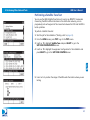
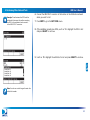
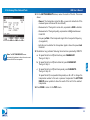
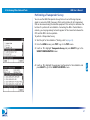
4 Installing an ODU AIM User’s Manual The table below indicates which tasks need to be performed for each ODU. When an installation includes two ODUs, you must perform the installation tasks for each ODU. The AIM Install feature guides you through the tasks based on the selected ODU. When using the AIM to align an ODU, refer to the appropriate sections for assistance: “Task A. Installation Setup” on page 41 “Task B. Coarse Azimuth Adjustment” on page 42 “Task C. Coarse Elevation Adjustment” on page 42 “Task D. Tilt Adjustment (95°, 3-LNB, Slimline-5, and Slimline-5S (SWiM) ODUs Only)” on page 43 “Task E. Fine Elevation Adjustment (Slimline ODUs Only)” on page 43 “Task F. Fine Azimuth Adjustment (Slimline ODUs Only)” on page 45 ODU Installation Tasks ODU Supported Orbital Slots 3-LNB (18” x 20”) 101, 110, 119 95° 95 Round (18”) 101 Slimline-3 99, 101, 103 Slimline-5 99, 101, 103, 110, 119 Slimline-3S (SWiM) 99, 101, 103 Slimline-5S (SWiM) 99, 101, 103, 110, 119 World Direct 95, 101 Setup 9 9 9 9 9 9 9 9 Coarse Azimuth Coarse Elevation Adjustment Adjustment 9 9 9 9 9 9 9 9 9 9 9 9 9 9 9 9 Tilt Adjustment Fine Elevation Adjustment (Dither) Fine Azimuth Adjustment (Dither) 9 9 9 9 9 9 9 9 9 9 9 9 9 40