1
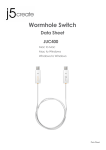
WORMHOLE SWITCH –JUC200 USER MANUAL Physical Specifications USB 2.0 Cable: Approximately 1.8 meter Device Dimension: L57.5mm x W18mm x H10mm Device Weight: Approximately 35g (including 1.8 m cable) LED: Link Indicator blue LED on both sides Function List Function Behavior for Operation System Keyboard & Mouse Control Switching Use Mouse Middle button Use Mouse Move off the edge of screen Hotkey Toggle [Alt+S] Keyboard Control Sharing Clipboard Sharing Text Share Picture Share Data Transfer Drag and Drop File Shuttle Windows Windows to Windows to Android Yes Yes Yes Yes Yes* X Yes* Yes** Yes Yes Yes X Yes Yes X Yes Note for Android User: *Some Android platforms don’t support a cursor function. In that case, the JUC200 can only share the keyboard and not the mouse. **When Android OS tablet is connected, the keyboard sharing will be active, but only Roman Alphabet is supported by Android 3.1/3.2. Package Contents Wormhole Switch (JUC200) User Manual 3