1
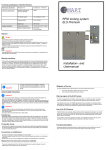
Program the Latch lock RFID125kHz Latch lock RFID125kHz installation When unpacking, check whether the components as per the description are present. Dispose of the packaging in accordance with the applicable regulations of your country. Insert battery 1. 2. 3. Normally the battery compartment is already open, the cover with screws is contained in an accessory bag. Otherwise, open the battery compartment by unscrewing the two M3x6 screws. Remove the battery from the blister pack. Insert the battery into the battery compartment. Observe correct polarity. On delivery, the lock is neutral. Programming can be carried out/altered at any time, as described in the following. Standard configuration means wheater the programming card nor the transponder is programmed. The audible signal is „on“ and the mode „standard“ is activated (automatically closing of the latch). The programming procedure as described in the following, can be done/changed at every time. 1.) Store programming card: press the programming button of the lock for 3 seconds, until a long signal tone and immediately afterwards a ticking is audible for approx. 7 seconds. During the ticking, you must hold the programming card against the card reader panel, until a confirmation tune is audible. The programming card is now stored. Note: When using a new programming card the memory will be erased (long signal). If the programming button has been pressed too short the lock begins to tick, and an alarm will sound. You have now turned the identification signal off (see point 6). 2.) Store transponder: hold the stored program card once against the card reader panel. A ticking is audible for approx. 7 seconds. During the ticking, hold the transponder (key fob) against the card reader panel to read it in, until a confirmation signal is sounded (2 x 3 short beeps). The transponder is now stored. 4. Screw on the battery case cover with the M3x6mm screws provided. The device is ready for programming. 3.) Check transponder for function: hold the transponder once against the card reader panel. The confirmation signal is sounded again, the latch moves back and the lock opens. Repeat the process 2 to 3 times to store further transponders. You can teach at maximum 1 programming card and 50 transponder at once. The programming card and the transponder can be teached in at several other locks. 4.) Delete stored transponders individually: hold the programming card once against the card reader panel. A ticking is heard for approx. 7 seconds. During the ticking, hold the transponder against the card reader panel to delete it, until a confirmation signal is sounded. The transponder is deleted. Latch lock RFID125kHz general survey 5.) Open the latch e.g. with programming card and hold the latch in this position: Put the programming card 4x to the card reader panel. The latch will hold open until a authorised transponder will reset the hold open function. All saved transponders are stored, the latch is moved into the open position. Screwing holes Programming button Spezial programming connector 6.) Delete all stored transponders: hold the programming card 5x against the card reader panel until a long confirmation signal is sounded. All saved transponders are deleted, the latch is moved into the open position. 7.) Switch signal tone on or off: keep the programming button pressed for max. one second. The signal tone is switched off/on. Note! Card reader panel The programming button has two functions: Note! 1) For transponder signal on/off short press 2) Creating a programming card long press until long beep The lock can be operated in two modes : Mode Standard = latch function: Only programmed transponders can lock/unlock the drawer lock. After the identification of an authorized transponder, the latch moves to the open position and then moves back automatically to the closed position. Mode open/closed = bolt function: After the identification of an authorized transponder, the latch moves to the open position and stops in this position. At the next identification of the authorized transponder, the latch moves to the close position and stops in this position. Install latch lock RFID125kHz on furniture body and door Important! Assembling distance ca. 20 cm Important! RFID Card reader distance Key fob up to 25mm Transponder card up to 40mm Check reading distance after assembling the latch lock RFID125kHz ! EEC Declaration of Conformity in accordance with the directives 2004/108/EC Directive on electro-magnetic compatibility (EMC) 1999/5/EC 1999 Directive on radio equipment and telecommunications terminal equipment and the mutual recognition of their conformity (R&TTE) 2002/96/EC 2003 Directive on waste electric and electronic equipment (WEEE) 2011/65/EC Directive on the restriction of the use of certain hazardous substances in electrical and electronic equipment (recast) for the product: Note! The lock assembly of furniture and the closing part must always be mounted so that the door in the closed state has at least 0.5 mm distance. This tolerance is necessary for the emergency opening in case of the low battery. Make sure that the transponder used have a very good reading quality. There should always be a comfortable reading distance be available from the front of the cabinet of at least 5-10 mm . The mounting distance between two locks should be approx. 20 cm. There is otherwise a risk of interference of the fields of the card reading panels. That can cause discharge of the battery. Latch lock RFID125kHz The following harmonised standards are applied: EN 300330.2 V1.3.1 : 2006 EN 301489-3 V1.4.1 : 2002 EN ISO 12100: 2010 EN 50364 : 2010