1
Chapter 4: Tutorials
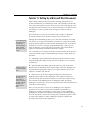
If you are familiar with LATEX , you will recognize this as the LATEX source code for the quadratic formula.
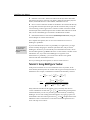
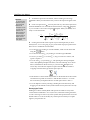
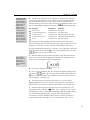
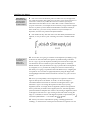
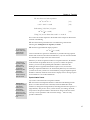
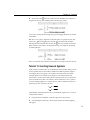
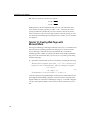
7. Continue typing the discriminant, and then switch back to MathType. 8. Create the discriminant term b 2 − 4ac . 9. In MathType’s Format menu, choose Inline Equation. This makes MathType generate the appropriate LATEX code for an inline equation. 10. Copy the equation and paste it into your text document, and then type is the most important term. Your document should now look something like this In the quadratic formula
\[
x = \frac{{ - b\pm \sqrt {b^2 - 4ac} }}{{2a}}
\]
the discriminant $ {b^{2} - 4ac} $ is the most important
term.
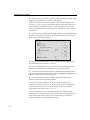
Translator Options
Converting Equations
If you want MathType’s
Convert Equations
command in Word to
work with your
equations, you must turn
on the “Include
MathType data in
translation” and “Include
translator name in
translation” options.
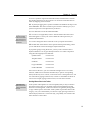
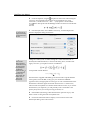
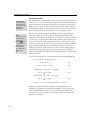
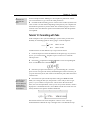
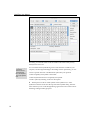
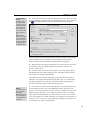
In many situations it is useful to be able to transfer old equations from a TEX document back into MathType for editing or re‐use. This is possible, provided the equations were originally created in MathType with suitable translator options set. To understand the approach, choose Translators from MathType’s Preferences menu, and check the box labeled “Include MathType data in translation”. Now create the quadratic formula again and Copy and Paste it into your text document. This time, the resulting text will be % MathType!MTEF!2!1!+% feaafiart1ev1aaatCvAUfeBSjuyZL2yd9gzLbvyNv2CaerbuLwBLn
% hiov2DGi1BTfMBaeXatLxBI9gBaerbd9wDYLwzYbItLDharqqtubsr
% 4rNCHbGeaGqiFu0Je9sqqrpepC0xbbL8F4rqqrFfpeea0xe9Lq-Jc9
% vqaqpepm0xbba9pwe9Q8fs0-yqaqpepae9pg0FirpepeKkFr0xfr-x
% fr-xb9adbaqaaeGaciGaaiaabeqaamaabaabaaGcbaWaaSaaaeaacq
% GHsislcaWGIbGaeyySae7aaOaaaeaacaWGIbWaaWbaaSqabeaacaaI
% YaaaaOGaeyOeI0IaaGinaiaadggacaWGJbaaleqaaaGcbaGaaGOmai
% aadggaaaaaaa!40C9!
\[
x = \frac{{ - b\pm \sqrt {b^2 - 4ac} }}{{2a}}
\]
The first few lines of text starting with a % sign are a TEX comment containing MathType’s own private representation of your equation. You must include this comment when you paste the equation back into MathType so it will be converted back into a normal MathType equation. If you omit the comment, or change it in any way, the transfer back to MathType will not work. TEX 65