1
Multimetter FSM 450
Ref. 5922
3.3.1.4.- Memory Logger.
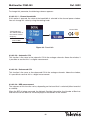
This section describes how to access a series of functions that let you turn the majority of
processes that you carry out with the meter into automatic operations.
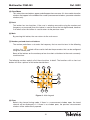
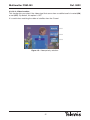
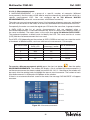
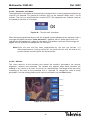
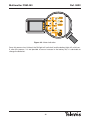
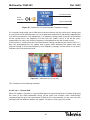
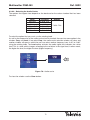
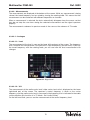
On screen you will see a window with a list of the meter memories. If no memories have been
recorded, the window will be empty.
3.3.1.4.1
3.3.1.4.2
3.3.1.4.3
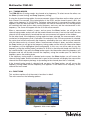
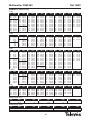
Figure 16.- List of available memories
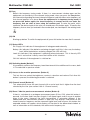
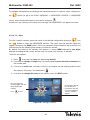
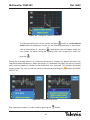
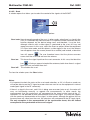
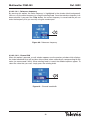
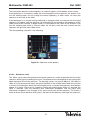
Using this menu, it is also possible to access the graph functions, however this will only happen
when the meter is in analyser mode. If you do not dispose of the graph option, the menu key
will appear with a shadow.
3.3.1.4.1.- Memories. Short cut button
:
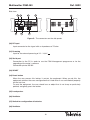
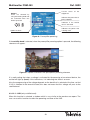
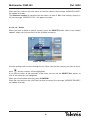
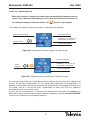
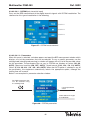
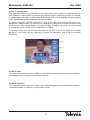
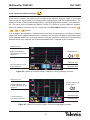
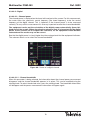
The FSM 450 lets you save up to 100 different configurations (memories) for your equipment,
which you will be able to retrieve very simply.
The measurer is able to store any state in which is as mode, norm, measurement type, etc.
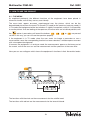
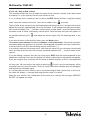
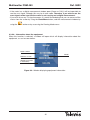
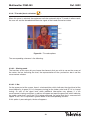
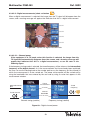
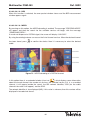
Selected memory
List of stored
memories
From the main memory
menu, it is possible to
select any of the
memories on the list.
Information about the
selected memory:
satellite band, TV
mode, channel plan
HOTBIRD, channel
16, level
measurement, norm:
PAL B/G, audio
carrier, powered
preamp.
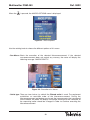
By pressing
button,
the equipment retrieves
the
configuration
corresponding to this
memory.
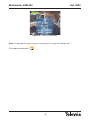
Figura 17.- List of available memories
28