1
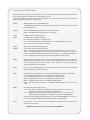
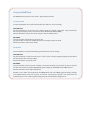
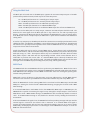
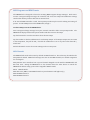
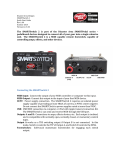
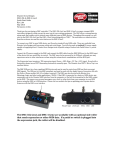
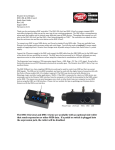
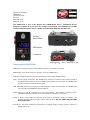
Configuring the SMARTClock Hold the Enter button while the pedal boots to access the SMARTClock Setup Menu. Keep the Enter button pressed until the display scrolls SETUP, then release. Turn the encoder to scroll through the menu options. Press the Enter button to edit the selected menu, hold the Enter button to save and exit. CHAN: MIDI Channel used by the SMARTClock. The SMARTClock listens for incoming program changes on this channel to save and recall BPM presets. MODE: TAP – the SMARTClock will start up in Tap Tempo mode. PRST – the SMARTClock will start up in Preset mode. TAPA: Configuration for Tempo Output A. TAPB: Configuration for Tempo Output B. No – the selected output is “normally open.” Nc – the selected output is “normally closed.” Most BOSS devices require Nc. OFF – the selected output will be disabled. MODA: Tap Tempo setup for Tempo Output A. MODB: Tap Tempo setup for Tempo Output B. Auto – The selected output will send taps continuously when the clock is running. 4TAP – The selected output will send taps when the clock changes rate. If a new preset is loaded, the selected output will send four taps. If an external MIDI clock is input, both outputs will send taps continuously regardless of this setting. PMAX: Highest preset available in Preset mode. The SMARTClock can recall a maximum of 48 presets in Preset mode, or up to 128 if an external MIDI controller is connected. If an external MIDI controller is used to select presets, all 128 presets will be available regardless of this setting. PROG: If set to ON, the SMARTClock will send a program change message on its MIDI channel each time a preset is selected. JACK: Configuration of Multi Jack. Please consult the Multi Jack section for more details No – the Multi Jack functions as a “normally open” tempo output Nc – the Multi Jack functions as a “normally closed” tempo output INPT – the Multi Jack functions as an additional tap tempo input MIDI – the Multi Jack functions as an additional MIDI output nCLK – the Multi Jack functions as an additional MIDI output but does not send clock. RESO: Resolution for manual tempo entry. 0.5 – Tempo will be entered in half-‐BPM increments (120.0, 120.5, 121.0, etc.) Tapped tempos will display up to 0.1 BPM precision 1.0 – Tempo will be entered in whole-‐BPM increments (121.0, 122.0, 123.0, etc) Tapped tempos will display at 0.1 BPM precision below 100BPM only Note that in either mode, tapped tempos are stored with MAXIMUM precision at all times. Only the BPM display is rounded to the nearest whole number. FACT: Factory Reset. Turn the encoder until RSET is displayed, then press Enter to perform a factory reset. Hold the Enter button to save and exit the Setup Menu.