1
ConCERTO CardMaker Administrator’s Manual
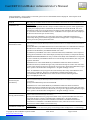
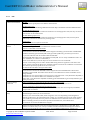
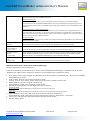
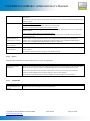
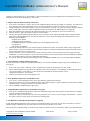
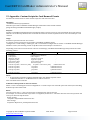
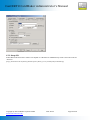
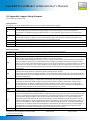
Entry type
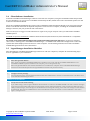
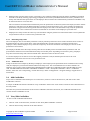
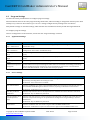
Select the applicable entry type as follows:
Label: Will print a label on the card, as designated in "Field Name".
Not related to any ConCERTO CardMaker database fields.
Label specified will always be a constant. Useful if you always
want to include a label in front of another field, for example,
"Department:"
Text: Will print the text as specified in the "Database field name".
For example, if you specify "Cardholder_ID" under "Database
field name", each cardholder's ID will be printed on their card,
as long as it is entered in the "Issue Card" screen in the
cardholder ID field.
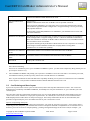
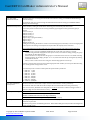
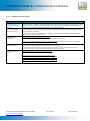
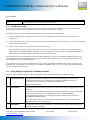
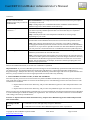
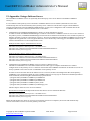
Entry type (cont.)
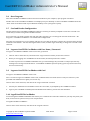
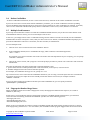
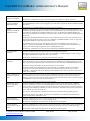
Full Name: Select this option to meld the three entry fields of First
Name, Middle Name and Last Name, so that they will be
printed on the card in a full name format, for example:
"Samantha Jones". Note that when you select the Full Name
option, the entry fields for First Name, Middle Name, and Last
Name will automatically be included in the "Issue Card" screen.
This makes it possible for ConCERTO CardMaker to generate
the full name from the information entered into those fields.
(The inclusion of the Middle Name is optional, but First Name
and Last Name must be included).
Text [disable]: Use this option for fields where no text may be
entered, for example, fields that are automatically entered
from the database itself. The "Date Issued" field, for example,
is automatically entered from the database.
Text [f/m]: Use this option when the only entries that should be
made into the corresponding field are f (female) or m (male),
for example, if you need a "Sex" field.
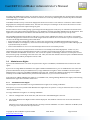
Text [y/n]: Use this option when the only entries that should be
made into the corresponding field are y (yes) or n (no), for
example, if you need to indicate if someone participates in a
meal plan.
Text [len:1…]: Use this option when you want to specify the exact
length that an entry in a field must be, for example, if your
corporate ID # is 8 digits, you can specify "len:8".. Length from
1 to 50 is selectable.
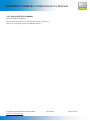
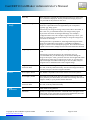
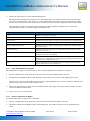
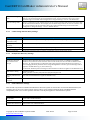
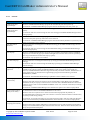
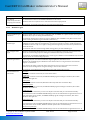
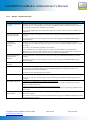
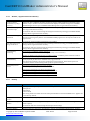
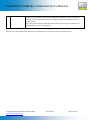
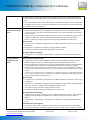
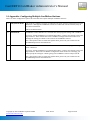
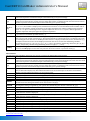
Database field name
Select the corresponding database field name. The information that
is printed on the card will be the data entered into the corresponding
field on the "Issue Card" screen.
Note that you can also create your own fields using the following
parameters:
AuxiliaryText1-5: Each of these five text fields can contain up to 50
characters.
AuxiliaryMemo1-3: Each of these three memo fields can contain
unlimited text.
AuxiliaryBool1-3: Each of these boolean fields must be related to a
statement that can be answered by yes or no.
Copyright © 2011 SCM Microsystems GmbH
www.scm-concerto.com
2011-08-22
Page 22 of 98