1
5.5. Angstrom OS Debug
5.5.1 View Angstrom system via the serial port
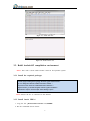
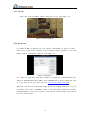
See 4.5.1 View the system infomation via the serial port.
5.5.2 NFS
See 4.5.2 NFS.
6. Debian OS
This chapter will introduce Debian OS for Chipsee BeagleBoneBlack board, through this,
users can quickly understand the hardware resources; users can debug the O
S via serial, and Internet.
6.1. Getting start
Notes: Using the prebuilt file we provided in the CD to test the hardware.
6.1.1 How to make a bootable SD card
1. Insert the SD card into your computer, if using virtual machines, please make sure the
SD card mounted to the Ubuntu(or other Linux) operating system.
2. Confirm the SD card mount point, “/dev/sdX”, usually it should be “/dev/sdb”. You ca
n use this command to find out what the “X” is in the Angstrom system.
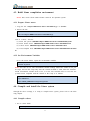
$ sudo fdisk –l
3. Copy the file “prebuilt-debian-XXXXXX.tar.gz” somewhere(such as $HOME).
4. Extract the file “prebuilt-debian-XXXXXX.tar.gz”
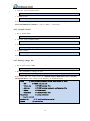
$ tar zxfv
prebuilt-debian-XXXXXX.tar.gz
5. Go to the folder “prebuilt-debian-XXXXXX”
$ cd ~/prebuilt-debian-XXXXXX
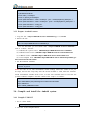
6. Flash the Angstrom OS to the SD card
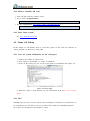
$ sudo ./mksdcard.sh --device /dev/sd<?>
27