1
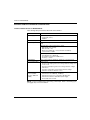
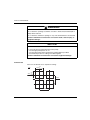
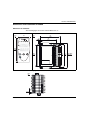
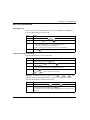
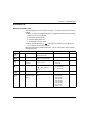
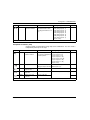
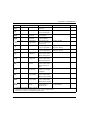
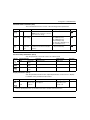
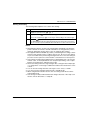
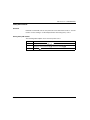
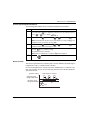
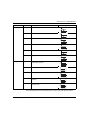
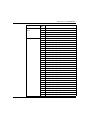
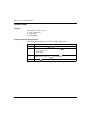
Configuration of REG48/REG96
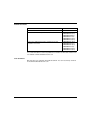
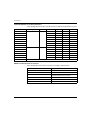
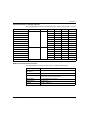
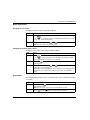
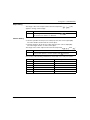
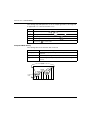
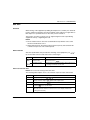
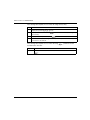
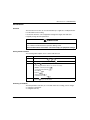
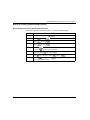
Display Parameter Name
PL1M
4
Sets the max PID
selection number
Function
Setting Range
Sets the maximum
selectable number when
selecting PID with the user
key
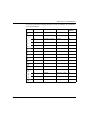
Pid0 (PID Ch)
Pid1 (PID group No. 1)
Pid2 (PID group No. 2)
Pid3 (PID group No. 3)
Pid4 (PID group No. 4)
Pid5 (PID group No. 5)
Pid6 (PID group No. 6)
Pid7 (PID group No. 7)
di (not used)
Remarks
Displayed when OUT2 model is selected
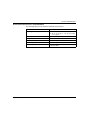
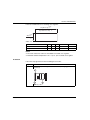
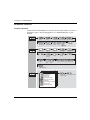
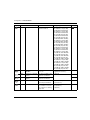
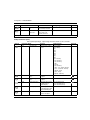
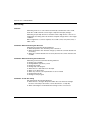
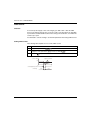
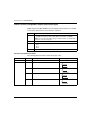
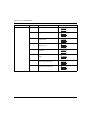
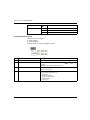
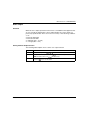
Ramp/Soak Parameters (Ch4)
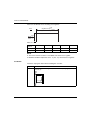
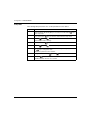
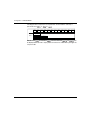
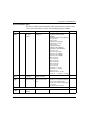
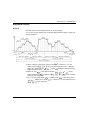
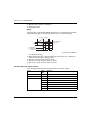
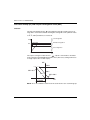
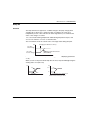
Create a pattern of temperatures using ramp soak combinations. You can create a
temperature pattern up to 16 steps:
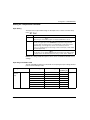
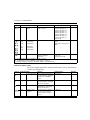
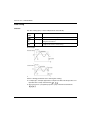
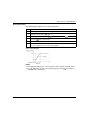
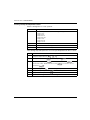
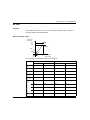
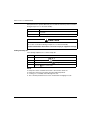
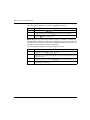
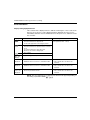
Display
Parameter name
Function
Setting range
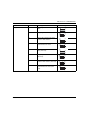
PTn
Ramp/Soak
Activation Pattern
Sets which steps to
0 (uses steps 1 to 4)
execute in the Ramp/Soak 1 (uses steps 5 to 8)
operation pattern
2 (uses steps 1 to 8)
3 (uses steps 9 to 12)
4 (uses steps 13 to 16)
5 (uses steps 9 to 16)
6 (uses steps 1 to 16)
di (not used)
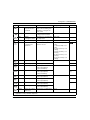
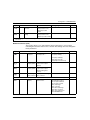
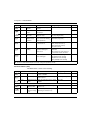
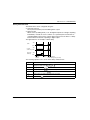
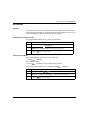
TiMU
Ramp/soak time units Sets the units used when hh.MM (hour:min)
setting the ramp/soak time MM.SS (min:sec)
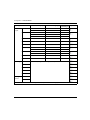
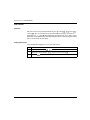
Sv-1
Ramp/soak 1 seg/SV Sets the SV
Setpoint value
0...100% FB
TM1r
Ramp/soak 1seg
ramp time
Sets the ramp time
00:00...99:59 (hour:min/min:sec)
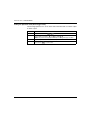
TM1S
Ramp/soak 1 seg
soak time
Sets the soak time
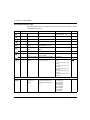
Remarks
(6)
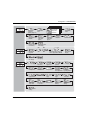
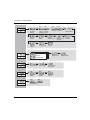
NOTE: With the same functions as previous, total 16 steps can be sets (For example: Sv-1, Sv-2, ..., Sv16).
EIO0000001299 09/2012
53