1
A few notes about System Connection
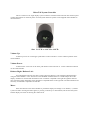
Every MicroTAP system includes a System Controller. This is the user interface of the system receiving commands (like volume up, mute, etc) and then displaying the current status of the pre-amp. The
System Controller is the 'front panel' of the pre-amp. Since it is entirely separate from your audio system
connections it can be located anywhere in the listening room.
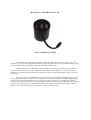
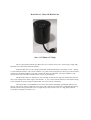
Every MicroTAP system also has 2 Bent Units. This is where the action is. The audio signal path is all
in this box – separate from the MicroTAP System Controller. This separation is made to allow the attenuator
circuits to be placed right at the amplifier inputs. This keeps that all important attenuator to amp cable length
VERY short.
The MicroTAP system controller connects to the Bent Units via fiber optic cables. We use easy to
obtain standard Toslink cables for this connection. This breaks all electrical connections between the System
Controller and the Bent Units.
Important Note:
The fiber optic cable is NOT used as a digital audio cable! Plastic fiber cables are among the worst
options for a digital connection. The MicroTAP uses this cable to send a data packet to the Bent Unit – telling it
what volume to go to, etc. The audio signal is not connected to this cable in any way – in fact the fiber optic
cable can be unplugged while the system is playing music and the music will continue on playing just fine. The
audio signal path is 100% analog and 100% passive.