1
Contents
1 Introduction
1.1 What are Structure-Based Models? . . . . . . . . . . . . . . . . . . . . .
1.2 What does SMOG v2 do? . . . . . . . . . . . . . . . . . . . . . . . . . . .
1
1
2
2 “Installation”
2.1 Prerequisites . . . . . . . . . . . . . . . . . . . . . . . . . . . . . . . . . .
2.2 Configuration . . . . . . . . . . . . . . . . . . . . . . . . . . . . . . . . . .
2.3 Verify SMOG is properly configured . . . . . . . . . . . . . . . . . . . . .
3
3
3
4
3 Using SMOG v2
3.1 Preparing the input PDB file . . . . . . . . .
3.1.1 PDB file format . . . . . . . . . . . .
3.1.2 Preprocessing . . . . . . . . . . . . . .
3.2 Generating a Structure-Based Model . . . . .
3.2.1 Default All-Atom Model . . . . . . . .
3.2.2 Default Cα model . . . . . . . . . . .
3.3 Input options . . . . . . . . . . . . . . . . . .
3.3.1 User-provided contact map . . . . . .
3.4 Performing a simulation in Gromacs/NAMD
3.4.1 Gromacs 4.5 or 4.6 . . . . . . . . . . .
3.4.1.1 All-Atom Model . . . . . . .
3.4.1.2 Cα Model . . . . . . . . . . .
3.4.1.3 Examples . . . . . . . . . . .
3.4.2 Notes and Hints . . . . . . . . . . . .
3.4.2.1 Domain Decomposition . . .
3.4.3 Gromacs 5 . . . . . . . . . . . . . . .
3.4.3.1 Examples . . . . . . . . . . .
3.4.4 NAMD . . . . . . . . . . . . . . . . .
.
.
.
.
.
.
.
.
.
.
.
.
.
.
.
.
.
.
.
.
.
.
.
.
.
.
.
.
.
.
.
.
.
.
.
.
.
.
.
.
.
.
.
.
.
.
.
.
.
.
.
.
.
.
.
.
.
.
.
.
.
.
.
.
.
.
.
.
.
.
.
.
.
.
.
.
.
.
.
.
.
.
.
.
.
.
.
.
.
.
.
.
.
.
.
.
.
.
.
.
.
.
.
.
.
.
.
.
.
.
.
.
.
.
.
.
.
.
.
.
.
.
.
.
.
.
.
.
.
.
.
.
.
.
.
.
.
.
.
.
.
.
.
.
.
.
.
.
.
.
.
.
.
.
.
.
.
.
.
.
.
.
.
.
.
.
.
.
.
.
.
.
.
.
.
.
.
.
.
.
4 Template-Based Approach
4.1 Introduction to templates . . . . . . . . . . . . . . . . . . . . .
4.2 SMOG v2 Templates . . . . . . . . . . . . . . . . . . . . . . . .
4.2.1 Biomolecular Information File (.bif) . . . . . . . . . . .
4.2.2 Setting Information File (.sif) . . . . . . . . . . . . . . .
4.2.3 Bond Information File (.b) & Nonbond Information File
.
.
.
.
.
.
.
.
.
.
.
.
.
.
.
.
.
.
.
.
.
.
.
.
.
.
.
.
.
.
.
.
.
.
.
.
.
.
.
.
.
.
.
.
.
.
.
.
.
.
.
.
.
.
.
.
.
.
.
.
.
.
.
.
.
.
.
.
.
.
.
.
6
6
6
7
8
8
9
9
9
11
11
11
12
14
14
14
14
14
15
. . .
. . .
. . .
. . .
(.nb)
.
.
.
.
.
.
.
.
.
.
.
.
.
.
.
16
16
16
17
20
22
.
.
.
.
.
.
.
.
.
.
.
.
.
.
.
.
.
.
.
.
.
.
.
.
.
.
.
.
.
.
.
.
.
.
.
.
5 Adding a new residue
27
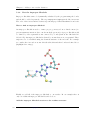
5.1 Step 1 - Examine the molecular structure . . . . . . . . . . . . . . . . . . 27
ii