1
DPG10A User manual Version 10.2010
Page 45 / 82
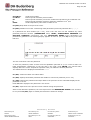
6.7.2 Defining a password.
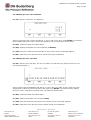
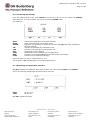
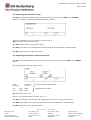
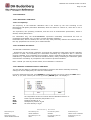
F2 (EDT) enables to define a 4-letter-long password after you have selected PASSW in the
SYSTEM menu.
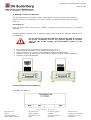
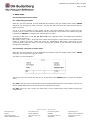
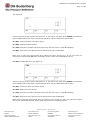
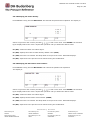
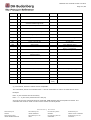
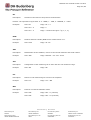
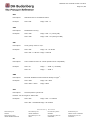
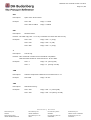
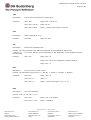
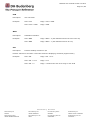
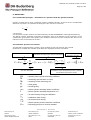
The display is :
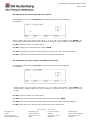
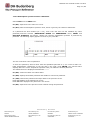
To define the password, select a letter from the alphabetic pad with ∧, ∨, <, >. ∧ and ∨ make a 5letter displacement respectively to the left and to the right. Press ENTER: the selected letter
displays above the cursor. Repeat the operation until you obtain the desired password.
The edited letters are displayed with asterisks * * * *.
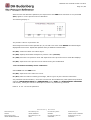
F3 (DEL) erases the latest user-edited letter.
F2 (DEF) displays the default password and enables to cancel the password (Cf. 7.7.2.2).
F1 (SAV) confirms the password and steps back to the previous screen. DATA SET displays if the
password is correct.
F4 (ESC) steps back to the previous screen without saving the password.
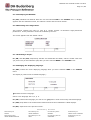
6.7.2.1 Operating principle and use of the password.
Defining a password enables to prevent the access to a certain number of sensitive data:
MEASURING HEAD parameters – RESET – ATMOSPHERIC PRESSURE – RELATIVE HUMIDITY
– TEMPERATURE – PARAMETERS menu.
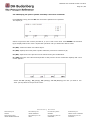
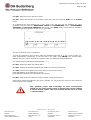
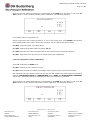
The user is asked this password each time he first tries to modify one of these protected data. The
previous screen displays, the user edits his password then confirms it by pressing F1 (SAV).
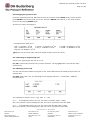
DATA SET displays if the password is correct.
DATA NOT SET displays if the password is not correct.
The password, which is edited for the first modification remains valid and the user does not need to
edit it again for the other modifications as long as he has not quitted the menu.
6.7.2.2 Cancelling and modifying the password
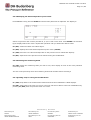
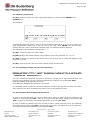
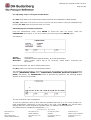
In order to cancel a password, the user first has to edit it (same procedure as for the definition) and
confirms it by pressing F1 (SAV). Then he just has to edit the default password by pressing F2
(DEF) to cancel it, and finally confirms the cancellation by pressing F1 (SAV).
In order to modify a password, the user first has to edit it (same procedure as for the definition)
and confirms it by pressing F1 (SAV). Then he just has to edit a new password as for the definition,
and finally confirms the modification by pressing F1 (SAV).
DH Budenberg
Worldwide
DH Budenberg SA
FRANCE
DH Budenberg LTD
UNITED KINGDOM
DH Budenberg Gmbh
GERMANY
DH Budenberg Inc
UNITED STATE of AMERICA
DH Budenberg FZCO
UNITED ARABES EMIRATES
DH Budenberg PV LTD
INDIA
DH Budenberg PTE LTD
SINGAPORE
DH Budenberg PTY LTD
AUSTRALIA