1
3
GUI
The ROCCC GUI is a plugin designed for the Eclipse IDE that works on both
Linux and Mac systems. The user must have at least Eclipse version 3.5.1
installed. ROCCC currently supports the C++ and Java versions of Eclipse.
Eclipse can be downloaded for free at www.eclipse.org.
The ROCCC GUI plugin is continually evolving and may function slightly
differently in future releases.
3.1
Installing The Plugin
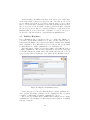
Once you have downloaded and uncompressed Eclipse, open the resulting uncompressed eclipse folder. Inside of there, you should see a folder named plugins.
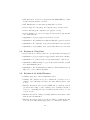
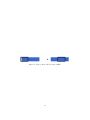
This is where we need to copy the ROCCC GUI plugins into as shown in Figure
1. Any previous versions of the ROCCC plugins must also be removed from
this directory. The ROCCC plugins are located inside the GUI folder of the
uncompressed ROCCC distribution folder.
Figure 1: Copying the Plugins into Eclipse
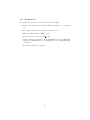
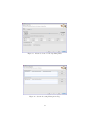
Once you have moved the ROCCC plugins into the plugins folders inside
eclipse, ROCCC should be ready to run on Eclipse. The first time you run
Eclipse with the ROCCC plugins installed, ROCCC will set up the perspective
best used for working with ROCCC. It will also open up a page welcoming you
to ROCCC 2.0 and asking if you would like to register for updates and news as
shown in Figure 2.
3.2
Preparing the GUI for using ROCCC
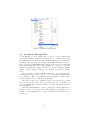
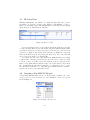
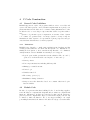
Before we can use the core functionally that is bundled with the GUI, the user
must first set the directory path to the ROCCC distribution folder. This can
be done by selecting ”Preferences” in the ROCCC menu tab at the top of the
program as in Figure 3.
21