1
Chapter 7
Monitoring the Cisco Unified IP Phone Remotely
Streaming Statistics
Stack Statistics
The Debug Display area on a phone’s web page displays information about the phone’s stack tasks. This
information may be useful to Cisco Technical Assistance Center personnel if you require assistance with
troubleshooting.
To display the Stack Statistics area, access the web page for the phone as described in the “Accessing
the Web Page for a Phone” section on page 7-2, and then click the Stack Statistics hyperlink.
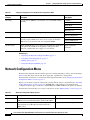
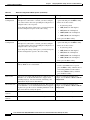
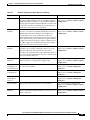
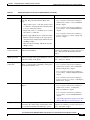
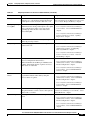
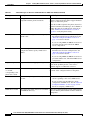
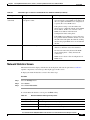
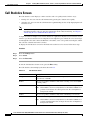
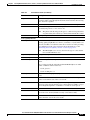
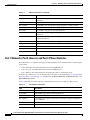
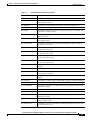
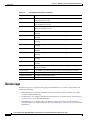
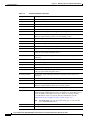
Table 7-5 describes the items in the Stack Statistics area.
Table 7-5
Stack Statistics Area Items
Item
Description
Socket Task
Peak stack consumption for the Socket task
Phone Task
Peak stack consumption for the Phone task
DSPPoll Task
Peak stack consumption for the DPPoll task
RTP Task
Peak stack consumption for the RTP task
TLS Task
Peak stack consumption for the TLS task
Config Task
Peak stack consumption for the Config task
Display Task
Peak stack consumption for the Display task
CAST Task
Peak stack consumption for the CAST task
Sidecar Task
Peak stack consumption for the Sidecar task
Audit Task
Peak stack consumption for the Socket task
Undefined Mode
Peak stack consumption for the undefined mode
SVC Mode
Peak stack consumption for the SVC mode
IRQ Mode
Peak stack consumption for the IRQ mode
FIQ Mode
Peak stack consumption for the FIQ mode
SYS Mode
Peak stack consumption for the SYS mode
Status Messages
The Status Messages area on a phone’s web page displays up to the 10 most recent status messages that
the phone has generated since it was last powered up. You can also see this information from the Status
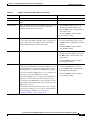
Messages screen on the phone. Table 6-1 describes the status messages that can appear.
Streaming Statistics
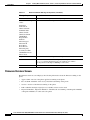
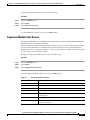
A phone streams information when it is on a a call or running a service that sends or receives audio or
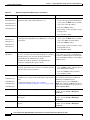
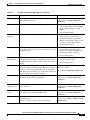
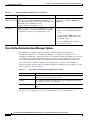
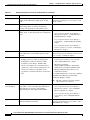
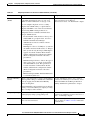
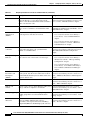
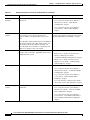
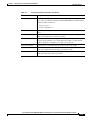
data. The Stream 1 area on a phone’s web page provides information about this stream. Table 7-6
describes the items in this area.
To display a network statistics area, access the web page for the phone as described in the “Accessing
the Web Page for a Phone” section on page 7-2, and then click the Stream 1 hyperlink.
Cisco Unified IP Phone 7960G/7940G Administration Guide for Cisco Unified Communications Manager 7.0 (SCCP)
OL-15498-01
7-11