1
7.
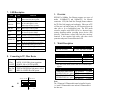
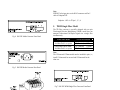
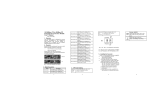
LED Description
LED
FX
LNK/ACT
FX
FDX/COL
TP
LNK/ACT
TP 100
PWR
Color
Function
Lit when fiber connection is good
Green
Blinks when fiber data is present
Lit when full-duplex mode is active
Amber Off when half-duplex is active
Blinks when collision is present
Lit when TP connection is good
Green
Blinks when TP data is present
Lit when TP speed is 100Mbps
Green
Off when TP speed is 10Mbps
Green Lit when +5V power is coming up
Green
4W
Green
Lit when PoE feeding power is active
Lit when PoE feeding power is disrupted
(In case of overtemperature/overcurrent )
Light when PD Class Type is Class 1
7W
Green
Light when PD Class Type is Class 2
15.4W
Green
Light when PD Class Type is Class 0 or 3
PoE PSE-TP
Red
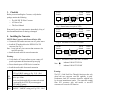
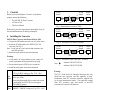
8. Connecting to TP, Fiber Device
Converter
TP Port
10/100TP
Converter
Fiber Port
100FX
AUTO, FORCE selectable: Bit 1, 2, 3 of S1
a. AUTO: 10/100 NWay Auto-negotiation
b. FORCE: 100 or 10, FDX or HDX
100Mbps duplex selectable: Bit 5 of S1
a. FDX for 100FDX fiber link partner, default
b. HDX for 100HDX fiber link partner
TP-AUTO 100
FDX
LFP
EN FDX-FX PoE
S1
1
RESET
2
3
TP-FORCE 10 HDX
4
5
6
LFP HDX-FX PoE
DIS
DIS
1.
Overview
IEEE802.3u 100Mbps Fast Ethernet supports two types of
media, 10/100Base-TX and 100Base-FX, for network
connection. LFP (Link Fault Pass Through) feature enhances
the TP-Fiber Link integrity and conformity. Either one of TP
or Fiber port is in link-fail state, the LFP converter forces the
other port to be at link-disabled state. The PSE media
converter complies with IEEE 802.3af, its advanced autosensing algorithm enables providing power devices (PD)
discovery, classification, current limit, and other necessary
functions. It also supports high safety with short circuit
protection and power-out auto-detection to PD.
2.
Model Description
Model
PoE PSE TP-Fiber
Power Description
AC Line: 100-240V 50-60Hz
The 100Mbps Fiber Transceiver
Wavelength
1310nm
1310nm
1550nm
∗:Any other fiber model, such as MT-RJ is available upon
request.
Single Fiber Model
TX, RX Wavelength
1310nm Single-Mode 20Km TX (Transmit)
1310nm
∗ 40/60Km models are option RX (Receive)
1550nm
1550nm Single-Mode 20Km TX (Transmit)
1550nm
∗ 40/60Km models are option RX (Receive)
1310nm
ST/SC/LC multi-mode 2Km
SC/LC.S05/S20/S40/S60Km single-mode
SC/LC.S80/S100Km single-mode
Note:
The 1310nm and 1550nm models must be installed in pairs,
i.e., install 1310nm model at one end and 1550nm model at
the other one.
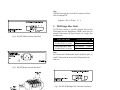
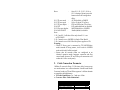
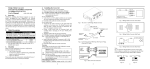
Fig. 12 Reset button and S1—Bit 1, 2, 3, 4, 5, 6
Configuration and Setting
8
1