1
Copyright Charles HAMEL aka Nautile – Nov 2009
Page 5 of 16
HOW TO USE THE ‘TOTU’ HP48 PROGRAM
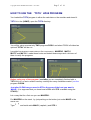
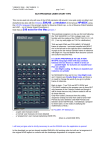
You loaded the TOTU program in either the calculator or the emulator and stored it .
TOTU is in the {HOME}, open the TOTU directory.
You will be using successively TWO programs PGSU and when PGSU is finished an
optional TOTAL will be run.
I provided FOUR READY MADE ARRAYS for FOUR KNOTS : MASEDG , MAT35,
MAT37 and MAT41. I made those knots and tested those arrays and a lot more of
them to verify the programs.
Before using any of the program ( and after you are completely finished with a
TOTU full run, so as to reclaim memory used by the many variables created ) run the
program CLEAN.
Just after CLEAN ran you need to STOre the array of the knot you want in
‘MALR’ (it is supposed that you know how to RCL and STO a variable using the
STACK) :
Let us say that for a first use you use MASEDG :
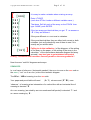
Put MASEDG on the stack by just pushing on the button just under MASE in the
menu row
Type
‘ ’ and inside write MALR ( capitals ) and STO it.