1
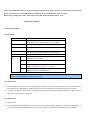
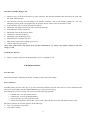
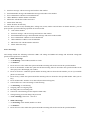
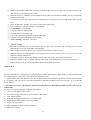
2.2.1 Pull out and install the battery Follow the following steps to pull out the battery: ① Open the back cover; ② Pull the battery upwards and get it out. Follow the following steps to install the battery: ①Insert the battery into the battery slot; ②The back cover until it fastens. 2.2.2 Charge the Battery Connect the batter charger to a power supply; USB interface at the bottom of the charger plug into the phone. Then the power quantity indicator in the upper right corner of the mobile phone screen will flicker. If the phone has been powered off, the screen will display “charging” and this indicates that the battery is being charged. If the phone is still in use despite of lack of power, the power indicator may take some time to appear on the screen. If the power indicator is full and stops to flicker, this means that the charge has been finished. This process often takes 3 to 4 hours. It is normal that, during charge, the battery, mobile phone and battery charger become hot. After the charge is completed, please disconnect the AC power supply socket and the mobile phone with the battery charger. *Note: --During the charge, the handset should be placed where the ventilation is good and the temperature is between +50C to +400C. In addition, you should use the charger provided by the manufacturer, for the unauthenticated chargers may cause danger and disobey the recognition and maintenance clauses of this mobile phone. --When your mobile phone automatically powers off or displays the warning of “Low Power”, you should charge the battery in time. In case the battery has not run out before charge, the mobile phone will shorten the charge time automatically. --The standby time and call time provided by the manufacturer is based on the ideal working environment. During the practical use, the battery’s service time changes with the network condition, working environment and use mode used. --Before charging the battery, please make sure that the battery is properly inserted and it is forbidden to take it down during charging. . --When charge is over, please disconnect the charger with the mobile phone and the battery. If you do not disconnect the charger with the power supply and the mobile phone, after a long time (about 5 to 8 hours), the power of the battery will drop to a certain level and the mobile phone will resume charge once again. We do not recommend you to do so, for this will affect the performance and service life of the battery. --This mobile phone does not support USB port, so you can not connect your mobile phone with PC through USB, it just use to charging the battery. 2.3 Power on Long press Hang Up key to power on the mobile phone and also long press the Hang Up key to power off your mobile phone. 8