1
2-2. Using the Printer
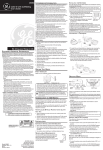
BAUDRATE SETTING(For example:Set 9600BPS baudrate)
BUTTON
FEED
Press the FEED button once to advance paper one line. You can also hold
down the FEED button to feed paper continuously.
POWER
Press this button and hold on for a few second, the printer can be powered
on/off.
Before setting baudrate,make sure the printer is on off
1. Press POWER button and hold on till MODE light turns blue.
CH
ARGE FULL
PO
W
ER
OD
FE
M
ED
MODE
E
PO
WE
light turns blue
ER RO
R
R
PANEL LIGHTS
CHARGE
When the printer is connected with the charger, this light turns RED.
FULL
When the battery finished recharging, this light turns Green.
POWER
On-working indicator.
MODE
In mode-setting statue,it turns BLUE.
ERROR
Error appears,the light turns Yellow.
Status.
2. Press POWER button one time again.the
MODE
light will flash.
3. Press FEED button to Set baudrate.Press FEED button three times.
Press FEED one time is 2400BPS,Press two times is 4800BPS,Press
three times is 9600BPS.Once press FEED button one more time the
baudrate will be increased as below.
POWER
MOD
E
R
RO
ER
CH
AR
L
FUL
GE
FEED
POWER
CH
ARGE FULL
W
Press FEED button three times
to Set baudrate to 9600BPS
ER
M
OD
FE
PO
ED
E
WE
R
ERRO
PO
R
FE
ED
PO
USER'S MANUAL
USER'S MANUAL
WE
R