1
2.1.2 PRESETS TAB
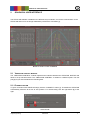
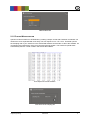
For easy alignment of the camera system it is possible to define the rotation point, known as pivot
point [1] and the local zero position respectively home position [2]. Every waveform data refer to this
position. The pivot point is located at the bottom center of the retaining plate.
Presets tab
After defining a new pivot point, it is necessary the click the “Set” button [3]
2.1.3 SINE WAVEFORM TAB
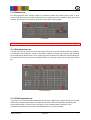
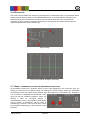
A simple sine wave generator for every axis allows a fast way to set up waveform data. By defining a
new waveform just change the values of the offset in relation to position [2], frequency [3], amplitude
[4] and offset [5] in relation to time. The “Cycles” [6] spin box defines how often the sine should repeat.
To perform the waveform just click the “MOVE” button. To reset set values just click the button below
[7].
Sine waveform tab
2.1.4 CIPA HANDSHAKE TAB
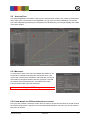
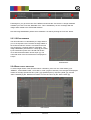
To perform one of the tree CIPA handshakes just select if the weight of the optical system is over 600g
under 400g or between this weight. Thereafter the waveform data is automatically uploaded to the
STEVE-6D controller. At least it is just necessary to click the MOVE button. Because of the
nondisclosure agreement of CIPA the “WAVEFORM PLOT” is just an example.
Image Engineering
STEVE-6D
5