1
2.2 ANALYZE DATA
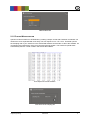
The Image Stabilization calculation is done by the “Analyze Data” module. This module is separated in
three mayor parts. The first part is the “Metadata Tool” [1] which set Camera Metadata. The second
part is the image batch processing for IS-Performance calculation [2]. The last part displays the results
of the taken images.
2.2.1 METADATA
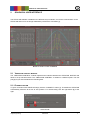
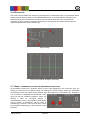
It‘s necessary to have some camera metadata information for ISPerformance calculation like pixel pitch and shutter time. If the
camera don‘t write these information in the image file you have to
load a batch of images and write it into the .jpg image. Just load
the images and set the parameters. Thereafter hit the “SET”
button and wait until the process is finished.
Only for JPEG images
Define image metadata
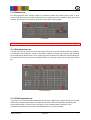
2.2.2 LOAD IMAGES FOR IS-PERFORMANCE CALCULATION
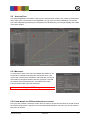
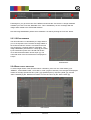
First you have to load the reference series. Next you have to choose the test series for IS-ON. At least
the IS-OFF image series is required. If the CIPA handshake waveform was used, you do not need the
test series for IS-OFF.
Image Engineering
STEVE-6D
8