1
Chapter 4 BIOS
Fields
Description
Choices
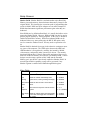
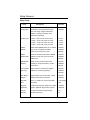
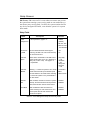
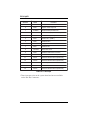
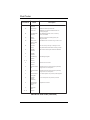
L1 Cache
Policy
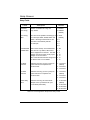
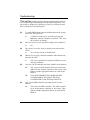
“Write Back” causes memory to be updated
1. Write Back
only under certain conditions such as read
2. Write Through
requests to the memory whose contents are
currently in the cache, allowing the CPU to
operate with fewer interruptions and
increasing its efficiency. “Write Through”
means that memory is updated with data held
in the cache whenever the CPU issues a
write cycle.
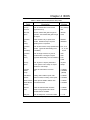
L2 Cache
Policy
Same as L1 Cache Policy.
1. Write Back
2. Write Through
Cache Write
Burst
Select the precise timing used during burst
writes to the cache by scrolling though the
choices.
1. 2-1-1-1 to
5-4-4-4
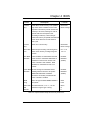
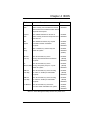
Video BIOS
Cacheable
When enabled, the Video BIOS cache will
cause access to video BIOS addressed at
C0000H to C7FFFH to be cached, if the
cache controller is also enabled. When
disabled, the video BIOS access is not
cached.
1. Enabled
2. Disabled
(default)
System BIOS As with caching the Video BIOS above,
Cacheable
enabling allows accesses to the system
BIOS ROM addressed at F0000HFFFFFH to be cached, provided that the
cache controller is enabled.
1. Enabled
2. Disabled
(default)
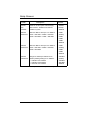
DRAM
Timing
Set to the type of DRAM SIMMs installed in
the system.
1. 60ns
2. 70ns
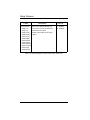
1st/2nd Fast
DMA
Channels
Two DMA channels, “0” or “1”, can be
selected to support Type F timing.
1. None
2. 0
3. 1
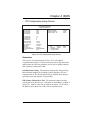
Table 4-3: Chipset Features Setup Screen Entry Fields Cont’
4-15