1
Table of Contents
Digital Audio Server (DAS) Overview....................................................................................................................................3
CAAS Audio DAS Features......................................................................................................................................................................4
CAAS Audio DAS Specification................................................................................................................................................................4
Supported Devices / Peripherals..............................................................................................................................................................4
Important Precautions (Mandatory).......................................................................................................................................5
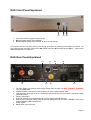
DAS Front Panel Explained..................................................................................................................................................6
DAS Rear Panel Explained...................................................................................................................................................6
Using & Controlling the DAS.................................................................................................................................................7
TV CEC Control .......................................................................................................................................................................................7
Network Control........................................................................................................................................................................................7
Web Interface...........................................................................................................................................................................................7
Recommended DAS Shut down procedure..........................................................................................................................8
Quick Start............................................................................................................................................................................9
Adding Music Files to your USB Storage.................................................................................................................................................9
Accessing USB Device Music Files.........................................................................................................................................................9
Accessing USB Attached Music with a HDMI TV Connected............................................................................................................9
Accessing USB Attached Music with NO TV connected..................................................................................................................11
Accessing Music from a Network connected device..............................................................................................................................12
Accessing NAS Music with a HDMI TV Connected.........................................................................................................................12
Accessing NAS Music with NO TV connected.................................................................................................................................13
DLNA / UPnP Audio Interface, Networking & File Sharing..................................................................................................14
Networking the DAS...............................................................................................................................................................................14
Windows Network (SMB) file sharing.....................................................................................................................................................14
Accessing a UPnP Network Device.......................................................................................................................................................15
Installing & Setting up XBMC & CAAS Audio Remote Apps...............................................................................................16
Installing CAAS Remote on an Android Device.....................................................................................................................................16
Manual Set up of the CAAS Audio Remote.....................................................................................................................................17
Set up after the App has been run or when adding an alternative media centre............................................................................18
Using CAAS Audio Remote App ...........................................................................................................................................................19
Building a Playlist.............................................................................................................................................................................21
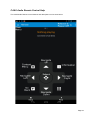
CAAS Audio Remote Control Help.........................................................................................................................................................22
Installing Official XBMC Remote on an Apple Device............................................................................................................................23
Adding a Host at a later time............................................................................................................................................................24
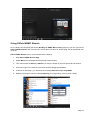
Using Official XBMC Remote.................................................................................................................................................................25
Official XBMC Remote Control Help......................................................................................................................................................26
Building an XBMC Music Library.........................................................................................................................................27
Building a Library....................................................................................................................................................................................27
Updating a current Library......................................................................................................................................................................28
Streaming Music from a smart phone / tablet to the DAS...................................................................................................29
Party Mode (Random Song Play).......................................................................................................................................29
Audio Server Software Update............................................................................................................................................30
CAAS Audio Configuration Set Up......................................................................................................................................30
Returns, Repairs and Weee recycling.................................................................................................................................30
DAS Factory Reset.............................................................................................................................................................31
DAS FAQ.............................................................................................................................................................................32
Warranty (3 Year Guarantee)..............................................................................................................................................33
Page 2