1
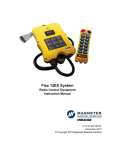
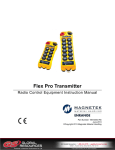
Flex 6EX System
Radio Control Equipment
Instruction Manual
0-FLEX-6EX-ME
June 2010
© Copyright 2010 Magnetek Material Handling
Service Information
Your New Radio System
Thank you for your purchase of Magnetek’s Enrange™ Flex EX radio remote control system. Without a
doubt, our Flex EX system is the ultimate solution for providing precise, undeterred, and safe control of your
material.
If your product ever needs modification or service, please contact one of our representatives at the following
locations:
U.S. Service Information:
For questions regarding service or technical information, contact:
1.866.MAG.SERV
(1.866.624.7378).
Magnetek Material Handling
N49 W13650 Campbell Drive
Menomonee Falls, WI 53051
Telephone:
1.800.288.8178
Website:
E-mail:
www.magnetekmh.com
[email protected]
Fax Numbers:
Main:
1.800.298.3503
Sales:
1.262.783.3510
Service:
1.262.783.3508
Canada Service Information:
2610 Dunwin Drive
Mississauga, Ontario
L5L 1J5 Canada
Telephone:
1.800.792.7253
Fax:
1.905.828.5707
Flex 6EX System Instruction Manual
June 2010
1 of 37
PRODUCT MANUAL SAFETY INFORMATION
Magnetek, Inc. (Magnetek) offers a broad range of radio remote control products, control products and
adjustable frequency drives, and industrial braking systems for material handling applications. This manual
has been prepared by Magnetek to provide information and recommendations for the installation, use,
operation and service of Magnetek’s material handling products and systems (Magnetek Products). Anyone
who uses, operates, maintains, services, installs or owns Magnetek Products should know, understand and
follow the instructions and safety recommendations in this manual for Magnetek Products.
The recommendations in this manual do not take precedence over any of the following requirements relating
to cranes, hoists lifting devices or other material handling equipment which use or include Magnetek
Products:
•
•
•
•
•
Instructions, manuals, and safety warnings of the manufacturers of the equipment where the radio
system is used,
Plant safety rules and procedures of the employers and the owners of facilities where the Magnetek
Products are being used,
Regulations issued by the Occupational Health and Safety Administration (OSHA),
Applicable local, state or federal codes, ordinances, standards and requirements, or
Safety standards and practices for the industries in which Magnetek Products are used.
This manual does not include or address the specific instructions and safety warnings of these
manufacturers or any of the other requirements listed above. It is the responsibility of the owners, users and
operators of the Magnetek Products to know, understand and follow all of these requirements. It is the
responsibility of the employer to make its employees aware of all of the above listed requirements and to
make certain that all operators are properly trained. No one should use Magnetek Products prior to
becoming familiar with and being trained in these requirements and the instructions and safety
recommendations in this manual.
WARRANTY INFORMATION
For information on Magnetek’s product warranties by product type, please visit www.magnetekmh.com.
Flex 6EX System Instruction Manual
June 2010
2 of 37
Table of Contents
Page
1.
Introduction
5
2.
Radio Controlled Safety
6
3.
General System Information
A.
B.
4.
B.
6.
11
12
Receiver Unit
1.
External Illustration
2.
Internal Illustration
13
14
Function Settings
A.
5.
Transmitter Handset
1.
External Illustration
2.
Internal Illustration
Transmitter Handset
1.
System Channel Settings
2.
Channel Change via Push Buttons
3.
Optional 4-Digit Security Code
4.
I-CHIP
Receiver Unit
1.
System Channel Settings
2.
Output Relay Configurations
a.
Output Relay Types
b.
Output Relay Action at 2nd Speed
c.
START/AUX Function
d.
Momentary Contact
e.
Toggled Contact
f.
Auxiliary STOP Push Button Function
3.
Receiver Auto-Scanning Settings
4.
Dip-Switch Settings
a.
Interlocked Functions
b.
Non-Interlocked Functions
5.
Jumper Settings
6.
I-CHIP Programming Port
7.
Fuse Ratings
System Channels Table
15
16
17
18
19
20
20-21
21
21
21
22
22
23
24
25
26
26
27
Receiver Installation
A.
B.
C.
D.
Output Relay Contact Diagram
Pre-Installation Precautions
Step-by-Step Installation
System Testing
28
29
29-30
30
Flex 6EX System Instruction Manual
June 2010
3 of 37
7.
Operating Procedure
A.
1.
2.
3.
B.
C.
8.
Transmitter Operation
General Operating Procedure
Automatic Channel Scanning Operating Procedure
Changing Transmitter Batteries
31-32
32
33
Status Light Indicators & Warnings
1.
Transmitter STATUS Light Indication
2.
Receiver STATUS Light Indication
3.
Receiver SQ Light Indication
4.
Receiver POWER Light Indication
5.
Receiver COM Light Indication
34
35
35
35
35
Trouble Shooting Tips
36
System Specifications
37
Flex 6EX System Instruction Manual
June 2010
4 of 37
1. Introduction
The Flex radio remote control systems are designed for control of industrial equipment and machinery such as
overhead traveling cranes, jib cranes, gantry cranes, tower cranes, electric hoists, winches, monorails,
conveyor belts, mining equipment and other material handling equipment where wireless control is preferred.
Each Flex system consists of a transmitter handset and receiver unit. Other standard-equipped accessories
include transmitter waist belt, spare transmitter power key, clear vinyl pouch, “AA” alkaline batteries,
compass direction decal sheet and user’s manual.
List of notable features include:
*
62 user-programmable channels – Advanced synthesized RF controls with 62 built-in channels; there
are no more fixed channels and fragile quartz crystals to break.
*
Automatic channel scanning receiver – No more hassle of climbing up the crane to change receiver
channels.
*
Over one million unique ID codes (20bit) – Each and every Flex system has its own unique ID codes
and serial number, never repeats.
*
Advanced controls – The Flex system utilizes advanced microprocessor controls with 32bit CRC and
Hamming Code, which provide ultra fast, safe, precise, and error-free encoding and decoding.
*
Unique I-CHIP design – The I-CHIP functions in a way that is very similar to SIM cards used on mobile
phones, with the ability to transfer system information and settings from one transmitter to another
without the hassle of resetting the spares.
*
Reliable push buttons – The in-house designed push buttons with gold-plated contacts are rated for
more than one million press cycles.
*
Low power consumption – Requires only two “AA” Alkaline batteries for more than 150 hours of
operating time between replacements.
*
Ultra-durable nylon and fiberglass composite enclosures – Highly resistant to breakage and
deformation even in the most abusive environments.
*
Full compliance – All systems are fully compliant with the FCC Part-15 Rules, European Directives
(Safety, EMC, R&TTE, Machinery), and Industry Canada Specifications (IC).
Flex 6EX System Instruction Manual
June 2010
5 of 37
2. Radio Controlled Safety
WARNINGS and CAUTIONS
Throughout this document WARNING and CAUTION statements have been deliberately placed to highlight items critical
to the protection of personnel and equipment.
WARNING – A warning highlights an essential operating or maintenance procedure, practice, etc. which if not strictly
observed, could result in injury or death of personnel, or long term physical hazards. Warnings are highlighted as shown
below:
WARNING
CAUTION – A caution highlights an essential operating or maintenance procedure, practice, etc. which if not strictly
observed, could result in damage to, or destruction of equipment, or loss of functional effectiveness. Cautions are highlighted as shown below:
CAUTION
WARNINGS and CAUTIONS SHOULD NEVER BE DISREGARDED.
The safety rules in this section are not intended to replace any rules or regulations of any applicable local, state, or federal governing organizations. Always follow your local lockout and tagout procedure when maintaining any radio
equipment. The following information is intended to be used in conjunction with other rules or regulations already in
existence. It is important to read all of the safety information contained in this section before installing or operating the
Radio Control System.
Flex 6EX System Instruction Manual
June 2010
6 of 37
2.1: CRITICAL INSTALLATION CONSIDERATIONS
WARNING
PRIOR TO INSTALLATION AND OPERATION OF THIS EQUIPMENT, READ AND DEVELOP AN UNDERSTANDING
OF THE CONTENTS OF THIS MANUAL AND THE OPERATION MANUAL OF THE EQUIPMENT OR DEVICE TO
WHICH THIS EQUIPMENT WILL BE INTERFACED. FAILURE TO FOLLOW THIS WARNING COULD RESULT IN
SERIOUS INJURY OR DEATH AND DAMAGE TO EQUIPMENT.
ALL EQUIPMENT MUST HAVE A MAINLINE CONTACTOR INSTALLED AND ALL TRACKED CRANES, HOISTS,
LIFTING DEVICES AND SIMILAR EQUIPMENT MUST HAVE A BRAKE INSTALLED. FAILURE TO FOLLOW THIS
WARNING COULD RESULT IN SERIOUS INJURY OR DEATH AND DAMAGE TO EQUIPMENT.
AN AUDIBLE AND/OR VISUAL WARNING MEANS MUST BE PROVIDED ON ALL REMOTE CONTROLLED
EQUIPMENT AS REQUIRED BY CODE, REGULATION, OR INDUSTRY STANDARD. THESE AUDIBLE AND/OR
VISUAL WARNING DEVICES MUST MEET ALL GOVERNMENTAL REQUIREMENTS. FAILURE TO FOLLOW THIS
WARNING COULD RESULT IN SERIOUS INJURY OR DEATH AND DAMAGE TO EQUIPMENT.
FOLLOW YOUR LOCAL LOCKOUT TAGOUT PROCEDURE BEFORE MAINTAINING ANY REMOTE CONTROLLED
EQUIPMENT. ALWAYS REMOVE ALL ELECTRICAL POWER FROM THE CRANE, HOIST, LIFTING DEVICE OR
SIMILAR EQUIPMENT BEFORE ATTEMPTING ANY INSTALLATION PROCEUDRES. DE-ENERGIZE AND TAGOUT
ALL SOURCES OF ELECTRICAL POWER BEFORE TOUCH-TESTING ANY EQUIPMENT. FAILURE TO FOLLOW
THIS WARNING COULD RESULT IN SERIOUS INJURY OR DEATH AND DAMAGE TO EQUIPMENT.
THE DIRECT OUTPUTS OF THIS PRODUCT ARE NOT DESIGNED TO INTERFACE DIRECTLY TO TWO STATE
SAFETY CRITICAL MAINTAINED FUNCTIONS, I.E., MAGNETS, VACUUM LIFTS, PUMPS, EMERGENCY
EQUIPMENT, ETC. A MECHANICALLY LOCKING INTERMEDIATE RELAY SYSTEM WITH SEPARATE POWER
CONSIDERATIONS MUST BE PROVIDED. FAILURE TO FOLLOW THIS WARNING COULD RESULT IN SERIOUS
INJURY OR DEATH OR DAMAGE TO EQUIPMENT.
2.2: GENERAL
Radio controlled material handling equipment operates in several directions. Cranes, hoists, lifting devices and other
material handling equipment can be large, and operate at high speeds. Quite frequently, the equipment is operated in
areas where people are working in close proximity to the material handling equipment. The operator must exercise
extreme caution at all times. Workers must constantly be alert to avoid accidents. The following recommendations
have been included to indicate how careful and thoughtful actions may prevent injuries, damage to equipment, or even
save a life.
2.3: PERSONS AUTHORIZED TO OPERATE RADIO CONTROLLED CRANES
Only properly trained persons designated by management should be permitted to operate radio controlled equipment.
Radio controlled cranes, hoists, lifting devices and other material handling equipment should not be operated by any person who cannot read or understand signs, notices and operating instructions that pertain to the equipment.
Radio controlled equipment should not be operated by any person with insufficient eyesight or hearing or by
any person who may be suffering from a disorder or illness, is taking any medication that may cause loss of
equipment control, or is under the influence of alcohol or drugs.
2.4: SAFETY INFORMATION AND RECOMMENDED TRAINING FOR RADIO CONTROLLED
EQUIPMENT OPERATORS
Anyone being trained to operate radio controlled equipment should possess as a minimum the following knowledge and
skills before using the radio controlled equipment.
The operator should:
• have knowledge of hazards pertaining to equipment operation
• have knowledge of safety rules for radio controlled equipment
• have the ability to judge distance of moving objects
Flex 6EX System Instruction Manual
June 2010
7 of 37
• know how to properly test prior to operation
• be trained in the safe operation of the radio transmitter as it pertains to the crane, hoist, lifting device or other
material handling equipment being operated
• have knowledge of the use of equipment warning lights and alarms
• have knowledge of the proper storage space for a radio control transmitter when not in use
• be trained in transferring a radio control transmitter to another person
• be trained how and when to report unsafe or unusual operating conditions
• test the transmitter emergency stop and all warning devices prior to operation; testing should be done on each
shift, without a load
• be thoroughly trained and knowledgeable in proper and safe operation of the crane, hoist, lifting device, or other
material handling equipment that utilizes the radio control
• know how to keep the operator and other people clear of lifted loads and to avoid “pinch” points
• continuously watch and monitor status of lifted loads
• know and follow cable and hook inspection procedures
• know and follow the local lockout and tagout procedures when servicing radio controlled equipment
• know and follow all applicable operating and maintenance manuals, safety procedures, regulatory requirements,
and industry standards and codes
The operator shall not:
•
lift or move more than the rated load
•
operate the material handling equipment if the direction of travel or function engaged does not agree with what
is indicated on the controller
•
use the crane, hoist or lifting device to lift, support or transport people
•
lift or carry any loads over people
•
operate the crane, hoist or lifting device unless all persons, including the operator, are and remain clear of the
supported load and any potential pinch points
•
operate a crane, hoist or lifting device when the device is not centered over the load
•
operate a crane, hoist or lifting device if the chain or wire rope is not seated properly in the sprockets, drum or
sheave
•
operate any damaged or malfunctioning crane, hoist, lifting device or other material handling equipment
•
change any settings or controls without authorization and proper training
•
remove or obscure any warning or safety labels or tags
•
leave any load unattended while lifted
•
leave power on the radio controlled equipment when the equipment is not in operation
•
operate any material handling equipment using a damaged controller because the unit may be unsafe
•
operate manual motions with other than manual power
•
operate radio controlled equipment when low battery indicator is on
Flex 6EX System Instruction Manual
June 2010
8 of 37
WARNING
THE OPERATOR SHOULD NOT ATTEMPT TO REPAIR ANY RADIO CONTROLLER. IF ANY PRODUCT
PERFORMANCE OR SAFETY CONCERNS ARE OBSERVED, THE EQUIPMENT SHOULD IMMEDIATELY BE TAKEN
OUT OF SERVICE AND BE REPORTED TO THE SUPERVISOR. DAMAGED AND INOPERABLE RADIO
CONTROLLER EQUIPMENT SHOULD BE RETURNED TO MAGNETEK FOR EVALUATION AND REPAIR. FAILURE
TO FOLLOW THIS WARNING COULD RESULT IN SERIOUS INJURY OR DEATH AND DAMAGE TO EQUIPMENT.
2.5: TRANSMITTER UNIT
Transmitter switches should never be mechanically blocked ON or OFF. When not in use, the operator should turn the
transmitter OFF. A secure storage space should be provided for the transmitter unit, and the transmitter unit should
always be placed there when not in use. This precaution will help prevent unauthorized people from operating the
material handling equipment.
Spare transmitters should be stored in a secure storage space and only removed from the storage space after the current
transmitter in use has been turned OFF, taken out of the service area and secured.
2.6: PRE-OPERATION TEST
At the start of each work shift, or when a new operator takes control of the crane, operators should do, as a minimum, the
following steps before making lifts with any crane or hoist:
Test all warning devices.
Test all direction and speed controls.
Test the transmitter emergency stop.
2.7: BATTERIES
WARNING
KNOW AND FOLLOW PROPER BATTERY HANDLING, CHARGING AND DISPOSAL PROCEDURES.
IMPROPER BATTERY PROCEDURES CAN CAUSE BATTERIES TO EXPLODE OR DO OTHER SERIOUS
DAMAGE. FAILURE TO FOLLOW THIS WARNING COULD RESULT IN SERIOUS INJURY OR DEATH AND
DAMAGE TO EQUIPMENT.
2.8: BATTERY HANDLING
Use only batteries approved by Magnetek for the specific product.
Do not dispose of a battery pack in fire; it may explode.
Do not attempt to open the battery pack.
Do not short circuit the battery.
For intrinsically safe environments only use specified Magnetek Telemotive intrinsically safe batteries.
Keep the battery pack environment cool during charging operation and storage (i.e., not in direct sunlight or close to a
heating source).
Flex 6EX System Instruction Manual
June 2010
9 of 37
2.9: BATTERY CHARGING
For those transmitters equipped with battery chargers, please familiarize all users with the instructions of the charger
before attempting to use.
Do not attempt to charge non-rechargeable battery packs.
Avoid charging partially discharged rechargeable batteries to help prolong battery cycle life.
Avoid charging the battery pack for more than 24 hours at a time.
Do not charge batteries in a hazardous environment.
Do not short the charger.
Do not attempt to charge a damaged battery.
Use only Magnetek Telemotive approved chargers for the appropriate battery pack.
Do not attempt to use a battery that is leaking, swollen or corroded.
Charger units are not intended for outdoor use. Use only indoors.
2.10: BATTERY DISPOSAL
Before disposing of batteries consult local and governmental regulatory requirements for proper disposal procedure.
2.11: SPECIFIC SYSTEM WARNINGS
Below are some specific operating safety tips that should be strictly followed when operating a Flex 6EX
System:
1.
Check the Status LED on the transmitter for any signs of low battery power (refer to page 34).
2.
Check the Status LED on the transmitter for any signs of irregularities (refer to page 34).
3.
Make sure the system is not set to the same channel as any other Flex systems in use within a
distance of 300 meters (900 feet).
Flex 6EX System Instruction Manual
June 2010
10 of 37
3. General System Information
A. TRANSMITTER HANDSET
1.
External Illustration
1
2
10
11
3
6
4
7
5
8
12
13
14
9
(Fig. 01)
1.
2.
3.
4.
5.
6.
7.
Emergency Stop Button
Removable Power Key Switch
Push Button #2
Push Button #4
Push Button #6
Push Button #1
Push Button #3
(Fig. 02)
8.
9.
10.
11.
12.
13.
14.
Push Button #5
Strap Ring
System Information
System Channel
Crane Number
Battery Cover
FCC Information
Flex 6EX System Instruction Manual
June 2010
11 of 37
2.
Internal Illustration
1
2
3
4
5
6
7
8
9
(Fig. 03)
1.
2.
3.
4.
5.
Encoder Board
Aerial Antenna
Transmitting Module
Status LED Display
Function LED Displays
(Fig. 04)
6.
7.
8.
9.
I-CHIP
Function Dip-Switch
Channel Dip-Switch
Battery Contact Mechanism
Flex 6EX System Instruction Manual
June 2010
12 of 37
B. RECEIVER UNIT
1.
External Illustration
1
2
3
4
5
6
7
(Fig. 05)
1.
2.
3.
External Antenna Jack (optional)
Power LED Display
Status LED Display
4.
5.
6.
7.
SQ LED Display
COM LED Display
Output Contact Diagram
Cord Grip
Flex 6EX System Instruction Manual
June 2010
13 of 37
2.
Internal Illustration
1
I-CHIP PORT
2
JP7
JP6
JP5
JP4
JP3
JP2
JP1
SYSTEM FUNCTIONS
TEST
3
4
(Fig. 06)
1.
2.
Receiving Module
Decoder/Relay Board
3.
4.
AC Line Filter/Relay Board
Power Transformer
Flex 6EX System Instruction Manual
June 2010
14 of 37
4. Function Settings
A.
TRANSMITTER HANDSET
1.
System Channel Settings
CHANNEL
1 2 3 4 5 6 7 8
(Fig. 07)
Set the transmitter channel by adjusting the channel dip-switch located on the backside of the
transmitter encoder board (refer to Fig. 07 above). Only the first six (6) positions are used for
channel programming (refer to Fig. 08 below). The system channels table located on page 27
illustrates which dip-switch setting corresponds to which channel. Once the transmitter channel is
altered, make sure to change the receiver channel as well. The channel on both the transmitter
and the receiver must be identical in order for the system to work. To change the receiver channel
please refer to page 19.
Example:
Top slot → “1”
Bottom slot → “0”
(Fig. 08)
1 2 3 4 5 6 7 8
The above dip-switch setting “1 0 0 1 0 0” corresponds to “channel 36” in the system channels
table on page 27.
Flex 6EX System Instruction Manual
June 2010
15 of 37
2.
Channel Change via Push Buttons
Other than CHANNEL dip-switch on the encoder board, the transmitter channel can also be
changed directly on the push buttons. Please refer to the instructions below on how to change the
transmitter channel via push buttons.
a.
Press and hold PB1, PB2 and PB3 and rotate the power key to START position at the same
time. A series of green and red blinks will appear on the Status LED showing the current
channel setting. A green blink represents the tens (+10) and a red blink represents the units
(+1).
Examples:
2 green blinks followed by 5 red blinks represents channel 25.
6 red blinks represents channel 06.
+
b.
Select a new channel by pressing PB1 and PB2 on the transmitter. Press PB1 to increment
the units (+1) and PB2 to increment the tens (+10).
Examples:
Press PB2 two times and then PB1 four times will give you channel 24.
Press PB1 nine times with give you channel 09.
c.
When finished, the newly selected channel will appear on the Status LED via series of green
and red blinks again.
d.
Exit the channel programming by turning off the transmitter power.
e.
Make sure the receiver channel is set identical to the transmitter. Please refer to page 19
and page 32 on how to change the receiver channel.
f.
Please note that when the CHANNEL dip-switch inside the transmitter is changed, the
priority will revert back to the new channel set on the CHANNEL dip-switch.
g.
Please note that when the channel is set beyond channel 62 via PB1 and PB2 (i.e. channel
63, 68, 88, etc…), the system will recognize it as channel 62.
Flex 6EX System Instruction Manual
June 2010
16 of 37
3.
Optional 4-Digit Security Code
The 4-digit Security Code is an optional feature that can be programmed into the transmitter to allow
operation only to those who know the code. If this feature is desired, set up as follows: Prior to rotating
the transmitter power key-switch to START position to begin operation, you first enter a 4-digit security
code in order to proceed further. When this 4-digit security code is entered correctly, a green light will
appear on the Status LED. Please refer to the instruction below on how to program the 4-digit security
code.
a.
Release E-Stop, then press and hold PB1, PB2, PB3 and PB4 (all at once), then rotate the
power key to START position.
+
b.
A constant orange light will appear on the Status LED telling you that you are in the security
code programming mode.
c.
For newly purchased system with the security code function deactivated (default setting),
press PB1 four times (1111) to activate the security code function. At this time the Status
LED on the transmitter will blink orange slowly, telling you that the 4 digits entered is correct.
Then select your own 4-digit security code by pressing PB1, PB2, PB3 or PB4 on the
transmitter (four presses randomly). At this time, fast orange blinks are displayed on the
Status LED telling you to reconfirm the 4-digit security code you have just entered. A green
light will appear once you have re-entered the same 4-digit security code again
(programming completed). If any mistake is made during this process, or if a red light is
shown on the Status LED after you have re-entered the security code (incorrect input), or
even if you believe you have entered the correct code but the transmitter fails to work
properly, then you must reset the transmitter power (by power-cycling the transmitter*) and
then repeat step a, b and c again.
*Note: To power-cycle the transmitter, you must first remove, then reinstall the batteries.
Simply turning the power switch off, then on will NOT properly clear the memory. This
process must be used for any errors regarding proper transmitter operation (not just
for security code settings).
Steps: Press and hold PB1~PB4 and rotate power key to START position → constant
orange → press PB1 four times (for new systems) or 4-digit security code → slow orange
blinks → enter the new 4-digit security code → fast orange blinks → re-enter the same 4digit security code again → green light
d.
If you wish to cancel the security code function, then repeat a, b, c above and press PB1
four times as your new security code (security code function disabled).
e.
If you do not remember the 4-digit security code, then you must contact your dealer or
distributor for further assistance.
Flex 6EX System Instruction Manual
June 2010
17 of 37
4.
I-CHIP
The I-CHIP functions in a way that is very similar to a SIM card inside a mobile phone, which
stores system information such as your telephone number, account number, phone book and
other settings. I-CHIP works exactly the same way, as it stores information such as system
serial number/ID code, channel and push button configurations.
When replacing a transmitter handset, just take the I-CHIP out of the old transmitter and install it
into the new one (refer to Fig. 09 below). For complete information transfer, make sure both the
Channel and Function dip-switch is set to all “1”. If both dip-switches are set to all “1”, then the
transmitter will operate according to the push button configurations and channel stored inside
the I-CHIP. If both Channel and Function dip-switch is set to other values other than all “1”, then
the transmitter will operate according to the channel and push button configurations set on these
two dip-switches, not the ones stored inside the I-CHIP. Every time when the settings on these
two dip-switches have changed, the new settings will be stored into the I-CHIP automatically. In
this case the previous channel and push button configurations stored inside the I-CHIP will be
replaced by the new settings.
For safety purposes, the system serial number/ID code stored inside the I-CHIP can not be
changed directly on the transmitter encoder board. Only channels and push button configurations
can be changed directly on the encoder board via Channel and Function dip-switches. There are
only two ways that you can change transmitter serial number/ID code: via I-CHIP programming
port located on the decoder module inside the receiver unit, (please refer to page 26 on how to
program the I-CHIP (serial number/ID code) via the receiver unit); or via an external I-CHIP
programmer or duplicator unit available from the factory. Please ask your local dealers for
assistance if your system requires serial number/ID code adjustments.
(Fig. 09)
Flex 6EX System Instruction Manual
June 2010
18 of 37
B.
RECEIVER UNIT
1.
System Channel Settings
EXT INT
1
2
3
4
5
6
7
8
(Fig. 10)
Even though the Flex system is equipped with an automatic channel scanning mode, the user
can also set the receiver channel manually. Please refer to page 32 on how automatic channel
scanning receiver works.
Set the receiver channel by adjusting the channel dip-switch located on the receiver module
(refer to Fig. 10 above). Only the first six (6) positions are used for channel programming (refer
to Fig. 11 below). The system channels table located on page 27 illustrates which dip-switch
setting corresponds to which channel. Once the receiver channel is altered, make sure to
change transmitter channel as well. The channel on both transmitter and receiver must be
identical in order for system to work. To change the transmitter channel please refer to page 15.
Example:
Top slot → “1”
Bottom slot → “0”
(Fig. 11)
1 2 3 4 5 6 7 8
The above dip-switch setting “1 0 0 1 0 0” corresponds to “channel 36” in the system channels
table on page 27.
Flex 6EX System Instruction Manual
June 2010
19 of 37
2.
Output Relay Configurations
a.
Output Relay Types
1.
Three (3) output relays per motion – shared 2nd speed output relay
Output relays with Forward 1st speed (F1), Reverse 1st speed (R1) and
Forward/Reverse 2nd speed (F/R2). Forward and Reverse 2nd speed (F/R2) shared the
same output relay.
F1
2.
R1
F/R2
Four (4) output relays per motion – separate 1st and 2nd speed output
relays
Output relays with Forward 1st speed (F1), Reverse 1st speed (R1), Forward 2nd speed
nd
nd
(F2) and Reverse 2 speed (R2). Forward and Reverse 2 speed with separate output
relays.
F1
b.
R1
F2
R2
Output Relay Actions at 2nd Speed
1.
3-output relays configuration with Closed/Closed contact at 2nd
speed
At 2nd speed, both 1st speed (F1 or R1) and 2nd speed (F/R2) output relays are
closed (refer to page 23 on how to set to this function).
st
nd
Forward 1 speed push button pressed
Forward 2 speed push button pressed
↓
↓
F1
R1
F/R2
F1
R1
F/R2
Flex 6EX System Instruction Manual
June 2010
20 of 37
2.
4-output relays configuration with Opened/Closed contact at 2nd
speed
At 2nd speed, only the 2nd speed (F2 or R2) output relay is closed (refer to page 23 on
how to set to this function).
st
nd
Forward 1 speed push button pressed
Forward 2 speed push button pressed
↓
↓
F1
R1
3.
F2
R2
F1
R1
F2
R2
4-output relays configuration with Closed/Closed contact at 2nd
speed
At 2nd speed, both 1st speed (F1 or R1) and 2nd speed (F2 or R2) output relays are
closed (refer to page 23 on how to set to this function).
st
F1
c.
nd
Forward 1 speed push button pressed
Forward 2 speed push button pressed
↓
↓
R1
F2
R2
F1
R1
F2
R2
START/AUX Function
After initiating the START function the Start position will become an auxiliary function with
momentary contact. For auxiliary applications such as horns or buzzers, please connect it to
the FUNC output relay (wire #5) located inside the receiver unit.
d.
Momentary Contact
When the push button is released, the output relay that corresponds to that push button
will open (refer to page 24 on how to set to this function). This type of contact is usually
applied to external application such as horns or buzzers.
e.
Toggled Contact
When the push button is released, the output relay that corresponds to that push button will
remain closed (maintained contact) until next time the user presses the same push button
again (refer to page 24 on how to set to this function). This type of contact is usually applied
to external application such as lights.
Flex 6EX System Instruction Manual
June 2010
21 of 37
f.
Auxiliary STOP Push Button Function
nd
The auxiliary STOP function acts as a 2 emergency stop button. Other than by emergency
stop button and transmitter power key switch, the receiver MAIN is also deactivated when
this auxiliary stop push button is pressed (refer to page 24 on how to set to this function).
Aux
STOP
3.
Receiver Auto-Scanning Settings
Receiver Channel Dip-switch
↓
(1)
→
Scans all 62 channels (manufacture preset)
For standard operation
→
Single fixed channel
Auto scanning function disabled
→
Scanning 2 channels only*
→
Scanning 3 channels only
1 2 3 4 5 6 7 8
(2)
1 2 3 4 5 6 7 8
(3)
1 2 3 4 5 6 7 8
(4)
1 2 3 4 5 6 7 8
*
If the first 6 dip-switch positions on the receiving module is set to Ch.01 (“000000” or
“000001”), when set to 2-channel scanning (type-3 above), then the receiver will only scan
Ch.01 and Ch.02.
Flex 6EX System Instruction Manual
June 2010
22 of 37
4.
a.
Dip-Switch Settings
Interlocked Functions
Interlocked means the two adjacent push buttons can not be activated simultaneously as
they will cancel each other out. Interlocked settings are usually applied to forward and
reverse motions. Each dip-switch on the decoder module corresponds to one (1) motion or
two (2) adjacent push buttons (refer to Fig. 12 & 13 below). Only the first seven (7) dipswitch positions are used (counting from left to right); the 8th dip-switch position (far right) is
not used.
I-CHIP PORT
JP6
SYSTEM FUNCTIONS
JP7
JP3
JP4
JP5
JP1
JP2
PB3 & PB4
12345678
RELAY FUNCTIONS
PB1 & PB2
(Fig. 12)
12345678
1 2 3 4 5 6 7 8
TEST
RELAY FUNCTIONS
12345678
PB5 & PB6
(Fig. 13)
Manufacture preset
Dip
Settings
0000000
0000001
0000010
0000011
Function Descriptions
# of Relays Used
Normal (single speed only, F2 & R2 relays not used)
2
Closed/Closed Relay Action at 2
nd
Speed (separate 2
nd
speed relay)
4
Closed/Closed Relay Action at 2nd Speed (shared 2nd speed relay)
3
nd
4
Opened/Closed Relay Action at 2
nd
Speed (separate 2
speed relay)
0001001
On + Start / Off + Start -- Prior to pressing the button you must first rotate
and hold the power key switch at START position to
activate On or Off relays.
2
0001010
FWD/REV toggled (latched).
2
0001011
FWD/REV toggled (latched) and affected by the E-stop command.
2
Flex 6EX System Instruction Manual
June 2010
23 of 37
b. Non-Interlocked Functions
Contrary to interlocked settings, non-interlocked settings allow the two adjacent push
buttons be used simultaneously. Non-interlocked settings are usually applied to a crane’s
auxiliary functions, such as lights, horn, 3rd speed and auxiliary stop. Each dip-switch on the
decoder module corresponds to one (1) motion or two (2) adjacent push buttons (left & right
push buttons).
Function
Code
Dip
Position
Setting
#1
Dip Position Setting
#2 - #4 (left button)
&
#5 - #7 (right button)
Function Description
A
1
000
Normal (momentary) contact.
B
1
001
Toggled (latching) contact.
011
Toggled (latching) contact affected by the
E-Stop command. When E-Stop command
is initiated, all toggled (latching) relays are
also deactivated.
C
1
Example #1: Left button (set to function code A) / right button (set to function code A)
Example #2: Left button (set to function code B) / right button (set to function code B)
Example #3: Left button (set to function code A) / right button (set to function code C)
Example #4: Left button (set to function code C) / right button (set to function code B)
→
→
→
→
1 000 000
1 001 001
1 000 011
1 011 001
Flex 6EX System Instruction Manual
June 2010
24 of 37
5.
Jumper Settings
Jumper settings are applied to functions such as main-disconnect time, Start function, system
information (serial number/ID code) programming, and system testing. Jumpers #1 - #7 are
located on the decoder/relay board between the receiving RF module and the output relays (refer
to Fig.14 below).
JP7
JP6
JP5
JP4
JP3
JP2
JP1
SYSTEM FUNCTIONS
TEST
I-CHIP PORT
JP7
JP4
JP5
JP6
JP1
JP2
JP3
SYSTEM FUNCTIONS
TEST
(Fig. 14)
Manufacture preset
Jumper Settings
Function
JP1
(Blank)
JP2
(Blank)
Receiver MAIN remained closed until the transmitter power is turned
off or emergency stop command is initiated.
JP1
(Inserted)
JP2
(Blank)
Receiver MAIN opens after 5 minutes of system inactivity.
JP1
(Blank)
JP2
(Inserted)
Receiver MAIN opens after 30 minutes of system inactivity.
JP1
(Inserted)
JP2
(Inserted)
Receiver MAIN opens after 60 minutes of system inactivity.
JP3
(Blank)
Press any push button on the transmitter to activate the receiver MAIN at
system startup, after e-stop reset, and after system inactivity
(refer to JP1 & JP2 settings above).
JP3
(Inserted)
Rotate the power key switch to “START” position to activate the receiver
MAIN at system startup, after e-stop reset, and after system inactivity
(refer to JP1 & JP2 settings above).
JP6
(Blank)
Program system serial number/ID code and channel from decoder module
to I-CHIP.
JP6
(Inserted)
Program system serial number/ID code and channel from I-CHIP
to decoder module.
JP7
(Inserted)
For system test only, receiver MAIN disabled.
Flex 6EX System Instruction Manual
June 2010
25 of 37
6.
I-CHIP Programming Port
I-CHIP PORT
I-CHIP PORT
JP7
JP4
JP5
JP6
JP1
JP2
JP3
SYSTEM FUNCTIONS
TEST
(Fig. 15)
The I-CHIP programming port, located on the decoder module (refer to Fig. 15 above) inside the
receiver, is designed for the purpose of transferring a system serial number/ID code from the I-CHIP
to the receiver or vice versa. If you wish to transfer system information from the receiver to the ICHIP, just insert the I-CHIP onto the programming port (JP6 jumper not inserted), wait until the
Status LED on the decoder module turned displays a constant green light (within 2 seconds), and
then take the I-CHIP out of the programming port (programming completed). At this time the I-CHIP
should also possess the same serial number/ID code as the receiver.
If the Status LED on the decoder module displays a constant red light after inserting the I-CHIP
(programming failed), then you must reinsert the I-CHIP one more time. On the other hand, if you
wish to transfer system information from I-CHIP to receiver, then you must first insert JP6 jumper
prior to inserting the I-CHIP, then wait for the green light to appear on the Status LED. At this time the
receiver should also possess the same system information as the I-CHIP. Please note that the
receiver unit must be powered in order to proceed with the programming.
7.
Fuse Ratings
FUSE #
F1 - F8
110 220 380 410 24VAC
42 & 48VAC 12 - 24VDC
120VAC
240VAC
400VAC
460VAC
5.0A (clear) 5.0A (clear) 5.0A (clear) 5.0A (clear) 5.0A (clear) 5.0A (clear) 5.0A (clear)
F9 - F10
0.5A (blue)
0.5A (blue)
0.5A (blue)
0.5A (blue)
1.0A (red)
1.0A (red)
1.0A (red)
Flex 6EX System Instruction Manual
June 2010
26 of 37
5. System Channels Table
Frequency
Dip-switch
Setting
32
433.775MHZ
100000
000001
33
433.800MHZ
100001
433.025MHZ
000010
34
433.825MHZ
100010
03
433.050MHZ
000011
35
433.850MHZ
100011
04
433.075MHZ
000100
36
433.875MHZ
100100
05
433.100MHZ
000101
37
433.900MHZ
100101
06
433.125MHZ
000110
38
433.925MHZ
100110
07
433.150MHZ
000111
39
433.950MHZ
100111
08
433.175MHZ
001000
40
433.975MHZ
101000
09
433.200MHZ
001001
41
434.000MHZ
101001
10
433.225MHZ
001010
42
434.025MHZ
101010
11
433.250MHZ
001011
43
434.050MHZ
101011
12
433.275MHZ
001100
44
434.075MHZ
101100
13
433.300MHZ
001101
45
434.100MHZ
101101
14
433.325MHZ
001110
46
434.125MHZ
101110
15
433.350MHZ
001111
47
434.150MHZ
101111
16
433.375MHZ
010000
48
434.175MHZ
110000
17
433.400MHZ
010001
49
434.200MHZ
110001
18
433.425MHZ
010010
50
434.225MHZ
110010
19
433.450MHZ
010011
51
434.250MHZ
110011
20
433.475MHZ
010100
52
434.275MHZ
110100
21
433.500MHZ
010101
53
434.300MHZ
110101
22
433.525MHZ
010110
54
434.325MHZ
110110
23
433.550MHZ
010111
55
434.350MHZ
110111
24
433.575MHZ
011000
56
434.375MHZ
111000
25
433.600MHZ
011001
57
434.400MHZ
111001
26
433.625MHZ
011010
58
434.425MHZ
111010
27
433.650MHZ
011011
59
434.450MHZ
111011
28
433.675MHZ
011100
60
434.475MHZ
111100
29
433.700MHZ
011101
61
434.500MHZ
111101
30
433.725MHZ
011110
62
434.525MHZ
111110
31
433.750MHZ
011111
I-CHIP
Dip-switch
Channel
Setting
Channel
Frequency
01
433.000MHZ
000000
01
433.000MHZ
02
111111*
* When set to all “1” the priority goes to the channel assigned inside the I-CHIP.
Flex 6EX System Instruction Manual
June 2010
27 of 37
6. Receiver Installation
A.
OUTPUT RELAY CONTACT DIAGRAM
*
For 3-relay (shared 2nd speed) and 4-relay (separate 2nd speed) configurations please refer to page 20.
*
For 4-relay closed/closed and 4-relay opened/closed relay configurations please refer to page 21.
*
For 12-24VDC power supply, wire #1 corresponds to the negative charge (-) and wire #3
corresponds to the positive charge (+). Wire #2 is for GROUND.
*
Wire #6 is for “Normal Close” and wire #8 is for “Normal Open” MAIN output.
Flex 6EX System Instruction Manual
June 2010
28 of 37
B.
PRE-INSTALLATION PRECAUTIONS
1. Make sure the transmitter and receiver have identical serial number/ID codes and channels.
2. Make sure the receiver is not set to the same channel as any other systems in use in the
surrounding area.
3. Make sure that the crane or equipment is working properly prior to installation.
4. Make sure the power source to the receiver is set correctly.
5. Switch off the main power source to the crane or equipment prior to installation.
C.
STEP-BY-STEP INSTALLATION
(Fig. 16)
Flex 6EX System Instruction Manual
June 2010
29 of 37
1. For best reception the location of the receiver should be visible to the operator at all time.
2. The location selected should not be exposed to high levels of electric noise. Mounting the receiver
next to an unshielded variable frequency drive may cause minor interference. Always locate the
receiver as far away from the variable frequency drive as possible.
3. Ensure the selected location has adequate space to accommodate the receiver (refer to Fig. 16
on page 29).
4. For better reception, make sure the receiver is in an upright position.
5. Drill one hole (8mm in diameter) on the control panel or location where the receiver is to be
installed (refer to below).
6. Make sure the bolt is tightened after installation.
7. For system wiring please refer to page 28.
8
D.
SYSTEM TESTING
1. Turn on the power source to the receiver and test the MAIN relay output by pressing the red
emergency stop button and observe that it properly opens and closes the mainline disconnect
contactor.
2. Test the operation of each function to ensure it corresponds to the transmitter direction labels or
the pendant it is replacing.
3. Test the limit switches (if any) to see if they are working properly.
4. If your new remote control is replacing an existing pendant, make sure it is completely
disconnected and placed in a safe location to prevent unwanted control commands.
Flex 6EX System Instruction Manual
June 2010
30 of 37
7. Operating Procedure
A.
TRANSMITTER OPERATION
1.
General Operating Procedure
a.
Reset the red emergency stop button located on the top left hand side of the transmitter
handset by rotating it either clockwise or counter clockwise. The red button will pop up.
b.
Turn on the transmitter power by inserting the black-colored key into the power key slot
(located on the top right hand side of the transmitter handset), and rotate it clockwise to “On”
position.
c.
After turning on the transmitter power, check the Status LED on the transmitter handset for
any sign of system irregularities (refer to “Status Light Indicators & Warnings” on page 34). If
the system is normal the Status LED will light up green for two (2) seconds.
d.
If there are no signs of any system irregularities, then rotate the power key further clockwise
to “Start” position for up to 2 seconds. This will activate the receiver MAIN (depends on JP3
setting on page 25). Thereafter, the same “Start” position will become an auxiliary function
with momentary contact (refer to page 21).
e.
Now press any push button on the transmitter handset to operate the crane or equipment.
During transmitter inactivity (push buttons not pressed), the transmitter will automatically
switch to standby mode, with an orange blink on the Status LED every 4-second interval.
Flex 6EX System Instruction Manual
June 2010
31 of 37
2.
f.
In case of an emergency, pressing the red emergency stop button will immediately
disconnect the receiver mainline (Status LED blinks red). To reset the emergency stop
button, just rotate the red button either clockwise or counter-clockwise; it will pop up.
When the green light appears, rotate the power key to the “Start” position to resume
operation (depends on JP3 setting on page 25).
g.
After 5 minutes of inactivity (push button not pressed) the receiver MAIN will be
disconnected temporarily (depends on JP1 & JP2 settings on page 25). To resume
operation just rotate the power key switch to START position to reconnect the receiver
MAIN.
h.
Turn off the transmitter power by rotating the power key counter-clockwise to “Off” position; it
will disconnect the transmitter power and the receiver MAIN altogether. Turn it further
counter-clockwise to release the key.
Automatic Channel Scanning Operating Procedure
After changing transmitter channel (refer to page 15), turn on the transmitter power and rotate the
power key switch to “Start” position and hold it there for up to 1 minute. Within this 1-minute period
the receiver will search (channel 01 - channel 62) and lock onto the newly selected transmitter
channel automatically. Please note that in order for the receiver to switch to auto-scanning mode,
prior to changing the transmitter channel, you must first deactivate the receiver MAIN by shutting
off the transmitter power or press down the emergency stop button. Please refer to page 22 if you
do not want the receiver to auto-scan all 62 channels.
Change Transmitter Channel
→
Flex 6EX System Instruction Manual
June 2010
32 of 37
3.
Changing Transmitter Batteries
Change the transmitter batteries by unscrewing the battery cover located on the backside of the
transmitter (refer to Fig. 17 below). During battery installation make sure that the blue ribbon is
centered between the two batteries. After changing the batteries also make sure that all screws
are tightened to avoid water, moisture, dirt, grease, or other liquid penetration.
2
1
↓
(Fig. 17)
Flex 6EX System Instruction Manual
June 2010
33 of 37
B.
STATUS LIGHT INDICATORS & WARNINGS
1.
Transmitter STATUS Light Indication
Type
Display Type
Indication
Voltage goes below 1.9V at initial power on transmitter power shuts off.
1
Constant red
2
1 red blink followed by a 2second pause
Voltage goes below 1.85V during operation change batteries immediately.
3
2 red blinks followed by a 2second pause
The push button is defective after turning on the
transmitter power.
4
No light displayed
When a defective push button condition occurs
(2 red blinks, type 3 above), find out which push
button is defective by pressing all the push
buttons on the transmitter one at a time. If the
push button is in good working order, the LED
will not light up when pressed. If the push
button is defective the LED will continue to
display 2 red blinks when pressed.
5
3 red blinks followed by a 2second pause
EEPROM error.
6
4 red blinks followed by a 2second pause
Transmitting error; system can not lock on
to the designated channel.
7
Constant green for up to 2
seconds
Transmitter power on with no faults detected
(prior to initiating the START function).
8
Blinking green
Push button pressed, signal transmitted.
9
Slow red blinks
Stop command initiated with receiver
MAIN deactivated.
10
1 orange blink every 4 seconds
Transmitter on standby.
Voltage goes below 1.8V during operation transmitter power shuts off. Turn the power off
to disengage the receiver main.
Flex 6EX System Instruction Manual
June 2010
34 of 37
2.
Receiver STATUS Light Indication
Type
Display Type
Indication
1
Fast green blinks
Decoding in process
2
Slow green blinks
Decoding on standby
3
Slow red blinks
4
5
Two red blinks
Stop command initiated with receiver MAIN
deactivated
Receiver MAIN jammed or defective
Fast red blinks
Incorrect transmitter serial number/ID code
6
Constant red
7
No light displayed
3.
Receiver under-voltage, LV output relay
activated
Decoding microprocessor is defective
Receiver SQ Light Indication
Type
Display Type (Red)
Indication
1
2
3
On
Transmission received
Off
No transmission
Blinks intermittently
Other radio interference
4.
Receiver POWER Light Indication
Type
Display Type (Red)
Indication
1
2
On
Power to receiver
Off
No power to receiver
5.
Receiver COM Light Indication
Type
Display Type (Red)
Indication
1
2
On
Power to relay board
Off
No power to relay board
Flex 6EX System Instruction Manual
June 2010
35 of 37
C.
TROUBLE SHOOTING TIPS
Problems
Possible Reasons
Suggestions
Transmitter has low battery
power
Check the transmitter battery level.
Prior to turning on the transmitter power switch
make sure that the red emergency stop button is
elevated.
Redo the startup procedure by holding the power
Improper startup procedure key at “START” position for up to 2.0 seconds and
then release.
Emergency stop button
activated prior to startup
No response
when transmitter
push button is
pressed
(Improper startup &
settings)
No response
when transmitter
push button is
pressed
(Damaged
hardware)
No AC power to
the receiver
Outputs do not
correspond to
transmitter
Incorrect system RF
channel
Check to ensure that the transmitter handset and
receiver unit both have the same channel.
Incorrect system serial
number/ID code
Check to ensure that the transmitter handset and
receiver unit both have the same serial number/ID
code.
System out of range
Make sure that the startup procedure is initiated
within 100 meters (300 feet) from the receiver
location.
Defective transmitting
and
receiving module
Check the SQ display on the face of the receiver
unit. If it does not light up when push button is
pressed then either the transmitting or receiving
module is defective. First replace the
transmitting module. If SQ display is still not lit
when the push button is pressed, go ahead and
replace the receiving module.
Defective encoder
board or decoder module
If still no response, then replace the transmitter
encoder board. If it still
doesn’t work then the decoder module
is defective.
Incorrect input voltage
Make sure the source voltage is set correctly.
Blown fuse
Check for any blown fuses.
Incorrect wiring
Check input voltage connection.
Check the system wiring again. Please refer to
Incorrect output connection the output contact diagram inside this manual or
on the receiver cover.
Flex 6EX System Instruction Manual
June 2010
36 of 37
8. System Specifications
Frequency Range
:
433 - 434 MHz
Frequency Deviation
:
12.5 KHz
Number of Channels
:
62 channels
Modulation
:
Digital Frequency Modulation based on
Manchester Code, 20bit address, 32bit
CRC Parity Check and Hamming Code.
Encoder & Decoder
:
Microprocessor-controlled
Transmitting Range
:
>100 Meters / 300 Feet
Frequency Control
:
Synthesized PLL (Phase Lock Loop)
Receiver Type
:
Frequency Auto Scanning
Receiver Sensitivity
:
-116dBm
Antenna Impedance
:
50 ohms
Responding Time
:
60 Milliseconds (average)
Transmitting Power
:
0.3mW
Enclosure Type
:
NEMA-4
Enclosure Rating
:
IP-66
Output Contact Rating
:
250V @ 8 Amps
Transmitter Operating Voltage
:
DC 3.0V
Receiver Power Consumption
:
11.0 VA
Receiver Supply Voltage
:
Voltage Setting
24VAC
42VAC
48VAC
110VAC
220VAC
380VAC
410VAC
12/24VDC
Operating Temperature
:
-25°C -- 75°C / -13°F -- 167°F
Transmitter Dimension
:
184mm (L) x 69mm (W) x 34mm (H)
Receiver Dimension
:
165mm (L) x 125mm (W) x 75mm (H)
Transmitter Weight
:
242g / 8.5oz
Receiver Weight
:
1.8kg / 4.0 lb (include output cable)
Min ~ Max
(22 ~ 26VAC)
(38 ~ 46VAC)
(43 ~ 53VAC)
(104 ~ 126VAC)
(207 ~ 253VAC)
(351 ~ 429VAC)
(400 ~ 480VAC)
(9 ~ 36VDC)
Flex 6EX System Instruction Manual
June 2010
37 of 37