1
CHAPTER 3: RARITAN REMOTE CLIENT (RRC)
43
Configuration Options:
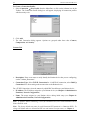
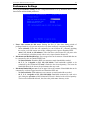
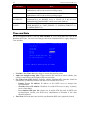
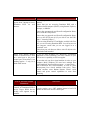
Click Config on the PowerBoard window to configure outlets on the power control unit. The
Config window appears.
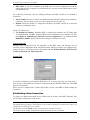
Options for Outlet configuration include:
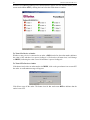
1. Assign a Unit ID: Give the power control unit an identification name, for example, using
City, Building, Rack, or other information. For example: Raritan-US-MIS-RACK 4.
2. Set the Alarm Threshold, in Amps: When the threshold is reached, an audible alarm is
activated to users located next to the power control unit.
3. Assign outlets specific Outlet Names: For easier identification and control, give each outlet a
name.
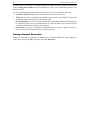
Click OK when finished to close the Configuration window and launch the PowerBoard Applet.
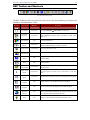
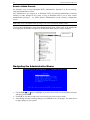
For your convenience, PowerBoard parameters are listed in the gray box in the PowerBoard
window. These parameters are details that apply to the entire bank of outlets, and not on a peroutlet level.
Parameters include:
• Average power
• True RMS Current
• True RMS Voltage
• Internal Temperature
• Apparent Power
• Maximum Detected
• Outlet Circuit Breaker