1
Provisioning
Link attributes and other operating parameters of the CT-001, such as address, are changed by
a process called provisioning. During provisioning an external device communicates the new
Link attributes to the CT-001 over the LEDlink wireless interface. The external device may be
a handheld remote control or some sort of computer interface under the control of software
running on a personal computer. The CT-001 is put into a special mode, called the
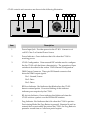
Provisioning or Link mode, by pressing the Prog button and and verifying the Prog Indicator
is lit. Typically this is a step described in the User Manual for the device or software being
used to provision the CT-001. The CT-001 will remain in Provisioning mode for up to one
hour before reverting automatically to normal operation. In Provisioning mode the Link
characteristics of LEDlink are set to a known condition so that another device may
communicate with it successfully over the LEDlink.
Advanced Features
The CT-001 supports custom calibration parameters to enhance operation of certain fixture
types.
1. White balance calibration : Adjust the amount of red, green, blue and optionally
amber used when generating white light for RGB and RGBA fixture types. These
calibration parameters allow the user to specify the precise white generated by a
fixture that uses separate color components.
2. Amber/Yellow Channel calibration : Specify the precise color of the Amber channel
in relation to the green and red channels for fixtures using RGBA or RGBY LED
arrays.
Use of these calibration parameters is beyond the scope of this document. Please refer to the
User Manual for the calibration software available on the Giulio Lighting website.
13