1
PC Client User Manual
Contents
Chapter 1
1.1
1.2
1.3
1.4
Chapter 2
2.1
2.2
Overview ................................................................................................................... 3
Description ................................................................................................................ 3
Running Environment................................................................................................ 3
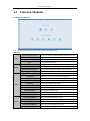
Function Modules ..................................................................................................... 4
Updates Instruction ................................................................................................... 6
Live View ................................................................................................................... 7
User Registration and Login ...................................................................................... 7
Adding the Device ..................................................................................................... 7
2.2.1
Adding Online Devices....................................................................................... 8
2.2.2
Adding Devices Manually .................................................................................. 9
2.2.3
Adding Devices by IP Segment ........................................................................ 10
2.3
Group Management ................................................................................................ 11
2.4
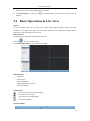
Basic Operations in Live View.................................................................................. 14
2.4.1
Starting and Stopping the Live View ............................................................... 16
2.4.2
Auto-switch in Live View ................................................................................. 17
2.4.3
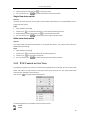
PTZ Control in Live View .................................................................................. 18
2.4.4
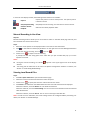
Manual Recording and Capture....................................................................... 20
2.4.5
Instant Playback ............................................................................................ 234
2.4.6
Other Functions in Live View......................................................................... 256
Chapter 3
Remote Record Schedule Settings and Playback................................................... 267
3.1
Remote Recording ................................................................................................. 267
3.1.1
Recording on Storage Devices on the DVRs, NVRs, or Network Cameras ....... 26
3.2
Remote Playback ................................................................................................... 290
3.2.1
Normal Playback............................................................................................ 301
3.2.2
Event Playback............................................................................................... 334
3.2.3
Synchronous Playback ................................................................................... 345
3.2.4
VCA Playback ................................................................................................. 345
Chapter 4
Event Management ................................................................................................. 36
4.1
Configuring Motion Detection Alarm ...................................................................... 36
4.2
Configuring Video Tampering Alarm ....................................................................... 39
4.3
Configuring Video Loss Alarm ................................................................................. 41
4.4
Configuring Device Exception Linkage..................................................................... 42
4.5
Viewing Alarm and Event Information .................................................................... 43
Chapter 5
E-map Management ................................................................................................ 45
5.1
Adding an E-map ..................................................................................................... 45
5.2
The Hot Spot Function ............................................................................................ 47
5.2.1
Adding Hot Spots ............................................................................................. 47
5.2.2
Modifying Hot Spots........................................................................................ 48
5.2.3
Previewing Hot Spots ...................................................................................... 49
5.3
The Hot Region Function ......................................................................................... 50
5.3.1
Adding Hot Regions ......................................................................................... 50
5.3.2
Modifying Hot Regions .................................................................................... 51
1