1
D-briDGe Installation and User Manual
Contents
1.
2.
Safety First ............................................................................................................................................................ 4
Introducing the d-briDGe...................................................................................................................................... 5
2.1. J2534 OEM Software Compatibility .............................................................................................................. 6
2.2. Standards and Protocols Supported ................................................................................................................ 7
2.2.1. Operating Systems and Standards Supported ......................................................................................... 7
2.3. System Requirements ..................................................................................................................................... 7
3. Getting Started with the d-briDGe ........................................................................................................................ 8
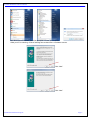
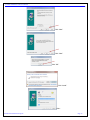
3.1. Driver Installation ........................................................................................................................................... 8
3.2. Connect to the Vehicle ................................................................................................................................. 11
3.3. d-briDGe Lighting Scheme .......................................................................................................................... 11
3.4. Finalize PC Install on Windows Vista, 7 64-bit or 8 .................................................................................... 13
3.4.1. 64-bit Vista and Windows 7 installed successfully ............................................................................... 13
4. J2534 – Troubleshooting J2534 .......................................................................................................................... 14
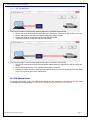
4.1. Connection-Related Issues ........................................................................................................................... 14
4.2. USB-Related Issues ......................................................................................................................................... 15
5. Product Specifications ........................................................................................................................................ 16
5.1. d-briDGe Physical and Electrical ................................................................................................................. 16
6. DG Update – Program Overview........................................................................................................................ 17
6.1. DG Driver Update – Internet Connection Required ..................................................................................... 17
6.2. DG Driver Update – Initial Screen .............................................................................................................. 17
6.3. DG Driver Update – Main Update Screen .................................................................................................... 18
6.3.1. Successful Connect – No Updates Available ........................................................................................ 18
6.3.2. Successful Connect – Updates Available.............................................................................................. 19
6.4. Advanced Settings – Setting Default Time for Check for Updates .............................................................. 20
7. Technical Support and Return Merchandise Authorization (RMA) ................................................................... 21
7.1. Technical Support ........................................................................................................................................ 21
7.2. Return Merchandise Authorization (RMA) .................................................................................................. 21
8. Warranty Information and Limitation Statements .............................................................................................. 22
8.1. Warranty Information ................................................................................................................................... 22
8.2. Limitation Statements ................................................................................................................................... 22
8.2.1. General Limitation and Risk Assignment ............................................................................................. 22
8.2.2. Exclusion of Incidental, Consequential and Certain Other Damages ................................................... 22
8.2.3. Limitation of Liability and Remedies ................................................................................................... 22
8.2.4. Right to Revise or Update without Notice ............................................................................................ 22
8.2.5. Governance ........................................................................................................................................... 22
8.2.6. Contact .................................................................................................................................................. 22
© 2010-2015 Dearborn Group, Inc.
Page 3