1
Copyright © 2008, inSORS Integrated Communications
Joining a Meeting
To join a meeting, click the Meeting menu. The Meeting menu presents sev eral options to join a meeting:
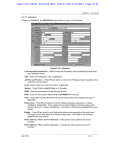
Join Meeting: Click Join Meeting and the Join a Meeting dialog will subsequently appear. The drop down
menu at the top provides join mode options to restrict the content displayed in the meeting.
Join Existing Meeting will join the meeting ID that you enter in the adjacent edit box.
Join Last Meeting will connect you to the last meeting ID or room that you were using. You will see an
error message if the meeting has expired or is otherwise unavailable.
Join New Meeting creates an new instant meeting based on your v isimeet defaults. You may then invite
others to join you in the newly created meeting.
Receiving Invitations
If you accept an invitation or Invite another person to an existing meeting, you will see a simplified version of
the Join a Meeting dialog box that provides channel options and displays the meeting code.
37