1
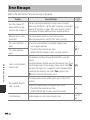
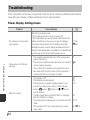
Problem
A
Cause/Solution
33, 50,
E22
Technical Notes and Index
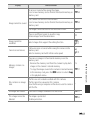
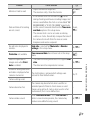
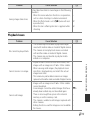
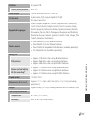
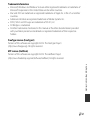
Colors are unnatural.
White balance or hue is not adjusted properly.
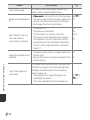
Randomly spaced bright
pixels (“noise”) appear in
image.
The subject is dark, and the shutter speed is too slow
or ISO sensitivity is too high. Noise can be reduced by:
40
• Using the flash.
50, E26
• Specifying a lower ISO sensitivity setting.
5, 40, 47
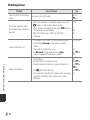
Images are too dark
(underexposed).
• The flash is lowered or a shooting mode that
restricts the flash is selected.
• The flash window is blocked.
• The subject is beyond the range of the flash.
• Adjust exposure compensation.
• Increase ISO sensitivity.
• The subject is backlit. Select Backlighting scene
mode or raise the flash and set the flash mode
setting to X (fill flash).
Images are too bright
(overexposed).
Adjust exposure compensation.
46
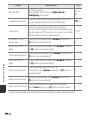
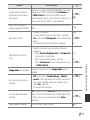
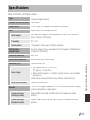
Unexpected results when
flash set to V (auto with
red-eye reduction).
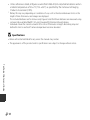
When taking images with V (auto with red-eye
reduction), or when taking images with Night
portrait (either in easy auto mode or in scene mode)
and the fill flash with slow sync and red-eye reduction
is used, In-Camera Red Eye Fix may be applied to
areas not affected by red-eye in rare cases. Use auto
mode or any scene mode other than Night portrait,
and change the flash mode to any setting other than
V (auto with red-eye reduction) and try taking an
image again.
33, 40
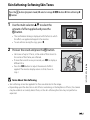
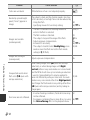
Skin tones are not softened.
• In some shooting conditions, facial skin tones may
not be softened.
• For images containing four or more faces, try using
the Skin softening effect in the playback menu.
F12
24
F16
46
50, E26
34, 40
53
58, E7