1
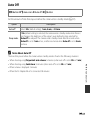
Auto Off
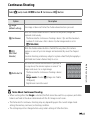
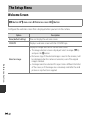
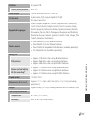
d button M z menu icon M Auto off M k button
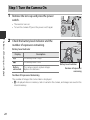
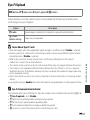
Set the amount of time that elapses before the camera enters standby mode (A 21).
Option
Description
Auto off
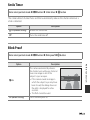
Select 30 s (default setting), 1 min, 5 min, or 30 min.
Sleep mode
If On (default setting) is selected, the camera enters standby mode when there is
no change in the brightness of the subject, even before the time selected for
Auto off has elapsed. The camera enters standby mode after 30 seconds when
Auto off is set to 1 min or less, or after one minute when Auto off is set to 5 min
or more.
C
Notes About Auto Off
E49
Reference Section
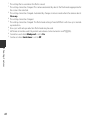
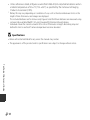
The time that passes before the camera enters standby mode is fixed in the following situations:
• When shooting using Pet portrait auto release: 5 minutes (when auto off is set to 30 s or 1 min)
• When shooting using Smile timer: 5 minutes (when auto off is set to 30 s or 1 min)
• When a menu is displayed: 3 minutes
• When the AC Adapter EH-67 is connected: 30 minutes