1
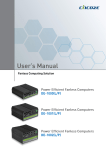
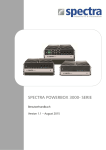
DS-1000(L/P) / DS-1001(L/P) / DS-1002(L/P) Series
Superior Performance Fanless Computer
| User’s Manual
Contents
Prefaces
Revision …………………………………………………..……………….………..
Copyright Notice ……………………………………………………………………
Acknowledgement …..………………………………………………....................
Disclaimer …………………………………………………………………………..
Declaration of Conformity …………………………………………………………
Product Warranty Statement ……………………………………………………..
Technical Support and Assistance ……………………………………………….
Conventions Used in this Manual ………………………………………………..
Safety Precaution ……...…………………………………………………………..
Package Content …..………………………………………………………………
Ordering Information …………………….…………………………………………
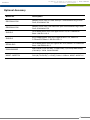
Optional Accessory ………………………………………………….....................
04
04
04
04
04
05
06
06
07
08
09
10
Chapter 1 Product Introductions
1.1
1.2
1.3
1.4
Overview ……………………………………………………………….. 12
1.1.1 Key Feature ……..…………………………………………....... 12
Hardware Specification …..…………………………………………… 13
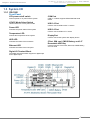
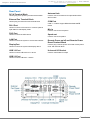
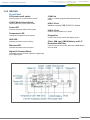
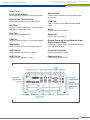
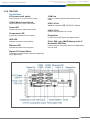
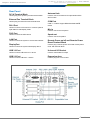
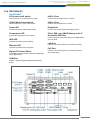
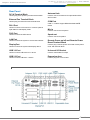
System I/O ……………………………………………………………… 14
1.3.1 DS-1000 …………………………………………………….…… 14
1.3.2 DS-1000(L/P) ……………………………………………….…… 16
1.3.3 DS-1001 …………………………………………………….…… 18
1.3.4 DS-1001(L/P) ……………………………………………….…… 20
1.3.5 DS-1002 …………………………………………………….…… 22
1.3.6 DS-1002(L/P) ……………………………………………….…… 24
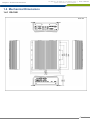
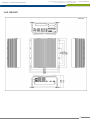
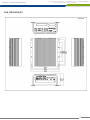
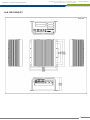
Mechanical Dimension …..……………………………………………. 26
1.4.1 DS-1000 …………………………………………………….…… 26
1.4.2 DS-1000(L/P) ……………………………………………….…… 27
1.4.3 DS-1001 …………………………………………………….…… 28
1.4.4 DS-1001(L/P) ……………………………………………….…… 29
1.4.5 DS-1002 …………………………………………………….…… 30
1.4.6 DS-1002(L/P) ……………………………………………….…… 31
Chapter 2 Jumpers and Connectors
2.1
2.2
2.3
2.4
2.5
2.6
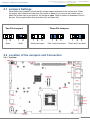
Jumper Setting …………………………..………………………….....
Location of the Jumper and Connector ……..……………………....
2.2.1 Top View …………………………………………………………
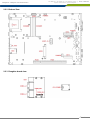
2.2.2 Bottom View ……………………………………………………..
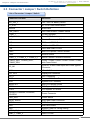
2.2.3 Daughterboard view …………………………………………….
List of Switch / Jumper / Connector ……..,……………….……….....
Switch Definition …….…………………….......................................
Jumper Definition ………………………….......................................
Connector Definition …………………………...................................
33
33
33
34
34
35
36
37
38
Chapter 3 System Setup
3.1
3.2
3.3
3.4
3.5
3.6
Removing the Chassis Bottom Cover ……...………………………...
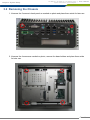
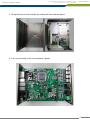
Removing the Chassis …………………….…..…….………………....
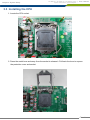
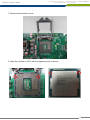
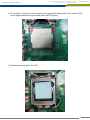
Installing the CPU ……………………………………………………….
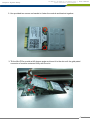
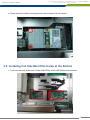
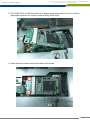
Installing a Half Size Mini PCIe Card on Top Side .………………....
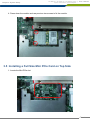
Installing a Full Size Mini PCIe Card on Top Side …..……………....
Installing Antenna .…………………………………..….……………....
56
57
59
62
64
64
2