1
4. Working issues
4. 1. At the beginning
Running the application it loads the Text-To-Speech engine. Then tries to establish
connection with the GPS unit via Bluetooth. Indicates if anything failed. After them one can
obtain GPS informations and use the embedded compass if the GPS receiver provides a valid
GPS data.
The application stores the Bluetooth address of the first attached GPS unit. If one want to
change to another device, must delete the „C:\Nokia\Others\NaviSpeech\btaddr.bin” (on
Symbian 2nd) or the „C:\Data\Others\NaviSpeech\btaddr.bin” (on Symbian 3rd) file or
reinstall the application.
4. 2. Select trip
If one need navigating on a trip, one has to select it using the trip selection screen (see chapter
2. 6.). After one can obtain informations about the trip.
4. 3. Begin navigation
To begin the navigation one have to go to the start placemark. The application indicates it.
After one can check the right direction toward the actual placemark.
4. 4. Automatic messages and instructions
The application notifies the user in following cases:
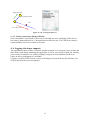
4. 4. 1. Getting at the actual placemark
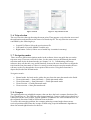
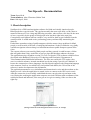
If the user enters to the close range of the actual placemark, the application notifies the user
about this event and shows the right direction toward the next placemark.
Placemark range
User
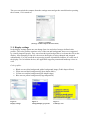
Figure 17 - 18: Getting at the actual placemark
4. 4. 2. Leaving the itinerary
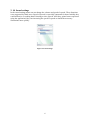
If the user leaving the right way (the user’s direction differs much from the right direction),
the application warns and guides the user to previous placemark. It works only in Normal
keyboard mode. This function wasn’t finished yet and may not work properly. For example it
may warn too late or not at all. Our team is working on improving it. To switch it off change
to Manual placemark selection keyboard mode.
10