Download Interactive Visualization and Minimization of

Transcript
Accessing pseuCo.com
To access pseuCo.com you can either use the public online version or build it from source yourself.
3.1
Accessing the Online Version of pseuCo.com
Using a modern webbrowser, open http://pseuco.com/. Given a working internet connection, this will
open the application and save a copy for later offline use. In the future, you can open this URL even
without an internet connection to use the saved copy.
3.2
Building pseuCo.com from Source
The source code of pseuCo.com can be acquired using Git from its public repository, which is located at
http://git.fefrei.de/concurrent-programming-web.git/.
PseuCo.com has many build- and run-time dependencies, most of which can be installed automatically.
However, some have to be installed manually upfront:
1. a recent version of node.js from http://nodejs.org/, including npm, the Node Package Manager
2. the command-line interface of grunt, grunt-cli, which can be installed by running:
1
npm install -g grunt - cli
All other dependencies can be installed by npm and the default build script.
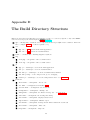
If git, node and grunt-cli are installed correctly, you can fetch and build pseuCo.com as follows:
1
2
3
4
git clone http :// git . fefrei . de / concurrent - programming - web . git /
cd concurrent - programming - web
npm install
grunt
For file sharing and file templates, pseuCo.com needs a server component. While being in the directory
repository /server/, it can be run with node server.js. The server will run on port 9128.
To open pseuCo.com, the directory
repository
/build/ needs to be served by an HTTP server1 .
By default, pseuCo.com tries to reach the pseuCo.com server at base URL /api/, relative to the URL it is
running from. A reverse proxy can be used to forward request to this URL to the server component, as
shown in Listing 3.1. Alternatively, for development, pseuCo.com can be configured to access the server
component at another URL. For details, see section 5.1.
As soon as the HTTP server is running, accessing it with a modern browser will open the user interface.
Listing 3.1: A configuration file for using Apache as a reverse proxy
1
2
RewriteEngine On
RewriteRule (.*) http :// localhost :9128/ $1 [ P ]
1 Using
the file://-protocol will not work in most browsers due to security restrictions.
5