1
Using Remote Data Protection Pack for Business Continuance
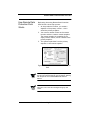
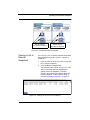
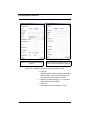
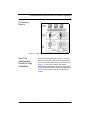
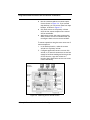
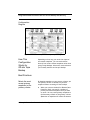
Figure 3.7. Restoring from tape backup
Best Practices
Select a recurrence
schedule for remote
snapshots that
minimizes the
potential for data
loss.
Any data written to the primary volume since the
most recent remote snapshot was created will be
unavailable if the primary volume is unavailable.
Consider how much data you are willing to lose in
the event of an emergency and set the recurrence
for creating remote snapshots accordingly.
If you do not want a large number of remote
snapshots to accumulate on your remote volume,
you can use more than one remote snapshot
schedule, each with different retention policies.
For example, suppose you want to create remote
snapshots every 4 hours to ensure that no more
than 4 hours worth of data is lost in an emergency.
In addition, you want to retain 1 week's worth of
remote snapshots. Retaining 4-hour snapshots for
1 week can result in the accumulation of over 40
remote snapshots. Another approach would be to
create 2 remote snapshot schedules for the
volume:
Sample Remote Data Protection Pack Configurations 63