1
SEARCH FOR VOUCHERS
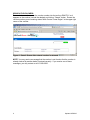
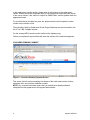
To search for a voucher, enter the voucher number into the text box EXACTLY as it
appears on the voucher (include the dashes) and click on “Search” button. Ensure the
voucher number you are entering states “North Central Texas Region” at the upper right
corner of the voucher.
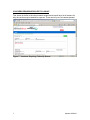
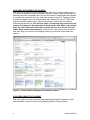
Figure 4 - Search Screen after entered voucher is returned
NOTE: You may receive a message that the voucher is not found or that the voucher is
already claimed by another dealer if entered correctly. If you receive one of these
messages, you may contact us at 817-608-2350.
4
Updated 2/5/2010